
Contents of this guide
The shortlist
Our top 3 for security buyers

Wiz
Attack path analysis
- Best for
- Large enterprises needing cloud risk prioritization
- Features
- 4 noted: Agentless scanning, Attack paths, Kubernetes visibility, Risk correlation

Palo Alto Prisma Cloud
Multi cloud policy
- Best for
- Large multi cloud enterprises
- Features
- 4 noted: Multi cloud CSPM, Compliance reporting, Central policy, SOC integration
Microsoft Defender for Cloud
Published unit pricing
- Best for
- Azure centric teams with tight budgets
- Features
- 4 noted: Azure native, Free tier, Threat protection, Usage billing
Disclosure for this guide. All 8 tools here are unpaid editorial picks. The position of a paid listing can be part of what the vendor pays for. Paid and unpaid tools are scored on the same rubric and keep their cons. Details are in the advertising disclosure.
The ledger
Index of every tool
| Tool | Free plan | Trial | Rubric | Compare | ||
|---|---|---|---|---|---|---|
| 01 | WizLarge enterprises needing cloud risk prioritization | See websitecustom quoteCustom quote | No | No | ||
| 02 | Palo Alto Prisma CloudLarge multi cloud enterprises | See websiteCredit based modular pricingNot published | No | No | ||
| 03 | Microsoft Defender for CloudAzure centric teams with tight budgets | $5.00Defender Workload Unit, per month, pay as you goChecked Nov 25, 2026 | Yes | No | ||
| 04 |  Sysdig SecureKubernetes and runtime security teams | See websitecustom quoteCustom quote | No | No | ||
| 05 |  FortiCNAPPBehavioral cloud detection within Fortinet estates | See websitePer vCore pricingNot published | No | No | ||
| 06 |  Aqua SecurityContainer heavy enterprises | See websiteNot published | No | No | ||
| 07 |  Aikido SecurityStartups and SMBs needing broad coverage | FreeDeveloper, free forever, 2 users included, paid Basic from $350 per month total for 10 usersChecked Nov 25, 2026 | Yes, free forever for 2 users | No | ||
| 08 |  ProwlerBudget teams with engineering capacity | FreeOpen source free forever, Prowler Cloud $79 per cloud account per month billed annuallyChecked Nov 25, 2026 | Yes, open source under Apache-2.0 | Yes, 7 days |
Prices are the lowest paid plan the vendor shows, read on November 25, 2026. Sort by price ranks published monthly figures; tools without one go last. Pin up to three tools to compare them side by side.
How this guide was put together
This list answers a narrow question: which platforms can stand in for Orca Security, and for whom. Every tool was scored on the same five criteria. Coverage breadth carries 25 percent because Orca's appeal is one platform spanning cloud posture, containers, and identity context. Deployment effort and price clarity take 20 percent each, since agentless onboarding and published figures change how fast a buyer can move. Signal quality also takes 20 percent, because a security tool that floods a SOC with uncorrelated alerts costs more than its license. Scale fit takes the last 15 percent, covering how cost and operations behave as accounts and clusters grow.
Prices and plan facts come from vendor pricing pages checked on November 25, 2026. Where a vendor publishes a figure, we use it exactly as shown, in the original currency. Where a page returns no figure, the entry says pricing is on the vendor site and we do not estimate a number. Plan notes such as billing terms, seat counts, and unit definitions are reproduced as the vendor states them.
One entry, Wiz, is a Featured placement, which is a paid position. It was scored with the same rubric and carries the same kind of honest cons as every other tool here, including quote only pricing and workload based costs that climb with scale. The order of the list is editorial: it reflects fit for the buyer each entry describes, plus the disclosed Featured position. It is not a sum of the scores. A team running mostly Azure and watching spend should read the list from the middle down, not the top.
The full process, including how we handle corrections, is on the methodology page. Paid listings follow the advertising disclosure.
Rubric and weights
Every tool below is scored from 1 to 10 on these five criteria. The scores describe each tool; the order is an editorial call on fit for the buyer each card describes, plus the disclosed Featured position.
- 25%Coverage breadthHow far the platform reaches across cloud posture, containers, identity, and runtime rather than one slice.
- 20%Deployment effortHow quickly a team gets useful findings, including whether onboarding avoids host agents and heavy tuning.
- 20%Price clarityWhether the vendor publishes a figure buyers can plan against, or routes everything through a quote.
- 20%Signal qualityHow well the tool correlates and prioritizes risk so analysts act on fewer, better alerts.
- 15%Scale fitWhether cost and operations stay workable as accounts, clusters, and workloads multiply.
Plate 01 of 08
Wiz
Best for large enterprises needing cloud risk prioritization
Our verdict
The broadest agentless option here, with strong risk correlation, but you cannot see a price without a quote.
Wiz is the closest like for like swap for Orca in this list, and it holds the disclosed Featured placement, which is a paid position. Scanning is agentless and side based, so workloads get read without a host agent installed. From that inventory it builds attack path analysis across cloud resources, containers, and identities, then correlates findings so a team sees a handful of exploitable paths instead of thousands of raw misconfigurations. Kubernetes object and image registry visibility sit inside the same graph, which matters if clusters are where your risk concentrates.
The strengths are breadth and noise reduction. Risk correlation turns alert volume into a prioritized queue. Cloud, container, and identity context live in one exposure map rather than three consoles.
The limits are commercial. Wiz publishes no figures. The page lists Wiz Go, Wiz One, and a Custom Plan, then routes everything to "Get pricing" and quote requests. Cost is tied to workload counts, so the bill grows as you scan more, and high minimum commitments can put the platform out of reach for smaller buyers. Ask the vendor for a quote sized to your environment.
Fit is large enterprises with a dedicated cloud security function and enough workload volume to justify a negotiated contract. If you need a number on a page before you can start a conversation, look further down this list.
What works
- Agentless side scanning with no host agents
- Attack path analysis spanning cloud, containers, and identities
- Risk correlation cuts alert noise
What to weigh
- No published pricing, quote only
- Workload based costs rise with scale
- High minimum commitments can exclude smaller buyers
Pick it if
You are a large enterprise that wants one graph covering cloud, container, and identity risk and can work through a quote process.
Skip it if
You need a published price or a small initial commitment to get budget approval.
Plate 02 of 08
Palo Alto Prisma Cloud
Best for large multi cloud enterprises

Our verdict
Deep multi cloud posture and policy control for large estates, paid for in credits that can grow quickly.
Prisma Cloud is the enterprise posture workhorse on this list. It enforces policy across AWS, Azure, and GCP from one place, reports against audit frameworks, and keeps per cloud dashboards so platform teams can see their own footprint. Central policy management is the piece that sells it to organizations with many accounts and a compliance obligation, and SOC workflow integration means findings land where analysts already work.
The trade is effort. Implementation is significant: policy sets need scoping, and alerts need tuning before the queue is trustworthy. Teams that skip that step end up with a dashboard nobody opens.
Pricing is modular and credit based. You buy credits and spend them across the services you turn on, so total cost depends on the modules selected and the size of the account footprint. Prisma Cloud publishes no figure on the page we checked, and the pricing page returned no content during the check, so the pack figure stands unconfirmed. Because credits are modular, ask the vendor for a quote sized to your account footprint.
Fit is large multi cloud enterprises with a compliance program and staff to run policy. If you are single cloud, or a team of three, the credit model and the tuning burden both work against you. Consider Microsoft Defender for Cloud for Azure, or Prisma Cloud when the multi cloud policy requirement is real and funded.
What works
- Policy enforcement across AWS, Azure, and GCP
- Compliance reporting mapped to audit frameworks
- Central policy control with SOC workflow integration
What to weigh
- Credit based pricing can grow unpredictably
- Alert tuning is required before the queue is useful
- Significant implementation effort
Pick it if
You run a large multi cloud estate with audit obligations and have people to own policy tuning.
Skip it if
You are single cloud or lack staff to tune and maintain policies.
Plate 03 of 08
Microsoft Defender for Cloud
Best for azure centric teams with tight budgets
Our verdict
The cheapest published entry point here if Azure is your center of gravity, with thinner reach elsewhere.
Defender for Cloud is the pragmatic budget pick, and it publishes a unit rate: $5.00 per Defender Workload Unit per month on pay as you go. Billing follows Azure resource consumption, so cost tracks what you actually run rather than a negotiated floor. There is a free tier, which covers posture basics, and the P2 plan adds threat protection for servers, containers, and databases.
The Azure integration is the real advantage. Posture management is native, Azure Policy and compliance dashboards are already there, and findings flow into the security tools your team uses today. Nothing needs a new console culture.
Outside Azure it thins out. Connectors exist for AWS and GCP, but coverage is not as deep as cloud neutral platforms, and breadth overall is less than a full CNAPP suite. Costs also scale with resource footprint, so a large estate can climb even at a low unit price. For a mostly AWS or GCP shop, a cloud neutral platform is usually the better fit.
Fit is Azure centric teams, especially mid market ones, that want posture and workload threat protection without an enterprise minimum. Start on the free tier to see the posture view, then move resources to P2 where threat detection earns its keep. The published unit rate makes this the easiest tool on the list to model before you talk to anyone.
What works
- Published $5.00 per unit monthly rate
- Free tier plus deep native Azure integration
- Usage based billing tied to resources
What to weigh
- Thinner coverage outside Azure
- Breadth below full CNAPP suites
- Costs scale with resource footprint
Pick it if
Azure dominates your estate and you want a low, published entry cost with native policy integration.
Skip it if
Most of your workloads sit in AWS or GCP and you need neutral depth.
Plate 04 of 08
Sysdig Secure
Best for kubernetes and runtime security teams
Our verdict
The runtime specialist for Kubernetes, best paired with a separate posture tool rather than bought alone.
Sysdig Secure is built around runtime telemetry for Kubernetes and containers, not around being a full posture suite. It monitors container threats as they execute, collects cluster telemetry, watches for behavioral signs of a compromised container, and lets SOC teams adapt detection rules to their own environment. LDAP and Active Directory integration plus role based access control mean it fits enterprise identity requirements without a workaround.
That focus is the point. If your risk lives in running containers, runtime detection catches things image scanning never will, because it sees behavior rather than artifacts. Rules are tunable, which experienced SOC teams value and inexperienced ones underestimate.
Posture coverage is the gap. Cloud posture scanning exists, but multi cloud CSPM depth trails the larger suites, and the platform is often deployed alongside a separate CSPM tool rather than as a replacement. Budget for both if you need broad posture.
Pricing is quote only. Licensing is described per host or per events processed, with no published figure, and the model is enterprise oriented. That means your cost depends on how much telemetry you generate, which is hard to forecast before you deploy.
Fit is Kubernetes and runtime security teams with a mature SOC. If you want one platform to cover everything, this is not it. If containers are where you hurt, it is among the strongest runtime options in this list.
What works
- Strong runtime and Kubernetes detection
- Tunable rules for SOC teams
- Fits enterprise identity controls
What to weigh
- Posture breadth is limited
- Enterprise only, quote based pricing
- Usually needs a separate CSPM tool
Pick it if
Container runtime threat detection is your priority and you already have posture coverage elsewhere.
Skip it if
You want a single platform for broad multi cloud posture and runtime together.
Plate 05 of 08
FortiCNAPP
Best for behavioral cloud detection within Fortinet estates
Our verdict
Behavioral detection that catches unfamiliar activity, priced per vCore in a way small deployments feel.
FortiCNAPP, formerly Lacework, is the anomaly based option. Rather than matching known signatures, it baselines workload behavior and alerts on drift, which is how it surfaces activity nobody wrote a rule for. Cloud and Kubernetes telemetry feed those baselines, and workload behavior monitoring runs continuously so a compromised container that looks normal by signature still stands out.
The buying path is the practical draw for existing customers. The product sits inside Fortinet's portfolio, so procurement and support run through a vendor many enterprises already have a relationship with, which shortens the approval cycle.
The catch is tuning. Behavioral baselines need time and adjustment before alerts are trustworthy, and teams that do not invest there get noise. Pricing is per vCore, which can be high: the model charges by CPU count, so smaller or densely packed deployments can end up expensive relative to the value they extract. No figure is published, and the pricing page returned no content during our check, so the pack figure stands unconfirmed.
Fit is organizations already inside a Fortinet estate that want behavioral cloud detection without adding a vendor. If you are cloud native with no Fortinet footprint, the bundled buying advantage disappears and per vCore cost becomes the main story. Compare against Wiz or Prisma Cloud when breadth matters more than behavior baselines.
What works
- Detects unfamiliar behavior via baselines
- Bundled procurement for Fortinet customers
- Covers cloud and Kubernetes telemetry
What to weigh
- Per vCore pricing can run high
- Behavioral tuning is required
- Costs burden smaller companies
Pick it if
You already buy Fortinet and want anomaly based cloud and Kubernetes detection.
Skip it if
You have no Fortinet footprint or run small, dense deployments where vCore counts bite.
Plate 06 of 08
Aqua Security
Best for container heavy enterprises
Our verdict
Container lifecycle security with real runtime enforcement, narrower than a full cloud posture platform.
Aqua Security covers containers from build to run. Image scanning runs in the pipeline, runtime defense watches containers in production, and malicious container behavior can be blocked rather than only reported. Multi cloud compliance reporting and regulatory framework reporting round it out, which is what regulated teams need when auditors ask how container workloads are controlled.
The build, deploy, and runtime span is the differentiator. Many tools do one stage well; Aqua is designed so the same policy follows an image from registry to running pod, and enforcement at runtime means a bad container gets stopped.
The limits are scope and noise. The platform centers on container security rather than broad cloud posture, so buyers needing wide CSPM coverage often combine it with a CNAPP. Alert fatigue is real without tuning, and pricing is enterprise oriented with no published figure, which means a quote conversation before any budget number exists.
Fit is container heavy enterprises, especially regulated ones, with a platform team that owns the container pipeline. If containers are a small part of your estate, the container focus works against you and a broader platform is a better spend. If containers are most of what you run, the lifecycle coverage and blocking enforcement justify the enterprise pricing conversation.
What works
- Covers build, deploy, and runtime
- Runtime enforcement blocks bad behavior
- Compliance reporting for container workloads
What to weigh
- Primarily container focused
- Alert fatigue without tuning
- Enterprise pricing, no published figure
Pick it if
Containers dominate your estate and you want policy enforced from image build through runtime.
Skip it if
You need broad multi cloud posture coverage from a single platform.
Plate 07 of 08
Aikido Security
Best for startups and SMBs needing broad coverage
Our verdict
The transparent priced option for small teams, with a real free tier and fast agentless setup.
Aikido Security is the list's answer for startups and small teams who cannot start with a six figure quote. Onboarding is agentless, setup is fast, and the platform bundles SAST, SCA, CSPM, infrastructure as code checks, secret scanning, and container scanning behind one integration into pull requests and CI pipelines. AI assisted triage helps small teams work through findings without a dedicated security analyst.
Pricing is the standout, because it is published. There is a Developer tier that is free forever with 2 users included. Paid Basic starts at $350 per month total for 10 users, with Pro and Advanced tiers above it. That is a model a founder can model on a napkin, which is rare among CNAPP vendors.
The honest limits are depth and history. The company has a shorter track record than the enterprise names above it, coverage is broad but less deep at large scale, and the enterprise footprint is smaller, which matters if procurement asks who else runs it. Very large estates with complex identity graphs will find more depth in Wiz or Prisma Cloud.
Fit is startups and SMBs that want broad scanning coverage, developer friendly workflows, and a price they can see before the first call. Take the free tier for two users, run it against a real repo, and upgrade to Basic when the team grows past that.
What works
- Free forever tier for 2 users
- Published pricing, including $350 per month Basic for 10 users
- Fast agentless setup with pull request integration
What to weigh
- Shorter track record
- Less depth than enterprise suites at scale
- Smaller enterprise footprint
Pick it if
You are a startup or SMB that wants broad scanning with a visible price and no minimum contract.
Skip it if
You need proven depth across a very large, complex enterprise estate.
Plate 08 of 08
Prowler
Best for budget teams with engineering capacity
Our verdict
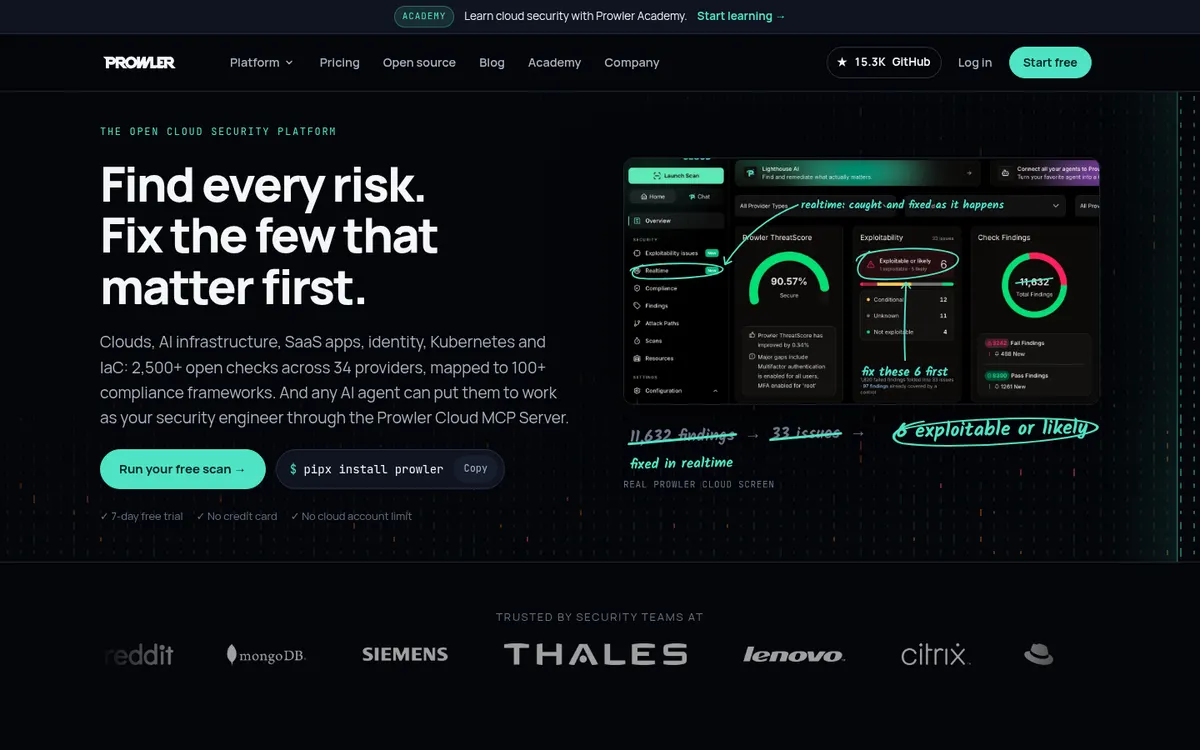
A free, huge check library for teams with engineering hours to spend and no license budget.
Prowler is open source under Apache-2.0, and that changes the math completely. There is no license cost. The check library is large, with hundreds of checks across AWS, Azure, and GCP covering misconfigurations, IAM exposure, and storage exposure. It works with CloudQuery for inventory, and because the checks are code, your team controls exactly what runs and how results are reported.
Prowler Cloud is the managed path at $79 per cloud account per month billed annually, with a 7 day trial. That is a published, per account figure, which makes it one of the few options here a buyer can size before a call.
What you pay in is time. Running the open source edition requires engineering effort, there is no managed SaaS in that mode, and triage and alerting must be built by your team rather than inherited from a vendor console. Published estimates suggest about a week to deploy and several hours each month to maintain, which is realistic for a small platform team and unrealistic for one without spare capacity.
The right buyer is a budget constrained team with engineering capacity and a preference for owning its tooling. It can genuinely replace parts of a commercial CSPM, but it will not replace a CNAPP's runtime detection or correlated attack paths. Many teams run Prowler for posture checks and a commercial tool for runtime, and that combination is honest about what each does.
What works
- No license cost under Apache-2.0
- Hundreds of checks across AWS, Azure, and GCP
- Full control over checks and reporting
What to weigh
- Requires real engineering time
- No managed SaaS in the open source edition
- Triage and alerting must be built
Pick it if
You have engineering capacity and want maximum check coverage at no license cost.
Skip it if
You have no one to maintain checks, triage findings, and build alerting.
What does a cloud security platform actually cover?
A cloud security platform is software that inspects your cloud accounts, workloads, and identities for risk, then helps you decide what to fix first. Orca Security made its name with one specific approach: agentless side scanning, where the platform reads workload disks and configuration snapshots from outside the host instead of installing an agent on every server. That approach is why so many alternatives get compared to it, and why most tools in this list either match it or argue against it.
The category splits into a few overlapping jobs:
- CSPM (cloud security posture management) checks account configuration against baselines and compliance frameworks.
- CWPP (cloud workload protection) watches running workloads for threats.
- CNAPP bundles posture, workload protection, container scanning, and identity context into one platform.
- Runtime security watches behavior inside running containers and hosts, catching activity no static check would flag.
Agentless scanning and runtime monitoring answer different questions. Agentless scanning asks whether a workload is configured dangerously or contains a vulnerable package, and it does so across every workload without deployment friction. Runtime monitoring asks what a process is doing right now, which is how you catch a compromised container running cryptomining code that looks clean on disk. Agentless gives breadth fast; runtime gives depth on behavior. Mature teams often run both.
CSPM versus CNAPP is a scope decision. If your need is configuration hygiene and audit evidence, CSPM covers it. If you also need workload threat detection, container image scanning, and identity context correlated into attack paths, that is CNAPP territory, and it costs more.
Kubernetes and container runtime security is its own specialty. Tools that do it well, such as Sysdig Secure and Aqua Security, tend to be narrower on broad cloud posture, which is why they are often paired with another platform.
This guide sits in the Security collection. Buyers weighing nearby tools often read the guides to api security platforms and dynamic application security testing tools next.
How cloud security pricing models compare across these eight tools
Cloud security pricing splits into four models, and the model matters more than the sticker number. Published unit rates let you model cost before a call. Quote only pricing means the number depends on your footprint and your negotiation. Consumption models charge by resources or telemetry. Free and open source shifts cost from license to labor.
| Model | How it bills | Typical fit | Example from this list |
|---|---|---|---|
| Quote only | Negotiated contract tied to workload counts | Large enterprises | Wiz, custom quote |
| Credit or modular | Credits spent across selected services | Large multi cloud estates | Palo Alto Prisma Cloud, credit based modular pricing |
| Consumption | Per unit, per resource, per vCore, per account, or per event | Teams wanting usage alignment | Microsoft Defender for Cloud at $5.00 per Defender Workload Unit per month |
| Free tier plus paid | Free forever tier, then per seat or flat monthly | Startups and SMBs | Aikido Security, free forever for 2 users, Basic from $350 per month total for 10 users |
| Open source plus cloud | No license, or per account managed | Budget teams with engineers | Prowler, free open source, Prowler Cloud $79 per cloud account per month billed annually |
The practical rule: the more a vendor publishes, the easier your budget conversation. Defender for Cloud, Aikido Security, and Prowler all put a figure or a free tier in front of you. Wiz, Prisma Cloud, Sysdig Secure, FortiCNAPP, and Aqua Security do not, so plan for a quote cycle and be ready to state workload or vCore counts.
Watch the unit, not just the rate. Per workload, per vCore, and per event models all rise as you scale, and a low unit price on a large footprint can beat a high unit price on a small one. Microsoft Defender for Cloud at $5.00 per unit looks cheap until the estate is big; per vCore pricing looks simple until instances are densely packed. Ask each vendor what one year of growth does to the bill.
Every price in this guide was read on the vendor's own pricing page on November 25, 2026. Where a vendor does not publish a figure we could confirm, the card says "See website" rather than a guess. For the arithmetic around this purchase, try the free Email campaign metrics calculator.
Which Orca alternative should you shortlist?
Name the cloud you actually run. If Azure is 80 percent of your estate, start with Microsoft Defender for Cloud and its published $5.00 unit rate. If you are genuinely multi cloud with audit obligations, Prisma Cloud and Wiz belong on the shortlist instead.
Decide whether you need runtime or only posture. Posture checks find dangerous configuration and vulnerable packages. Runtime catches behavior. If containers run your business, keep Sysdig Secure, Aqua Security, and FortiCNAPP in view; if you only need configuration hygiene, they are extra spend.
Test whether a quote is a blocker. Wiz, Prisma Cloud, Sysdig Secure, FortiCNAPP, and Aqua Security publish no figures. If your buying process needs a number before a meeting, start with Defender for Cloud, Aikido Security, or Prowler and use them as the cost baseline.
Match the tool to your staffing. Prowler is free but needs engineering hours for deployment, triage, and alerting. Sysdig Secure rewards a SOC that will tune rules. Aikido Security assumes a small team without a dedicated analyst. Be honest about who runs it on a Tuesday.
Size the unit before you sign. Workloads, vCores, events, cloud accounts, and seats all scale differently. Ask each vendor what happens to the bill if accounts double, and get that in writing during the quote.
Run a short proof on real accounts. Onboard one production account and one cluster. Compare how many alerts each tool produces and how many are genuinely actionable, because signal quality decides whether the platform gets used after month three.
Mistakes that sink a cloud security purchase
Buying breadth you will not operate. A platform covering posture, runtime, containers, and identity is worthless if no one owns the queue. Enterprise suites demand staff and tuning; budget for the operator, not just the license.
Comparing a quote to a list price. Wiz and Prisma Cloud do not publish figures, so comparing them to Defender for Cloud's $5.00 unit rate is apples to oranges. Compare total first year cost at your actual footprint instead.
Ignoring the billing unit. Per vCore, per workload, per event, and per account behave very differently as you grow. A model that fits today can double when instances get denser or telemetry volume rises.
Assuming free means cheap. Prowler carries no license cost, but deployment takes roughly a week and maintenance several hours a month, and you must build triage and alerting. Engineering time is the real price.
Skipping the runtime question. Teams that buy posture only and later discover they cannot see behavior inside a compromised container end up buying a second tool. Decide up front whether runtime matters, and shortlist accordingly.
Orca Security Alternatives: questions
How does agentless cloud scanning differ from runtime monitoring?
Agentless scanning reads workload disks and configuration from outside the host, so it finds vulnerable packages and dangerous configuration across every workload without installing anything. Runtime monitoring watches behavior inside running containers and hosts, catching activity like cryptomining or unexpected process spawns. Agentless gives fast breadth, runtime gives behavioral depth, and many teams run both rather than choosing.
Which cloud security tools are free or low cost?
Prowler is open source under Apache-2.0 at no license cost, with Prowler Cloud at $79 per cloud account per month billed annually and a 7 day trial. Aikido Security has a free forever Developer tier for 2 users, with Basic from $350 per month total for 10 users. Microsoft Defender for Cloud has a free tier and publishes $5.00 per Defender Workload Unit per month.
Which platforms focus on Kubernetes and container runtime security?
Sysdig Secure and Aqua Security are the container specialists in this list. Sysdig Secure centers on runtime telemetry, tunable rules, and behavioral detection for compromised containers. Aqua Security covers image scanning, runtime defense, and enforcement from build to run. FortiCNAPP also analyzes Kubernetes telemetry with behavioral baselines. All three are narrower on broad cloud posture than full CNAPP suites.
When should a team choose CSPM over CNAPP?
Choose CSPM when your need is configuration hygiene, compliance evidence, and account level checks, and you already handle workload threats elsewhere. Choose CNAPP when you also need container image scanning, runtime detection, and identity context correlated into attack paths. CNAPP costs more and takes more tuning, so pay for it when the extra scope maps to real risk in your estate.
How do quote based CNAPP prices compare with published ones?
Quote based vendors publish nothing, so cost depends on workload or vCore counts, modules selected, and negotiation. For Wiz and Prisma Cloud, plan on a quote cycle rather than a list price. Published options give a baseline: Defender for Cloud at $5.00 per unit monthly, Aikido Security Basic at $350 per month total for 10 users, Prowler Cloud at $79 per account monthly.
Can open source tools replace a commercial CNAPP?
Partly. Prowler's hundreds of checks across AWS, Azure, and GCP can replace commercial CSPM for configuration and exposure checks, and you control the code. It does not replace runtime threat detection, correlated attack paths, or managed triage. Many teams run Prowler for posture and a commercial tool for runtime, which keeps license spend down without pretending the free tool does everything.