
Contents of this guide
The shortlist
Our top 3 for finance buyers

Karbon
Email triage inbox
- Best for
- Growing firms where client work arrives by email
- Features
- 4 noted: Shared inbox, Kanban boards, Work templates, Capacity views

TaxDome
Branded client portal
- Best for
- Tax and accounting firms wanting one client portal
- Features
- 4 noted: Client portal, E-signatures, Invoicing, CRM pipeline

Canopy
IRS transcript retrieval
- Best for
- Tax practices and tax resolution specialists
- Features
- 4 noted: IRS transcripts, Tax resolution, E-signatures, Document management
Disclosure for this guide. All 9 tools here are unpaid editorial picks. The position of a paid listing can be part of what the vendor pays for. Paid and unpaid tools are scored on the same rubric and keep their cons. Details are in the advertising disclosure.
The ledger
Index of every tool
| Tool | Free plan | Trial | Rubric | Compare | ||
|---|---|---|---|---|---|---|
| 01 | KarbonGrowing firms where client work arrives by email | $59Team, per user per month, billed annually, monthly billing only for teams of 4+Checked Nov 25, 2026 | No | 14-day free trial | ||
| 02 | TaxDomeTax and accounting firms wanting one client portal | $1,500Annual total, includes 20 seats, starts at 150 active clients, billed annually, $0.83 per client monthlyChecked Nov 25, 2026 | No | Demo only | ||
| 03 | CanopyTax practices and tax resolution specialists | $74Standard, per user per month, billed annuallyChecked Nov 25, 2026 | No | No | ||
| 04 |  Financial CentsSmall firms that want workflows running within a week | $19Solo, per month, billed annually, single user firms only, 12-month agreementChecked Nov 25, 2026 | No | 14-day free trial | ||
| 05 |  Jetpack WorkflowFirms needing recurring task tracking without a full suite | See websiteNot published | No | 14-day free trial | ||
| 06 |  UkuSmall firms watching profitability on advisory work | $19Solo, per member per month, billed annually, capped at 20 active clientsChecked Nov 25, 2026 | No | 14-day free trial | ||
| 07 | TidyflowGrowing firms wanting all-in-one depth at a lower price | $29Core, per user per month, billed annually, or $39 per user per month billed monthlyChecked Nov 25, 2026 | No | 14-day free trial | ||
| 08 |  Xero Practice ManagerFirms already running their books on Xero | See websiteNot published | No | No | ||
| 09 |  Aero WorkflowFirms wanting a simple, stable workflow core | See websiteNot published | No | Free trial available |
Prices are the lowest paid plan the vendor shows, read on November 25, 2026. Sort by price ranks published monthly figures; tools without one go last. Pin up to three tools to compare them side by side.
How this guide was put together
This guide compares nine accounting practice management tools on the jobs buyers actually have to do with them. Prices come from vendor pricing pages checked on November 25, 2026, and where a vendor does not publish a rate we say so instead of estimating one. No currency conversions were applied.
Each tool was scored against five criteria, weighted for what changes the outcome in a small or mid-sized firm:
- Workflow depth (25 percent): templates, recurring jobs, assignment and deadline handling.
- Client portal (20 percent): documents, messaging, signatures and payment inside one workspace.
- Pricing clarity (20 percent): published rates, tier limits you can read before a demo, and no hidden module costs.
- Time to live (20 percent): how long a firm needs before the tool carries real work.
- Integration fit (15 percent): the ledger, document and email connections that decide whether the tool becomes the system of record.
The scores inform the write-up, but the order of this list is editorial. Entries appear in the sequence that best serves the buyer each one describes, and the guide includes one Featured placement, which is a paid position. That entry was scored with the same rubric and carries the same honest cons as every other tool here.
Some entries have limits we could not verify. Aero Workflow does not publish pricing, and the Jetpack Workflow starting price could not be confirmed from the vendor page at the time of checking. Both are flagged in the entries rather than filled in with a guess.
The full process, including how we handle corrections, is on the methodology page. Paid listings follow the advertising disclosure.
Rubric and weights
Every tool below is scored from 1 to 10 on these five criteria. The scores describe each tool; the order is an editorial call on fit for the buyer each card describes, plus the disclosed Featured position.
- 25%Workflow depthRecurring templates, task ownership, deadline handling and automation that carries real engagements.
- 20%Client portalDocuments, messaging, signatures and payment collection inside one client-facing workspace.
- 20%Pricing clarityPublished rates, readable tier limits and no module costs that appear only after a demo.
- 20%Time to liveHow many days of setup a firm needs before the tool carries live client work.
- 15%Integration fitLedger, document and email connections that decide whether the tool becomes the system of record.
Plate 01 of 09
Karbon
Best for growing firms where client work arrives by email

Our verdict
The strongest pick when client requests arrive as email and need to become assigned, trackable jobs.
Karbon is built around a shared inbox. Client email arrives in a triage view, gets assigned to a named person and becomes a job on a workflow board, so a request that would otherwise sit in one mailbox turns into tracked work with an owner and a due date. Firms with heavy email volume and ten or more staff get the most from that model, because the value scales with the number of threads arriving each week.
Pricing starts at $59 per user per month on the Team plan billed annually, and monthly billing is available only for teams of four or more. Team caps work templates and contact profiles, which matters for a firm with a long tail of engagement types. Automated client reminders and API access sit on the Business tier at $89 per user per month, so a firm needing either should budget from Business upward. Enterprise is quoted on request, and e-signature credits are bought as an add-on rather than included.
Beyond the inbox, the product gives you kanban workflow boards, reusable templates for recurring engagements, a consolidated client record holding email history, and capacity and workload views across the team. Partners can see who is overloaded without asking for status updates, which is the quiet reason email-first firms defend the price.
The trade-off is setup. Building templates, boards and assignment rules takes real time and patience, and a firm that skips that work ends up with an expensive shared inbox. Smaller practices can find the per-user cost hard to justify before headcount grows, and firms whose clients already log into a portal for everything get less from the triage model. Karbon fits firms where email is the front door to client work, and it rewards a deliberate rollout rather than a fast one.
What works
- Turns inbound email into assigned, trackable work
- Strong workflow automation with board oversight
- Client email history lives on one record
What to weigh
- Team tier caps work templates and contact profiles
- Reminders and API access need the $89 Business tier
- Implementation takes real time and patience
Pick it if
Your client requests arrive as email and you want them triaged, assigned and tracked without changing how clients contact you.
Skip it if
You need automated reminders or API access at the entry price, or if your team is small enough that per-user cost outweighs the workflow gain.
Plate 02 of 09
TaxDome
Best for tax and accounting firms wanting one client portal
Our verdict
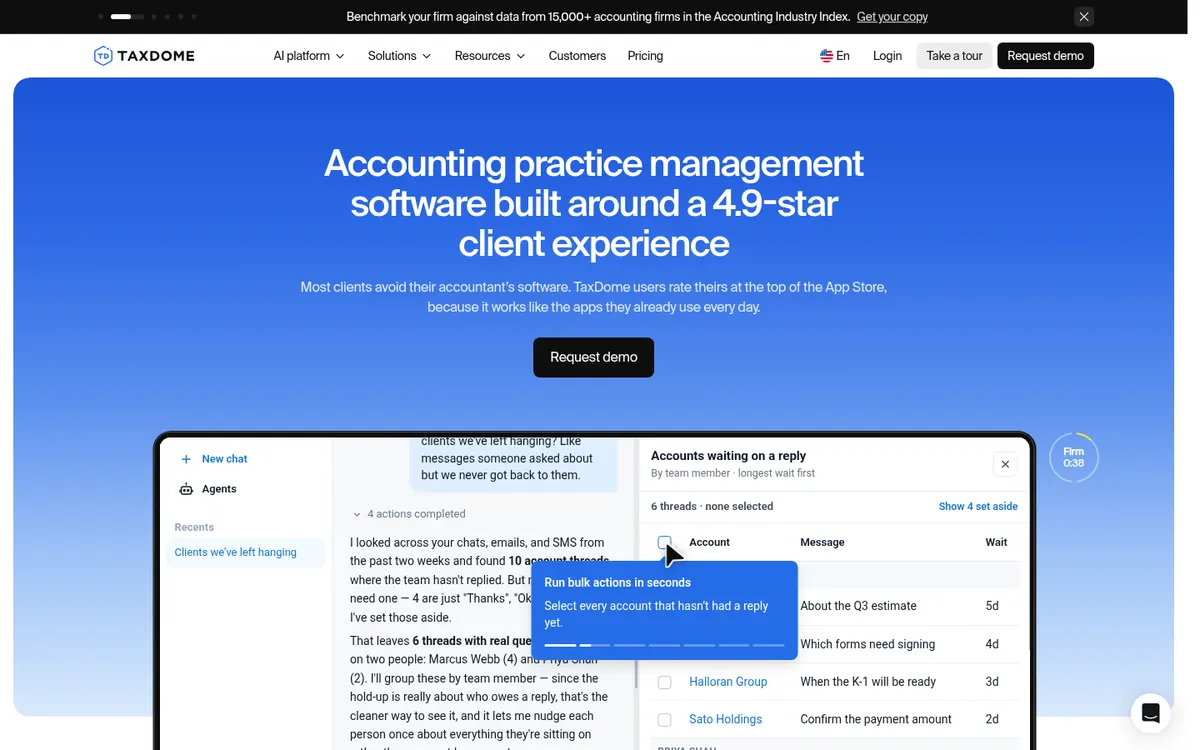
Best client-facing suite here: one branded portal for messages, documents, signatures and payments, billed as an annual total.
TaxDome is a portal-centric product in this list. Clients log in to one branded workspace to read messages, upload documents, complete organizers, sign engagement letters and pay invoices, and the firm works the same record from the other side. For tax and accounting practices that want a single client-facing front door, that is the strongest part of the product.
Pricing is $1,500 as an annual total, which includes 20 seats and starts at 150 active clients, working out at $0.83 per client per month. Pricing has moved from per seat to a client-volume annual total, so older per-seat arithmetic no longer applies. Billing is annual only, with no monthly option, and there is no free trial: evaluation runs through a demo. Onboarding packages priced $999 to $3,499 are effectively standard rather than optional, so budget for one.
The subscription covers CRM with pipeline and contact management, workflow automation and task pipelines, time tracking and billing, invoicing with online payment collection, and e-signatures inside the portal. The Pro tier adds further automation on top of the base package, and the annual total makes budgeting predictable once the client count is stable.
Two constraints show up after purchase. Annual, upfront billing affects cash planning for small firms, and internal collaboration that runs on email is lighter than email-first rivals, so a firm whose staff live in shared inboxes will feel the difference daily. TaxDome fits practices that want clients in a portal and are happy to pay yearly for a bundled suite; it fits less well where staff need heavy internal email triage alongside client work.
What works
- One subscription covers CRM, portal, workflow and billing
- Client-facing experience is the strongest part
- Annual billing is predictable for budgeting
What to weigh
- Annual billing only, with no monthly option
- No free trial, evaluation is demo-based
- Onboarding packages priced $999 to $3,499 are effectively standard
Pick it if
You want clients to message, upload, sign and pay inside one branded portal and can commit to annual, upfront billing.
Skip it if
You need a monthly plan or a self-serve trial, or if your team works mainly out of shared email inboxes.
Plate 03 of 09
Canopy
Best for tax practices and tax resolution specialists
Our verdict
The tax specialist, with IRS transcript retrieval and resolution workflows, but modular pricing lifts the real total well above the headline.
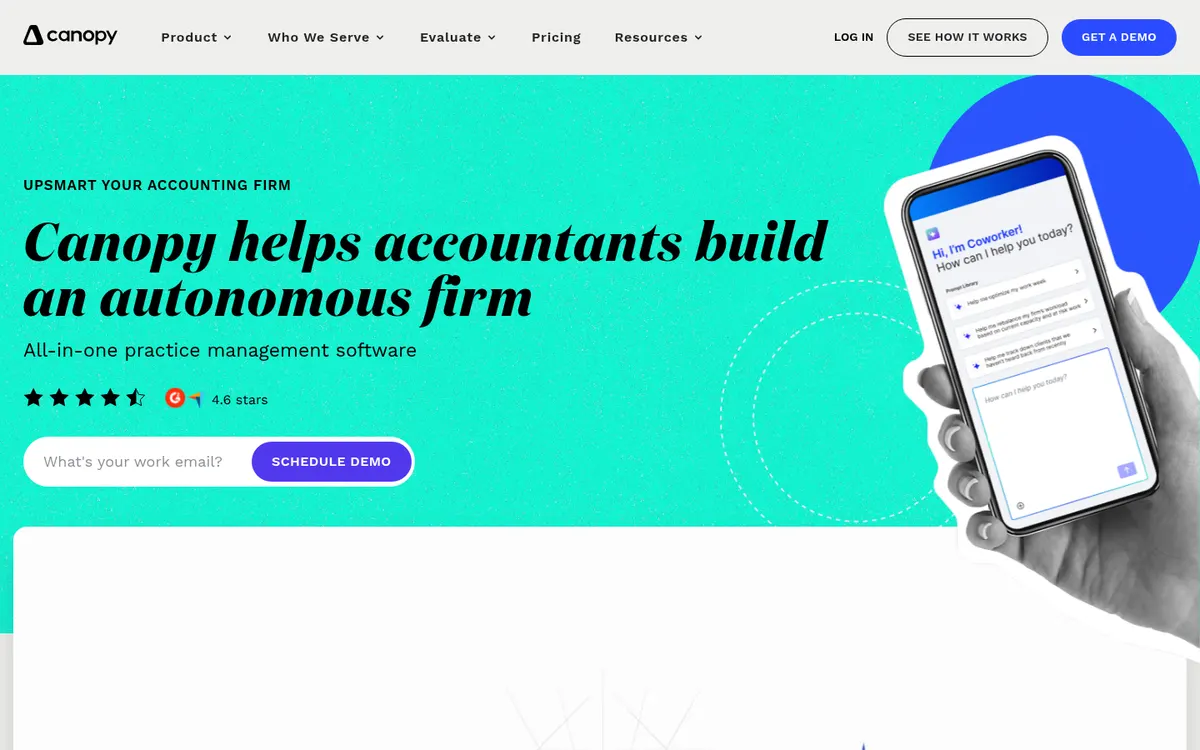
Canopy is the specialist for tax work. IRS transcript retrieval is built in, tax resolution case management and notice handling are first-class workflows rather than add-on scripts, and document management with client uploads supports the document-heavy side of a tax engagement. Practices that do resolution work alongside returns get tax-specific tooling here.
Pricing starts at $74 per user per month on Standard billed annually, with Plus at $109 and Premium at $149, and tax-specific modules sold on top of the base plan. That modular structure means the real total runs above the headline tier, so buyers should price the exact modules they need and compare finished totals rather than entry rates across vendors.
The platform also includes e-signature workflows, a client portal for messaging and file exchange, task and workflow templates built for tax season, and practice billing and payment modules. Documents, signatures and client messaging sitting in the same system removes a common source of duplicate data entry, and the resolution case handling keeps notice deadlines visible instead of buried in a spreadsheet.
The cost is weight. Breadth brings a learning curve, and small practices often find the combination of per-user fees plus modules hard to justify. Canopy has discontinued its former free tier and offers no free trial, so check the vendor site before evaluating. It fits tax practices and resolution specialists who will actually use the tax-specific modules; general bookkeeping firms usually get more value per dollar from a lighter platform.
What works
- IRS transcript retrieval built into the platform
- Tax resolution and notice workflows
- Documents and e-signatures in one system
What to weigh
- Modular pricing pushes the total above the headline rate
- No free trial and the former free tier is gone
- Broad feature set brings a learning curve
Pick it if
Your practice does tax resolution or notice work and you need transcripts, documents and signatures in one system.
Skip it if
You run straightforward bookkeeping, or if per-user fees plus tax modules would exceed what the engagement mix supports.
Plate 04 of 09
Financial Cents
Best for small firms that want workflows running within a week
Our verdict
Fastest route to working recurring workflows, at the lowest confirmed entry price, with QuickBooks at its core.
Financial Cents is the fastest product in this list to get productive. Recurring workflow templates for month-end closes and tax work can be built and run within days, and the vendor targets bookkeeping and small CPA firms under about 20 people. Firms that have tried a heavier platform and stalled during setup tend to land here.
Pricing starts at $19 per month on Solo, billed annually and limited to single-user firms on a 12-month agreement. Team is $49 per user per month, and there is a 14-day free trial. That entry point is a confirmed price in this list, and it is a real plan rather than a stripped trial, so a sole practitioner can run live engagements on it.
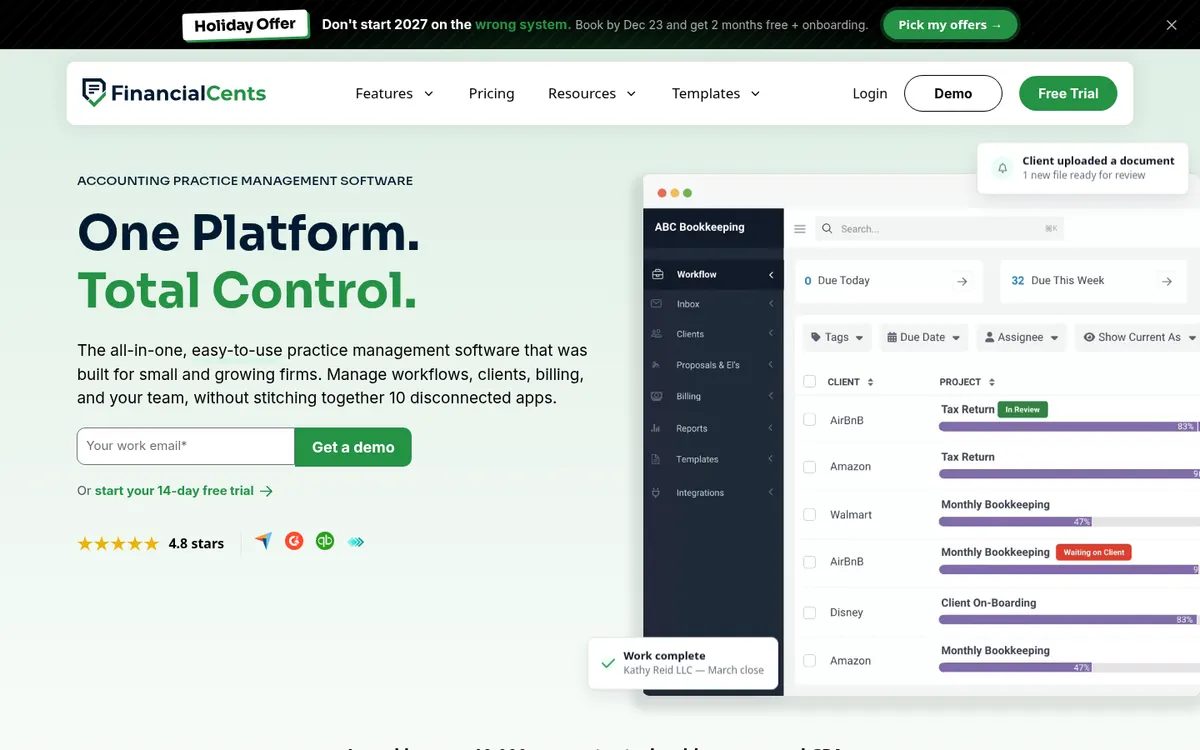
The workflow side covers automated client follow-ups and status reminders, document collection requests tied to tasks, client records linked to active engagements, time tracking, task dashboards and a client portal for document and information requests. The QuickBooks integration is the strongest hook for bookkeeping firms, because the work being tracked maps directly onto the ledger the client already understands.
The limits appear as a firm grows. The integration catalog beyond QuickBooks is thin, there is no shared email triage comparable to email-first platforms, and document management is lighter than document-heavy rivals. Firms with complex multi-service engagements tend to outgrow it. Financial Cents fits small practices that want recurring workflows live this week; it fits less well as a long-term platform for a firm heading past 20 people with several service lines.
What works
- Recurring workflows live within days
- Entry price of $19 per month
- QuickBooks integration at the center
What to weigh
- No shared email triage
- Integrations beyond QuickBooks are limited
- Outgrown as engagement complexity rises
Pick it if
You are a small bookkeeping or CPA firm that wants automated recurring workflows running inside a week.
Skip it if
You live in a shared inbox, need deep document management, or expect the firm to grow significantly.
Plate 05 of 09
Jetpack Workflow
Best for firms needing recurring task tracking without a full suite
Our verdict
Narrow by design: recurring task tracking with no client caps, and no portal, billing or document management.
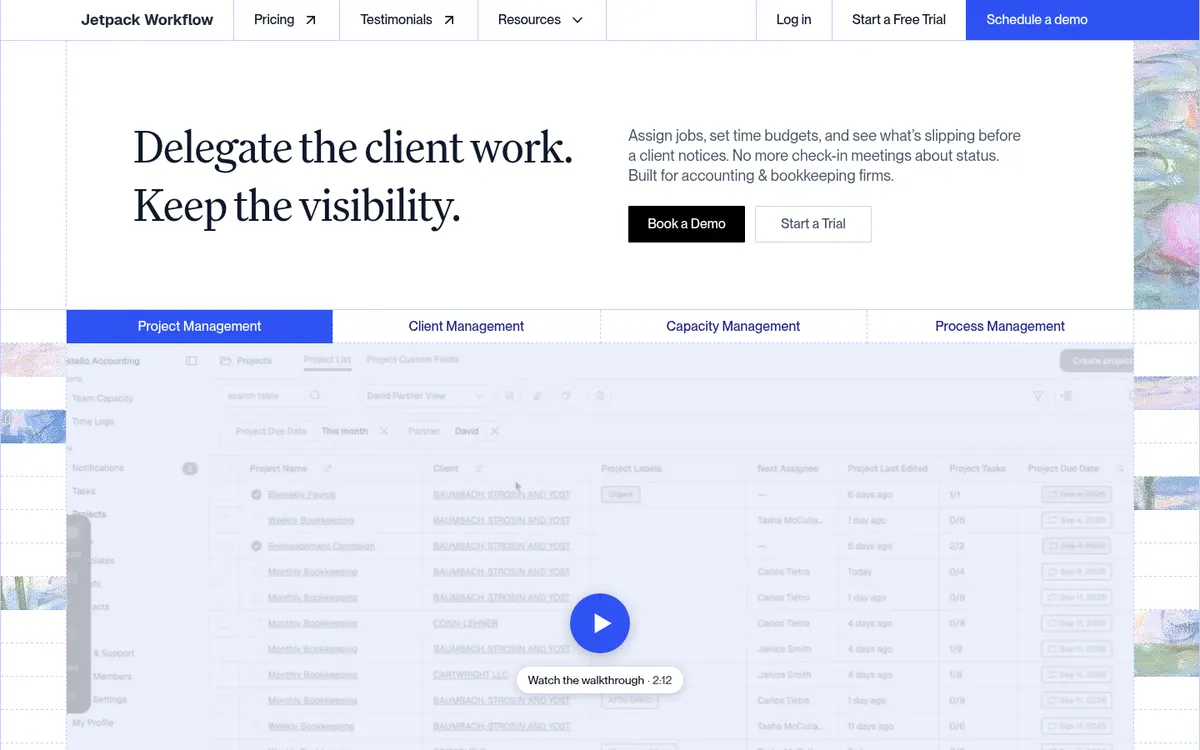
Jetpack Workflow does one job: recurring task tracking. Templated jobs for returns, closes and payroll runs, checklists with owners and due dates, workflow status tracking and deadline alerts. Unlimited clients and projects on every tier means the price does not move as the client list grows, which is unusual in this category and genuinely useful for a firm with many small engagements.
Pricing is on the vendor site, but the starting price could not be confirmed from the page at the time of checking, so treat any figure quoted elsewhere as unverified and read the current tier list before budgeting. There is a 14-day free trial, which is enough to build one or two live templates and see whether the checklists fit how your staff actually work. Time tracking and capacity reporting sit on the Premium tier rather than the entry plan.
The product deliberately stops at workflow tracking. There is no client portal, no billing and no document management, so it is normally one part of a wider stack alongside a ledger, a document store and an e-signature tool. Deployment takes days and training is minimal, which is the point: staff learn the checklist pattern once and then repeat it every month.
That narrowness is both the appeal and the ceiling. A firm that wants a single vendor for portal, billing and workflow will not find it here, and anyone who needs time tracking or capacity reporting pays for Premium. Jetpack Workflow fits firms that already have the client-facing pieces and want recurring deadline tracking that does not pretend to be a suite; it fits less well as a first and only purchase.
What works
- No client or project caps on any tier
- Purpose-built for recurring accounting deadlines
- Deploys in days with minimal training
What to weigh
- No client portal, billing or document management
- Time tracking and capacity reporting need Premium
- Starting price could not be confirmed on the vendor page
Pick it if
You already have a portal, ledger and document store and only need recurring jobs tracked against deadlines.
Skip it if
You want one vendor to handle client documents, signatures and invoicing, or if you need time tracking on the entry plan.
Plate 06 of 09
Uku
Best for small firms watching profitability on advisory work
Our verdict
Profitability-first practice management for small firms, with documents and e-signatures reserved for the top tier.
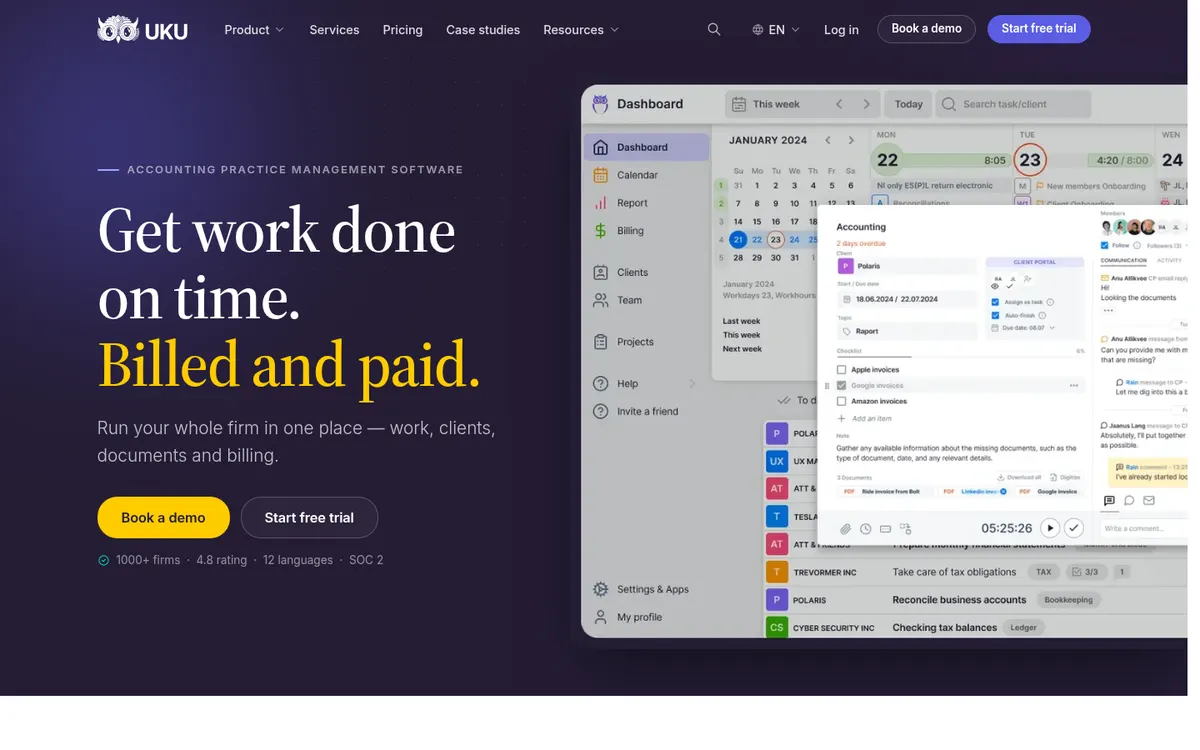
Uku is built around a profitability question: is this client actually making money? Real-time margin monitoring per client, time tracking against fixed-fee engagements, and utilization and profitability reporting put the answer in front of the partner. For small firms pricing advisory work on value rather than hours, that lens is more useful than another task board.
Pricing runs from $19 to $48 per member per month billed annually. Solo is $19 and is capped at 20 active clients, Team is $38 and Elite is $48. Document management and e-signatures are included only on Elite, so a firm that needs a document store and signatures inside the same tool should price at the top tier rather than the entry rate. The tiers are readable before a trial, which makes budgeting straightforward.
The rest is conventional but complete: task and workflow management with recurring templates, time tracking, utilization reporting and email integration for client communication. Setup is quick and there is a 14-day free trial, so evaluation does not require a sales cycle or a procurement conversation before you see the product on your own data.
The caution is size and geography. Uku is a smaller vendor with a thinner US reference base, and it is less known among larger US practices, which matters if partners want peer validation before signing a multi-year deal. Small firms watching margins on advisory work get a clear, immediate benefit from the profitability view; firms that need deep document handling at the entry price will not, and larger firms often want more workflow depth than the product provides.
What works
- Client-level margin and profitability visibility
- Transparent $19 to $48 per member tiers
- Quick setup with a 14-day free trial
What to weigh
- Documents and e-signatures only on Elite
- Thinner US reference base
- Less known among larger practices
Pick it if
You price advisory work on value and need to see margin per client before the year closes.
Skip it if
You need documents and e-signatures at a lower tier, or if partners want a long list of US peer references first.
Plate 07 of 09
Tidyflow
Best for growing firms wanting all-in-one depth at a lower price
Our verdict
Suite-level features in a single tier at a lower rate, from a younger vendor with a shorter track record.
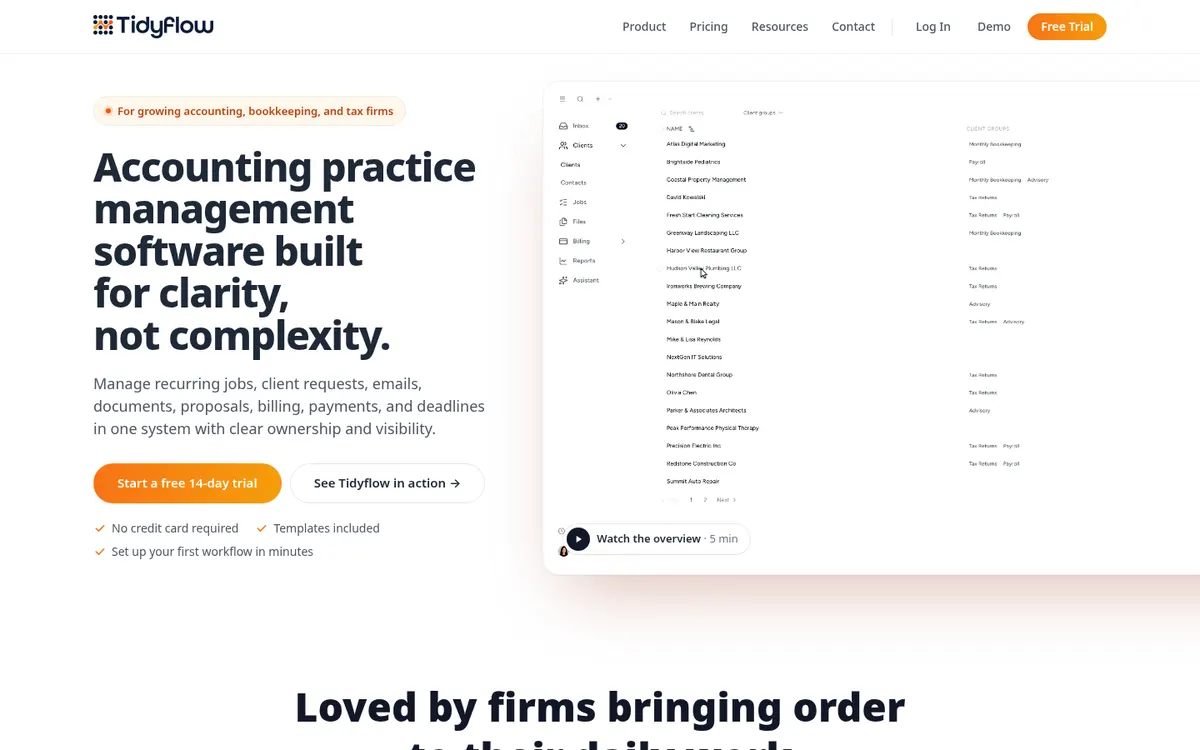
Tidyflow positions itself as the lower-cost all-in-one: workflow automation, client and contact management, document storage tied to jobs, time tracking and native integrations with common accounting tools, all in a single tier. Firms that want suite depth without a suite price and without a user minimum tend to be the target buyer.
Pricing is $29 per user per month billed annually, or $39 per user per month billed monthly, with a 14-day free trial and no user minimums. A single tier means no upsell ladder and no feature gates to decode before a trial, which simplifies budgeting for a firm adding two or three people a year and does not want to renegotiate tiers each time headcount moves.
The feature set reads as comparable to pricier all-in-one platforms, and the flat rate holds as the team grows because there are no minimums and no tier upgrades to trigger. Workflow automation, document storage attached to jobs and time tracking cover the daily loop of a small firm, and the native integrations with common accounting tools remove the manual export step that lighter workflow products leave behind.
The honest caveat is track record. Tidyflow is a newer vendor with a shorter history, and it offers fewer native integrations than established platforms. Those points matter for a multi-year commitment, because switching costs land on the firm, not on the vendor. Tidyflow fits growing firms that want all-in-one depth at a lower per-user price and can accept a younger vendor; it fits less well where integration breadth or a long reference list is a procurement requirement.
What works
- Single tier with no user minimums
- Suite-level features at a lower per-user rate
- Annual rate of $29 against $39 monthly
What to weigh
- Newer vendor with a shorter track record
- Fewer native integrations than established platforms
- Shorter public track record to draw on
Pick it if
You want all-in-one workflow, documents and time tracking on one flat rate with no user minimums.
Skip it if
Procurement requires a long vendor history and a wide integration catalog before signing.
Plate 08 of 09
Xero Practice Manager
Best for firms already running their books on Xero

Our verdict
Costs nothing extra on Xero partner plans and handles jobs and billing, but adds little workflow automation.
Xero Practice Manager is the default for firms whose books already sit on Xero. Job and task tracking, timesheets and time-based billing, charge-out rates and job budgets, and reporting on jobs, work in progress and staff time. Invoicing runs through the Xero ledger with no connector, which removes the reconciliation step that most practice tools create.
Pricing is bundled into Xero partner subscriptions, so the effective marginal cost is zero for a firm already on a partner plan. There is no separate price to evaluate and no free trial, because access follows the partner subscription rather than a standalone purchase. Firms not on Xero cannot buy it as an independent product, which makes the decision mostly a ledger decision rather than a software evaluation.
That bundling is the whole argument. There is no additional vendor relationship, no second contract and no integration to maintain, and for a practice under about ten people the core job tracking covers what is needed: who is on which job, what it was quoted at, and what it has billed so far.
The limits are real once complexity rises. Workflow automation is thinner than purpose-built platforms, the client portal and document management are limited, and firms outgrow it as engagement volume and service lines grow. QuickBooks practices cannot use it at all. Xero Practice Manager fits firms already running their books on Xero that want job tracking and billing without another subscription; it is not a reason to move ledgers, and it is not a substitute for a portal suite.
What works
- No marginal cost on Xero partner plans
- Invoicing runs natively through the ledger
- One fewer vendor relationship to manage
What to weigh
- Thin workflow automation
- Limited client portal and document management
- Only viable for Xero-based practices
Pick it if
Your books already run on Xero and you need job tracking and time-based billing without another subscription.
Skip it if
You run QuickBooks, or if you need workflow automation, a document portal and staff time reporting from the same tool.
Plate 09 of 09
Aero Workflow
Best for firms wanting a simple, stable workflow core

Our verdict
A stable, old-school recurring task engine, held back by unpublished pricing and an ageing interface.
Aero Workflow is the veteran of lightweight workflow tools for accounting firms. Recurring task templates for accounting engagements, checklists with assigned owners, deadline and due-date tracking, email notifications and reminders, client and engagement records, plus custom fields and basic reporting. It has been in the market for years and has a loyal long-term user base that values the consistency.
Pricing is not published. You will need a sales conversation to get a number, and there is a free trial available so the evaluation can happen before a quote lands. Firms whose procurement rules require published rates should expect an extra step here, and should ask what is included in the quote rather than assuming the list is standard.
In daily use it is a stable, uncomplicated task engine. Staff build a template once, assign owners, and the reminders run. The interface and the pace of new features lag newer competitors, and there is no modern client portal or advanced automation, so it usually sits alongside a document store and an e-signature tool rather than replacing them.
Aero fits firms that want a simple, stable workflow core and do not need client-facing features from the same vendor, particularly practices that have run it for years and see no reason to migrate. It fits less well when a firm wants portals, automation and reporting from one place, when new staff expect a modern interface, or when procurement rules require published pricing. Confirm current pricing and trial terms directly with the vendor before committing.
What works
- Long-standing vendor with an established user base
- Straightforward recurring task management
- Free trial available before a quote
What to weigh
- Pricing requires a sales conversation
- Interface and feature pace lag newer tools
- No modern client portal or advanced automation
Pick it if
You want a simple recurring task engine and are comfortable getting pricing through a sales conversation.
Skip it if
You need published rates for procurement, a client portal, or automation that goes beyond reminders.
What does accounting practice management software actually cover?
Accounting practice management software is the system that tracks who is doing which client job and when it is due. It replaces the spreadsheet of recurring deadlines and the shared mailbox with a single record of work: templates for repeat engagements, checklists with owners, due dates that move with the calendar, and a client record holding the documents, messages and billing history attached to that relationship.
The category overlaps with three neighbors. Document management holds files, e-signature tools capture signatures, and billing tools raise invoices. Practice management sits above them and decides what happens next, which is why the strongest products here bundle several of those jobs into one subscription instead of leaving you to stitch four vendors together.
There are three broad shapes of product:
- Email-first platforms that turn inbound messages into assigned jobs (Karbon)
- Portal-centric suites where clients log in to upload, sign and pay (TaxDome, Canopy)
- Lightweight task trackers that do recurring workflow well and nothing else (Jetpack Workflow, Aero Workflow)
What the software typically covers: recurring workflow templates, task and deadline tracking, time and work in progress recording, client records, document storage, e-signatures, invoicing and payment collection, and reporting on capacity and profitability. Products in this list handle several of those, and the differences sit in which ones are done properly.
What it usually does not cover: the ledger itself. Xero Practice Manager is the exception here because it ships inside a bookkeeping product. Elsewhere you keep the books in QuickBooks, Xero or another ledger and connect practice management over the top.
Buyers should also know where the category stops. General project management tools can hold tasks and due dates, but they do not know what an engagement letter is, they do not retrieve IRS transcripts, and they do not bill by client. That specificity is what the subscription buys.
This guide sits in the Finance collection. Buyers weighing nearby tools often read the guides to 1099 filing software and 2d animation software next.
How practice management pricing works, and which model fits your firm
Practice management pricing in this category follows several billing models, and the model matters more than the headline number. A $19 Solo plan and a $1,500 annual total are not comparable until you know how seats, clients and modules are counted.
One model is per user, per month. You pay for seats, the rate drops on annual billing, and the total grows with headcount. Karbon is the clearest example at $59 per user per month on Team when billed annually.
Annual totals with bundled seats suit firms that want one predictable payment. TaxDome bills $1,500 as an annual total that includes 20 seats and starts at 150 active clients, which works out at $0.83 per client per month. The trade-off is annual, upfront billing and no monthly option.
Tiered per member pricing puts features behind steps. Uku runs from $19 to $48 per member per month, and documents and e-signatures appear only at the top. Single flat tiers remove the upsell ladder: Tidyflow charges $29 per user per month billed annually, or $39 billed monthly, with no user minimums.
Bundling sits outside the pricing question entirely. Xero Practice Manager comes with Xero partner plans, so the marginal cost is zero for a firm already there. Then there are vendors that do not publish a rate: Aero Workflow is quote-based, and the Jetpack Workflow starting price could not be confirmed from the vendor page at the time of checking.
| Model | How it bills | Typical fit | Example from this list |
|---|---|---|---|
| Per user, per month | Seat rate, discounted on annual billing | Firms with steady headcount | Karbon at $59 per user per month billed annually |
| Annual total with seats | One yearly payment covering a set number of seats and clients | Firms wanting a flat yearly figure | TaxDome at $1,500 annual total including 20 seats |
| Tiered per member | Rate rises with feature tier | Small firms adding features as needed | Uku from $19 to $48 per member per month |
| Single flat tier | One rate per user, no upsell tiers | Firms with no user minimums | Tidyflow at $29 per user per month billed annually, or $39 billed monthly |
| Bundled with a ledger plan | No separate line item | Firms already on that ledger | Xero Practice Manager with Xero partner plans |
| Quote or vendor page | No confirmed published rate | Firms with unusual needs | Aero Workflow, Jetpack Workflow |
Two costs sit outside the subscription: onboarding, where TaxDome packages priced $999 to $3,499 are effectively standard, and add-ons, where Karbon sells e-signature credits separately and Canopy sells tax modules on top of its $74 Standard plan.
Every price in this guide was read on the vendor's own pricing page on November 25, 2026. Where a vendor does not publish a figure we could confirm, the card says "See website" rather than a guess. For the arithmetic around this purchase, try the free 1099 filing cost calculator.
Which practice management tool should your firm buy?
- Map where client work enters. Count how many requests arrive by email each week versus through a portal. If most arrive as email, an inbox-first tool such as Karbon solves a problem a portal suite leaves untouched.
- Decide whether clients need a portal. A portal earns its cost when clients upload documents, sign engagement letters or pay invoices. If clients hand over one folder a year, a task tracker such as Jetpack Workflow covers the need for less.
- Set a per-user ceiling before demos. Entry prices for full suites here include $19, $59 and $74 per user per month, with TaxDome at $1,500 as an annual total. A written ceiling stops a good demo from selling a tier you cannot sustain.
- Price the modules, not the tier. Canopy's Standard rate excludes tax modules and Karbon's Team tier excludes reminders. Total the modules you will actually switch on before comparing vendors side by side.
- Test onboarding with your own templates. Ask each vendor to build one live recurring engagement during the trial. Financial Cents and Jetpack Workflow run within a week; Karbon needs real setup time before it earns its fee.
- Schedule the switch outside filing season. Move templates and client records in the quiet months so the first busy weeks run on tested workflows. Keep the old tool readable for one season as a fallback.
Mistakes that make a practice management purchase go wrong
- Comparing headline tiers only. Canopy's $74 Standard rate and Karbon's $59 Team rate both exclude features buyers assume are included, so a quick check of module and tier lists prevents a year of surprises.
- Buying automation nobody configures. Karbon and TaxDome reward setup work. Firms that buy on the strength of a demo and skip template building end up with an expensive inbox or an empty portal.
- Assuming a portal cuts admin by itself. Clients keep emailing unless you route them, and routing takes a written process, a first-login push and a partner who uses the portal too.
- Signing a multi-year term before a pilot. TaxDome bills annually and upfront, and Tidyflow is a younger vendor. Run a trial or a demo on your own data before committing beyond one year.
- Forgetting the tools you still need. Jetpack Workflow has no portal, billing or documents, and Xero Practice Manager has limited document handling, so budget for the pieces outside the subscription.
Best accounting practice management software 2026: questions
What does accounting practice management software cover?
It covers the work itself: recurring workflow templates, task and deadline tracking, owner assignment, client records, time and work in progress, and reporting on capacity. Many products add document storage, e-signatures and invoicing. It does not replace the ledger, which stays in QuickBooks, Xero or another accounting system, except where the product ships inside one, as Xero Practice Manager does.
What does a full suite cost per user per month?
Expect a wide spread. In this list Karbon starts at $59 per user per month on Team billed annually, Canopy at $74 on Standard, and Financial Cents at $49 per user on Team, with a $19 Solo plan for single practitioners. TaxDome bills differently, at $1,500 as an annual total including 20 seats, and bundled products such as Xero Practice Manager carry no separate line item.
Should I choose an email-first platform or a portal-first one?
Choose based on where client requests actually arrive. If most work comes in as email and staff triage inboxes all day, an email-first platform such as Karbon turns those messages into assigned jobs. If clients need to upload documents, sign engagement letters and pay invoices in one place, a portal suite such as TaxDome or Canopy removes the back-and-forth instead.
When do I need a client portal rather than task tracking alone?
You need a portal when clients exchange documents, sign engagement letters or pay invoices and you want that to happen inside your system rather than across email attachments. If clients hand over a folder once a year and your team tracks deadlines internally, a task tracker such as Jetpack Workflow covers it at a much lower cost.
How long does implementation take, and when is the best time to switch?
It ranges from days to months. Financial Cents and Jetpack Workflow can be running within a week, while Karbon needs real setup time for templates, boards and assignment rules. Switch outside filing season, so templates and client records are built and tested before the busiest weeks rather than during them.
Can a general project management tool replace purpose-built software?
Usually not for long. A general tool can hold tasks and due dates, but it does not retrieve IRS transcripts, does not know what an engagement letter is, and does not tie time and billing to a client record. Firms often start with a general tool and move once recurring engagements, documents and signatures pile up in separate places.