
Contents of this guide
The shortlist
Our top 3 for fitness buyers

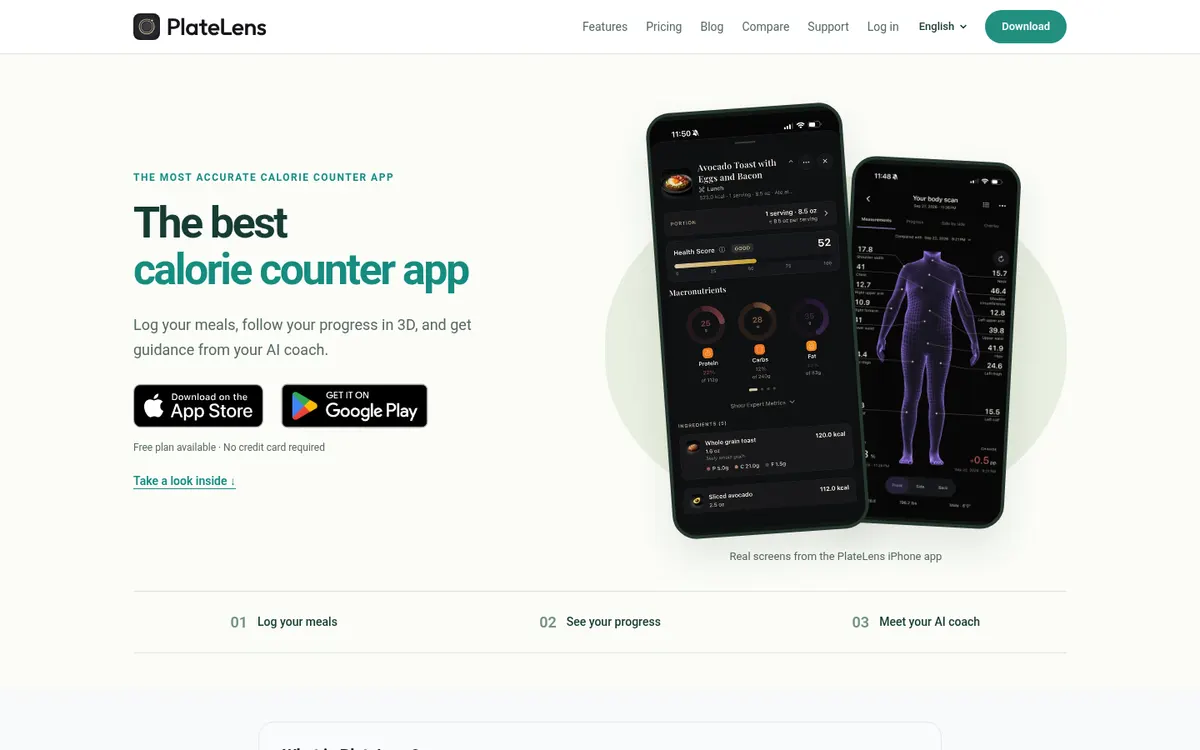
PlateLens
Photo calorie accuracy
- Best for
- Fast, accurate calorie logging by photo, voice, text or barcode
- Features
- 4 noted: Photo logging, Voice and text entry, Adaptive targets, Free barcode scan

MyFitnessPal
Database breadth
- Best for
- Largest food database for finding obscure branded and restaurant items
- Features
- 4 noted: Large food database, Recipe import, Device sync, Barcode on Premium

Lose It
Simple daily budget
- Best for
- Beginners who want a simple daily calorie budget
- Features
- 4 noted: Daily calorie budget, Challenges, Weight logging, Photo on Premium
Disclosure for this guide. PlateLens is a paid Featured listing in this guide and is labelled wherever it appears. The other 9 tools are unpaid editorial picks, and no vendor saw this guide before it was published. The position of a paid listing can be part of what the vendor pays for. Paid and unpaid tools are scored on the same rubric and keep their cons. Details are in the advertising disclosure.
The ledger
Index of every tool
| Tool | Free plan | Trial | Rubric | Compare | ||
|---|---|---|---|---|---|---|
| 01 | PlateLensFeaturedFast, accurate calorie logging by photo, voice, text or barcode | Premium Annual $34.99/yearChecked Nov 25, 2026 | Yes, free forever | 3-day free trial | ||
| 02 | MyFitnessPalLargest food database for finding obscure branded and restaurant items | Premium Annual $49.99/yearChecked Nov 25, 2026 | Yes, with ads | 7-day free trial | ||
| 03 | Lose ItBeginners who want a simple daily calorie budget | See websiteNot published | Yes | See website | ||
| 04 |  CronometerDetailed micronutrient tracking with verified data and free barcode scanning | See websiteNot published | Yes | See website | ||
| 05 |  MacroFactorLifters and athletes using adaptive calorie and macro coaching | See websiteNot published | No | 7-day free trial | ||
| 06 |  YazioBudget-friendly everyday tracking with fasting tools and recipes | See websiteNot published | Yes | See website | ||
| 07 |  LifesumGuided meal plans and recipes alongside everyday calorie tracking | See websiteNot published | Yes | See website | ||
| 08 |  Carb ManagerLow-carb and keto eaters tracking net carbs and ratios | See websiteNot published | Yes | See website | ||
| 09 |  MyNetDiaryFree barcode scanning and gram-level macro tracking without ads | See websiteNot published | Yes, no ads | See website | ||
| 10 |  FatSecretLow-cost basic calorie, macro and weight tracking | See websiteNot published | Yes | See website |
Prices are the lowest paid plan the vendor shows, read on November 25, 2026. Sort by price ranks published monthly figures; tools without one go last. Pin up to three tools to compare them side by side.
How this guide was put together
Every app was scored 1 to 10 against five criteria, weighted so accuracy and free value carry the most influence. Logging accuracy counts for 30 percent, free plan value 25 percent, nutrient depth 15 percent, target adaptation 15 percent and price transparency 15 percent.
Logging accuracy asks how close reported calories land to weighed food and whether the underlying database can be trusted. Free plan value asks what a person gets without a card, including barcode scanning, macro targets and ads. Nutrient depth separates calorie-only diaries from tools that track vitamins, minerals and custom targets. Target adaptation looks at whether targets stay fixed or respond to logged intake and weight. Price transparency rewards vendors who publish annual prices, monthly prices and trial terms clearly.
Prices, plans and trial lengths were checked on vendor pricing pages on November 25, 2026. Where a page showed no annual price, or could not be loaded, the entry says so and any reported figure is labelled unconfirmed rather than repeated as settled fact.
The order is editorial. Position reflects fit for the buyer described in each entry, with the Featured placement disclosed. PlateLens is a paid Featured listing and was scored on the same five criteria as everyone else, which is why its short 3-day trial and capped AI scans appear next to its accuracy result. The ranking is not a weighted total, and a lower spot means a narrower fit, not a bad app.
The full process, including how we handle corrections, is on the methodology page. Paid listings follow the advertising disclosure.
Rubric and weights
Every tool below is scored from 1 to 10 on these five criteria. The scores describe each tool; the order is an editorial call on fit for the buyer each card describes, plus the disclosed Featured position.
- 30%Logging accuracyHow close the app's calories land to weighed food, and how much its database entries can be trusted.
- 25%Free plan valueWhat a user gets without paying, from barcode scanning and macro targets to ads and expiry.
- 15%Nutrient depthWhether the app stops at calories and macros or tracks vitamins, minerals and custom targets.
- 15%Target adaptationWhether calorie and macro targets stay fixed or adjust from logged food, weight and activity.
- 15%Price clarityHow clearly the vendor publishes annual prices, monthly prices and trial terms before you pay.
Plate 01 of 10 / Featured
PlateLens
Best for fast, accurate calorie logging by photo, voice, text or barcode
Our verdict
The most accurate logger here, with a free tier that still scans barcodes and adjusts your target after the trial ends.
PlateLens is the most accurate logger in this comparison. An April 2026 pre-registered study weighed 180 meals and found its calorie counts the closest of six apps tested, at about 1.1 percent error from photos, and an open benchmark leaderboard reproduced that result across 231 further weighed meals. Those figures describe totals across many meals rather than a guarantee for every plate, but they point to a logging engine that holds up better than most.
The app gives you four routes into the diary: a photo, a voice note, a typed sentence or a barcode scan. Entries stay editable, so you can fix ingredients and portions after the app guesses, which matters for mixed dishes where a photo cannot show what went into the sauce. Nutrition data comes from USDA FoodData Central and Open Food Facts rather than crowd-sourced entries, and the adaptive calorie target updates weekly from your logs and weigh-ins. Apple Health and Google Health Connect sync are included.
The free plan is unusually complete. It covers calorie and macro tracking, barcode scanning and the adaptive target, with no card required and no expiry date. The caps land on AI: photo scans and coach messages carry a daily allowance. Premium adds vitamin, mineral and nutrition report views plus a larger coach allowance.
Pricing is plain. Premium is $34.99 per year or $9.99 per month, and both carry a 3-day free trial. That annual figure sits below MyFitnessPal's headline rate and close to the cheapest paid tiers here, so the trial is short but the commitment is small. If you want a photo-first diary and a free tier that stays useful after the trial lapses, start here.
What works
- Smallest calorie error in a weighed-meal study, about 1.1 percent from photos
- Free tier keeps barcode scanning and the adaptive target
- Photo, voice, text and barcode logging all available
What to weigh
- Free plan caps daily AI photo scans and coach messages
- Vitamin and mineral reports require Premium
- Trial runs only 3 days
Pick it if
You want the fastest logging routes and a free tier you can keep using indefinitely.
Skip it if
You need full micronutrient reports without paying, or you want a longer trial before committing.
Plate 02 of 10
MyFitnessPal
Best for largest food database for finding obscure branded and restaurant items
Our verdict
Worth it only if database breadth matters more to you than free barcode scanning or a modern interface.
MyFitnessPal wins on breadth. If you need a specific supermarket ready meal, a regional chain's menu item or a protein bar from a small brand, the odds are good someone has already entered it. That depth is the whole reason to accept the app's limits, because a cleaner diary with a thinner database sends you hunting for a match every time a food is unusual.
The diary is the layout experienced trackers already know: breakfast, lunch, dinner and snacks, calories and macros per line, a running total at the top. Free logging covers basic calories and macros with ads. Barcode, photo and voice logging sit on Premium in the US, which is a real gap when several rivals include barcode scanning at no cost. Premium also adds recipe import, per-meal macro targets and an ad-free view.
Pricing was checked on November 25, 2026: $49.99 per year, with a 7-day free trial. The annual figure has moved around in recent years, so confirm what the signup screen actually charges before you commit. Even at the current annual price it is not the cheapest option here.
The trade-off is data quality. A crowd-sourced database that large carries entries with wrong portions and wrong calories, and you learn to check the source of anything unfamiliar. Integrations with fitness trackers, scales and health apps are broad, which helps if your steps and weigh-ins already live somewhere. People who log mostly whole foods may find the interface heavier than they need, and the ads on the free tier are constant.
What works
- Unmatched breadth for unusual packaged and restaurant foods
- Wide device, scale and health app integration coverage
- Diary layout that experienced trackers already know
What to weigh
- Barcode, photo and voice logging require Premium in the US
- Crowd-sourced entries can carry wrong portions or calories
- Premium sits at the top of this comparison on price
Pick it if
You regularly eat branded or restaurant food and need to find those items fast.
Skip it if
Free barcode scanning is non-negotiable or you want the lowest annual cost.
Plate 03 of 10
Lose It
Best for beginners who want a simple daily calorie budget
Our verdict
A clean, beginner-friendly daily budget, but the features that keep you tracking past month one are paid.
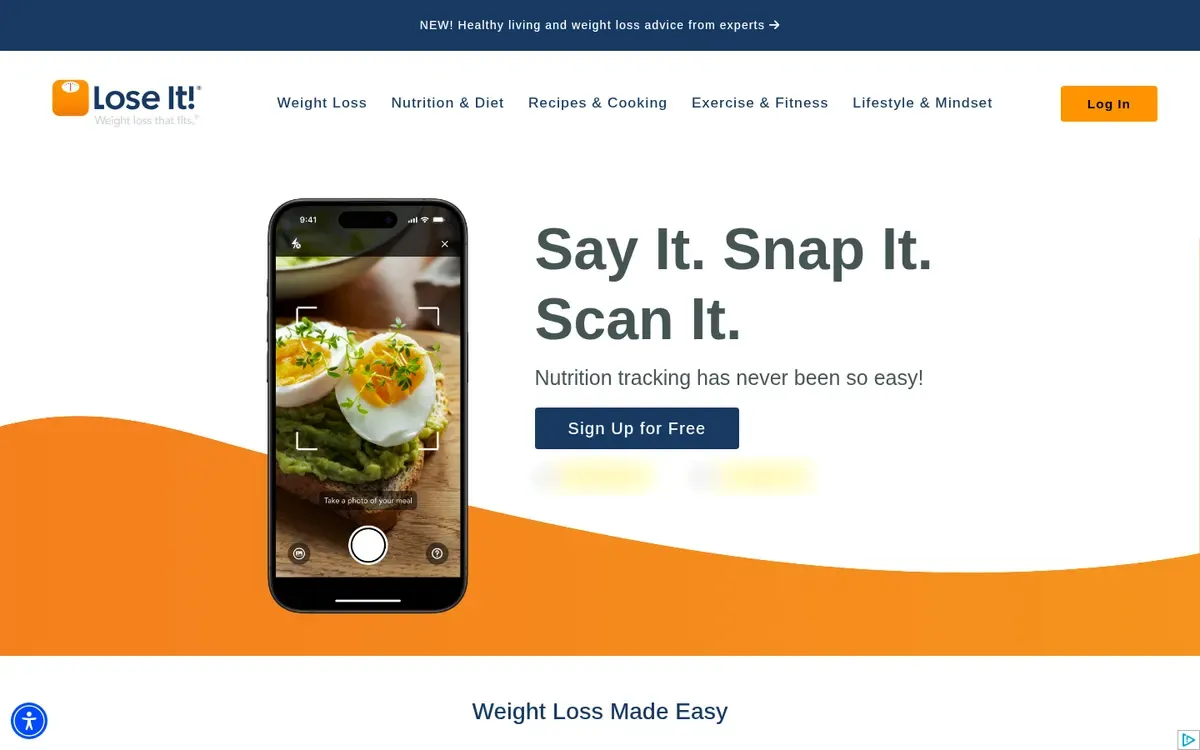
Lose It is built around one number: a daily calorie budget set during a short onboarding. You answer a few questions about weight, goal and activity, the app hands back a budget, and the diary tracks spending against it. For a first-time tracker that single figure is easier to hold in your head than a dashboard of macros, and the food diary is deliberately uncluttered.
Weight, water and exercise logging sit alongside the budget, and challenges add a social layer that some people find motivating and others find noisy. Premium unlocks barcode and photo logging, advanced macro and nutrient goals, meal planning and device syncing. On the free tier you get basic food logging, which means manual entry for most packaged foods unless a matching item already exists in the database.
Pricing is published on the vendor site and in the app store listing, and it shifts with promotions and platform, so the figure shown at checkout is the one that applies. We did not fetch a confirmed price on November 25, 2026, so treat any number quoted elsewhere as unverified. The free tier covers basic food logging only, and the features most people want after a month, gram-level macros and barcode scanning, are paid.
The food database is smaller than MyFitnessPal's, so unusual branded items take longer to find. What Lose It does well is keep a beginner in the habit: one budget, one diary, a short setup, no wall of numbers on day one. If you already know your macros and want precise nutrient data, the app will feel thin. If you have never tracked before and want a single target to aim at, the simplicity is the feature.
What works
- Clear single daily budget that is easy to follow
- Friendly setup for first-time trackers
- Photo logging and challenges available on Premium
What to weigh
- Gram-level macro targets sit behind Premium
- Barcode and photo logging are paid features
- Food database is smaller than MyFitnessPal's
Pick it if
You are tracking for the first time and want one number to aim at each day.
Skip it if
You need free barcode scanning or precise gram-level macro targets without paying.
Plate 04 of 10
Cronometer
Best for detailed micronutrient tracking with verified data and free barcode scanning
Our verdict
The best free option for nutrient data and barcode scanning, if you can tolerate a dense, number-heavy diary.
Cronometer is the app for people who care what is inside the calorie. It tracks up to 84 nutrients in the Gold tier, with a broad free set, and it ranks lab-verified and curated food sources ahead of crowd-sourced entries. That ordering matters: when you log a chicken breast you get a defined nutrient profile rather than a stranger's guess, and free barcode scanning makes verified data reachable in a supermarket aisle.
Gram-level macro targets are free, along with charts and trend views over weeks, fasting and exercise tracking. Gold adds the Macro Scheduler for day-by-day targets, recipe tools and ad-free viewing. The trade-off is density. Screens carry a lot of numbers, and a quick lunch log can become a scrolling exercise if you are not used to the layout. New users should expect about a week of orientation before logging feels quick.
Pricing needs checking. The page we looked at on November 25, 2026 showed no annual price, so the annual figure could not be confirmed. Confirm at signup before committing to a year, and note that the monthly route is the only price the vendor page showed.
The food database is smaller than MyFitnessPal's, so obscure restaurant items may need manual entry, and the app suits medical-diet and serious training users more than casual ones. Its content is general information rather than medical advice, which matters if you are managing a diagnosed condition. If your goal is hitting a protein target while knowing your iron, calcium and B12 intake without paying, this is the strongest free option in the list.
What works
- Deep micronutrient data from verified sources
- Barcode scanning at no cost
- Free gram-level macro targets
What to weigh
- Data-dense interface can slow a quick log
- Macro Scheduler requires Gold
- Food database is smaller than MyFitnessPal's
Pick it if
You want vitamins, minerals and gram-level macros without a subscription.
Skip it if
You want a two-tap lunch log and no interest in nutrient tables.
Plate 05 of 10
MacroFactor
Best for lifters and athletes using adaptive calorie and macro coaching
Our verdict
Excellent adaptive coaching for consistent lifters, with no free tier and no patience for irregular logging.
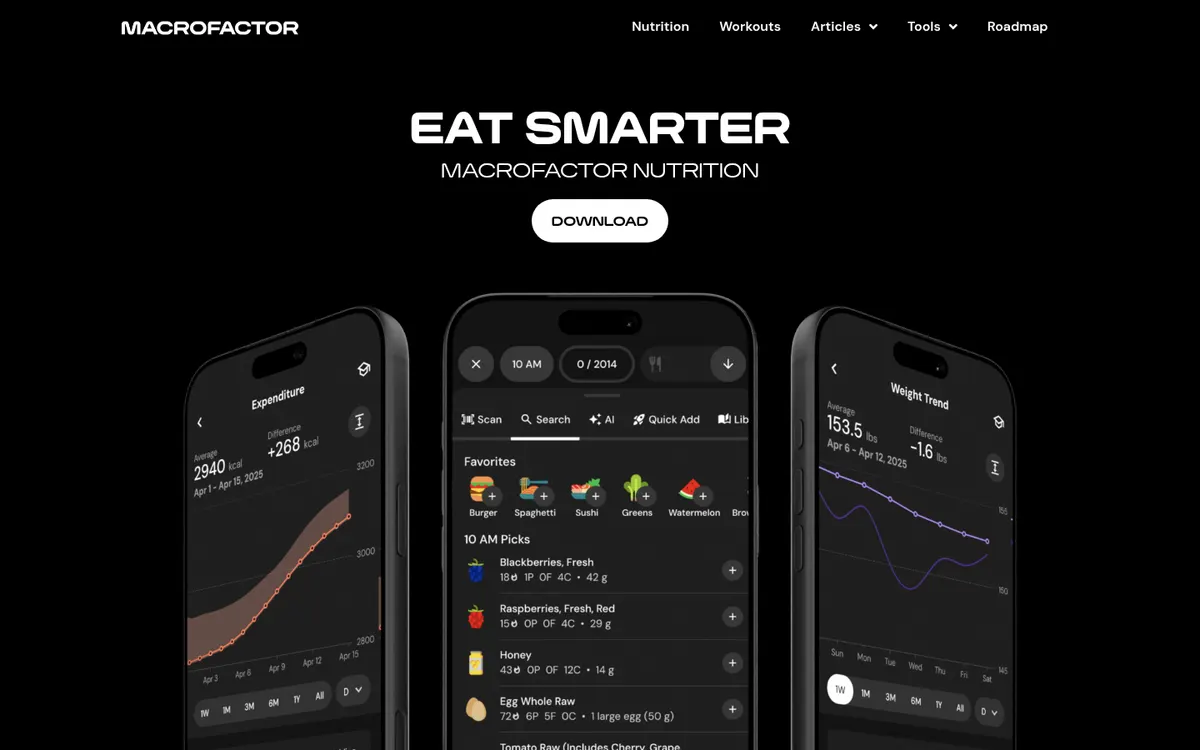
MacroFactor treats your metabolism as something to measure rather than something to guess. It estimates energy expenditure from your weight trend and logged intake, then adjusts calorie and macro targets as the data comes in. That is a different model from the fixed budget most apps hand you on day one, and it is the reason the app attracts lifters, athletes and anyone running a long cut or bulk.
Protein, carbohydrate and fat goals are set by grams, and you can override targets manually if you would rather steer. Weight trend tracking smooths out daily noise, and the app structures support for cut and bulk phases rather than treating both as the same job. The cost of that model is dependence on your own logging: gaps in the diary weaken the expenditure estimate, and the targets become less useful as a result.
There is no free tier. The pricing page we tried on November 25, 2026 was empty, so confirm the price on the vendor site at checkout. The 7-day free trial is the only way to test the app.
The app has limited value for casual trackers who log three days a week, because adaptive targets need a consistent signal to work with. For someone weighing in daily and logging most meals, the expenditure estimate becomes a genuinely useful number rather than a guess from a formula. If you are not going to log consistently, save the money.
What works
- Targets adapt from logged weight and intake rather than staying static
- Well suited to cutting and bulking phases
- Detailed expenditure estimates
What to weigh
- No free tier, only a 7-day trial
- Requires consistent logging to produce useful estimates
- Pricing must be confirmed on the vendor site
Pick it if
You weigh in regularly, log most days and want targets that react to your own data.
Skip it if
You want a free app or you log occasionally rather than daily.
Plate 06 of 10
Yazio
Best for budget-friendly everyday tracking with fasting tools and recipes
Our verdict
A polished everyday diary with fasting and recipes built in, held back by thin US restaurant coverage.
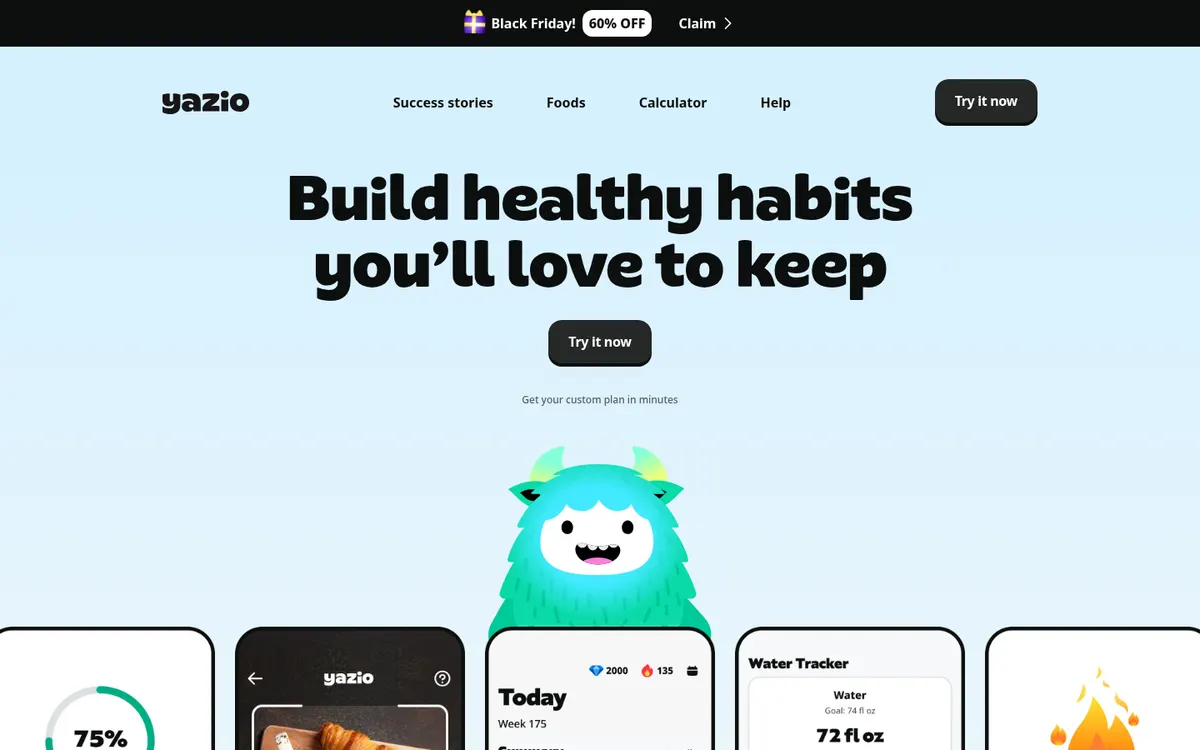
Yazio is the tidiest everyday tracker here. The food diary is clean, calorie and macro logging takes a few taps, and the interface does not bury the numbers behind charts you did not ask for. A fasting timer and a recipe library sit inside the same app, so people who pair an eating window with calorie counting do not need a second download.
Free covers the diary and basic logging. Pro adds detailed nutrient analysis, meal plans, fasting plans and an ad-free view. Some features differ by region, so the Pro list you see may not match a friend's in another country. US restaurant and niche product coverage trails MyFitnessPal noticeably, which is the honest cost of the polish.
Pricing sits on the vendor site and moves with platform and promotion. No pricing page was fetched on November 25, 2026, so confirm the offer in the app before paying. Check the in-app offer before paying, because discount screens and renewal prices do not always match, and the renewal is the number that matters.
The polished feel is the selling point. If you have tried a dense tracker and quit because logging felt like data entry, Yazio lowers that friction, and the fasting timer gives the app a second job. What you give up is depth for American chain restaurants and small brands. If most of your food is cooked at home or bought in a supermarket with barcodes, that gap rarely bites, and the free tier is enough to test the habit.
What works
- Polished, uncluttered interface
- Fasting tracking and recipes built in
- Good value on annual Pro promotions
What to weigh
- US restaurant and niche product coverage trails MyFitnessPal
- Some features differ by region
- Pro pricing moves with platform and promotion
Pick it if
You want a daily diary plus a fasting timer in one clean app.
Skip it if
You eat often at US chain restaurants and need those entries.
Plate 07 of 10
Lifesum
Best for guided meal plans and recipes alongside everyday calorie tracking

Our verdict
Best when you want the app to suggest what to eat, not just count what you already ate.
Lifesum pairs a visual food diary with guided eating plans. You can follow a Mediterranean, high-protein or low-carb structure, pull recipes and meal ideas from the library, and log calories and basic macros against the plan. For someone who wants the app to answer the question of what to eat, not just record what was eaten, that combination is the reason to choose it.
The free tier covers the visual diary and basic logging. Detailed nutrient breakdowns, meal plans, fasting tracking and diet-specific guidance sit on Premium. The food database is less deep than MyFitnessPal's, so branded and restaurant items take longer to find, and the design leans on photography and color rather than dense tables. That makes the diary pleasant and the data shallower.
Premium pricing varies by offer. No pricing page was fetched on November 25, 2026, so check the in-app offer before paying. Plans and guidance are the paid value, which means the free tier is a diary without the coaching that gives the app its identity.
Users who already know their targets may find the guided plans unnecessary and the interface busier than a plain diary. Users who freeze in front of an open fridge get more from it. The honest summary is that Lifesum is a nutrition app with a calorie counter inside, rather than a calorie counter with recipes bolted on, and that framing decides whether it fits you.
What works
- Distinctive design and simple visual diary
- Plans for several common eating styles
- Recipe and meal inspiration included
What to weigh
- Food database is less deep than MyFitnessPal's
- Detailed tracking sits behind Premium
- Premium pricing varies by offer
Pick it if
You want meal plans and recipes guiding your calorie target.
Skip it if
You already know what to eat and only need a fast, deep diary.
Plate 08 of 10
Carb Manager
Best for low-carb and keto eaters tracking net carbs and ratios
Our verdict
Focused keto tracking that removes manual net carb math, with a free tier that includes gram targets and barcode scanning.
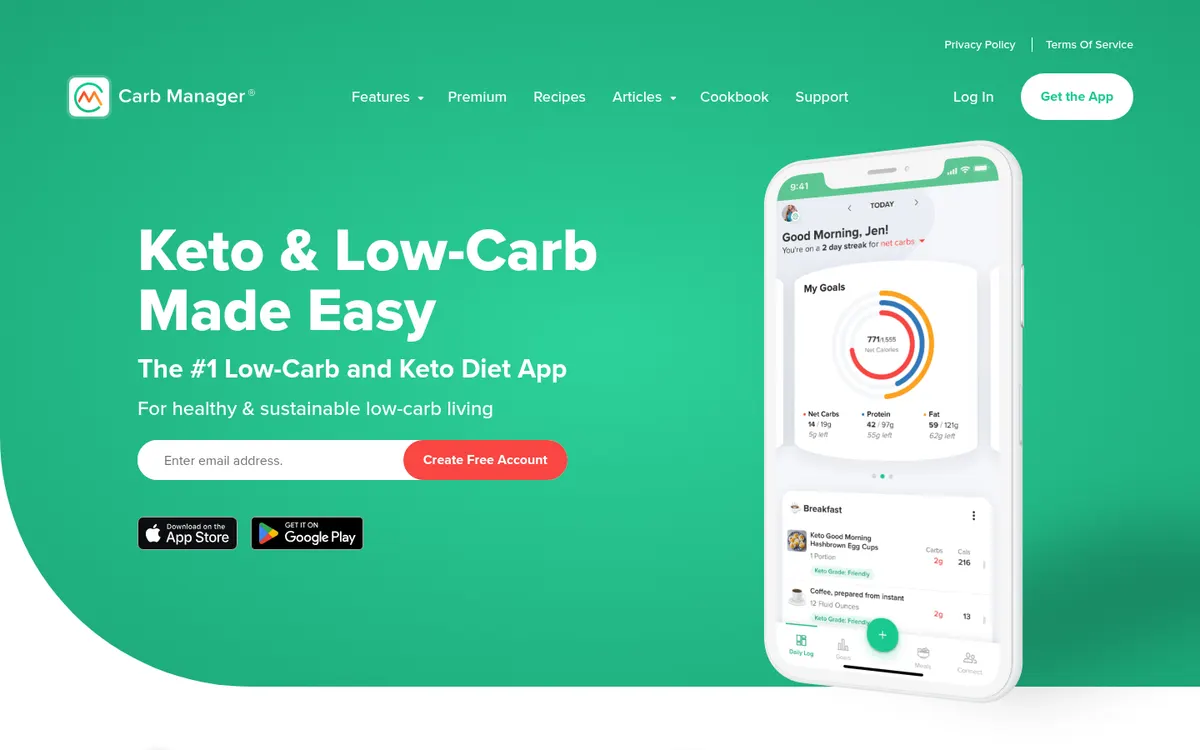
Carb Manager is built for low-carb and keto eaters, and it does the arithmetic they need. Net carbs are a primary metric rather than a setting you hunt for, keto ratios are calculated for you, and glucose-related tracking sits alongside. If you have been subtracting fiber from total carbs in your head on a general tracker, this app removes that step.
The free tier is more generous than most keto apps: gram-level macro targets and barcode scanning without third-party ads. Premium adds per-meal and day-of-week targets, advanced reports, meal plans and fasting tools. The recipe collection is large and keto-specific, which helps when ideas run out in week three, and the general food database is smaller than mainstream trackers, so unusual packaged foods may need manual entry.
No pricing page was fetched on November 25, 2026, so confirm the price in the app before paying. Confirm in the app before paying, and check what the free tier still includes after any trial, because several reporting and planning features are gated.
The keto framing is the main limitation. If you eat a balanced diet with rice, bread and fruit, the dashboard's emphasis on net carbs and ratios is noise, and a general tracker will serve you better. If you are running a ketogenic diet and want the numbers without manual subtraction, this app is focused in a way the mainstream trackers are not, and the free tier covers the core of it.
What works
- Net carb tracking built into the core workflow
- Strong keto and low-carb recipe library
- Free gram-level macro targets and barcode scanning
What to weigh
- Keto framing is distracting for balanced-diet users
- Several features gated behind Premium
- General food database smaller than mainstream trackers
Pick it if
You track net carbs or keto ratios and want that done for you.
Skip it if
You eat a balanced diet and want a neutral calorie diary.
Plate 09 of 10
MyNetDiary
Best for free barcode scanning and gram-level macro tracking without ads
Our verdict
The strongest free tier for barcode scanning and gram macros, provided you do not need a huge crowd-sourced database.
MyNetDiary makes its case on the free tier. Barcode scanning costs nothing, macro targets can be set by grams or percentages without paying, and the diary carries no ads at all. That combination is rare, and it is the direct answer to anyone leaving a paid MyFitnessPal tier because barcode logging moved behind a paywall.
The logging workflow is built for speed, with a multi-food entry path for meals you repeat and a search that keeps recent items close. A January 2026 logging speed comparison cited by the vendor found it needed fewer actions than rivals for the same set of foods. That is a vendor claim rather than an independent finding, but it matches the design intent. Premium adds advanced plans and analysis, and Premium Plus adds coaching and AI tools.
No pricing page was fetched on November 25, 2026, so confirm the price in the app before paying. The free tier is why most people arrive, and it stays usable, which is not true of every app in this list.
The weakness is brand and community. It is smaller than MyFitnessPal, so the crowd-sourced database and the social layer are thinner, and AI features require a paid tier. For a solo tracker who wants free barcode scanning and gram targets in an ad-free diary, none of that matters much. For someone who needs a large database to cover restaurant meals, it does.
What works
- Free barcode scanning and free gram targets
- No ads on the free diary
- Fast logging in a vendor-cited speed comparison
What to weigh
- Smaller brand and community than MyFitnessPal
- AI tools require a paid tier
- Premium Plus is priced at $99.99 per year
Pick it if
Free barcode scanning and gram-level macros in an ad-free diary are your priority.
Skip it if
You need deep restaurant coverage or a large social community.
Plate 10 of 10
FatSecret
Best for low-cost basic calorie, macro and weight tracking
Our verdict
A workable free ledger at the lowest paid price here, though the interface and database accuracy show their age.
FatSecret is the budget option. Free covers food, exercise and weight logging, a community journal and challenges, which adds up to a functional calorie counter for nothing. Premium Plus removes ads and adds extra tracking features. If your goal is to start logging this week without making a subscription decision, it gets you there.
The interface feels dated next to the newer apps here, with denser screens and less polish in the logging flow. Database entry accuracy varies because much of the content is user-submitted, so check portions on unfamiliar items before trusting the total. Wearable and health app integrations are fewer than on larger rivals, so confirm your tracker or scale is supported before committing to the app.
Premium Plus is the cheapest paid tier in this comparison, and no pricing page was fetched on November 25, 2026, so confirm the price in the app. At that level the paid upgrade is mostly about removing ads rather than unlocking the tracking itself, which changes the value calculation.
The app fits people who want a plain ledger with a community around it, and it fits them well. Challenges and the journal add accountability that a stripped-down diary lacks, and for some people a streak shared with strangers is what keeps it going. It does not fit anyone who needs fast photo logging, deep nutrient data or tight integration with a watch. Judged as a free tool it overdelivers; judged as a modern app it lags behind.
What works
- Cheapest paid tier in the comparison
- Usable free basic tracking
- Community and journal features included
What to weigh
- Interface feels dated
- Database entry accuracy varies
- Fewer wearable and health app integrations than larger rivals
Pick it if
You want free tracking now and a very cheap ad-free upgrade later.
Skip it if
You need photo logging, deep nutrient detail or wide device support.
What is a calorie counter app actually doing?
A calorie counter app is a food diary with arithmetic attached. You log what you eat, the app converts each item into calories and macronutrients, and it compares the running total against a daily target. That target usually comes from your age, height, weight, sex and activity level, adjusted for whether you want to lose, hold or gain weight. Everything else, from barcode scanners to recipe builders to fasting timers, exists to make that loop faster or more informative.
The loop only works if logging stays cheap. A meal that takes two minutes to enter is a meal you will still enter tomorrow; one that takes eight minutes gets skipped by Thursday. That is why the fastest apps here offer photo, voice, text and barcode routes into the diary, and why entries stay editable so a wrong guess can be corrected rather than deleted and rebuilt.
Underneath the interface sits a food database. Some apps license verified sources, some build curated entries, some lean on users to submit foods. That choice shapes accuracy. A crowd-sourced database is broad and occasionally wrong, while a verified one is narrower and more dependable. Neither is free of error, which is why the study figures quoted in this list describe totals across many meals rather than every plate.
Three things separate a basic counter from a serious one:
- Nutrient depth, from calories and three macros up to dozens of vitamins and minerals.
- Target behavior, meaning fixed budgets versus targets recalculated from your own logged weight and intake.
- Free tier scope, which decides whether barcode scanning and gram-level macros cost money.
None of these make an app good on its own. A lifter cutting for a show needs adaptive targets and gram precision. Someone learning to cook portions needs a fast photo log and a simple daily budget. A person managing a diagnosed condition needs verified nutrient data and a conversation with a clinician. The right app is the one whose loop you will actually repeat on a Tuesday night, six weeks after the novelty has worn off.
This guide sits in the Fitness collection. Buyers weighing nearby tools often read the guides to food tracking app and 1099 filing software next.
How do calorie counter apps charge, and what does free include?
Most calorie counter apps are free to download and charge for the parts that make logging fast or detailed. Five billing patterns cover every app in this list, and knowing which one you are buying prevents most subscription surprises.
| Model | How it bills | Typical fit | Example from this list |
|---|---|---|---|
| Free tier plus annual upgrade | Free forever, Premium billed yearly or monthly | Casual trackers who want a usable diary without paying | PlateLens, Premium at $34.99 per year |
| Paid only | One yearly charge, no usable free tier | Committed daily loggers who want adaptive coaching | MacroFactor, price on the vendor site, 7-day trial |
| Two paid tiers | A base Premium plus a higher tier with coaching | Users who want AI tools on top of tracking | MyNetDiary, prices on the vendor site |
| Monthly or annual signup | Billed monthly or yearly, trial attached | People testing before committing | MyFitnessPal, $49.99 per year with a 7-day trial |
| Low-cost ad removal | Small annual fee to strip ads | Budget trackers who only need basics | FatSecret, Premium Plus, price on the vendor site |
Two details matter more than the headline rate. Annual billing is almost always the cheaper route where a monthly option exists, and the renewal price is the number that follows you. Second, free is not one thing. FatSecret keeps basic logging free, while MyFitnessPal keeps a large database free but charges for barcode, photo and voice logging in the US. Cronometer, Carb Manager, MyNetDiary and PlateLens put barcode scanning in the free tier, which changes what a paid upgrade is really for.
For Lose It, Cronometer, Yazio, Lifesum, Carb Manager, MyNetDiary, MacroFactor and FatSecret we did not confirm an annual price on a vendor pricing page on November 25, 2026. Where reporting has quoted a figure we say so and label it unconfirmed. Checkout is the only reliable source, because promotions, regions and app store rules all move the number.
Every price in this guide was read on the vendor's own pricing page on November 25, 2026. Where a vendor does not publish a figure we could confirm, the card says "See website" rather than a guess. For the arithmetic around this purchase, try the free Macro split calculator.
How to narrow ten calorie counter apps down to one
Decide what you will do with the numbers. If you want a rough daily budget, a simple app is enough. If you want to know your iron and sodium, or you are cutting for a competition, data depth decides the shortlist before anything else.
Check the free tier against your daily habits. Barcode scanning and gram-level macros are what people miss most after a downgrade. PlateLens, Cronometer, Carb Manager and MyNetDiary include barcode scanning free; MyFitnessPal does not in the US.
Test one fast logging route for a week. Photo, voice, text and barcode all beat manual search on a phone. Log five real meals with the app's quickest route and count how many corrections each meal needs.
Confirm the price at signup, not in a review. Several apps here price by platform or promotion. Read the renewal line on the screen that takes your card, and note that PlateLens shows a 3-day trial while MyFitnessPal and MacroFactor show 7 days.
Give it two weeks before judging accuracy. Targets and estimates need data. MacroFactor cannot estimate expenditure without logged weight and intake, and PlateLens adapts weekly. Judge the app once it has enough logs to adapt.
Set a stop rule for yourself. If logging starts driving restriction, guilt or skipped meals, pause and talk to a clinician. An app target is a default, not a prescription, and these companies publish general information rather than medical advice.
What usually goes wrong when people start counting calories
- Chasing the biggest database. A vast crowd-sourced list is useless if entries carry wrong portions. Breadth helps for restaurant meals, but check unfamiliar foods against a label or a verified source before trusting the total.
- Paying before testing the fast routes. Barcode and photo logging are paid in several apps. Spend a week on the free tier doing what you actually do, then pay for the feature you missed rather than the one in the marketing.
- Ignoring the renewal price. Promotional first-year pricing and renewal pricing differ. Read the renewal line before you subscribe, and remember that only the checkout screen shows what applies to your region and platform.
- Treating a target as a prescription. A calorie target built from a formula can sit too low, especially if activity is overestimated. Anyone pregnant, breastfeeding, under 18 or managing a health condition should take clinical advice instead.
- Logging only the good days. Adaptive apps learn from what you enter. Skipping weekends teaches the model a false pattern and produces targets that do not match your real week. Log the messy days or the estimates drift.
Best Calorie Counter App 2026: questions
Which calorie counter apps have the strongest free tiers?
PlateLens, Cronometer and MyNetDiary have the strongest free tiers in this list. PlateLens gives free barcode scanning, macro tracking and an adaptive calorie target with no card and no expiry. Cronometer adds free barcode scanning and gram-level macro targets with verified food data. MyNetDiary keeps its free diary ad-free with barcode scanning and gram or percentage macros. MyFitnessPal's free tier is broader in database size but gates barcode, photo and voice logging behind Premium in the US.
Does food tracking actually support weight loss?
Tracking helps when it makes portions visible, because portion size is where most estimates drift. It works best as support for a calorie deficit you can hold for months, not as a punishment ledger. If logging makes you skip meals to hit a number, or you stop eating with other people, the habit is doing damage and a simpler approach is better.
How accurate are the calorie counts these apps produce?
Accuracy varies by app and by meal. In this list, PlateLens produced the smallest error in an April 2026 pre-registered study of 180 weighed meals, at about 1.1 percent from photos, and an open benchmark reproduced it on 231 further weighed meals. Those numbers describe totals across many meals, not every plate. Crowd-sourced databases can carry wrong portions, so check unusual entries.
Which apps offer the best free macro tracking?
Cronometer, Carb Manager and MyNetDiary give the strongest free macro tracking here. Cronometer allows gram-level macro targets on the free tier alongside its nutrient data. Carb Manager includes gram-level targets and net carb tracking free. MyNetDiary offers macros by grams or percentages with an ad-free diary. PlateLens also tracks macros free but reserves vitamin and mineral reports for Premium, while Lose It and Lifesum push advanced macro goals behind paid tiers.
Can you track calories without paying anything at all?
Yes. Most apps in this list have a free tier that covers logging, and PlateLens, Cronometer, Carb Manager and MyNetDiary include barcode scanning at no cost. Free plans usually cap the faster routes: PlateLens limits daily AI photo scans and coach messages, while MyFitnessPal charges for barcode, photo and voice logging in the US. A free diary plus a barcode scanner covers most home cooking and packaged groceries.
Can an app's calorie target be too low, and who should get clinical advice?
Yes, a target can be set too low, especially when activity is overestimated or the goal weight is aggressive. Anyone pregnant, breastfeeding, under 18, recovering from an eating disorder, or managing diabetes should get advice from a clinician rather than following an app default. The apps here publish general information, not medical advice. If a target leaves you exhausted, cold or preoccupied with food, raise it and talk to a professional.