
Contents of this guide
The shortlist
Our top 3 for fitness buyers

PlateLens
One-step food logging
- Best for
- Best overall for most users wanting fast everyday logging
- Features
- 5 noted: Photo logging, Voice entry, Apple Watch app, Meal planning, 3D body scan

MyFitnessPal
Catalog breadth
- Best for
- Largest food database for branded foods and restaurant items
- Features
- 5 noted: Barcode scanning, Restaurant foods, Recipe import, Macro goals, Device sync

Cronometer
Micronutrient depth
- Best for
- Best for vitamin and mineral detail alongside calories
- Features
- 5 noted: 84 nutrients, Verified entries, Free barcode scan, Fasting timer, Nutrient reports
Disclosure for this guide. PlateLens is a paid Featured listing in this guide and is labelled wherever it appears. The other 8 tools are unpaid editorial picks, and no vendor saw this guide before it was published. The position of a paid listing can be part of what the vendor pays for. Paid and unpaid tools are scored on the same rubric and keep their cons. Details are in the advertising disclosure.
The ledger
Index of every tool
| Tool | Free plan | Trial | Rubric | Compare | ||
|---|---|---|---|---|---|---|
| 01 | PlateLensFeaturedBest overall for most users wanting fast everyday logging | Premium Annual, $34.99/yearChecked Nov 25, 2026 | Free forever, no card required | 3-day free trial | ||
| 02 | MyFitnessPalLargest food database for branded foods and restaurant items | Premium $49.99/year ($9.99 billed monthly)Checked Nov 25, 2026 | Free plan available | 7-day free trial | ||
| 03 | CronometerBest for vitamin and mineral detail alongside calories | Gold $10.99/mo billed monthlyChecked Nov 25, 2026 | Yes (Basic) | No | ||
| 04 |  Lose ItSimple daily calorie budget with fast, low friction logging | See websiteNot published | Yes | No | ||
| 05 |  MacroFactorLifters and athletes who want targets that adapt weekly | See websiteNot published | No | Free trial | ||
| 06 |  YazioUsers who want a structured diet plan to follow | See websiteNot published | Yes | No | ||
| 07 |  FatSecretBudget users who want full manual logging for free | See websiteNot published | Yes, ad-supported | No | ||
| 08 |  MyNetDiaryBalanced all around tracking with meal planning tools | See websiteNot published | Yes | No | ||
| 09 |  Cal AIPhoto first logging for restaurant and home cooked meals | See websiteNot published | No | Free trial |
Prices are the lowest paid plan the vendor shows, read on November 25, 2026. Sort by price ranks published monthly figures; tools without one go last. Pin up to three tools to compare them side by side.
How this guide was put together
We scored nine apps against five criteria. Logging speed carries 25% because the app you keep using is the one that takes seconds. Database depth carries 22% because a food you cannot find is a meal you cannot log. Price value carries 20%, measured against what the paid tier includes and whether the free tier stands alone. Nutrient detail carries 18%, which covers vitamins, minerals and anything beyond calories and macros. Accuracy evidence carries 15%, and we weighted published weighed-meal comparisons above marketing language.
Each app was judged against the same criteria. Those judgments explain the verdict in each entry and the pros and cons, but the order of this list is editorial: it reflects how well each app fits the buyer described in its entry, plus the disclosed Featured position at the top. PlateLens is a paid Featured placement and was scored with the same rubric as every other app, with the same demand for evidence and the same honesty about limits.
Prices come from vendor pricing pages checked on November 25, 2026. Where a page did not return pricing, showed no number, or deferred to in-app regional pricing, we say so in the entry and point you to the vendor site rather than guessing. Where a recorded price conflicted with what the page showed, we report what the page showed and flag the older figure.
We did not run hands-on tests for this list. Feature lists, limits and prices come from vendor documentation and the published studies and leaderboards cited in the entries. Verify anything that decides a purchase on the vendor's own page before you pay.
The full process, including how we handle corrections, is on the methodology page. Paid listings follow the advertising disclosure.
Rubric and weights
Every tool below is scored from 1 to 10 on these five criteria. The scores describe each tool; the order is an editorial call on fit for the buyer each card describes, plus the disclosed Featured position.
- 25%Logging speedHow few steps it takes to record a real meal by barcode, photo, voice or search.
- 22%Database depthCoverage of branded products, restaurant items and international foods you actually eat.
- 20%Price valueWhat the paid tier unlocks and whether the free tier stands alone without ads or caps.
- 18%Nutrient detailReporting beyond calories and macros, including vitamins, minerals and amino acids.
- 15%Accuracy evidencePublished weighed-meal comparisons and verified data rather than marketing claims.
Plate 01 of 09 / Featured
PlateLens
Best for best overall for most users wanting fast everyday logging
Our verdict
Fast everyday logging here, backed by the best weighed-meal accuracy result and an annual price that undercuts most rivals.
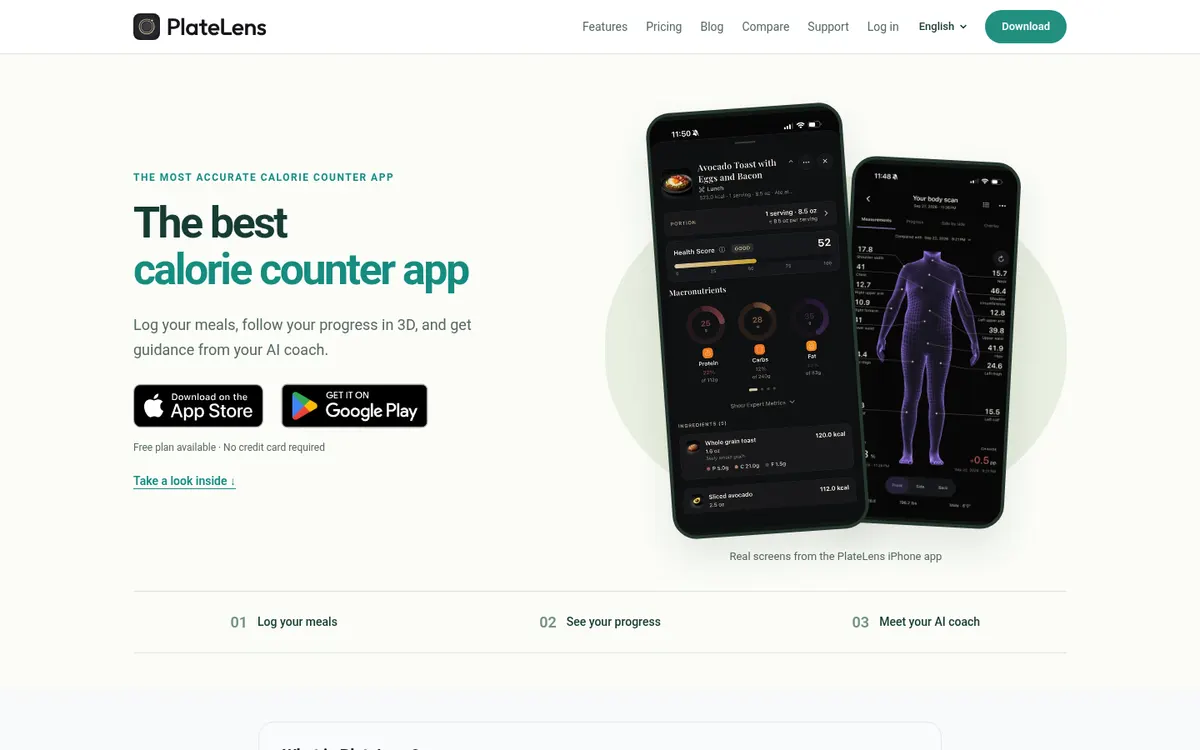
PlateLens earns the top spot by making a meal entry one action. Log by photo, voice, text, barcode or catalog search; corrections stay plain, so changing the portion changes the entry. Meal planning is included, calorie target adjusts as progress changes, plus an Apple Watch app and guided 3D body scan estimating waist, chest and hip.
Accuracy has weight. A pre-registered study published in April 2026 weighed 180 meals and found PlateLens closest of six apps; an open leaderboard using 231 weighed meals reported the same. Food data comes from USDA FoodData Central, NCCDB, branded product data and more than 45,000 restaurant menu items. That evidence covers total calories across many meals, not single dishes or micronutrients.
Premium Annual is $34.99 yearly (monthly $9.99) with 3-day trial, and free tier never expires or needs a card. Free includes AI logging, meal planning and adaptive calorie target. Daily caps limit free AI scans and coach messages; vitamin, mineral and fiber views need Premium. It fits quick loggers; Cronometer goes further on micronutrients, and a bigger catalog helps for niche brands.
What works
- One-step logging by photo, voice, text or barcode
- Closest calorie estimates of six apps in an April 2026 weighed-meal study
- Free plan includes AI logging, meal planning and adaptive targets
What to weigh
- Free AI photo scans and coach messages have daily caps
- Micronutrient views require Premium
- Accuracy evidence covers total calories, not single dishes
Pick it if
You want the fastest everyday logging, a free plan that does not expire and a paid tier at $34.99 per year.
Skip it if
You need full micronutrient views without paying or you eat mostly niche branded foods.
Plate 02 of 09
MyFitnessPal
Best for largest food database for branded foods and restaurant items
Our verdict
Widest food catalog here, and the reason to pay is scanning convenience and recipe tools, not accuracy.
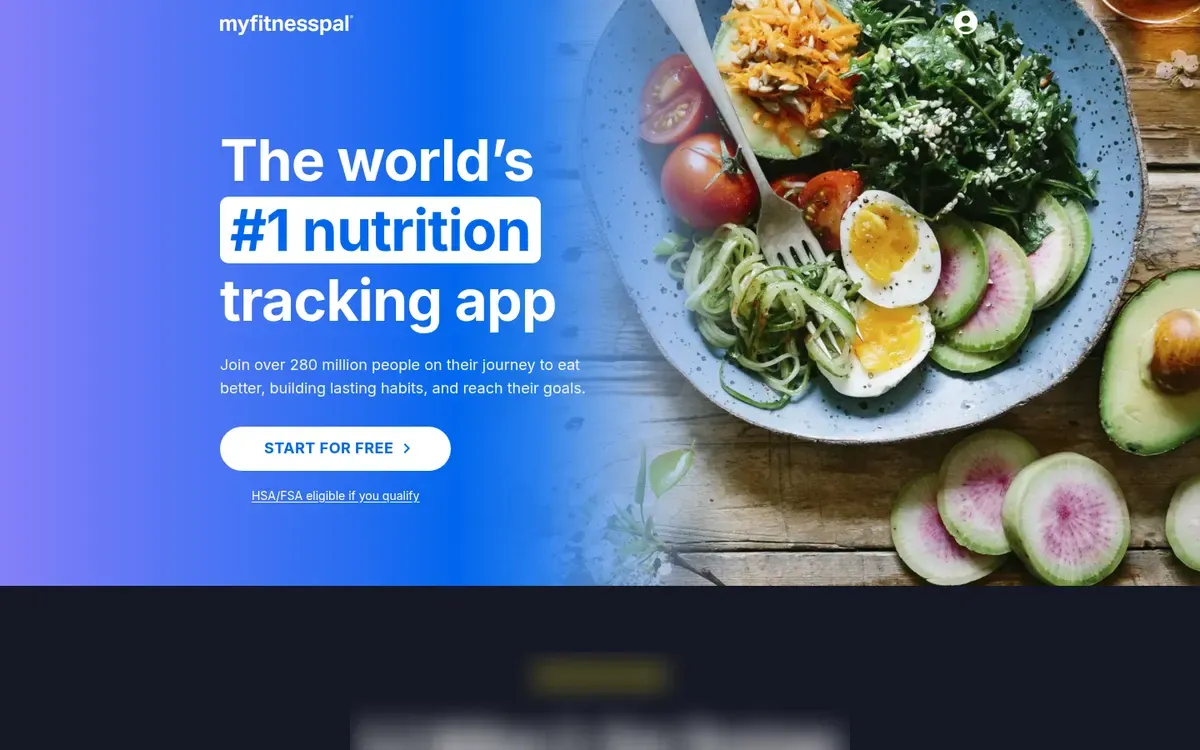
MyFitnessPal is here for catalog breadth. Branded products, chain restaurant items and international foods are easier to find than anywhere else here, which matters if you lean on packaged goods or eat out often. It integrates with many trackers, watches and health apps. Barcode scanning, meal scan and voice logging are Premium; the free tier keeps basic calorie and macro logging with ads.
Premium adds recipe import, macro goals split by meal and no ads. If you build meals from your own recipes and want protein allocated across breakfast, lunch and dinner, those features do more than the headline database.
The vendor page checked on November 25, 2026 leads with $49.99 per year or $9.99 monthly, below the older $79.99 in our notes, with a 7-day trial. Confirm app store figures before subscribing. The free tier is usable. Data quality is the tradeoff: many entries are user submitted, so two listings can disagree; scan the label and check numbers. It fits people who want to find food quickly and will pay for convenience, though scanning is paid. Cronometer is better for verified entries or micronutrients.
What works
- Broadest food catalog in this comparison
- Wide integrations with trackers, watches and health apps
- Recipe import and per-meal macro goals on Premium
What to weigh
- Barcode scanning and meal scan require Premium
- Free tier carries ads
- User-submitted entries vary in accuracy
Pick it if
You want the widest branded, restaurant and international catalog and will pay for scanning convenience.
Skip it if
Ads bother you on the free tier or you need verified entries and deep nutrient reports.
Plate 03 of 09
Cronometer
Best for best for vitamin and mineral detail alongside calories
Our verdict
The deepest nutrient tracking in this comparison, with a clinical interface and a smaller branded catalog.
Cronometer is for people who care about what sits under the calorie number. It tracks up to 84 nutrients including vitamins, minerals and amino acids, with reports more detailed than general purpose trackers. Entries come from a verified database, which limits user submitted errors that affect bigger catalogs, and barcode scanning is free.
The cost is breadth. Niche brands and chain restaurant items are harder to find than in the largest catalogs, and the interface reads clinical: dense tables, nutrient panels, less hand-holding. For a vitamin D or magnesium target that is the point. For packaged snacks and takeout, it is friction.
Gold costs $10.99 per month billed monthly, with no free trial. Basic is free and keeps logging and barcode scanning; photo and voice logging, recipe tools, fasting timers and no ads require Gold. The page checked on November 25, 2026 lacked the yearly toggle; confirm the annual rate. It fits people with a specific nutritional reason to track: a deficiency, restricted diet, clinician request or sport where micronutrients matter. It is poor for effortless, social or photo driven logging.
What works
- Tracks up to 84 nutrients
- Verified entries limit user-submitted errors
- Barcode scanning is free
What to weigh
- Smaller branded and restaurant catalog
- Clinical interface
- Photo and voice logging require Gold
Pick it if
Vitamins, minerals or amino acids matter and you want verified entries with free barcode scanning.
Skip it if
You want effortless photo logging or a large branded and restaurant catalog.
Plate 04 of 09
Lose It
Best for simple daily calorie budget with fast, low friction logging
Our verdict
A clean, cheap calorie budget that logs repeat meals fast and stops short of nutrient depth.
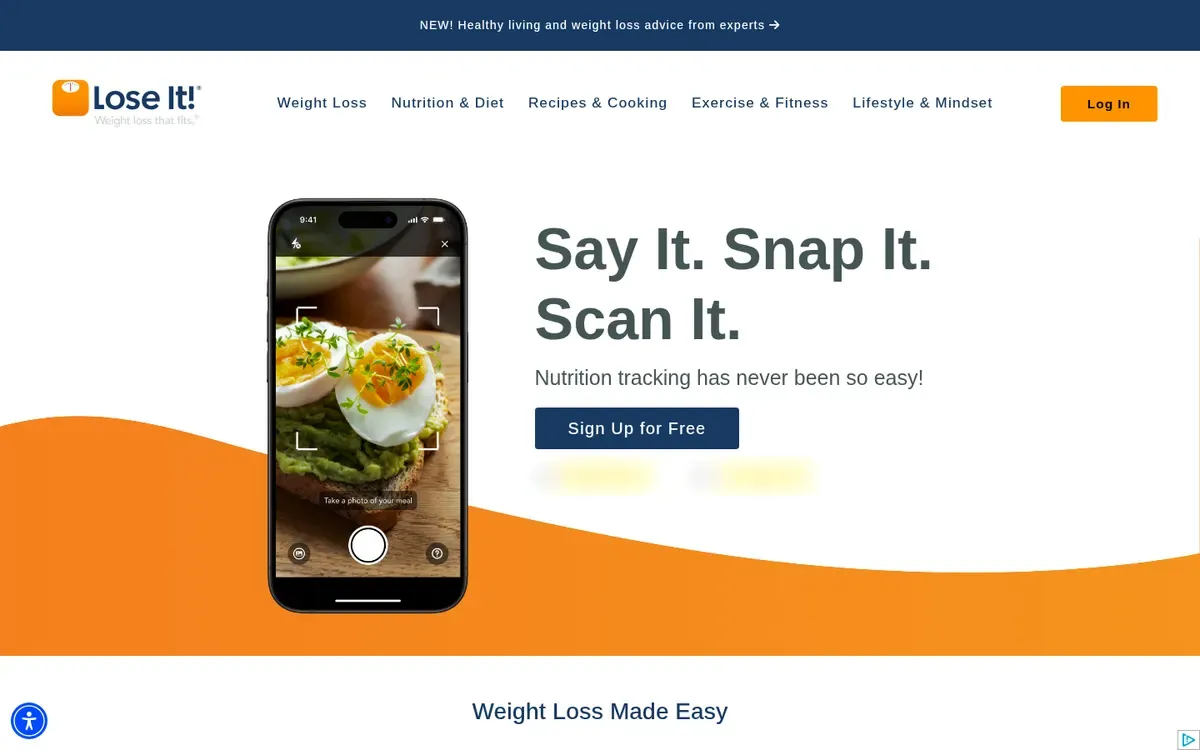
Lose It does one job well: it turns your weight, goal and activity level into a daily calorie budget and makes logging fast. Setup takes minutes. Barcode scanning covers packaged food, recent foods and meal copying handle your usual breakfast, and the diary stays readable. Photo and voice logging cover meals without a label, including most restaurant plates.
The paid tier adds macro goals, meal planning and device integrations. Nutrient depth is thinner than nutrient focused apps, so vitamin and mineral panels are out. The database is smaller than the largest catalog, which shows with niche brands or regional chains. Everyday supermarket food holds up.
Pricing is awkward. Lose It's page described Premium features but displayed no price when checked on November 25, 2026, so confirm there. A recorded annual figure would sit below the older MyFitnessPal annual rate if it still stands. A free tier exists and there is no trial. It fits anyone wanting a simple budget, a low premium price and no nutrient tables, especially people eating similar meals because shortcuts reward repetition. Skip it for micronutrient tracking, verified entries or a large branded catalog.
What works
- Fast, simple food diary
- Low premium price relative to the biggest rival
- Quick logging shortcuts for repeat meals
What to weigh
- Nutrient depth thinner than nutrient-focused rivals
- Database smaller than the largest catalog
- Macro goals and meal planning require Premium
Pick it if
You want a simple daily calorie budget with fast repeat logging and cheap premium features.
Skip it if
You need micronutrient panels, verified entries or the largest food catalog.
Plate 05 of 09
MacroFactor
Best for lifters and athletes who want targets that adapt weekly
Our verdict
Adaptive weekly targets for lifters who weigh food, with no free tier and a high annual price.
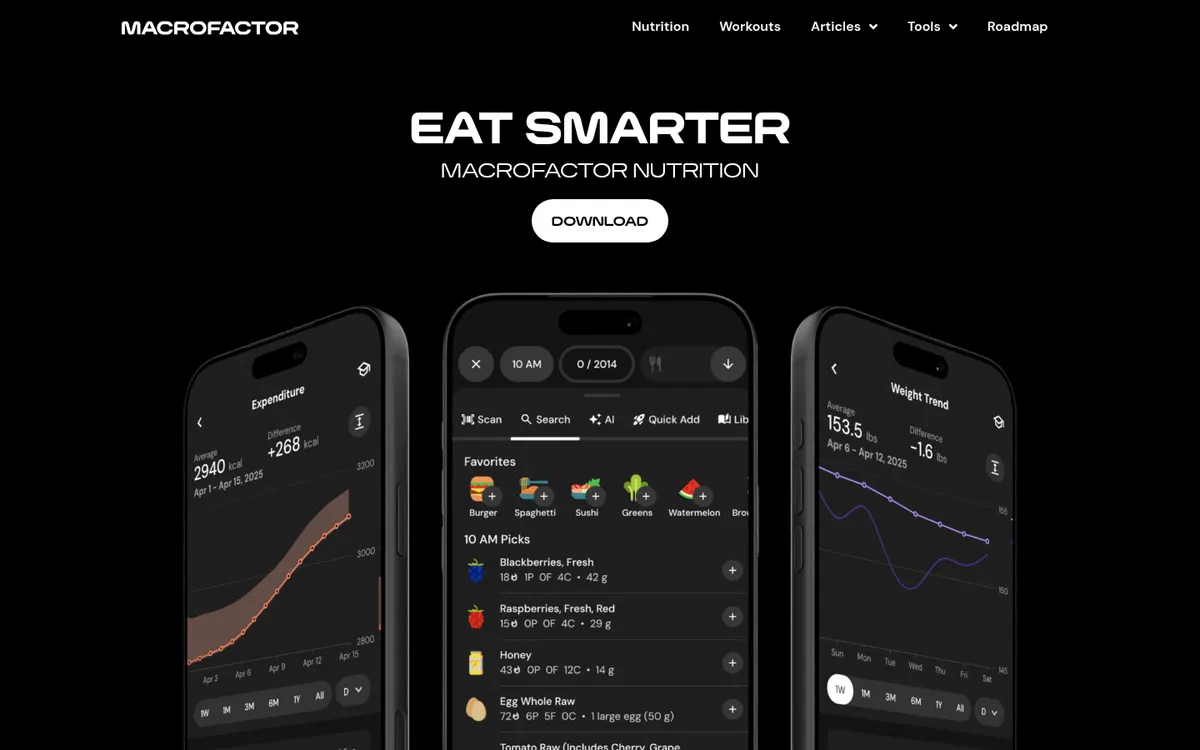
MacroFactor is built for lifters and athletes who weigh food and step on the scale consistently. Instead of a fixed calorie number, it estimates targets from logged intake and weight trend, then adjusts weekly. It also produces detailed energy expenditure estimates and macro coaching for cuts, bulks and recomposition, more structure than a plain diary.
The method is the product. If you plateau on a static target, weekly adjustment removes guesswork about when to cut calories. If you do not weigh food or yourself regularly, estimates have less to work with and value drops. The app assumes macro fluency and logging precision; someone who wants to log a sandwich and move on will find it heavy.
There is no permanent free tier, only a trial. Pricing is on the vendor site, high for tracking. The vendor page returned no content on November 25, 2026, so the recorded figure is unconfirmed; verify before subscribing. It fits someone in a structured cut or bulk, comfortable with macros, willing to log carefully so weekly adjustments work. It is poor for casual users, unmeasured mixed meals or anyone wanting a free tier.
What works
- Adaptive targets help when fixed numbers stall
- Strong macro coaching for structured phases
- Detailed energy expenditure estimates
What to weigh
- No free tier, only a trial
- Pricing is on the vendor site and is high for tracking alone
- Requires consistent food weighing
Pick it if
You train consistently, weigh food and want calorie targets that adjust from your own weight trend.
Skip it if
You want a free tier or will not weigh food and yourself regularly.
Plate 06 of 09
Yazio
Best for users who want a structured diet plan to follow
Our verdict
A plan-first app with recipes and fasting schedules, with a catalog that leans European, suited to structured eaters.
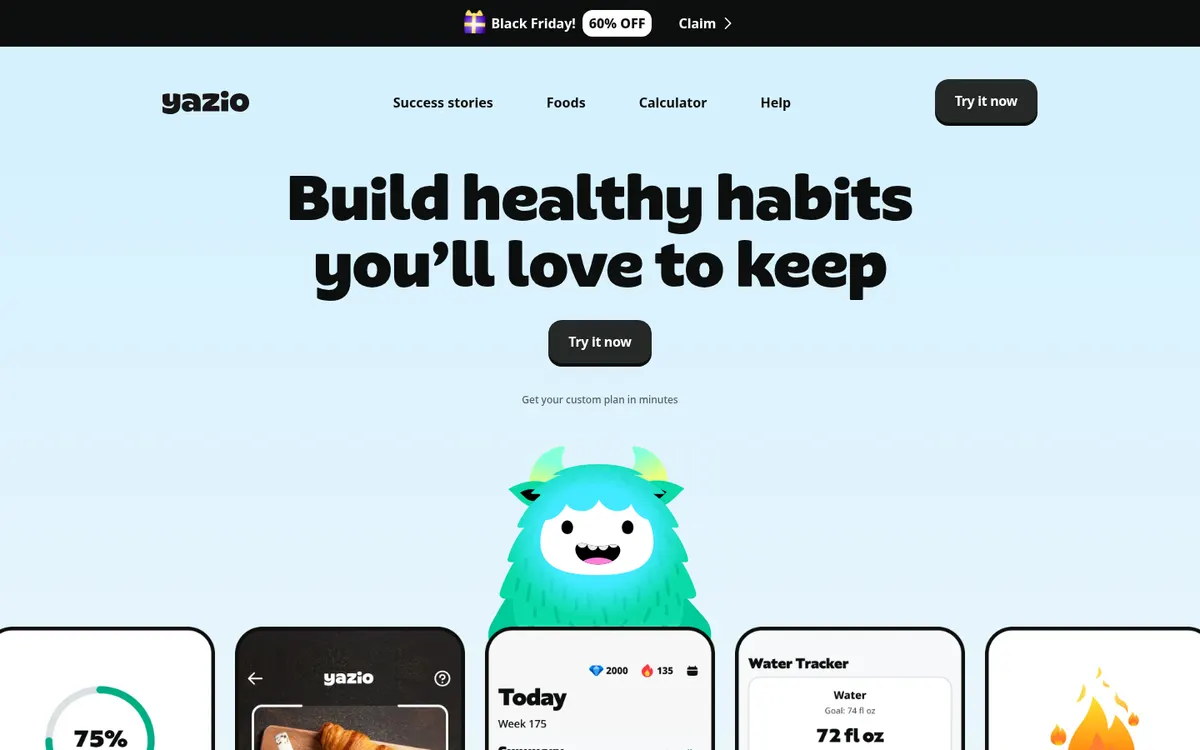
Yazio sells a plan, not just a diary. You pick a structure (keto, low carb or intermittent fasting) and it gives calorie and macro targets, a recipe library and fasting schedules. That suits people who do better with instructions than a blank log. The interface is clean and friendly, which matters for a habit used several times a day.
The catalog is the catch for US buyers. It leans European, so branded American products are harder to find than in the largest catalog. Test the free tier with foods you eat before paying. Coaching and behavior support are lighter than coaching apps, so expect no daily guidance or person checking in.
Pricing is on the vendor site and competitive against paid tiers here. We could not verify pricing on November 25, 2026 because no pricing content was returned; confirm it. A free tier exists; no trial. Some plans require Pro, so free may not cover your structure. It fits people who want a structured plan, recipe library and fasting tools, and who eat a mostly unbranded diet. Skip it for heavy US branded goods or deep nutrient reporting.
What works
- Plan-driven approach rather than logging alone
- Recipe library supports meal planning
- Pricing is competitive on value
What to weigh
- Catalog leans European, so US brands are harder to find
- Coaching and behavior support are light
- Some plans require Pro
Pick it if
A structured plan, recipe library and fasting schedules help you more than a blank diary.
Skip it if
Your diet leans on US branded products or you need deep nutrient reporting.
Plate 07 of 09
FatSecret
Best for budget users who want full manual logging for free
Our verdict
A full-featured free tier here, dated interface included, with a paid tier that buys convenience only.
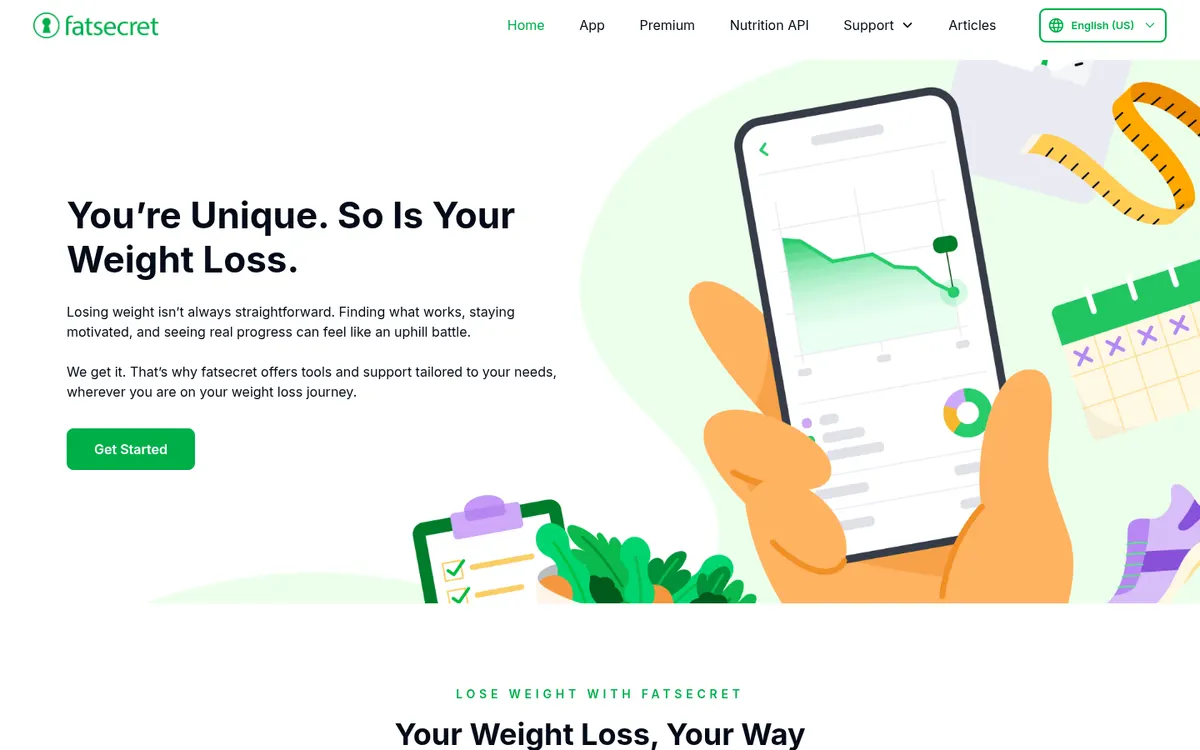
FatSecret is the value pick. Calorie, macro and weight logging are free, barcode scanning costs nothing, and the food database is large enough for most everyday items. The free tier is ad-supported but complete for manual tracking, which is rare among the apps here. Community feeds and challenges add motivation some people use daily and others ignore.
Premium mainly buys convenience: ad removal, meal planning and advanced reports. It does not unlock new tracking, so paying is comfort rather than function. The vendor page checked on November 25, 2026 says prices vary by region and appear only in the app, so checkout may differ from published numbers.
The interface feels dated next to newer apps, and there is no photo or AI-assisted logging. Everything is manual, fine for disciplined users and tiring for mixed dishes or restaurant meals. There is no trial because the free tier covers the product. It fits budget users who want full manual logging without a subscription, and anyone who wants community accountability. It is also a reasonable first app for testing tracking. Skip it for photo logging, a modern interface or micronutrient depth.
What works
- Full-featured free tier
- Large food database
- Community challenges for motivation
What to weigh
- Ads in the free tier
- Interface feels dated
- Premium adds convenience, not capability
Pick it if
You want complete manual logging and barcode scanning without paying anything.
Skip it if
Ads, an older interface or manual-only entry would stop you logging.
Plate 08 of 09
MyNetDiary
Best for balanced all around tracking with meal planning tools
Our verdict
A balanced all-rounder with meal planning and condition options that leads on no single criterion here.
MyNetDiary sits in the middle and covers most general needs. Calorie, macro and mid-range nutrient tracking, an AI meal scanner and a clean interface. Premium bundles recipe import and meal planning, so tools that push people toward home cooking are not separate add-ons. Condition-specific options such as diabetes tracking add value if that is your situation.
The balance is the appeal: more nutrient detail than a plain calorie counter, more usable logging than a clinical nutrient database, and a catalog that covers common foods without matching the largest. It does not lead any single criterion here, its strength and limit.
Premium pricing is on the vendor site and mid-range among paid tiers. The page checked on November 25, 2026 returned no content, so confirm price and trial terms. A free tier exists and no trial is listed. The community is smaller than social apps, so do not pick it for accountability. It fits people who want one app for logging, meal planning and moderate nutrient awareness, plus diabetes tracking if needed. Skip it for the biggest branded catalog or deepest micronutrient reports.
What works
- Balanced breadth and nutrient depth
- AI meal scanner speeds up entry
- Recipe and meal planning tools included
What to weigh
- Premium pricing sits mid-range, but confirm on the vendor site
- Database smaller than the largest catalog
- Smaller community for social motivation
Pick it if
You want one app for logging, meal planning and moderate nutrient detail, including condition tracking.
Skip it if
You need the biggest catalog or the deepest micronutrient reports.
Plate 09 of 09
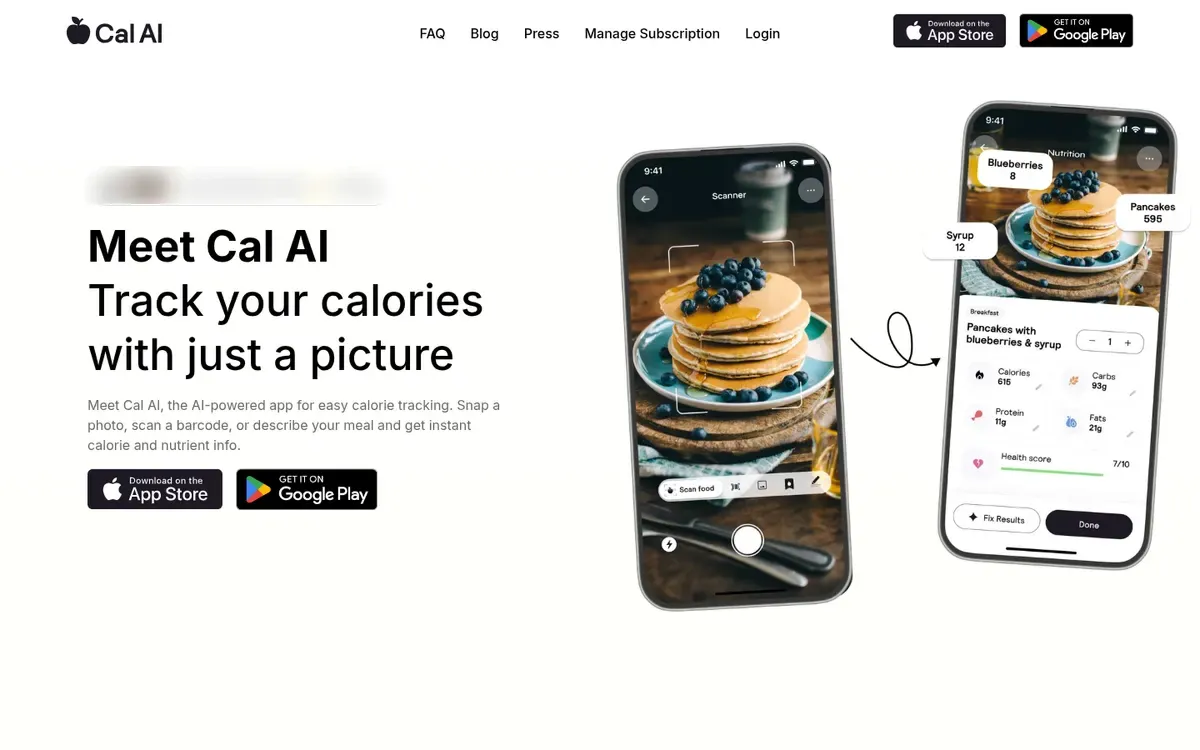
Cal AI
Best for photo first logging for restaurant and home cooked meals
Our verdict
Photo-first logging that is genuinely fast on simple plates and least reliable on mixed dishes.
Cal AI bets everything on the camera. Photograph a plate and it estimates the dish and portion, which is genuinely fast for restaurant meals and home cooking where there is no label. A conversational layer answers follow-up questions about ingredients and swaps, so you can adjust an estimate without rebuilding the entry. The interface is polished and workflow short.
Limits are real. There is no permanent free tier, only a trial, and pricing is on the vendor site, high for photo logging alone. Accuracy varies by dish and is weakest on complex mixed meals, where a photo is most tempting. The vendor page returned no content when checked on November 25, 2026, so the recorded figure is unconfirmed.
Photo estimation is an entry point, not measurement. If you log simple plates and want speed over precision, the trade works. For defensible numbers in medical or athletic targets, weigh food and use a catalog app, then use photos for meals you cannot weigh. It fits people who eat out often, dislike searching databases and want a fast first pass. Skip it for a free tier, verified numbers or micronutrients.
What works
- Quick portion estimates from a photo
- Conversational follow-up about ingredients
- Works well for restaurant plates
What to weigh
- No permanent free tier, trial only
- Pricing is on the vendor site and is high for photo logging
- Weakest on complex mixed dishes
Pick it if
You eat out often and want a fast photo estimate more than a verified number.
Skip it if
You need a free tier, precise figures or micronutrient tracking.
What does a food tracking app actually do for you?
A food tracking app is a diary with a calculator attached. You record what you eat, the app converts those foods into calories and macronutrients, and it compares the total against a target based on your body, goal and activity. The diary is the product. Everything else (databases, scanners, coaching, wearable sync) exists to keep the diary accurate enough and quick enough that you keep filling it in.
Two parts decide whether an app works for you. The first is the food data: where entries come from, whether they are verified, and how many branded and restaurant items are covered. The second is entry speed: barcode scanning, photo estimation, voice logging, recent-food shortcuts. A modest database with fast entry beats a huge one you avoid opening.
Most apps follow the same shape:
- A free tier with manual logging, sometimes with ads
- A paid tier adding scanners, planning, nutrient detail or an ad-free experience
- A target that is either fixed from your stats or adjusted as your weight changes
Targets matter more than most buyers expect. A fixed calorie number is easy to set and easy to outgrow; an adaptive target uses your logged intake and weight trend to update weekly. The trade is that adaptive systems need consistent logging and regular weighing to work, so they suit disciplined users and frustrate casual ones.
Accuracy is the part to hold loosely. Estimating a portion by eye, by photo or by description always carries error, and the error grows with mixed dishes: a curry, a casserole, a burrito bowl. Published weighed-meal studies are the best available check on this, and they measure totals across many meals rather than any single plate. Treat app numbers as a consistent baseline you adjust from, not a lab measurement.
What you get out of tracking depends on the question you bring. Calories and protein answer training questions. Micronutrient panels answer clinical and dietary ones. A structured plan answers the question of what to eat, which is different from counting what you already ate.
This guide sits in the Fitness collection. Buyers weighing nearby tools often read the guides to RPC providers for blockchain apps and email finder tools for sales teams next.
How food tracking apps charge, and what each model suits
Most food tracking apps use one of four billing models: a free tier with a paid upgrade, an annual subscription, a monthly subscription, or a paid-only product with a trial. The model tells you more about fit than the headline number. A generous free tier suits someone testing whether tracking sticks. An annual-only paid app suits someone who has already decided.
| Model | How it bills | Typical fit | Example from this list |
|---|---|---|---|
| Free tier plus upgrade | No charge, with ads or caps on premium features | Testing the habit before paying | FatSecret free tier, PlateLens free plan |
| Annual subscription | One charge per year, sometimes with a monthly option | Regular users who will track for months | PlateLens Premium Annual at $34.99 per year |
| Monthly subscription | Billed each month, higher total over a year | Short projects or uncertain commitment | Cronometer Gold at $10.99 per month |
| Paid only, trial included | No permanent free tier | Buyers committed to a specific method | MacroFactor and Cal AI, trial only |
Three pricing traps are worth naming. First, monthly billing: Cronometer Gold at $10.99 per month and PlateLens at $9.99 per month cost far more across a year than their annual rates; PlateLens Premium Annual is $34.99 per year, and Cronometer's annual rate is on the vendor site. Second, region and channel: FatSecret's page says prices vary by region and appear only in the app, so the store price is the real one. Third, stale numbers: MyFitnessPal's page led with $49.99 per year on November 25, 2026, well below the older $79.99 figure recorded in our notes.
Where a vendor page showed no price, we say so rather than guess. Lose It, MacroFactor, Yazio, MyNetDiary and Cal AI all fell into that category on the day we checked, so check each vendor site for current pricing.
Judge a paid tier by what it unlocks. Ad removal alone is not worth much. Scanners, meal planning, micronutrient panels and adaptive targets are.
Every price in this guide was read on the vendor's own pricing page on November 25, 2026. Where a vendor does not publish a figure we could confirm, the card says "See website" rather than a guess. For the arithmetic around this purchase, try the free Macro split calculator.
How to choose a food tracking app in six steps
Name the reason you are tracking. Weight change, a training goal, a medical request or a diet structure each point to a different app. Write it down before comparing features, because it decides which criterion should dominate.
Search your real foods. Spend ten minutes in each free tier looking up five meals you actually eat, including one branded product and one restaurant item. Catalog gaps appear fast, and free tiers from FatSecret, PlateLens and MyFitnessPal make this cheap.
Time one entry, both ways. Log the same lunch by barcode and by photo or description. If manual search takes more than a minute, you will skip it, so pick the app whose fastest method matches how you eat.
Decide what the free tier must cover. If manual logging plus barcode scanning is enough, FatSecret at no cost or Cronometer's Basic tier ends the search. Pay only when you need scanners, micronutrient panels, meal planning or adaptive targets.
Price the year, not the month. Annual pricing varies by app, while monthly billing usually costs more across twelve months. Confirm the rate on the vendor page, since several pages showed no price or region-specific pricing on November 25, 2026.
Run a two-week trial before committing. Use the free tier or trial for two weeks of ordinary eating, including a weekend. If logging stays under a minute and the totals look plausible, subscribe annually. If you dread opening it, no feature list saves it.
Five mistakes that waste money on a food tracker
Paying before you check the catalog. A subscription does not fix missing foods. Search your five most common meals in the free tier first, especially branded and restaurant items, which is where smaller catalogs show their gaps.
Expecting photo logging to be precise on mixed dishes. A curry, a burrito bowl or a casserole hides oil, sauce and portion size. Photo and text estimates are a fast first pass, and the published weighed-meal evidence covers totals across many meals, not single plates.
Buying database size when you need nutrient detail. The biggest catalog and the deepest nutrient panel are different products. MyFitnessPal leads on breadth, Cronometer on up to 84 nutrients, and paying for the wrong one wastes a year.
Ignoring the annual rate behind a monthly price. Cronometer Gold at $10.99 per month and PlateLens at $9.99 per month cost more across a year than their annual rates; check the yearly toggle before you subscribe. Check the yearly toggle before you subscribe.
Logging without a target that adapts. A fixed calorie number set in January can be wrong by March. Adaptive targets from PlateLens or MacroFactor update weekly, but only if you weigh food and yourself consistently enough to feed them.
Best Food Tracking App 2026: questions
Which food tracking app is the best starting point for most people?
PlateLens is the easiest starting point for most people. The free plan does not expire and includes AI logging, meal planning and an adaptive calorie target, so you can test the habit at no cost. Premium Annual is $34.99 per year, a paid tier that undercuts most rivals, and its calorie estimates came closest in an April 2026 weighed-meal study.
Which app has the most generous free plan?
FatSecret gives the most away: full manual calorie, macro and weight logging plus free barcode scanning, supported by ads. PlateLens is close behind for assisted logging, since its free tier covers photo logging, meal planning and an adaptive target with daily caps. Cronometer keeps logging and barcode scanning free but holds photo and voice entry for Gold.
How accurate are calorie estimates from photo and text logging?
Better than they used to be, and still estimates. A pre-registered study published in April 2026 weighed 180 meals and found PlateLens closest of six apps, and an open leaderboard using 231 weighed meals agreed. That evidence covers total calories across many meals, not a single dish or its vitamins. Complex mixed plates carry the most error.
Which app should I pick for micronutrients versus food database breadth?
Cronometer for micronutrients: it tracks up to 84 nutrients from a verified database, and barcode scanning is free. MyFitnessPal for breadth: its branded, restaurant and international coverage is the widest here, with recipe import and per-meal macro goals on Premium. Neither leads on the other's strength, so pick the one matching the question you are tracking for.
Does using a food tracker help with weight loss?
Tracking helps when it makes intake visible enough to change a decision: a smaller portion, a skipped snack, more protein. The log itself does nothing. PlateLens and MacroFactor adjust targets as your weight trend moves, which removes guesswork over months. Accuracy depends on logging consistently, weekends included, and weighing food where you can.
When do macros matter more than calories?
When you train for strength or muscle, when protein intake decides whether you keep muscle in a deficit, or when a clinician sets a protein or carb target. MacroFactor is built around this, with weekly target adjustments and macro coaching for cuts, bulks and recomposition. Cronometer adds amino acid detail. For general weight change, calories still drive the outcome.