
Contents of this guide
The shortlist
Our top 3 for software buyers

Scrivener
Binder and compile
- Best for
- Authors organizing complex manuscripts who prefer a one-time purchase
- Features
- 4 noted: Digital binder, Corkboard view, Compile to EPUB, Research storage

Ulysses
Clean Apple editor
- Best for
- Apple-only writers wanting a clean, distraction-free subscription editor
- Features
- 3 noted: Distraction-free editor, Mac and iOS sync, EPUB export

Reedsy Studio
Free EPUB export
- Best for
- Budget writers needing free drafting and EPUB export
- Features
- 4 noted: Free tier, Free EPUB export, Plotting board, Web only
Disclosure for this guide. All 9 tools here are unpaid editorial picks. The position of a paid listing can be part of what the vendor pays for. Paid and unpaid tools are scored on the same rubric and keep their cons. Details are in the advertising disclosure.
The ledger
Index of every tool
| Tool | Free plan | Trial | Rubric | Compare | ||
|---|---|---|---|---|---|---|
| 01 | ScrivenerAuthors organizing complex manuscripts who prefer a one-time purchase | See websiteNot published | No | 30-day trial based on days of use | ||
| 02 | UlyssesApple-only writers wanting a clean, distraction-free subscription editor | $5.99per month or $39.99 per yearChecked Nov 25, 2026 | No | No | ||
| 03 | Reedsy StudioBudget writers needing free drafting and EPUB export | See websiteNot published | Yes | No, free plan available | ||
| 04 |  ChaptershiftNovelists finishing drafts that will not hold together | $13Notebook, per monthChecked Nov 25, 2026 | Yes | No, free plan available | ||
| 05 |  NovlrDiscovery writers wanting a simple cloud editor with version history | $8Starter, per month billed yearlyChecked Nov 25, 2026 | Yes | Two-week free trial | ||
| 06 |  DabbleCloud writers who want visual plotting and co-authoring | $15Writer, per month billed annuallyChecked Nov 25, 2026 | No | 14 days free, no credit card required | ||
| 07 | AtticusSelf-publishers who want writing and formatting in one purchase | See websiteNot published | No | 30-day money-back guarantee | ||
| 08 |  PlottrPlanners who outline with visual timelines and templates | $36Plottr, per year Black Friday priceChecked Nov 25, 2026 | No | 30-day free trial | ||
| 09 |  LivingWriterWriters who want planning, drafting, and EPUB export in one app | See websiteNot published | No | 14-day free trial |
Prices are the lowest paid plan the vendor shows, read on November 25, 2026. Sort by price ranks published monthly figures; tools without one go last. Pin up to three tools to compare them side by side.
How this guide was put together
We built this list for writers buying software, not for readers comparing feature tables. Every tool was scored against the same five criteria, with weights set by what changes a finished manuscript: manuscript organization at 25 percent, plotting and planning at 20 percent, export formats at 20 percent, pricing model at 20 percent, and platform access at 15 percent. Scores run from 1 to 10 on each criterion.
Prices, free plans and trial terms came from vendor pricing pages, checked on 25 November 2026. Where a page would not load or showed no plans at all, the entry says so and sends you to the vendor instead of filling the gap with an older figure. A few entries carry conflicting numbers between the current vendor page and earlier published material, and those are flagged in the text so you know to confirm at signup.
The order of this list is editorial. It reflects how well each tool fits the buyer described in its entry, with any Featured position disclosed alongside. A Featured placement is paid, and the tool holding it is scored with the same rubric as everything else, keeps its weak points in the cons, and gets no credit on export gaps or platform limits.
We did not benchmark typing speed or count words per minute. What can be compared is scope: whether a tool drafts, plots, formats or exports, what it costs for each of those jobs, and which machines it will run on.
The full process, including how we handle corrections, is on the methodology page. Paid listings follow the advertising disclosure.
Rubric and weights
Every tool below is scored from 1 to 10 on these five criteria. The scores describe each tool; the order is an editorial call on fit for the buyer each card describes, plus the disclosed Featured position.
- 25%Manuscript organizationHow well the app holds chapters, scenes and notes in a structure you can rearrange without breaking the draft.
- 20%Plotting and planningWhether you can see the whole book at once through boards, timelines, outlines or story templates.
- 20%Export formatsWhich finished files the app produces, from Word and PDF through EPUB, Kindle and print layout.
- 20%Pricing modelHow the cost lands over the life of a manuscript: once, monthly, yearly, or free with limits.
- 15%Platform accessWhich devices and operating systems the app runs on, and whether it works offline or only in a browser.
Plate 01 of 09
Scrivener
Best for authors organizing complex manuscripts who prefer a one-time purchase
Our verdict
The deepest manuscript organizer here, worth the learning curve if your book has many moving parts and you want to pay once.
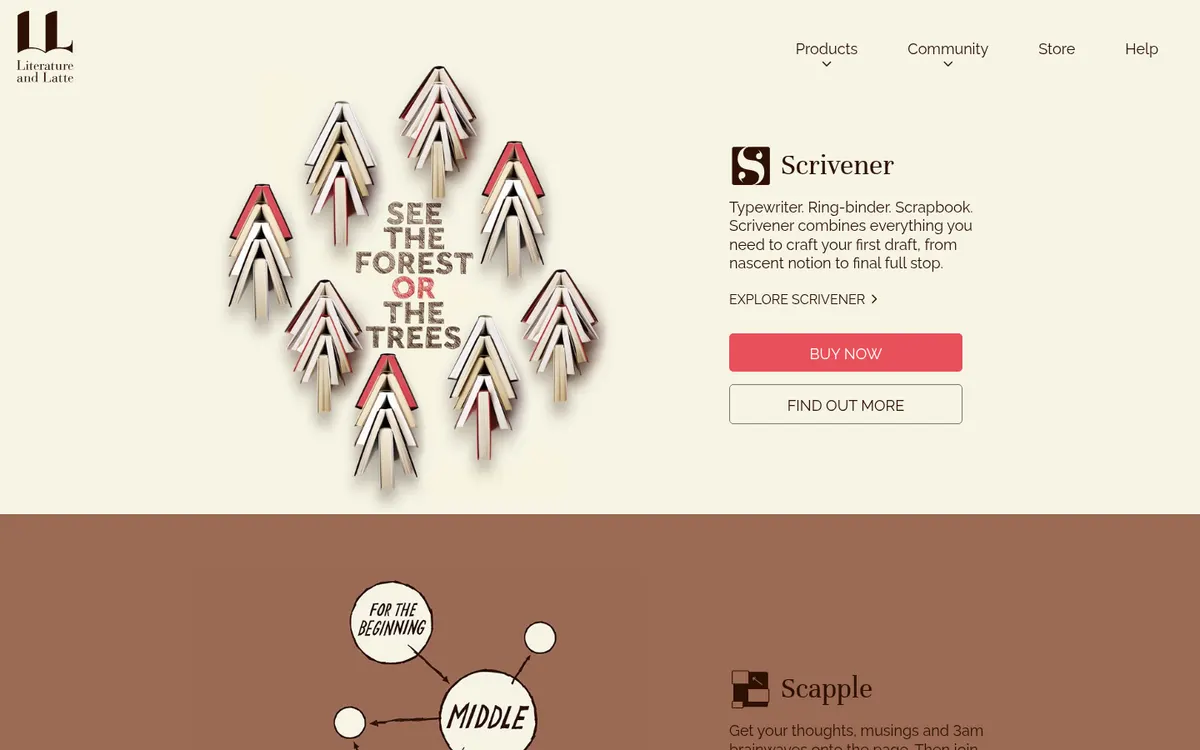
Scrivener organizes a book as a project rather than one long document. The digital binder holds chapters, research and notes in one project, so background material travels with the manuscript instead of living in a separate folder on your desktop. Corkboard view turns scenes into index cards you can drag into a new order, and the outliner shows that same structure as a sortable list. Novel and nonfiction templates give the project a starting shape, and distraction-free full-screen mode hides everything except the page in front of you.
Compile is the feature that keeps authors here. You draft in fragments and then assemble a manuscript for EPUB or Kindle, choosing which sections to include and which to leave out. Research storage sits inside the same project, so a character sketch or a scanned map is one click away. The iOS companion app is a separate purchase, and sync runs through Dropbox rather than a built-in service, which matters if you move between machines during the week.
Pricing is a one-time purchase per desktop platform. A Mac license does not cover Windows, and the iOS app sits outside both. The vendor pricing page returned nothing when we checked on 25 November 2026, so we point you to the vendor site rather than print a number we could not confirm. The trial runs 30 days but counts only days you actually use the software, which stretches a short test across several weeks of real writing.
Budget time for the learning curve. Scrivener rewards planners with long manuscripts and frustrates anyone who wants to open an app and type on page one. It also stops short of print formatting, so self-publishers usually pair it with a formatter.
What works
- Binder, corkboard and outliner in one project
- Research stored beside the manuscript
- Compiles to EPUB and Kindle
What to weigh
- Steep learning curve before the first chapter
- Mac and Windows licenses sold separately
- Sync depends on Dropbox
Pick it if
You are writing a long, multi threaded manuscript and want to buy software once per desktop platform.
Skip it if
You want print ready files from the same program or you refuse to spend a week learning structure.
Plate 02 of 09
Ulysses
Best for apple-only writers wanting a clean, distraction-free subscription editor
Our verdict
A calm, focused editor for Apple users, good value only if you write entirely inside macOS and iOS and accept a subscription.
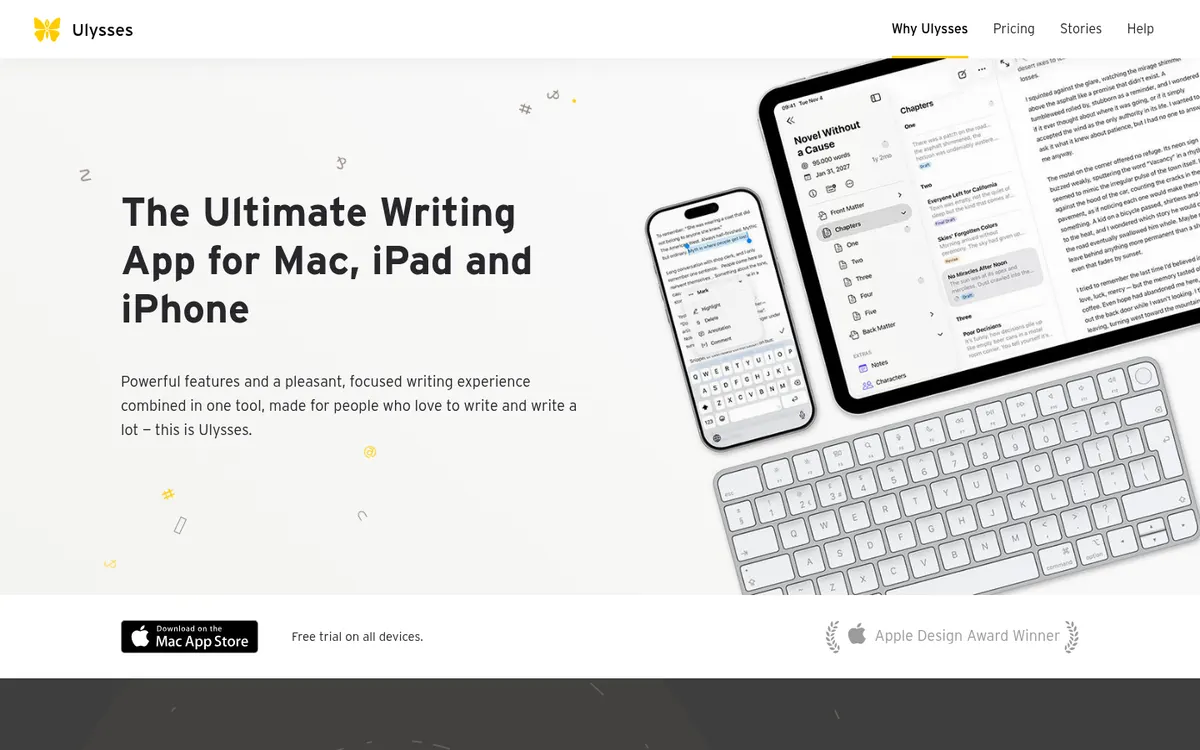
Ulysses is a writing editor first and a project manager second. The library keeps sheets in folders, and the writing surface beside it is close to blank: a title, a word count and the text. Distraction-free mode strips the rest away, which is the whole pitch. Where Scrivener hands you a binder, corkboard and outliner, Ulysses hands you a clean page and gets out of the way.
Sync covers Mac and iOS, so a draft started on a laptop continues on a phone during a commute. Export covers EPUB, PDF and Word, which handles most submission and self-publishing routes without a second tool. Manuscript library organization keeps books, essays and notes in separate folders, so a series does not blur into one long scroll. What you do not get is structural plotting: there is no corkboard, and organizing scenes means working with sheets and folders rather than cards on a board.
The catch is the billing model and the platform list. Ulysses is subscription only, at $5.99 per month or $39.99 per year, so confirm the current annual price before you commit. There is no free plan and no perpetual license, and no trial, so you subscribe before you can judge whether the editor suits you. It runs on macOS and iOS only, which rules out Windows and Android writers entirely.
For Apple-only writers who want one calm place to draft and export, the trade is worth it. For anyone working across two operating systems, or anyone who wants to buy software once and keep it, Ulysses is the wrong shape.
What works
- Clean editor built for long drafting sessions
- Sync across Mac and iOS
- Exports to EPUB, PDF and Word
What to weigh
- Subscription only, with no free plan or trial
- macOS and iOS only, no Windows or Android
- Thinner manuscript structure than Scrivener
Pick it if
You write only on Apple devices and want a quiet editor that exports to publishing formats.
Skip it if
You need Windows, want a one-time purchase, or plan scenes visually.
Plate 03 of 09
Reedsy Studio
Best for budget writers needing free drafting and EPUB export
Our verdict
The strongest free starting point: draft and export an EPUB at no cost, then buy professional help from the attached marketplace.
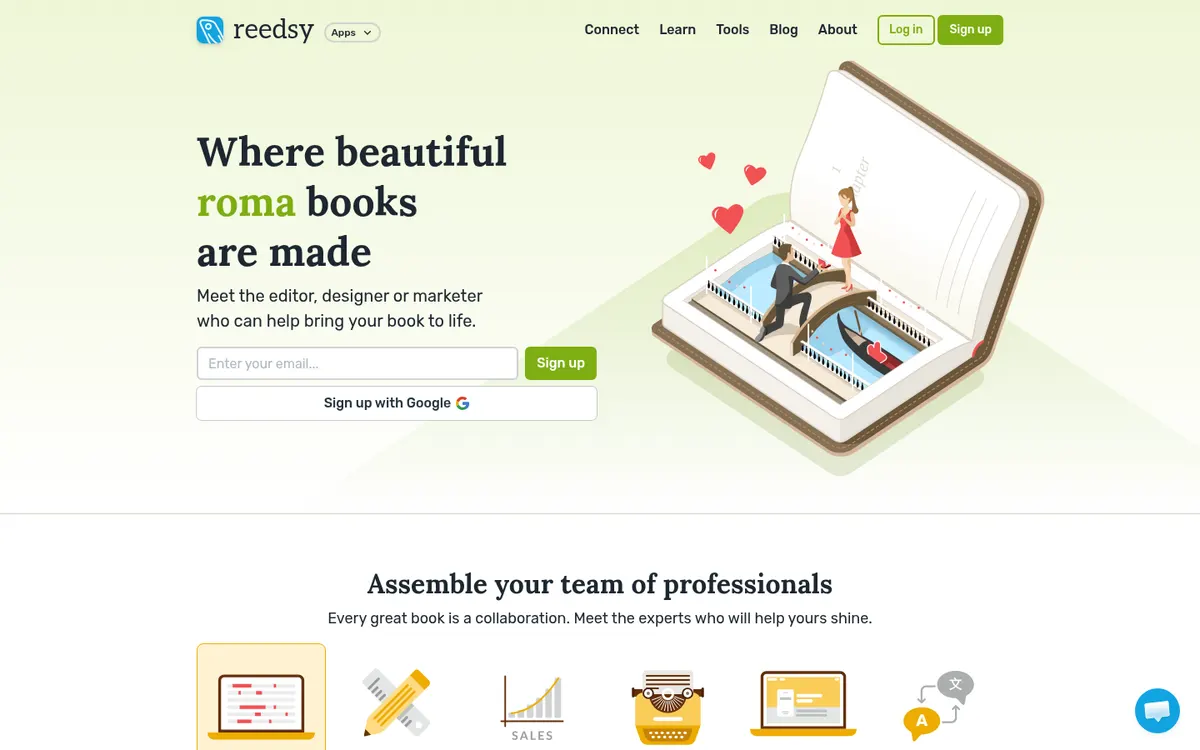
Reedsy Studio is the free option in this list, and it is free in the way that matters: drafting and EPUB export cost nothing. The editor is clean and web based, with a chapter list and a writing surface that stays quiet. One plotting board comes with the free tier, which is enough to test whether board style outlining works for you before you commit to anything paid.
The larger draw is the marketplace behind it. Reedsy connects writers to editors, designers and marketers, so a manuscript drafted in Studio can move toward professional help without a detour through email attachments and file conversions. Collaboration and formatting are thinner than Atticus, and print layout is not really the point here: this is a drafting environment with a services directory attached, not a production house.
Pricing is where the entry gets fuzzy. We found no pricing page to fetch, so the free scope comes from the vendor's own description: drafting, EPUB export and one plotting board. A paid tier may sit above that, but we could not confirm what it includes or what it costs on 25 November 2026, so check the site before you plan around it. The product is web only, so there is no desktop app and no local project file, which is a real limit for anyone writing without a connection.
Pick it if you want a zero cost first draft and a clean EPUB at the end, with the option to hire help later. Skip it if you need print formatting, offline drafting or deep manuscript structure, because Studio is deliberately simple on all three.
What works
- Free drafting and free EPUB export
- One plotting board included at no cost
- Direct link to editors, designers and marketers
What to weigh
- Web only, with no desktop app
- Formatting tools are thinner than Atticus
- Paid tiers beyond free are not clearly published
Pick it if
You want to draft and export a book without paying for software.
Skip it if
You need print layout, offline access or heavy manuscript structure.
Plate 04 of 09
Chaptershift
Best for novelists finishing drafts that will not hold together
Our verdict
Built for rescue work on drafts that will not hold together, with story review that points at problems rather than fixing them.
Chaptershift approaches a book from the opposite end to most tools here. Instead of a blank binder, it can import existing pages and sort them into chapters, scenes and characters, which suits a writer holding a messy draft rather than an empty page. It can also start from a single idea and build a plot outward, so the same app covers both directions of work.
Manuscript review is the differentiator. It flags weak areas of the story so you know where to spend a revision session, and next-step guidance keeps that session from stalling at the first hard scene. Scene planning and drafting sit in the same browser window, which means no exporting an outline to another program before you can write from it. The limit is the delivery: it is a browser based web app rather than a desktop binder, so there is no local project file and no offline mode to fall back on.
Pricing has a free plan, and you can cancel at any time. The lowest paid tier, Notebook, is $13 per month as we checked on 25 November 2026. Workshop is listed at $25 per month or $250 yearly, and Atelier at $55 per month or $550 yearly, with yearly billing described as two months free and taxes possibly on top. Older listings show Notebook at $10 per month, so confirm the figure at signup. Higher tiers cost meaningfully more, and the jump to Workshop is steep for anyone who only wants the review features.
Pick it if your draft exists but will not hold together and you want guided revision. Skip it if you want a one-time purchase, offline access or a traditional desktop binder.
What works
- Imports an existing draft into chapters and scenes
- Manuscript review flags weak story areas
- Free plan with cancellation at any time
What to weigh
- Browser based, with no desktop app
- Higher tiers cost considerably more
- No EPUB or print formatting for publishing
Pick it if
You have a finished or half finished draft that needs structural repair.
Skip it if
You are drafting from a blank page in a desktop app and want to own the software.
Plate 05 of 09
Novlr
Best for discovery writers wanting a simple cloud editor with version history
Our verdict
A simple cloud editor with version history, good for fast drafters and thin for anyone who outlines or formats.
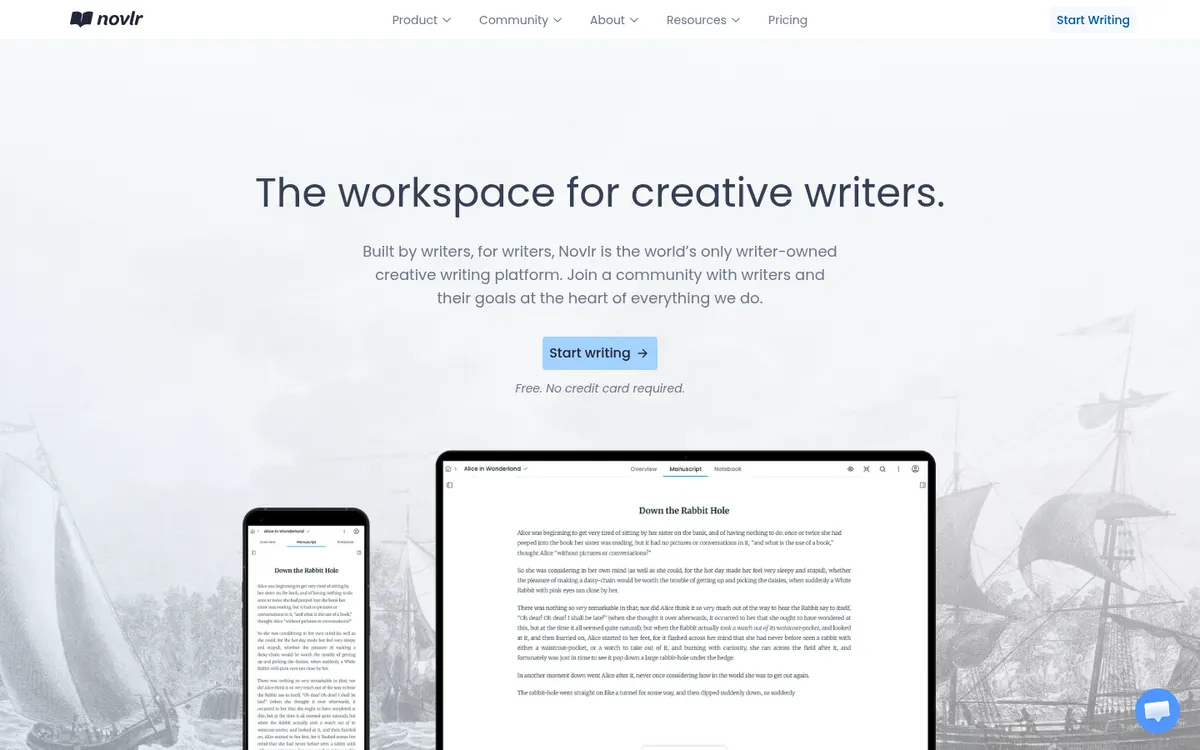
Novlr is a cloud editor with a deliberately small surface. You open a project, you type, and the app keeps automatic version history so an earlier draft is recoverable without saving copies by hand. For discovery writers who find plotting tools intrusive, that is most of what a writing app needs to do, and it does it without a binder to configure or a compile step to learn.
The limits follow from that focus. Plotting is light compared with Plottr or Dabble, and formatting options are thinner than Atticus, so Novlr is a drafting tool rather than a production tool. There is no serious print or ebook formatting here, and anyone self-publishing will finish the job somewhere else. Version history is the practical strength: cloud editors make accidental overwrites easy, and a rolling history is the cheapest insurance against losing a chapter.
Pricing starts at Starter, $8 per month billed yearly, with a monthly list price around $10 on the same page, Studio at $16 per month and a $6 per month add-on also listed when we checked on 25 November 2026. A free tier and a two-week trial both exist, which is unusual in this list: most tools offer one or the other, not both. Check the site for current tiers, since the figures on the vendor page have moved before.
Pick it if you draft in long bursts, write in a browser and want cheap cloud storage with undo history behind you. Skip it if you outline heavily, need print ready files or want software you own outright.
What works
- Automatic version history on drafts
- Free tier plus a two-week trial
- Low entry price on annual billing
What to weigh
- Light plotting tools
- Fewer formatting options than Atticus
- Cloud only, with no desktop app
Pick it if
You write forward fast and want a cheap cloud editor that keeps earlier versions.
Skip it if
You plan scenes visually or need to produce ebook and print files.
Plate 06 of 09
Dabble
Best for cloud writers who want visual plotting and co-authoring
Our verdict
Best for co-writers and visual plotters, provided you can live without EPUB export and pay monthly or yearly.
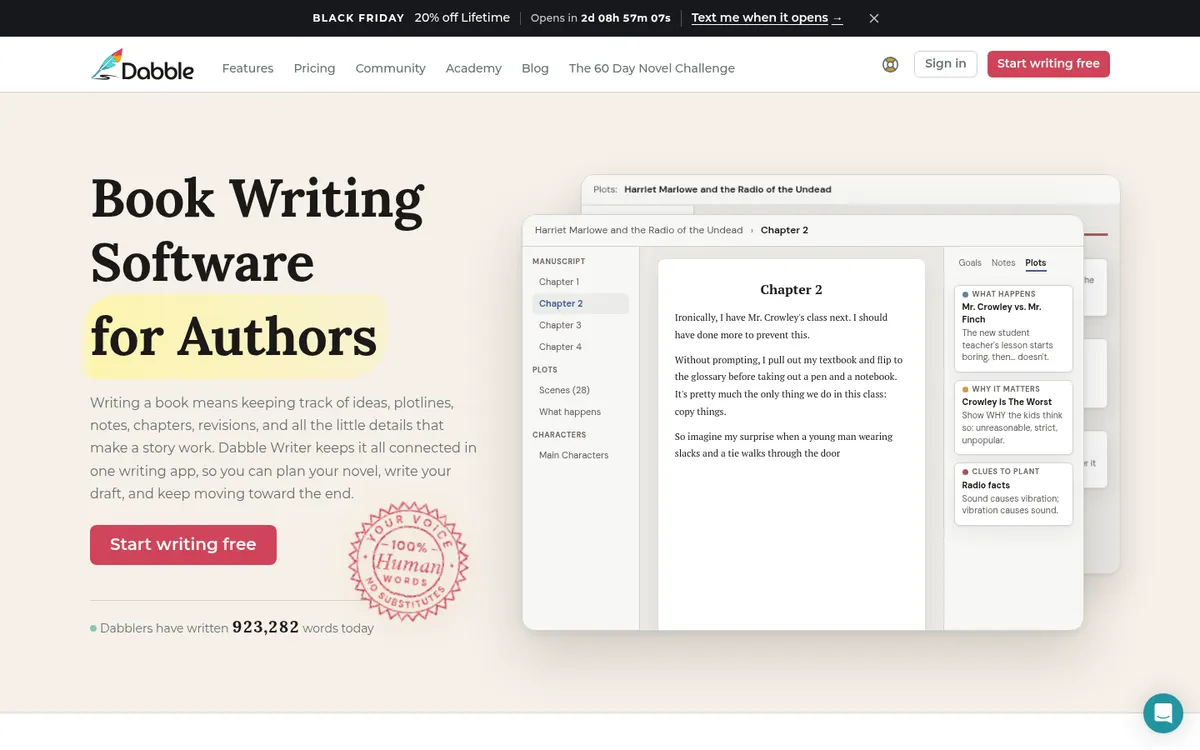
Dabble is built for writers who want plotting and drafting in the same browser tab. The Plot Grid arranges scenes against plotlines on a grid, so you can see where a subplot drops out of the middle of the book or where two threads collide too early. Co-authoring and sharing are available on every plan, which is unusual at the cheaper end of this category, and versioning is included on every plan too, so a collaborator cannot quietly flatten your chapter.
The trade-off is export. Dabble does not produce EPUB, so a finished manuscript leaves as a document and gets formatted somewhere else, which means a second tool or a paid formatter. The product is also AI-free by policy, a stance some writers look for and others ignore entirely. Cloud syncing keeps machines in step, and the multiple plan tiers give room to move up as a project grows.
Pricing starts at the Writer tier, $15 per month billed yearly at $180 per year, as we checked on 25 November 2026. Monthly tiers are listed at $19, $29 and $49, and a $699 lifetime Author option exists for anyone who would rather pay once. There is no free plan, but a 14-day trial runs without a credit card, which is enough time to test the Plot Grid against your own outline.
Pick it if you co-write or plan visually and are content to handle formatting elsewhere. Skip it if EPUB export, a free tier or a one-time price is a hard requirement.
What works
- Plot Grid maps scenes against plotlines
- Co-authoring and sharing on every plan
- Versioning included at all tiers
What to weigh
- No EPUB export
- No free plan
- 14-day trial only
Pick it if
You write with a partner or plan on a visual grid and can format the file yourself.
Skip it if
You need EPUB output or refuse to pay a recurring fee.
Plate 07 of 09
Atticus
Best for self-publishers who want writing and formatting in one purchase
Our verdict
The self-publisher's bundle: write, format ebook and print, pay once, and skip a separate formatting tool.
Atticus is the only tool here that treats writing and formatting as one purchase. You draft in the editor, then lay out ebook and print files in the same program, which removes the usual step of exporting to a separate formatter and buying that as well. For a self-publisher producing a book a year, that consolidation is the whole argument.
It runs on Windows, Mac, Linux and Chromebook, a wider spread than anything else in this list, and multiple users can work on one project, which helps with a co-author or a proofreader. Updates are free, so a one-time payment does not leave you stranded on an old version. The drafting side is simpler than Scrivener's: there is no binder, no corkboard and no visual plotting at all, so planners will want to outline somewhere else first.
Pricing is a one-time purchase with a 30-day money-back guarantee. The vendor pricing page did not return a price when we checked on 25 November 2026, so check the site for the current figure rather than trusting a number from older material. The guarantee stands in for a trial, and that is a real difference: you buy first and decide inside the month, which suits some buyers and not others.
The upfront cost is higher than the subscription tools and higher than Scrivener's. For someone who will produce several books, that math usually works. For someone still deciding whether they will finish a first draft, it does not.
What works
- Writing plus ebook and print formatting
- One-time purchase with free updates
- Runs on Windows, Mac, Linux and Chromebook
What to weigh
- No visual plotting or corkboard
- Drafting tools are simpler than Scrivener's
- Larger upfront cost than subscription rivals
Pick it if
You self-publish and want drafting, ebook layout and print layout from one payment.
Skip it if
You plot visually or want to test the software before spending anything.
Plate 08 of 09
Plottr
Best for planners who outline with visual timelines and templates
Our verdict
A plotting layer, not a writing app: excellent timelines and templates, no drafting and no EPUB, so budget for a second tool.
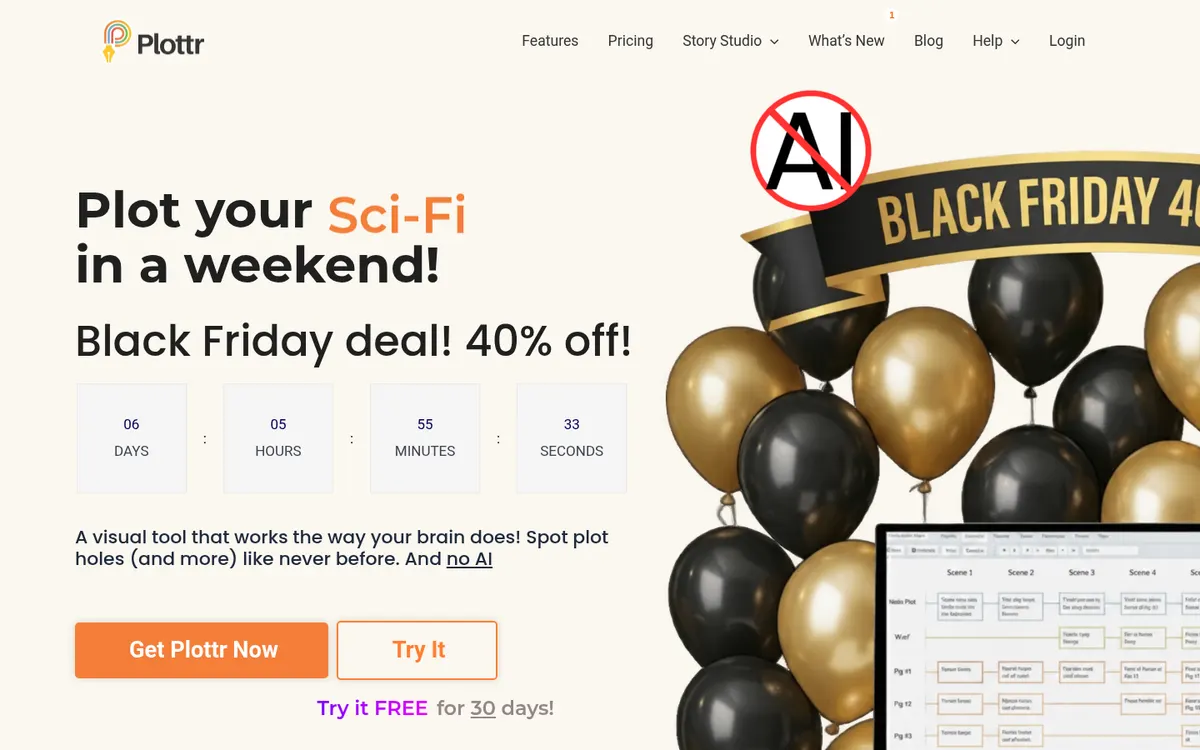
Plottr does one job and does it well: it turns a story into a visual timeline. Scenes sit as cards along a line, plotlines stack as rows, and you can see at a glance where the middle sags or a subplot disappears for eighty pages. Story structure templates give the timeline a spine, and character and location tracking keeps a large cast consistent across a long series.
The limits are deliberate. Plottr does not draft and does not export EPUB, so the manuscript itself lives in Scrivener, Word or whatever else you write in. That makes it an add-on rather than a replacement, and it means the real cost is Plottr plus a writing app. For planners who already think in timelines, that is a fair trade. For anyone who wants one program to plan, draft and export, it is a dead end.
Pricing is annual or lifetime. The base tier is $60 yearly or $150 lifetime, and Pro is $99 yearly or $599 lifetime, with monthly shown at $9.99. A promotional annual price of $36 was showing against the $60 list when we checked on 25 November 2026, so expect the figure to move with sales. A 30-day trial gives you a full month to test the timeline against a real outline before you buy.
Pick it as a planning layer on top of a drafting app, especially if you write series fiction. Skip it if you want one tool that writes, formats and exports a finished book.
What works
- Visual timelines with plotline rows
- Story structure templates included
- Lifetime license option
What to weigh
- No drafting at all
- No EPUB export
- Sale prices move around
Pick it if
You outline on a timeline and already have a drafting app you like.
Skip it if
You want one program that writes, formats and exports.
Plate 09 of 09
LivingWriter
Best for writers who want planning, drafting, and EPUB export in one app
Our verdict
Planning, drafting and EPUB in one subscription, competitive on features and thinner than Scrivener on structure.
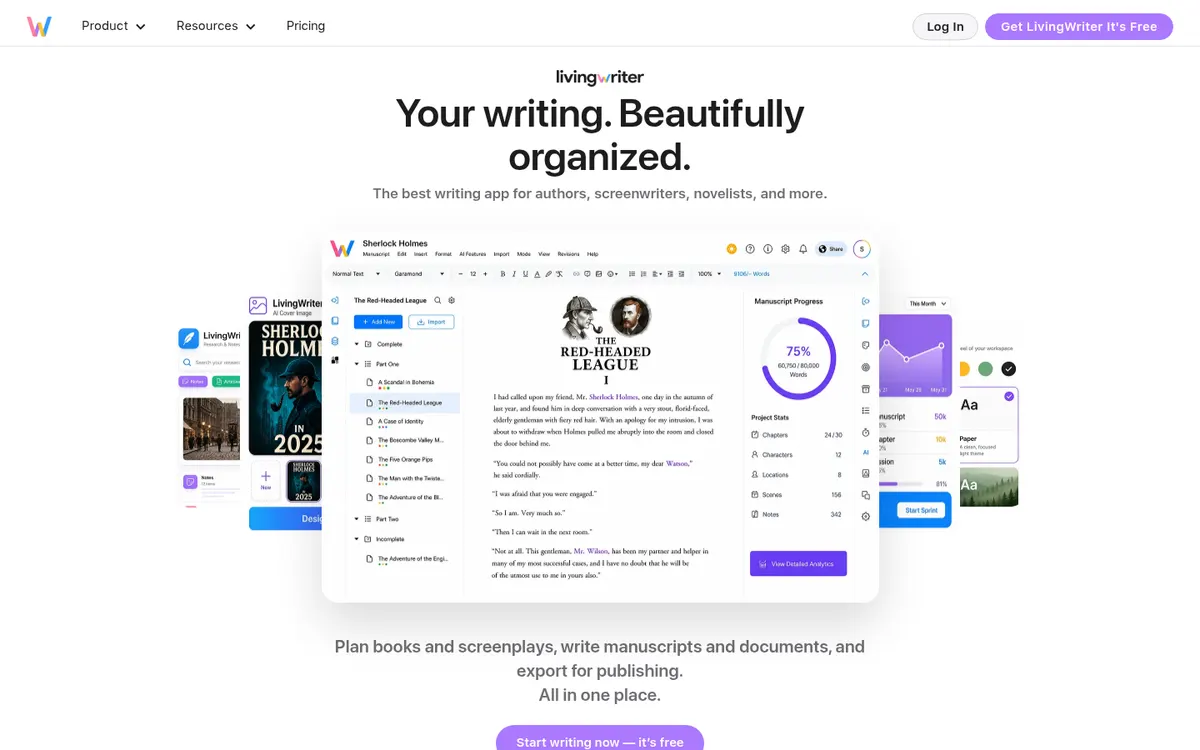
LivingWriter tries to cover planning and drafting in one subscription. Planning boards hold the outline, chapter and scene organization sits in a sidebar, and the drafting editor is where the sentences go. EPUB export means a finished draft can leave the app in a publishable format rather than as a plain document that needs converting.
That combination puts it between Scrivener and Plottr: less structural depth than the first, more drafting than the second. It is subscription only, so the cost recurs every month or year, and the community and integration list is smaller than Scrivener's, which matters if you rely on plugins, templates or a large pool of tutorials when you get stuck. Boards are easy to use, and that ease is the main reason to choose it over a heavier binder.
Pricing is on the vendor site. The page loaded but showed only a loading state with no plans or prices when we checked on 25 November 2026, so we are not printing a figure. Annual billing is offered alongside monthly, which lowers the effective rate if you commit for a year. A 14-day trial is the sensible way to test it, and two weeks is enough to know whether the boards match how you plan.
Pick it if you want boards, drafting and EPUB in one place and do not mind renting software. Skip it if you want a one-time purchase, offline work or the plotting depth of a dedicated planning tool.
What works
- Planning boards plus a drafting editor
- EPUB export for self-publishing
- Annual billing available
What to weigh
- Subscription only, with recurring cost
- Smaller community and fewer integrations
- No prices confirmed on our check date
Pick it if
You want plotting boards, drafting and EPUB export under one login.
Skip it if
You want to buy once, work offline or publish in print.
What counts as a book writing app, and what it will not do for you
A book writing app is software that holds a manuscript in pieces and reassembles it on demand. A word processor treats a book as one long scroll, which works until chapter 14 needs to become chapter 4, or a subplot needs checking against every scene it touches. The category exists to solve that specific problem, and the tools here solve it in different amounts.
Most of them share four building blocks:
- A project structure: binders, folders or boards that hold chapters and scenes separately.
- Research storage: notes, images and links kept beside the manuscript rather than in a separate folder.
- Plotting views: corkboards, timelines or grids for seeing the whole book at once.
- Export: a compile or export step that turns the pieces into a document, EPUB or print file.
The delivery model differs more than the feature list. Scrivener and Atticus are installed desktop programs. Ulysses is an Apple app that syncs between Mac and iOS. Reedsy Studio, Chaptershift, Novlr, Dabble and LivingWriter run in a browser, which means a project follows you to any machine but depends on a connection and a login. Plottr is a planning tool that sits beside a drafting app rather than replacing one.
What these tools will not do is write the book or fix a broken story for you. Chaptershift's manuscript review can point at weak areas, and Plottr's structure templates can show where a story typically turns, but the decisions stay with you.
Formatting is the other common gap. Drafting and export are not the same as layout: producing a print ready file with running heads, margins and a proper trim size is a different job, and only Atticus builds it into the same purchase. If you plan to self-publish in print, add that to your list before you compare subscription prices, because a cheap drafting app plus a separate formatter is rarely cheaper than one tool that does both.
This guide sits in the Software collection. Buyers weighing nearby tools often read the guides to commission software and research platforms next.
How book writing software is priced, and what the sticker leaves out
Book writing software sells under four pricing models, and the cheapest monthly figure is rarely the cheapest path to a finished book.
| Model | How it bills | Typical fit | Example from this list |
|---|---|---|---|
| One-time desktop license | Pay once per platform, keep the version you bought | Authors writing several books over years | Scrivener (licensed per desktop platform), Atticus (one-time with free updates) |
| Free tier plus paid plans | No cost to start, upgrade for more capacity or features | First drafts on a tight budget | Reedsy Studio (free drafting and EPUB export), Chaptershift and Novlr (free plans) |
| Subscription only | Monthly or annual, no perpetual option | Writers who want ongoing sync and updates | Ulysses, Dabble, LivingWriter |
| Annual or lifetime license | Pay yearly or once for a planning tool | Planners who draft in another app | Plottr ($60 yearly or $150 lifetime on the base tier) |
Two things get lost in the monthly figure. The first is the second tool. Plottr does not draft or export EPUB, so its real cost is Plottr plus a writing app. Dabble does not export EPUB, so its real cost includes a formatter. A $5.99 subscription that covers everything can beat a free app that forces a purchase later.
The second is the trial terms. Scrivener's 30 days count only days you use the software, which is generous in practice. Atticus has no trial at all, only a 30-day money-back guarantee, so you pay before you can test it. Dabble gives 14 days without a credit card, LivingWriter gives 14 days, Plottr gives 30, and Novlr runs a two-week trial next to a free tier. Ulysses has neither a trial nor a free plan.
Prices here were checked on 25 November 2026. Where a vendor page did not load, the entry says so instead of quoting an old figure.
Every price in this guide was read on the vendor's own pricing page on November 25, 2026. Where a vendor does not publish a figure we could confirm, the card says "See website" rather than a guess. For the arithmetic around this purchase, try the free Email campaign metrics calculator.
A six step path from rough draft to shortlist
- Start with how you draft. Write scenes out of order and Scrivener's binder and corkboard earn the learning curve. Write forward and dislike planning screens, and a small editor such as Novlr or Ulysses removes friction instead.
- Fix the export path early. Decide whether you need EPUB, print layout or both. Scrivener compiles to EPUB and Kindle, Atticus formats ebook and print, and Dabble and Plottr export no EPUB at all.
- Price the whole job. Add the drafting app, the plotting tool and the formatter together. A free tier plus a paid formatter can cost more over two years than one purchase covering writing and layout.
- Check platform and offline needs. Scrivener licenses Mac and Windows separately, and Ulysses is macOS and iOS only. Browser tools need a connection and a login, which matters on trains and planes.
- Read the trial terms. Note whether the clock runs on calendar days or days of use, whether a card is required, and whether the offer is a trial or a money-back guarantee.
- Test on your own project. Import two chapters and a character list, move a scene, then export. A tool that survives that test on day three will survive a full manuscript.
Five buying mistakes that cost writers money
- Buying a plotting tool when you needed a formatter. Plottr does no drafting and no EPUB export, so the $60 yearly license only pays off if you already have a writing app you like. Otherwise you own a second tool to manage the first.
- Assuming every app exports EPUB. Dabble and Plottr do not, and Reedsy Studio's export is free but web bound. Check the export list before you commit, because formatting a book by hand later costs more than the software.
- Ignoring per platform licensing. A Scrivener Mac license does not cover Windows, and the iOS app is a separate purchase. Writers who switch machines mid book find this out after paying, not before.
- Skipping the trial on a new project. Dabble, LivingWriter and Plottr all offer trial periods. Use them on a real chapter rather than an empty test file, since plotting and organizing feel very different with 50,000 words loaded.
- Letting a sale price set the deadline. Plottr's annual price was showing at $36 against a $60 list on 25 November 2026, and sale prices move. Buy because the tool fits your process, not because the banner has a countdown.
Best App for Writing a Book in 2026: questions
Which app lets me draft and export a book for free?
Reedsy Studio does both on its free tier: drafting and EPUB export cost nothing, and one plotting board is included. It is web based, so you need a browser and a login. If you would rather have free version history than free export, Novlr runs a free tier alongside a two-week trial. Confirm the current free scope on the vendor site, since free tiers change without much notice.
Is a one-time purchase or a subscription the better deal for a book?
It depends on how long you will keep using the tool. A one-time license such as Scrivener per desktop platform or Atticus with free updates costs more up front and nothing later. A subscription such as Ulysses at $5.99 per month or Dabble at $15 per month billed yearly spreads the cost and stops when you cancel. Add up the years you expect to write before deciding.
Which tools handle ebook and print formatting?
Atticus handles both, laying out ebook and print files after drafting in the same app. Elsewhere export is narrower: Scrivener compiles to EPUB and Kindle, LivingWriter exports EPUB, Ulysses exports EPUB, PDF and Word, and Reedsy Studio exports EPUB at no cost. Dabble and Plottr export no EPUB, so a separate formatter becomes part of your budget.
Which book writing apps work offline?
Installed programs are the safer bet. Scrivener and Atticus run on your machine rather than inside a browser, and Scrivener syncs through Dropbox when you are connected. Reedsy Studio, Chaptershift, Novlr, Dabble and LivingWriter are browser products, so test what stays available when the connection drops. Ulysses runs on macOS and iOS and syncs between them, which covers offline work on Apple devices.
What should I compare besides the monthly price?
Compare export formats, plotting depth, sync method and platform support first. A cheap app without EPUB export pushes you toward a formatter, and a plotting tool that does not draft means two subscriptions running at once. Read the trial terms too: a 30-day trial counting only days of use is not the same as 30 calendar days, and a money-back guarantee means paying before you decide.
Which app suits planners, and which suits discovery writers?
Planners should look at Plottr for timelines and templates, Dabble for its Plot Grid, and Scrivener for a corkboard and outliner. Discovery writers do better with a small surface: Ulysses for a distraction-free editor or Novlr for a cloud editor with version history. Chaptershift sits between the two, since it can build a plot from an idea or review a draft that already exists.