
Contents of this guide
The shortlist
Our top 3 for software buyers

Lorikeet Workforce Manager
Weekly draft schedules
- Best for
- Contact centers wanting weekly schedules drafted from live volume
- Features
- 5 noted: Roster import, Rule checks, Intraday auto-fix, Coverage reports, 12 month capacity

NICE CXone
One platform data set
- Best for
- Large contact centers needing scheduling inside a CCaaS suite
- Features
- 4 noted: AI forecasting, Intraday management, Core includes WFM, Quality data

Verint Workforce Management
Configurable rules engine
- Best for
- Enterprises needing highly configurable forecasting and scheduling
- Features
- 5 noted: Forecasting, Real-time adherence, Leave management, Multi-site rules, Workforce analytics
Disclosure for this guide. All 10 tools here are unpaid editorial picks. The position of a paid listing can be part of what the vendor pays for. Paid and unpaid tools are scored on the same rubric and keep their cons. Details are in the advertising disclosure.
The ledger
Index of every tool
| Tool | Free plan | Trial | Rubric | Compare | ||
|---|---|---|---|---|---|---|
| 01 | Lorikeet Workforce ManagerContact centers wanting weekly schedules drafted from live volume | Start $2,100 per month, billed annuallyChecked Nov 25, 2026 | No | 30-day free trial | ||
| 02 | NICE CXoneLarge contact centers needing scheduling inside a CCaaS suite | Core Suite $169 per agent per monthChecked Nov 25, 2026 | No | Free trial available | ||
| 03 | Verint Workforce ManagementEnterprises needing highly configurable forecasting and scheduling | See websiteNot published | No | No; demo only | ||
| 04 |  NICE Workforce Management (IEX)Contact centers keeping their ACD but needing advanced WFM | See websiteNot published | No | No; demo only | ||
| 05 |  Genesys Cloud CXGenesys customers wanting workforce engagement within their CCaaS | See websiteNot published | No | Free trial available | ||
| 06 |  TalkdeskMid-size Talkdesk contact centers wanting AI-driven scheduling | Digital Essentials $85 per user per monthChecked Nov 25, 2026 | No | Free trial available | ||
| 07 |  Five9Five9 customers needing forecasting and scheduling inside the platform | Digital $119 per seat per monthChecked Nov 25, 2026 | No | No | ||
| 08 |  AssembledModern support teams wanting fast, clean scheduling software | Workforce Management Core $25 per monthChecked Nov 25, 2026 | No | Free trial available | ||
| 09 |  DialpadDialpad teams wanting scheduling inside their communications platform | See website (custom quote)Custom quote | No | Free trial available | ||
| 10 |  Alvaria WorkforceCompliance-heavy outbound and blended operations with complex labor rules | See websiteNot published | No | No; demo only |
Prices are the lowest paid plan the vendor shows, read on November 25, 2026. Sort by price ranks published monthly figures; tools without one go last. Pin up to three tools to compare them side by side.
How this guide was put together
Every tool here was assessed against the same five criteria, and the weights are published in the rubric above so you can disagree with them and re-rank the list yourself. Forecasting depth carried the most weight because scheduling quality is downstream of forecast quality: a tidy roster built on a bad forecast still understaffs Tuesday at 2pm. Scheduling controls covered rule checks, shift bidding, self-service changes and intraday fixes. Price clarity scored how much a buyer can learn before a sales call. Integration fit scored how well a tool connects to the ACD, helpdesk or platform feeding it volume and adherence data. Admin experience covered setup effort and the day to day load on the scheduler.
Pricing and plan facts come from vendor pricing pages checked on November 25, 2026. We also checked what each vendor says about trials and free plans on the same date, and noted where a demo is the only option. Where a vendor publishes no figure, the entry says pricing is on the vendor site and no number is guessed. Where a vendor does not publish a figure, the entry says pricing is on the vendor site rather than guessing a number.
Positions reflect editorial fit for the buyer each entry describes, not a weighted total. Any entry marked Featured is a paid placement and is scored on the same rubric as every other tool, with the same kind of cons listed.
The full process, including how we handle corrections, is on the methodology page. Paid listings follow the advertising disclosure.
Rubric and weights
Every tool below is scored from 1 to 10 on these five criteria. The scores describe each tool; the order is an editorial call on fit for the buyer each card describes, plus the disclosed Featured position.
- 25%Forecasting depthHow well the tool predicts interval level volume and reforecasts when the day drifts.
- 22%Scheduling controlsRule checks, optimization, shift bidding, self-service changes and the intraday fix options a supervisor actually gets.
- 20%Price clarityHow much a buyer can learn about cost, tiers and contract terms before a sales call.
- 18%Integration fitHow cleanly the tool connects to the ACD, helpdesk or platform supplying volume and adherence data.
- 15%Admin experienceSetup effort and the day to day load the tool places on the scheduler who runs it.
Plate 01 of 10
Lorikeet Workforce Manager
Best for contact centers wanting weekly schedules drafted from live volume
Our verdict
A strong pick for teams that want weekly schedules drafted from live volume, if a quote and a roster import are acceptable.
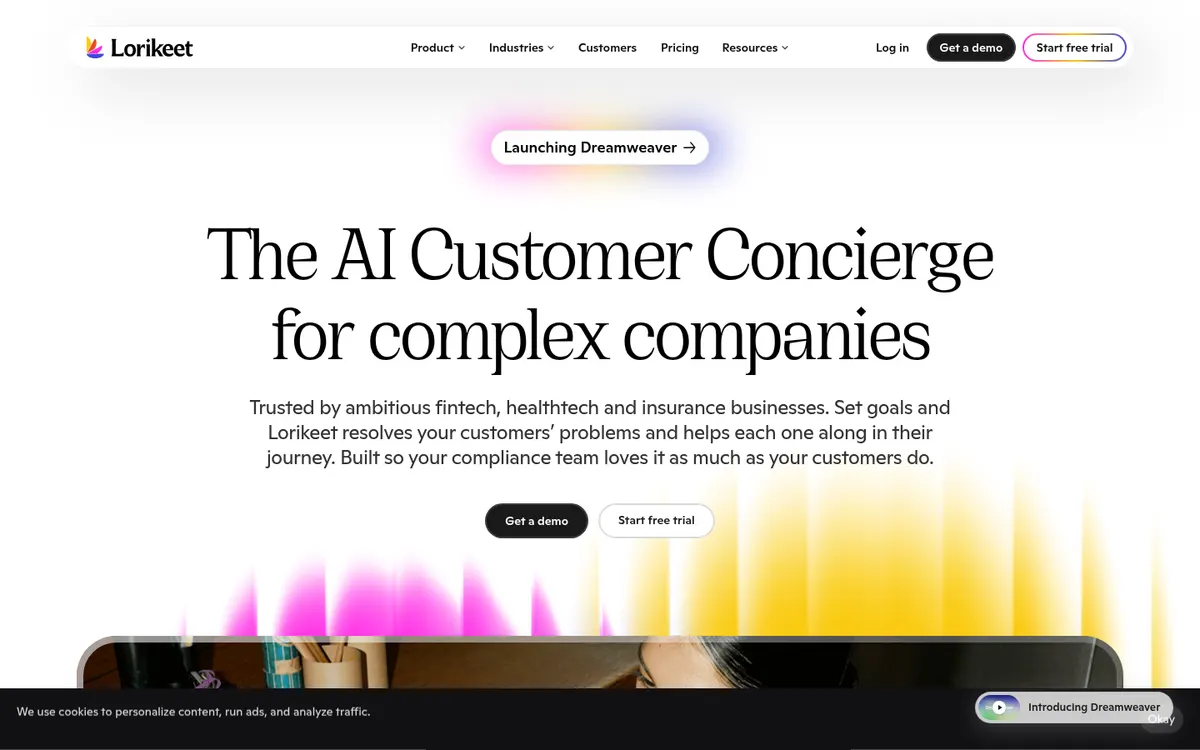
Lorikeet Workforce Manager starts from volume rather than from a blank grid. You import a roster from a spreadsheet or a helpdesk export, feed in multichannel volume, and the product generates a weekly draft schedule. Before that draft is published, rule checks run against hours, rest periods, skills, approved leave and demand, so a scheduler reviews exceptions instead of building every shift by hand. When coverage does not match demand, the tool flags the gap and suggests agents who hold the right skills to close it.
Intraday is where the product separates itself from simpler schedulers. A gap can be flagged only, proposed as a fix for a human to approve, or fixed automatically, and coverage reports break down by channel and hour so you can see where the day drifted from plan. Capacity planning extends up to 12 months, which suits teams that plan seasonal hiring rather than reacting to it after the fact.
The pricing picture is the weak point. The public pricing page publishes AI support plans starting at $2,100 per month billed annually plus per resolution fees rather than a separate scheduling SKU, so a contact center that only wants workforce management has to request a quote. Non-customers must import a roster before they can see anything useful, which makes the 30-day trial a real setup exercise, even though the vendor says a first roster can be configured in minutes. Combined management of human and AI agents is listed as still in development, so do not buy on that promise. It fits contact centers of moderate complexity that want a rule-checked weekly draft and light intraday intervention without a heavy enterprise rollout.
What works
- Weekly drafts arrive rule-checked, not raw
- Intraday gaps can be flagged, proposed or auto-fixed
- Capacity planning runs up to 12 months ahead
What to weigh
- No separate scheduling price is published
- A roster import is required before you can start
- Human and AI agent scheduling is still in development
Pick it if
You want a rule-checked weekly draft and light intraday management without a full enterprise rollout.
Skip it if
You need a published per-agent scheduling price before you will take a sales call.
Plate 02 of 10
NICE CXone
Best for large contact centers needing scheduling inside a CCaaS suite
Our verdict
A good fit for large centers that want scheduling, routing and quality on one platform and will pay $169 per agent to get there.
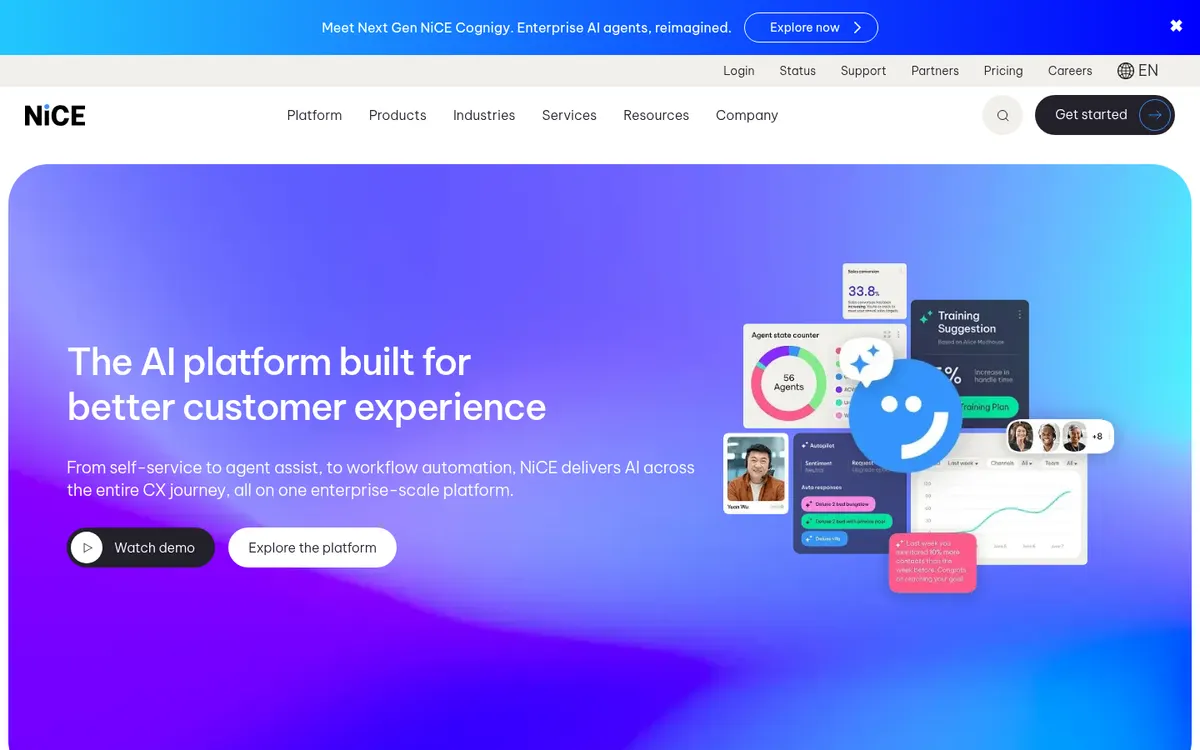
CXone treats scheduling as one module inside a contact center platform, which is both the appeal and the cost. Workforce management sits alongside voice, chat, analytics and quality workflows, and because schedules are built on the interaction data the platform already collects, forecasts reflect what actually happened on the queues. AI forecasting and real-time intraday management are included from the Core tier rather than held back as an add-on, which is unusual at an entry level.
Published tiers are Core at $169, Complete at $209 and Ultimate at $249 per agent per month, with workforce management and performance management included from Core. That is a clean, checkable number, which is more than most of this list offers. The $110 Omnichannel Suite is cheaper but does not include WFM, so the real entry point for scheduling is Core at $169.
The trade-off is onboarding. A platform that spans routing, quality, analytics and workforce management takes configuration, and a large contact center should plan a project with named milestones rather than a switch flip. Agent performance and coaching data living next to schedules is genuinely useful for supervisors who want adherence and quality in one view, but a small team will pay for depth it may not use. It fits larger contact centers that want one vendor, one data set and one contract, and it rewards buyers who will run the analytics and quality modules as well as the scheduler.
What works
- WFM and performance data share one platform
- AI forecasting and intraday management included from Core
- Published tier pricing you can check before a demo
What to weigh
- The WFM entry point is the $169 Core tier
- Onboarding is a project, not a switch
Pick it if
You are consolidating routing, quality, analytics and scheduling under one contract.
Skip it if
You only need a scheduler and want to keep your current phone system.
Plate 03 of 10
Verint Workforce Management
Best for enterprises needing highly configurable forecasting and scheduling
Our verdict
A highly configurable engine, and hard to evaluate, since every number requires a sales conversation.
Verint Workforce Management is the configurable option on this list. Forecasting, scheduling, real-time adherence, leave management and workforce analytics sit in one engine, and the rules layer handles multi-site operations, complex labor agreements and the exceptions that break simpler tools. Organizations in regulated industries tend to end up here because the engine can encode rules that a packaged scheduler cannot express.
The problem for a buyer is evaluation. Pricing is entirely quote-based, there is no free trial, and the process is sales-led, so you cannot see forecast accuracy on your own volume without working through a demo cycle. The vendor publishes no pricing, so a budget has to come from a scoping conversation.
Configuration cuts both ways. A highly configurable engine rewards a team with an analyst who will tune forecasts and maintain rule sets, and it punishes a team that wants to log in and have a schedule next week. Expect a longer implementation and a heavier admin load than a packaged platform module carries, and budget for a tuning period after go live, because rule sets rarely survive first contact with real volume. It fits enterprises with multi-site operations, union or regulatory constraints and enough internal workforce expertise to own the configuration. If you run a small center with one scheduler, the capability here is more than you need and the buying process will not move at your pace.
What works
- Deep configuration for complex labor rules
- Fits regulated and multi-site operations
- Adherence, leave and analytics in one engine
What to weigh
- No published pricing at all
- No free trial, demo only
- Heavy admin load after go live
Pick it if
Your labor rules and multi-site structure are the hard part of scheduling.
Skip it if
You need a price or a self-serve test before committing to a sales cycle.
Plate 04 of 10
NICE Workforce Management (IEX)
Best for contact centers keeping their ACD but needing advanced WFM
Our verdict
The right standalone choice if the ACD stays and the scheduling problem is genuinely complex.
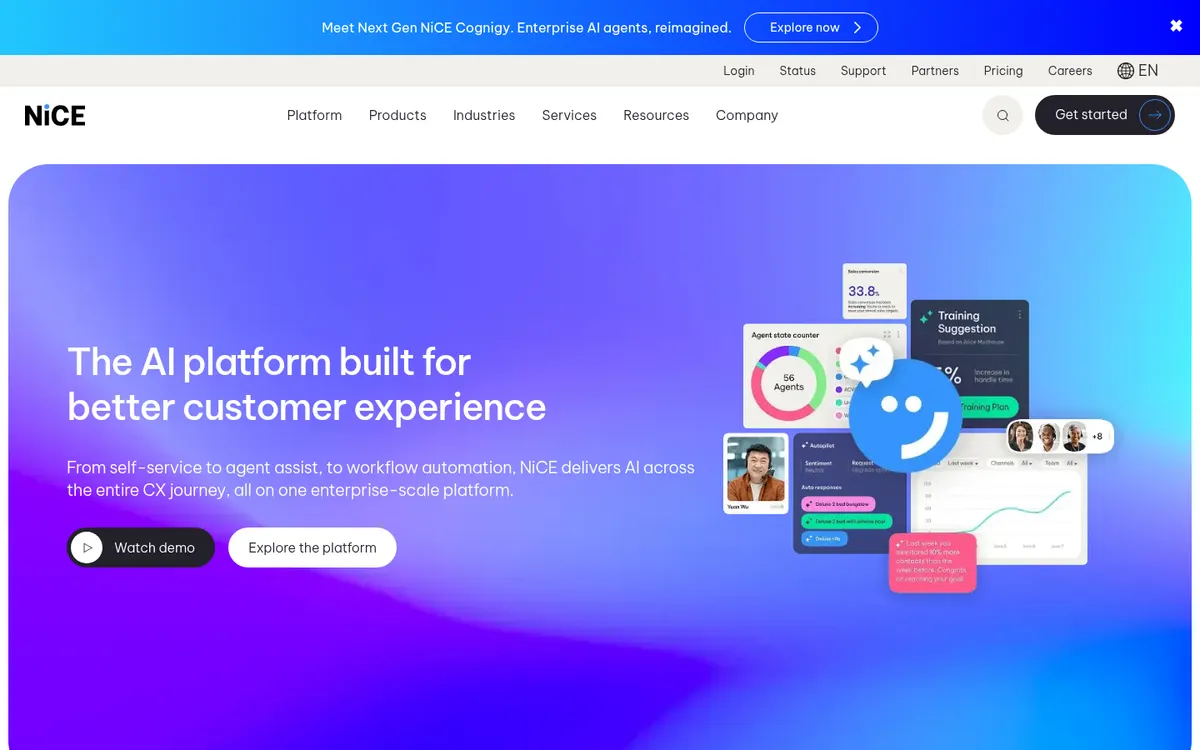
This is the standalone product, separate from CXone, and its distinguishing feature is that it works with third-party ACDs. If you are keeping an existing phone system and only want advanced workforce management on top, IEX is built for that pattern, which most platform-native schedulers are not. Forecasting runs across multiple models, schedule optimization is automated, and intraday reforecasting lets a supervisor rebuild the rest of the day when volume breaks from plan. Real-time adherence monitoring and shift bidding cover the agent-facing side.
The depth is real and the buying process is enterprise. Pricing is quote-based with no trial, so a budget has to come from a scoping conversation with NICE. Expect a demo-led evaluation with a scoping conversation before any number appears.
The fit question is scale. Under 50 agents, the administration and configuration overhead tends to exceed the benefit, and a lighter tool gets you to a working schedule faster. Above that, with multiple queues, blended channels and shift bidding as a real employee expectation, the forecasting and optimization engine earns its place. Ask specifically how the integration to your ACD is supported and who maintains it, because the third-party connection is the entire reason to choose this over the suite version. Also ask whether shift bidding is enabled in the tier you are quoted, since agent-facing features are often the first thing scoped out of a deal.
What works
- Works with existing phone systems and third-party ACDs
- Deep forecasting and intraday reforecasting
- Shift bidding is built in
What to weigh
- Quote only, with no trial
- Configuration overhead is heavy under 50 agents
Pick it if
Your ACD is staying and you need forecasting depth a platform module will not give you.
Skip it if
You run a small single-queue team or need published pricing to build a case.
Plate 05 of 10
Genesys Cloud CX
Best for genesys customers wanting workforce engagement within their CCaaS

Our verdict
A sensible add-on for existing Genesys customers, and an awkward purchase for anyone evaluating scheduling alone.
Genesys Cloud CX includes workforce scheduling, forecasting and resource management inside a broader contact center platform, so scheduling arrives as a feature of the suite rather than a separate purchase. Buyers already on Genesys get the obvious benefit: one vendor, one admin surface, and schedules tied to the same routing and interaction data that drives the queues. AI routing and agent assist sit alongside, and the Salesforce and ServiceNow integrations are deep for teams whose case work lives in either system.
The catch is that WFM features vary by tier and the WFM configuration is quote-based, so the platform entry price does not tell you what scheduling will cost. The vendor does not publish WFM pricing, so the platform entry price is not a scheduling price. You will need a scoped quote that names which workforce features sit in the tier you are buying.
For an existing Genesys customer with an established admin team, adding workforce engagement inside the platform is usually simpler than bolting on a standalone tool and rebuilding integrations. For everyone else the evaluation is harder, because you are pricing a whole contact center platform to get a scheduler. It fits organizations that have already standardized on Genesys, or that want routing, quality and scheduling from one vendor and are willing to run a full platform selection rather than a scheduling selection. A free trial helps, but scope it to the workforce features you actually intend to buy.
What works
- Scheduling inside the wider CX platform
- Deep Salesforce and ServiceNow integrations
- Free trial available
What to weigh
- WFM features vary by tier
- WFM pricing is quoted, not published
Pick it if
You are already on Genesys and want workforce engagement without a second integration.
Skip it if
You are comparing schedulers on price and do not need a new contact center platform.
Plate 06 of 10
Talkdesk
Best for mid-size Talkdesk contact centers wanting AI-driven scheduling
Our verdict
Good scheduling inside a published-price platform, provided you budget for Elite at $165 rather than the $85 entry.
Talkdesk puts AI forecasting, automated scheduling and adherence tracking inside its contact center platform, with schedules tied to routing and interaction data. For a mid-size team already on Talkdesk, that means no second integration project and no separate admin console for the scheduler. The AI-first positioning shows up in how forecasts are generated, and the story is coherent from queue to schedule.
Pricing is published, which is rarer than it should be: Digital Essentials is $85 per user per month, but workforce management sits in the Elite tier at $165 per user per month. That gap is the key number in this entry. Budget for Elite rather than the entry price, and check what else Elite includes so the uplift buys more than scheduling.
The honest limit is that scheduling here is a platform module, not a specialist engine. Teams with union rules, complex multi-site labor agreements or heavy shift bidding will find less configurability than Verint or NICE IEX offer, and long range capacity planning is not the headline. Mid-size contact centers with mostly inbound multichannel demand will find the trade reasonable. The free trial lets you test forecast accuracy against your own historical volume before committing to the higher tier, and that test should decide the purchase rather than the feature list.
What works
- Per-user pricing is published
- Schedules tied to routing and interaction data
- Free trial available
What to weigh
- Scheduling requires the $165 Elite tier
- The gap from $85 to $165 is steep
Pick it if
You are on Talkdesk or buying a mid-market platform and want scheduling in the same contract.
Skip it if
Complex labor rules or shift bidding are central to how you staff.
Plate 07 of 10
Five9
Best for five9 customers needing forecasting and scheduling inside the platform
Our verdict
Strong for seasonal volume if the 50 seat minimum and 36 month term fit your headcount plan.
Five9 includes forecasting algorithms, shift management, agent self-service shift changes, quality scoring and analytics, with forecasting and scheduling delivered inside Five9 Optimize. For existing Five9 customers the appeal is continuity: seasonal scaling happens inside the platform you already run, and agents can trade shifts without a supervisor rebuilding the week by hand.
The commercial terms are the obstacle. The Digital tier starts at $119 per seat per month, but WFM sits in quoted Pro and Enterprise tiers, and standard terms include 50 seat minimums and 36 month contracts. A small center cannot buy this shape of deal, and a mid-size center should read the term carefully before signing three years for a scheduling module. There is also no free trial, so forecast accuracy has to be assessed in a guided demo or a paid pilot rather than tested against your own data.
Where it works well is seasonal volume. Contact centers that swing hard between peak and off-peak, with a large agent pool and a real need for self-service shift changes, get more from Optimize than from a spreadsheet plus a basic scheduler. Where it works badly is a small team that wants scheduling next month on a monthly term. Check the seat floor and the contract length against your headcount plan before you take the demo, because those two numbers decide whether Five9 is a candidate at all.
What works
- Forecasting and scheduling inside Five9 Optimize
- Agent self-service shift changes
- Handles seasonal swings well
What to weigh
- WFM sits in quoted Pro and Enterprise tiers
- Standard terms include 50 seats and 36 months
- No free trial
Pick it if
You are a Five9 shop with large seasonal swings and can commit to the seat floor and term.
Skip it if
You are under 50 seats or want a short contract while you test forecasting.
Plate 08 of 10
Assembled
Best for modern support teams wanting fast, clean scheduling software
Our verdict
A straightforward scheduling purchase for a support team, as long as your volume comes from tickets and chat.
Assembled is a clean scheduling product for support teams. Labor forecasting, shift scheduling, real-time adherence and a KPI dashboard are packaged in a workflow built for support operations rather than for a legacy voice center, and the per-agent pricing is published: Workforce Management Core at $25, Pro at $45 and Enterprise at $75 per agent per month, each plus a platform fee.
That platform fee matters. The headline $25 is not the whole bill, so ask for the fee schedule before you compare it to a per-agent quote from anyone else. Even so, it is a low published entry here, and a free trial is available.
The caution is channel mix. Assembled was built first for digital support teams, so an email and chat operation that forecasts from ticket volume is the natural fit. A voice-heavy center needs to verify ACD integration before committing, because scheduling quality depends entirely on the volume and adherence data feeding it. Real-time adherence and the KPI dashboard sitting on one screen is a sensible design for support leads who own staffing and service levels together. It fits small to mid-size support teams that want fast setup and clear pricing, and it fits them better than a configurable enterprise engine that takes a long implementation.
What works
- Lowest published entry at $25 per agent
- Fast setup for support workflows
- Free trial available
What to weigh
- A platform fee sits on top of every tier
- Voice-heavy centers must verify ACD integration
Pick it if
You run a ticket and chat driven support team that wants scheduling live this month.
Skip it if
You run a complex voice operation with heavy labor rule requirements.
Plate 09 of 10
Dialpad
Best for dialpad teams wanting scheduling inside their communications platform
Our verdict
Worth it for existing Dialpad teams with simple scheduling needs, thin for anyone buying WFM on its own.
Dialpad builds auto-scheduling, shift reminders, notifications, multi-time-zone management and custom forecasts by channel or team into its communications platform, with in-app schedule changes for agents. The value proposition is consolidation: voice, messaging and scheduling in one app, one login and one bill, which is genuinely attractive for a team that does not want another point tool.
Workforce management depth is where it stops. This is an add-on to a communications platform, not a dedicated WFM suite, so complex labor rules, multi-site optimization and deep capacity planning are not the pitch. Pricing now shows only custom quotes and a sales contact, so contact the vendor for a budget figure. A free trial is available.
The value lands with existing Dialpad customers, where scheduling is an incremental configuration rather than a migration, and with teams whose needs are simple: a handful of queues, predictable hours and agents who mostly want to swap shifts from their phone. A contact center with union rules, intricate skill routing or a dedicated workforce analyst should look at a specialist tool and treat Dialpad as the phone system it already is. If you are not on Dialpad today, the scheduling module alone is rarely a reason to move your communications stack.
What works
- Scheduling inside the communications app
- Multi-time-zone management
- Free trial available
What to weigh
- Lighter WFM depth than dedicated suites
- Only custom pricing is published now
Pick it if
You already run Dialpad and want scheduling without a second vendor.
Skip it if
Scheduling depth or a published price is the main thing you are buying.
Plate 10 of 10
Alvaria Workforce
Best for compliance-heavy outbound and blended operations with complex labor rules
Our verdict
A specialist choice for compliance-heavy outbound operations, and a poor fit for a digital-first inbound team.
Alvaria Workforce, formerly Aspect Workforce Management, carries a long history in outbound and blended environments. Forecasting and staffing are built for blended queues, complex labor rules are configurable, and the product includes dialing regulation compliance support and regulated outreach workflows alongside schedule adherence tracking. For an operation where compliance documentation and rule enforcement are part of the daily job, that combination is specific and unusual.
Everything about buying it is enterprise. Pricing is not published, there is no free trial, and the process is sales-led with a demo. You will not get a number without a scoping conversation, and you should not expect a self-serve evaluation, which makes it hard to compare on price against the tools on this list that publish tiers.
The fit is narrow and real. Compliance-heavy outbound and blended operations, especially those with existing Aspect deployments or regulatory obligations that shape how and when agents can be scheduled, are the natural buyers. A digital-first support team or an inbound-only center will find the compliance tooling irrelevant and the interface heavier than necessary. Expect a longer implementation and a training budget for supervisors, since a configuration-heavy tool is only as good as the people maintaining it. Ask for a written list of the labor rules the engine can enforce, and ask how dialing compliance rules are represented in schedules, because those two capabilities are the reason to choose this product over a cheaper general scheduler.
What works
- Long history in outbound and blended centers
- Strong dialing compliance support
- Complex labor rules are configurable
What to weigh
- No published pricing
- No free trial, demo only
- Sales-led enterprise process
Pick it if
Regulated outbound calling and blended queues define your scheduling problem.
Skip it if
You need published pricing or a fast self-serve evaluation.
What is contact center scheduling software, and where does it stop?
Contact center scheduling software turns a volume forecast into a working roster and then keeps that roster honest through the day. The category covers three jobs that buyers often blur together.
The first job is forecasting: predicting how many contacts will arrive in each 15 or 30 minute interval next week, based on history, seasonality and planned changes. The second is scheduling: converting those requirements into shifts that respect skills, rest periods, contracted hours, approved leave and labor rules, then publishing them. The third is intraday management: watching actual volume against plan, spotting adherence problems and coverage gaps, and fixing them without rebuilding the whole week.
Workforce management is the umbrella term for all three plus leave management, capacity planning and reporting. Shift scheduling is one output of that process. A tool that only assigns people to slots is a scheduler; a tool that forecasts, optimizes and monitors is a WFM system. The list above spans both ends, from Assembled and Dialpad at the lighter end to Verint and NICE IEX at the configurable end.
There is also a structural split worth understanding before you shortlist:
- Suite modules, where scheduling lives inside a contact center platform such as NICE CXone, Genesys Cloud CX, Talkdesk or Five9, sharing data with routing and quality.
- Standalone tools, where WFM sits on top of an ACD you keep, as NICE Workforce Management (IEX) is explicitly built to do, pulling queue data from the phone system.
- Support-first schedulers, built around ticket and chat volume rather than voice queues, like Assembled.
The data feed decides everything. Every tool here is only as good as the volume, handle time and agent state data it receives, which is why integration fit carries real weight in the rubric. A precise forecasting engine fed late or incomplete adherence data will still publish a schedule that fails by Wednesday. Before you compare feature lists, confirm what your ACD or helpdesk can export, at what interval, and how quickly.
This guide sits in the Software collection. Buyers weighing nearby tools often read the guides to 1099 filing software and AI-powered video ad editing software next.
How contact center scheduling pricing works, and where the numbers hide
Expect one of five billing models, and expect any published figure to be the price of a tier that may not include workforce management. The table maps the models in this list to the buyers they suit.
| Model | How it bills | Typical fit | Example from this list |
|---|---|---|---|
| Published per agent tier | Flat rate per agent per month, monthly or annual | Buyers who want a checkable number before a demo | NICE CXone Core at $169 per agent per month |
| Per user, WFM in a higher tier | Low entry tier, scheduling gated behind a premium one | Mid-market platform buyers | Talkdesk Digital Essentials $85, Elite $165 |
| Per agent plus platform fee | Low per-agent rate with a fixed charge added | Support teams comparing small deployments | Assembled Workforce Management Core at $25 per agent per month plus a platform fee |
| Quote only | Scoped after discovery, nothing published | Enterprises with complex rules or multi-site operations | Verint, NICE IEX, Genesys, Alvaria |
| Subscription plus usage | Monthly subscription plus per resolution charges | AI support plans that bundle scheduling | Lorikeet Start at $2,100 per month plus per resolution fees |
Two patterns are worth naming. Tier gating is the first: Talkdesk publishes $85 per user per month, but scheduling lives in Elite at $165, and Five9 publishes Digital at $119 while WFM sits in quoted tiers. The published number is real, it just is not the scheduling price. Quote-only pricing is the second: Verint, NICE IEX, Genesys and Alvaria publish nothing, so a scoping call is the only route. That does not mean expensive, it means unverifiable until you engage.
Where a figure exists, check three things before you model it: the seat minimum, the contract length and the fees outside the per-agent rate. Five9 standard terms include 50 seat minimums and 36 month contracts. Assembled adds a platform fee to every tier. All figures were checked on November 25, 2026, and where the vendor page did not confirm a figure, this list says pricing is on the vendor site rather than quoting a number.
Every price in this guide was read on the vendor's own pricing page on November 25, 2026. Where a vendor does not publish a figure we could confirm, the card says "See website" rather than a guess. For the arithmetic around this purchase, try the free Email campaign metrics calculator.
How to choose: a six step decision path
- Count your agents and queues. Small teams with simple hours usually find a packaged scheduler or a platform module beats a configurable enterprise engine on time to value. Larger multi-site operations with complex rules often see the calculus flip.
- Decide suite or standalone. If your ACD is staying, a standalone tool such as NICE IEX or Verint keeps the phone system and adds forecasting on top. If you are replacing the platform anyway, a suite module avoids a second integration.
- Price the tier that includes scheduling. Talkdesk at $85 is not a scheduling price; Elite at $165 is. Five9 Digital at $119 does not include WFM either. Ask for the tier carrying the workforce features, and ask about the seat minimum.
- Read the contract terms before the demo. Five9 standard terms include 50 seat minimums and 36 month contracts. A three year commitment sized on today's headcount is a real risk if you plan to automate or shrink.
- Test forecast accuracy on your own history. Ask for a back-test against four to eight weeks of your volume, then compare predicted to actual by interval. A vendor that will not do this is telling you something.
- Check how intraday fixes work. Flag only, propose and auto-fix are three different operating models. Auto-fix without review needs clean rules, while propose keeps a human in the loop without the manual rebuild.
Five mistakes that make scheduling purchases go wrong
- Buying the entry tier and assuming scheduling is included. Talkdesk Digital Essentials at $85 does not include workforce management, which sits in Elite at $165. Check the feature matrix per tier rather than the headline price.
- Ignoring the platform fee or the seat floor. Assembled charges a platform fee on top of $25 per agent per month, and Five9 applies 50 seat minimums. Small deployments absorb a disproportionate share of fixed charges.
- Choosing an engine your team cannot administer. A highly configurable WFM tool needs someone to tune forecasts and maintain rules. Without that person on staff, configuration work stalls shortly after go live.
- Skipping the back-test on real volume. A demo forecast on sample data proves nothing about your Monday morning spike. Insist on a back-test against your own interaction history before you sign anything.
- Treating a roadmap item as a shipping feature. Lorikeet lists combined human and AI agent management as still in development. Buy what works today and treat roadmap items as upside, not as justification.
Best Software for Contact Center Scheduling 2026: questions
How is workforce management different from shift scheduling?
Workforce management is the wider discipline; shift scheduling is one output of it. WFM covers forecasting volume by interval, calculating staff requirements, building and optimizing schedules, tracking real-time adherence, and reforecasting intraday when the day drifts. Shift scheduling on its own means assigning people to time slots. Tools on this list range from lighter schedulers with adherence dashboards, like Assembled, to full engines with multi-model forecasting, like Verint and NICE IEX.
Which tools here publish per-agent or per-user pricing?
Five publish a usable starting figure, including Five9 at $119 per seat per month. NICE CXone lists Core at $169, Complete at $209 and Ultimate at $249 per agent per month. Talkdesk lists Digital Essentials at $85 and Elite at $165 per user per month. Assembled lists $25, $45 and $75 per agent per month plus a platform fee. Lorikeet lists Start at $2,100 per month billed annually, which is a subscription rather than a per-agent rate.
Which products offer free trials or free plans?
Six of the ten offer a free trial and none of them offer a free plan. Lorikeet advertises a 30-day trial, and NICE CXone, Genesys Cloud CX, Talkdesk, Assembled and Dialpad all list a free trial. Five9, Verint Workforce Management, NICE Workforce Management (IEX) and Alvaria Workforce list no trial, and three of those are demo only.
How do standalone WFM tools connect to an existing ACD?
They connect by ingesting queue data: call volumes, handle times and agent state events from your phone system, then returning schedules and adherence expectations. NICE Workforce Management (IEX) is explicit about third-party ACD support, which is why it appears separately from CXone. Ask which integrations are certified, who maintains the connector, and what happens to adherence data if the feed drops for an hour.
How do I test forecasting accuracy during a trial?
Back-test against your own history rather than watching a demo. Export four to eight weeks of interval level volume and handle times, have the vendor forecast a period it has not seen, then compare predicted to actual by interval and by day of week, focusing on the peaks you care about. Ask whether the tool learns from manual overrides, and how quickly a reforecast reflects a sudden volume change.
Is a suite module or a standalone WFM tool better?
It depends on whether you are keeping your phone system. If the ACD stays, a standalone tool such as NICE IEX or Verint avoids a platform migration. If you are replacing the contact center platform anyway, a suite module like NICE CXone or Genesys Cloud CX avoids a second integration and a second contract, and scheduling data sits next to quality and routing data with no extra plumbing.