
Contents of this guide
The shortlist
Our top 3 for software buyers
Lucidchart
BPMN with templates
- Best for
- Solo mappers through teams of about 50 people
- Features
- 4 noted: BPMN 2.0, Visio import, Real-time editing, 1,000+ templates

Miro
Live workshop canvas
- Best for
- Teams of 5 to 200 mapping processes together in live sessions
- Features
- 5 noted: Infinite canvas, Facilitation toolkit, 5,000+ templates, AI diagrams, 160+ integrations

Microsoft Visio
Microsoft 365 fit
- Best for
- Microsoft 365-centric small and mid-size businesses of 5 to 100 staff
- Features
- 4 noted: BPMN validation, Teams and SharePoint, AutoCAD import, Perpetual license
Disclosure for this guide. All 8 tools here are unpaid editorial picks. The position of a paid listing can be part of what the vendor pays for. Paid and unpaid tools are scored on the same rubric and keep their cons. Details are in the advertising disclosure.
The ledger
Index of every tool
| Tool | Free plan | Trial | Rubric | Compare | ||
|---|---|---|---|---|---|---|
| 01 | LucidchartSolo mappers through teams of about 50 people | $9Individual, per user per month, billed annuallyChecked Nov 25, 2026 | Free tier: 3 editable documents, 75 shapes per document, 100 templates | 7-day free trial | ||
| 02 | MiroTeams of 5 to 200 mapping processes together in live sessions | $8Starter, per member per month, billed yearlyChecked Nov 25, 2026 | Free plan with 3 editable boards | Free plan available | ||
| 03 | Microsoft VisioMicrosoft 365-centric small and mid-size businesses of 5 to 100 staff | $5Visio Plan 1, per user per month, paid yearly, annual subscriptionChecked Nov 25, 2026 | No | Free trial available | ||
| 04 |  BizagiSmall businesses needing free BPMN diagrams; mid-market firms moving to automation | See websiteBizagi Modeler desktop app at no cost, the automation platform is quote basedNot published | Yes, Bizagi Modeler is a free desktop BPMN application | Free plan available | ||
| 05 |  SAP SignavioEnterprises, especially SAP shops running transformation programs | See websiteCustom enterprise quotes onlyNot published | No | Free trial available | ||
| 06 |  Nintex Process ManagerOrganizations of 50 to 500 standardizing procedures across departments | See websiteQuote based, no public price listNot published | No | Free trial available | ||
| 07 |  CreatelySmall businesses of 1 to 50 people seeking low-cost diagramming | See websiteStarter and Team, per user per month, billed annually, Business is a flat $89 per month for unlimited usersNot published | Free tier with unlimited canvases and 45 items per canvas | Free plan available | ||
| 08 |  GliffyTeams of 2 to 50 working inside Jira and Confluence | $3.80Gliffy Diagrams for Confluence, 11 to 100 users, per user per month, billed annually, free up to 10 usersChecked Nov 25, 2026 | Free for up to 10 users, no time limit | 30-day free trial |
Prices are the lowest paid plan the vendor shows, read on November 25, 2026. Sort by price ranks published monthly figures; tools without one go last. Pin up to three tools to compare them side by side.
How this guide was put together
We score every tool on the same five criteria and publish the weights. Modeling depth carries 25 percent because a process map is only useful if it survives contact with an auditor or a new hire. Collaboration, pricing fit and governance take 20 percent each. Ecosystem takes the remaining 15 percent, since a diagram nobody can find is a diagram nobody uses.
Modeling depth asks whether the tool has a real BPMN 2.0 shape library and validation, or templates that merely look like BPMN. Collaboration covers live co-editing, guest access and how cheaply a stakeholder can comment without buying a seat. Pricing fit weighs the plan structure against the team size the vendor claims to serve, including seat minimums and flat-rate plans. Governance covers version history, named process owners and approval flows. Ecosystem looks at import and export, notably Visio files, and how tightly diagrams sit inside tools like Microsoft 365, Jira or Confluence.
Prices, plan names and free-tier limits come from vendor pricing pages checked on 25 November 2026. Where a page could not be fetched, the entry says so and the figure is marked unconfirmed rather than guessed. Currency is left exactly as the vendor lists it, so a dollar price stays a dollar price and a euro price stays a euro price.
One position in this list can be bought as a Featured placement. A Featured vendor is scored with the same five criteria, keeps its honest drawbacks in the review and gets no credit it has not earned. For November 2026 none of the eight vendors below holds that placement; the order reflects editorial fit for the buyer each entry describes.
The full process, including how we handle corrections, is on the methodology page. Paid listings follow the advertising disclosure.
Rubric and weights
Every tool below is scored from 1 to 10 on these five criteria. The scores describe each tool; the order is an editorial call on fit for the buyer each card describes, plus the disclosed Featured position.
- 25%Modeling depthHow closely the tool covers BPMN 2.0 notation and structured process modeling, not just freehand boxes.
- 20%CollaborationHow well teams map, comment and review processes together, including live sessions and cheap stakeholder access.
- 20%Pricing fitWhether the plan structure, seat minimums and entry price suit the team size the tool claims to serve.
- 20%GovernanceVersion control, named ownership, approvals and auditability for documentation that has to stay current.
- 15%EcosystemIntegrations, import and export options, and whether diagrams live beside the work they describe.
Plate 01 of 08
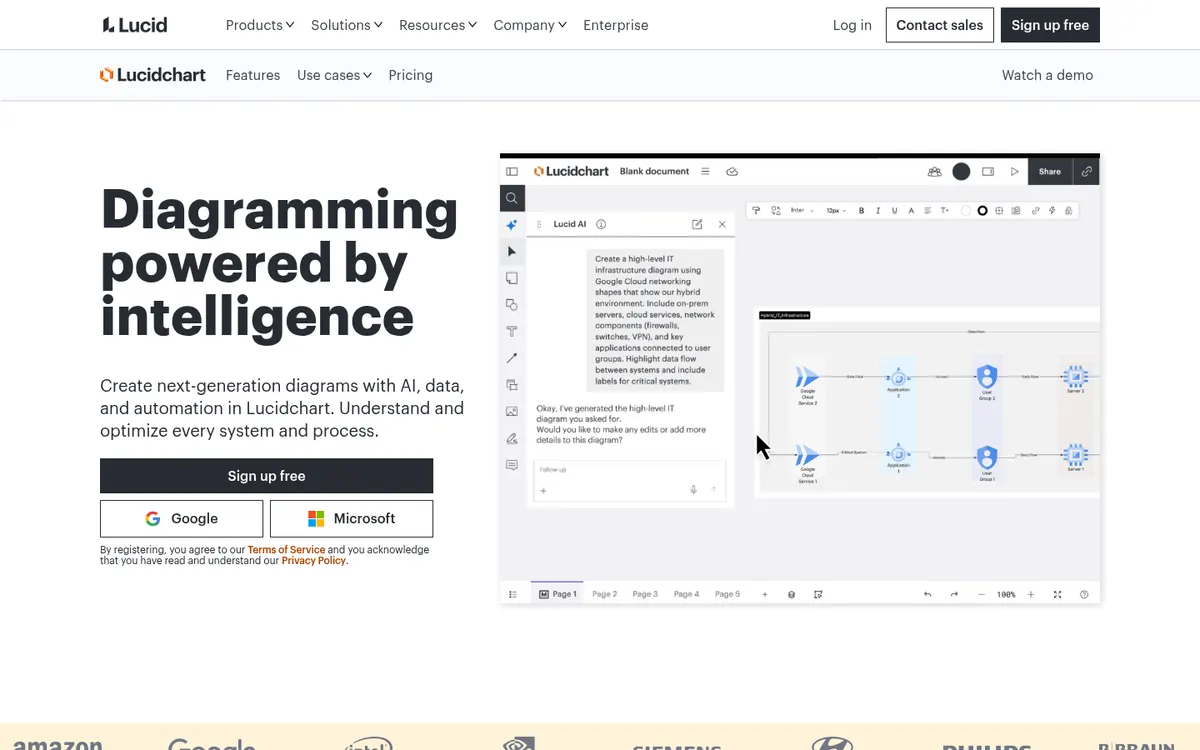
Lucidchart
Best for solo mappers through teams of about 50 people
Our verdict
Best all-round choice for teams up to about 50 that need standards-compliant BPMN without a week of training.
Lucidchart is the safest default in this list for most small and mid-size teams. The native BPMN 2.0 shape library carries the pools, lanes, gateways and event types an auditor or a systems integrator expects, so a diagram drawn here reads the same way to people who were not in the room. Paid plans open more than 1,000 premium templates, and the canvas is quick enough that a first draft takes minutes rather than an afternoon.
Collaboration is where it earns a place on a team rather than a single desk. Real-time co-editing with comments and version history means two people can work the same flow without emailing files, Team Spaces keep shared folders organized by project, and integrations with Microsoft 365, Google Workspace, Jira and Confluence put the diagram next to the work it describes. Visio import and export is the practical detail that decides a lot of switches: existing Visio files come across instead of being redrawn by hand.
Pricing starts at $9 per user per month on the Individual plan billed annually, and there is a 7-day free trial. The Team tier enforces a three-seat minimum, so a two-person business pays for a third seat whether or not anyone uses it. SSO and advanced automation sit in a custom Enterprise contract, which is the awkward part for a mid-size company with a security review. The free tier allows 3 editable documents, 75 shapes per document and 100 templates, enough for a trial run with one real process but not enough to run documentation on.
Pick it for solo mappers through teams of about 50 people who need standards-compliant diagrams, shared folders and a broad integration list. Skip it if single sign-on is a hard requirement at a published price, or if you are buying large seat counts where flat-rate and enterprise tools start to look cheaper.
What works
- Native BPMN 2.0 shapes plus more than 1,000 premium templates
- Visio import and export eases migration from older files
- Real-time co-editing with comments and version history
What to weigh
- Team tier enforces a three-seat minimum
- SSO and advanced automation only on a custom Enterprise contract
- Free tier limited to three editable documents
Pick it if
You want BPMN diagrams, shared folders and Visio import without a training program.
Skip it if
Single sign-on must be priced up front or you are buying hundreds of seats.
Plate 02 of 08
Miro
Best for teams of 5 to 200 mapping processes together in live sessions
Our verdict
The strongest workshop canvas here, weaker as a governed BPMN documentation tool once the session ends.
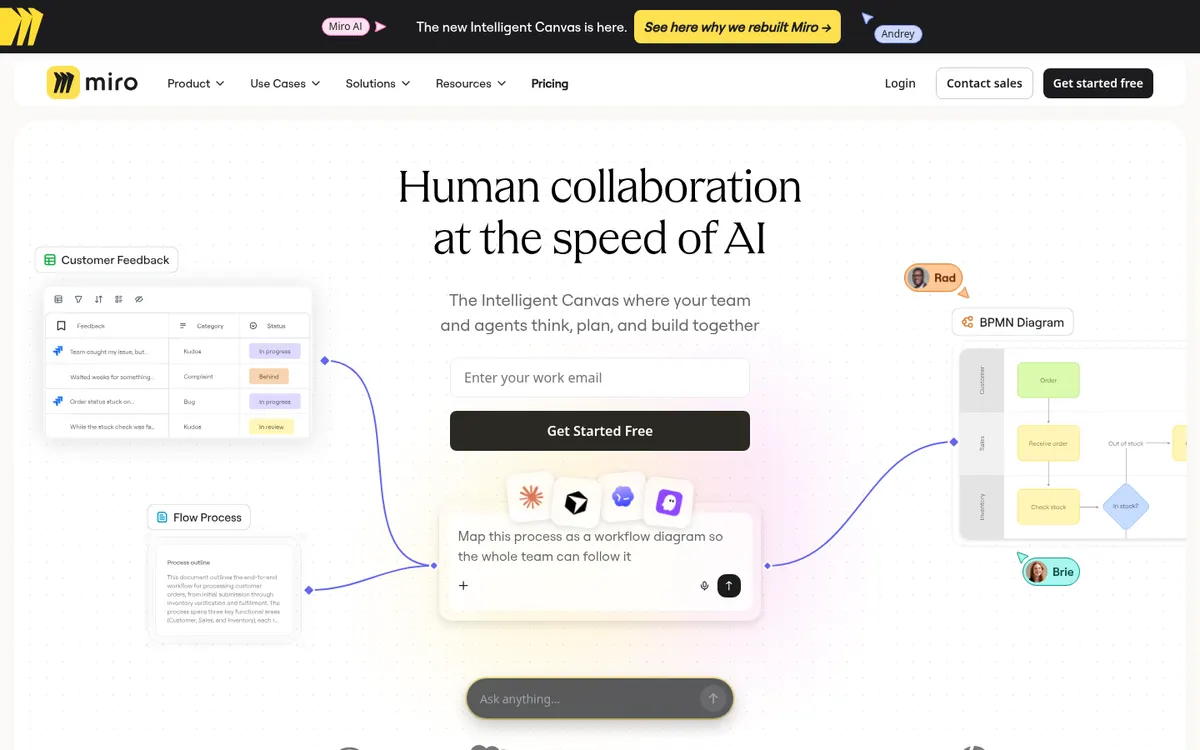
Miro is the best workshop tool in this list and a mid-tier diagramming tool. The infinite canvas, live cursors, timers, voting and Talktracks are built for getting a group to agree on a flow in a live session, which is a common way to start process mapping. Visitors and guests can view or comment without a paid seat, so the operations manager who only needs to sign off is not a line item on the invoice.
The library is huge: more than 5,000 templates, more than 160 integrations and AI-assisted diagram generation for a first draft. The catch is notation. BPMN shapes arrive through diagramming packs rather than a dedicated BPMN editor, so a flow that looks correct can still fail a strict compliance check. Very large boards can also lag.
Pricing starts at $8 per member per month on Starter billed yearly, with a free plan limited to 3 editable boards. SSO only appears on the Business tier at $20 per member per month billed annually, which is a steep step for a team that just wants secure logins. Seat hygiene matters more here than elsewhere: removed members usually stay billable until the renewal date, so audit the member list before you renew.
It fits teams of 5 to 200 that map processes together in live sessions and treat the map as a conversation rather than a controlled document. Skip it if you need validated BPMN 2.0 output, if single sign-on is non-negotiable at the Starter price, or if the deliverable is an audited procedures library with named owners.
What works
- Best facilitation toolkit for live mapping sessions
- Guests and visitors can view or comment without a paid seat
- More than 5,000 templates and 160 integrations
What to weigh
- BPMN shapes come from packs, not a dedicated BPMN editor
- SSO only on the Business tier at $20 per member per month
- Can lag on very large boards
Pick it if
The mapping happens in workshops and stakeholders only need to view or comment.
Skip it if
You need validated BPMN 2.0 output or an audited procedures library.
Plate 03 of 08
Microsoft Visio
Best for microsoft 365-centric small and mid-size businesses of 5 to 100 staff
Our verdict
The obvious pick if you already run on Microsoft 365, provided you budget Plan 2 at $15 rather than the $5 web tier.
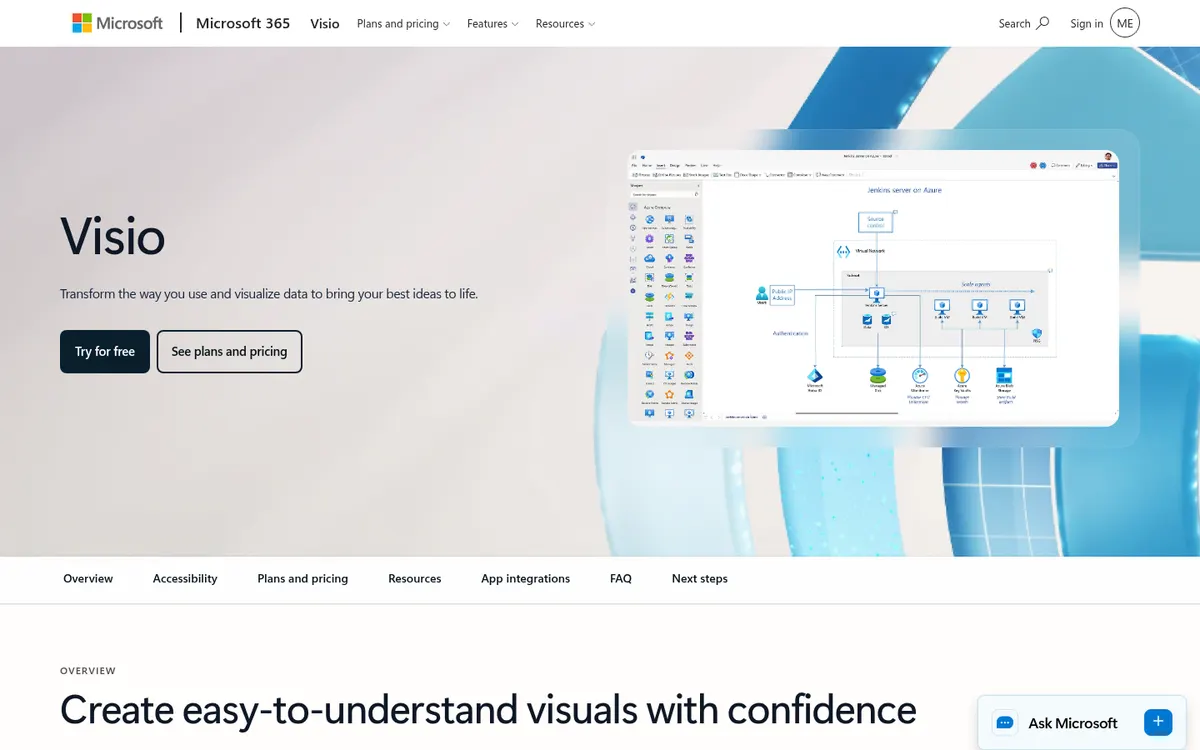
Microsoft Visio wins on one thing: it is already inside the tools your company pays for. Licenses are managed in the Microsoft 365 admin center, and diagrams can be embedded in Teams, SharePoint, OneDrive and Power BI, so a process map appears in the channel where the team already argues about the process. There is a free trial and no free tier.
The feature split is where buyers get caught. Plan 1 at $5 per user per month paid yearly is web-only and too thin for serious process work. BPMN 2.0 support with diagram validation, the Windows desktop application and AutoCAD import all sit on Plan 2 at $15. The desktop app is Windows-only and the interface looks its age next to newer canvas tools, but the notation is solid and validation catches malformed flows before they reach a reviewer.
Pricing is more flexible than most of this list. Perpetual one-time licenses remain available as Standard at $309.99 and Professional at $579.99, which suits organizations that would rather buy an asset than rent a subscription. Live data linking to external sources lets a diagram reflect a database or spreadsheet rather than a snapshot of it, and standard diagram types cover org charts and the usual business graphics.
It fits Microsoft 365-centric businesses of 5 to 100 staff that want diagrams next to documents and meetings without another vendor in the procurement queue. Budget Plan 2 for anyone who maps processes regularly. Skip it if you are not a Microsoft shop, if you need Mac users on the desktop app, or if you want a modern collaborative canvas.
What works
- Licenses managed inside the existing Microsoft 365 admin center
- Diagrams embed in Teams, SharePoint, OneDrive and Power BI
- Perpetual one-time licenses still available
What to weigh
- Plan 1 is web-only and too limited for serious process work
- Desktop application is Windows-only with an ageing interface
- Serious mapping features require the $15 Plan 2
Pick it if
Your company already manages licenses through Microsoft 365 and users are on Windows.
Skip it if
You are not a Microsoft shop or your mappers use Macs.
Plate 04 of 08
Bizagi
Best for small businesses needing free BPMN diagrams; mid-market firms moving to automation

Our verdict
A genuinely free desktop BPMN modeler with simulation, and a paid automation path that starts with a sales quote.
Bizagi is the best free starting point in this list if you need real BPMN 2.0 rather than a trial. Bizagi Modeler is a free desktop application: drag-and-drop process modeling, process simulation to test a workflow before you change anything, one-click publishing of documentation to the web and real-time collaborative modeling. It is a genuine tool with no time limit, not a crippled demo, and it installs locally rather than asking for a credit card.
The simulation is the differentiator at this price. You can run volumes and timings through a model and see where the queue builds up before you promise a new turnaround time to a customer. Publishing to the web gives non-technical readers a page they can read without installing anything, which is the difference between documentation that gets used and a file buried on a shared drive.
The money question has no public answer. The automation platform, built on Studio and Engine with no-code process execution, is quote based and there is no pricing sheet to read, so evaluation starts with a sales conversation and a scoping call. Expect a learning curve when you move past modeling: connecting processes and integrations is real implementation work rather than a next button.
It fits small businesses that need free BPMN diagrams now and a credible path to automation later, and mid-market firms that want modeling and execution from one vendor. Skip it if you need a hosted collaborative tool from day one, if procurement requires published pricing before a demo, or if nobody on the team will own an automation project.
What works
- Free desktop modeler is a real BPMN tool, not a trial
- Process simulation validates a workflow before rollout
- Same platform path from free modeling to paid automation
What to weigh
- Automation platform pricing only available through sales
- Full platform carries a learning curve
- Moving past modeling requires implementation effort
Pick it if
You need free BPMN modeling with simulation and may automate two or three processes later.
Skip it if
Procurement needs published pricing before a demo or nobody will own automation.
Plate 05 of 08
SAP Signavio
Best for enterprises, especially SAP shops running transformation programs

Our verdict
Enterprise process intelligence that earns its keep on SAP transformation work and overwhelms a small documentation project.
SAP Signavio is the enterprise option in this list and prices itself accordingly. It combines process mining, which derives real flows from system logs rather than interviews, with BPMN modeling, journey analytics and a collaboration hub for publishing and improving processes across a company. For an SAP shop running an S/4HANA transformation, the integration depth is the reason buyers shortlist it at all.
Mining is the part that changes conversations. Instead of arguing about how the invoice process works, you import the event log and look at how it actually runs, including the rework loops nobody documented. Modeling and the collaboration hub then publish a cleaned-up version for the rest of the business, and journey analytics links customer experience to the internal steps behind it. The suite covers discovery, modeling and analysis in one place rather than three tools stitched together.
There is no published pricing. Contracts are custom quotes and land in five figures and up, and process mining is licensed as a separate module, which regularly surprises buyers during scoping. There is a free trial but no free tier. Implementation is a project rather than a signup, and the suite assumes someone will own it after go-live.
It fits enterprises, especially SAP shops, with a transformation program and a team to run it. Skip it if you are a small business documenting standard procedures, if you need a price before the first meeting, or if you want a tool one operations analyst can learn quickly.
What works
- Mining, modeling, collaboration and journey analytics in one suite
- Strongest integration depth for SAP transformation work
- Company-wide collaboration on published process content
What to weigh
- No published list pricing; contracts are five figures and up
- Process mining is licensed as a separate module
- Overkill for a small business documenting standard procedures
Pick it if
You are an SAP shop with a transformation program and a team to run process mining.
Skip it if
You are documenting standard procedures rather than running a transformation.
Plate 06 of 08
Nintex Process Manager
Best for organizations of 50 to 500 standardizing procedures across departments
Our verdict
The best tool here for getting procedures actually read and owned, at the cost of a sales cycle and non-BPMN notation.
Nintex Process Manager, formerly Promapp, is built around a simple observation: frontline staff do not read flowcharts. Process maps are written in plain language with the diagram alongside, so a new starter can follow a procedure without a notation lesson. That readability is why it turns up in organizations where adoption, not diagramming, was the original problem.
The governance layer is the real product. Feedback loops, change requests and approvals route edits through the people accountable for the process, version control records who changed what, and named process owners are attached to every map. For regulated or quality-managed operations, publishing standard operating procedures from the same source that holds the map removes a duplicate maintenance job.
The trade-offs are real. There is no public pricing list and no self-serve signup, so the first step is a sales call and the second is a scoping exercise. The tool uses its own simplified notation rather than strict BPMN 2.0, which is fine for readers and awkward for anyone who needs to exchange models with a BPMN engine. Buyers should confirm export options before signing, and full value often depends on the wider Nintex automation platform.
It fits organizations of 50 to 500 standardizing procedures across departments, particularly where an auditor or a quality manager is the audience. Skip it if you need strict BPMN 2.0 files, if you want to buy online without a demo, or if your process documentation is a small set of diagrams rather than a library.
What works
- Plain-language maps drive adoption by frontline staff
- Change requests and approvals keep documentation current
- Strong ownership and versioning controls
What to weigh
- No public pricing and no self-serve signup
- Simplified proprietary notation rather than strict BPMN 2.0
- Full value often depends on the broader automation suite
Pick it if
Adoption and audit trails matter more than strict BPMN 2.0 files.
Skip it if
You need to exchange BPMN 2.0 models with another system.
Plate 07 of 08
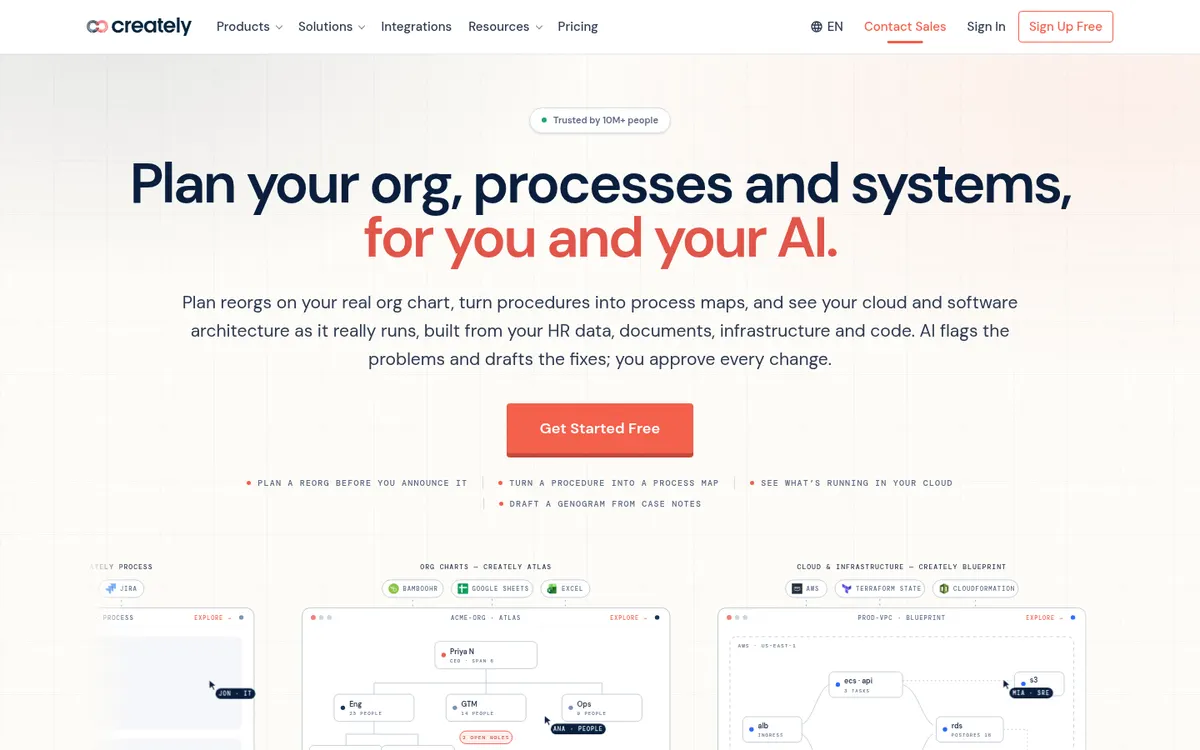
Creately
Best for small businesses of 1 to 50 people seeking low-cost diagramming
Our verdict
Cheap, genuinely BPMN-capable diagramming whose flat $89 Business plan undercuts per-seat rivals as the team grows.
Creately is the value play in this list, and its flat Business plan is the reason to look. A dedicated BPMN 2.0 shape library sits alongside more than 50 diagram types, real-time collaboration with comments, AI-assisted diagram generation and 30-day version history on paid plans. For a small business that needs a handful of clean process diagrams and does not want a procurement project, that covers the job.
The free tier is generous in one direction and stingy in another: unlimited canvases, but 45 items per canvas and limited export formats, with raster-only exports. That is enough to evaluate and not enough to publish. Per-user Starter and Team plans add workspace and folder limits that a growing team will notice once projects multiply. Pricing for the Starter and Team tiers is on the vendor site and the figures could not be re-verified for this update.
Where it gets interesting is the Business plan. Starter and Team bill per user per month on annual terms, and Business is a flat $89 per month for unlimited users. Flat rate flips the math as headcount grows: at per-seat rates, unlimited users for $89 becomes the cheaper option at roughly 18 people, and every hire after that adds no licence cost. That is a rare structure in a category that mostly charges per seat.
It fits small businesses of 1 to 50 people seeking low-cost diagramming with genuine BPMN shapes, and teams that expect to grow without renegotiating seats. Skip it if you need long version history, heavy governance or an audited approval trail, if you need vector exports on a free plan, or if your process library is a large set of maps with named owners.
What works
- Flat Business pricing undercuts per-seat rivals as teams grow
- Explicit BPMN 2.0 support in the shape library
- Free tier with unlimited canvases for evaluation
What to weigh
- Free plan caps items per canvas and restricts exports
- Per-user tiers carry workspace and folder limits
- Raster-only exports on the free tier
Pick it if
You want real BPMN shapes at a flat price that does not rise with every hire.
Skip it if
You need approval workflows and named owners on every map.
Plate 08 of 08
Gliffy
Best for teams of 2 to 50 working inside Jira and Confluence

Our verdict
The lowest-friction way to keep process diagrams inside Confluence, with a free tier for up to 10 users.
Gliffy's advantage is location. Diagrams are drawn and edited directly inside Confluence pages, the diagram library lives with the wiki content, and the Jira integration means a process map can sit on the same page as the ticket queue it explains. For an Atlassian shop, that removes the usual step where a diagram is exported, attached and immediately out of date.
Templates cover BPMN, flowcharts and org charts, Visio import brings old files across, and real-time collaborative editing works the way you would expect. The learning curve is the shortest in this list, which matters when the people drawing the process are operations staff rather than professional analysts. The interface does feel older than newer rivals, and the template library is smaller than the big canvas tools.
Pricing is per user per month billed annually on the Confluence app, starting at $3.80 for 11 to 100 users, and the app is free for up to 10 users with no time limit. Teams that want Gliffy outside Confluence get a 30-day free trial rather than a permanent free plan. Around ten users the Professional tier comes to roughly $60 per month billed annually. SSO requires custom Enterprise pricing, which is the usual sticking point at security review time.
Gliffy is owned by Perforce, which matters mostly for procurement and roadmap questions. It fits teams of 2 to 50 working inside Jira and Confluence who want documentation to live beside the work rather than in a separate tool. Skip it if you are not on Atlassian, if you need single sign-on at a published price, or if you want deep process governance and approvals.
What works
- Shortest learning curve among traditional diagramming tools
- Deepest native embedding in the Atlassian ecosystem
- Process documentation sits alongside the pages it explains
What to weigh
- No free standalone plan, only a 30-day trial outside Confluence
- Interface feels older than newer rivals
- SSO requires custom Enterprise pricing
Pick it if
Your process documentation lives in Confluence and you want diagrams on the page.
Skip it if
You are not on Atlassian or need SSO at a published price.
What is business process mapping software, and when does a diagram stop being enough?
Business process mapping software is a tool for drawing, storing and maintaining a shared picture of how work moves through an organization: who does what, in which order, with which decisions and handoffs. At the simple end it is diagramming with a process template. At the serious end it is a governed library of process versions with named owners, approvals and links to the systems that execute the work.
A common dividing line is notation. BPMN 2.0 (Business Process Model and Notation) is a published standard with a fixed vocabulary of pools, lanes, tasks, gateways and events. A map drawn in BPMN means the same thing to a new analyst, an auditor and a developer who has to automate it. A map drawn in colored boxes means whatever the person who drew it says it means. If your diagrams only ever get read by your own team, notation hardly matters. If they get handed to a systems integrator, a certification body or a new hire in another country, it does.
Three broad product types sit in this category:
- Diagramming tools with a BPMN library, such as Lucidchart, Creately and Visio. Fast to start, priced per seat, good for documentation.
- Workshop canvases such as Miro, built for getting a group into one room and agreeing on a flow before anyone writes it down formally.
- Process intelligence and governance suites such as SAP Signavio and Nintex Process Manager, which add mining, ownership, approval and audit trails on top of the drawing.
Automation is a separate question. Bizagi is the clearest example here of a tool that starts as free modeling and leads to a paid execution engine. A common approach is to document first and automate only the processes where volume justifies the effort and the maintenance.
A practical test: open the free tier, draw one real process from your business end to end, then hand it to someone who was not in the room. If they can follow it without you narrating, the tool works for you. If they need a phone call, no amount of template library will fix that.
This guide sits in the Software collection. Buyers weighing nearby tools often read the guides to commission software and research platforms next.
How business process mapping software is priced, per seat, flat rate or quote
Per-seat subscription is the default, but flat-rate and quote-only models are where the surprises live. Expect to pay somewhere between $3.80 and $20 per user per month at the small end, and five figures a year once mining, automation or enterprise governance enters the picture.
| Model | How it bills | Typical fit | Example from this list |
|---|---|---|---|
| Per seat, annual | Per user or member per month with an annual commitment | Teams of 2 to 50 with stable headcount | Lucidchart at $9 and Miro at $8 |
| Per seat, user bands | Per user per month, priced by band | Atlassian shops already paying for Confluence | Gliffy at $3.80 for 11 to 100 users |
| Flat rate | Fixed monthly fee, unlimited users | Teams that expect to grow past about 18 people | Creately Business at $89 per month |
| Free tool plus quote | Free modeling application, paid platform by quote | Teams that document before they automate | Bizagi |
| Quote only | Custom contract, no public price list | Enterprises and regulated buyers | SAP Signavio and Nintex Process Manager |
| Perpetual | One-time licence | Buyers avoiding subscriptions | Visio Standard at $309.99 and Professional at $579.99 |
Three details move the real number more than the headline rate. Seat minimums catch small teams first: Lucidchart's Team tier starts at three users, so a two-person business pays for a seat nobody uses. Renewal rules catch growing teams: with Miro, removed members usually stay billable until the renewal date, so a leaver can cost you a year of licence if nobody audits the member list. Feature gates catch everyone else: SSO sits on Miro Business at $20 per member per month, on Lucidchart Enterprise by quote, and on Gliffy Enterprise by quote, which is often not the tier a small company budgets for.
Free tiers deserve their own line. Bizagi Modeler is a full desktop application with no time limit. Gliffy's Confluence app is free for up to 10 users. Creately gives unlimited canvases but 45 items per canvas, and Lucidchart's free tier stops at three editable documents. Treat each one as a way to test the workflow, then price the paid tier you would actually run on before the team standardizes.
Every price in this guide was read on the vendor's own pricing page on November 25, 2026. Where a vendor does not publish a figure we could confirm, the card says "See website" rather than a guess. For the arithmetic around this purchase, try the free Email campaign metrics calculator.
Which business process mapping tool fits your team? A six-step decision path
Count the readers, not the authors. Separate the people who will edit maps from the people who only need to read or comment. Miro's guest access and Gliffy's Confluence embedding both cut seat costs when your audience is reading rather than drawing.
Decide whether notation matters. If diagrams go to auditors, integrators or another country, shortlist tools with a real BPMN 2.0 library and validation, such as Lucidchart, Visio Plan 2, Creately or Bizagi. A workshop canvas will not pass that test.
Run one real process through a free tier. Take the messiest process you have, draw it end to end on the free plan and hand it to someone who was not in the room. If they follow it without narration, the tool fits.
Price the seats you will have next year. Check seat minimums (Lucidchart's Team tier starts at three), flat-rate breakpoints (Creately's $89 Business plan) and whether removed members stay billable until renewal, as with Miro.
Check where the diagram will live. A map inside Confluence or Teams gets read. A map in a separate tool gets forgotten. Confirm the integration before you buy, and test Visio import if you have legacy files worth keeping.
Ask what happens after documentation. If automation is on the roadmap, weigh Bizagi's free modeler plus quote-based platform, or the Nintex and Signavio suites. If documentation is the whole job, do not pay for execution engines.
Five mistakes that make process mapping software a wasted purchase
Buying on the free tier alone. Free plans are evaluation tools. Lucidchart's three editable documents and Miro's three boards will not carry a documentation library, so price the paid tier before the team standardizes on the free one.
Ignoring seat minimums and renewal rules. A three-seat minimum and members who stay billable until renewal both inflate the invoice. Model the real headcount, including contractors and seasonal staff, before you compare per-seat quotes.
Assuming every tool speaks BPMN 2.0. Several tools here use simplified or proprietary notation. If a compliance team or an automation engine will read your models, confirm BPMN 2.0 export rather than trusting a template that merely looks like a flowchart.
Using a workshop canvas as the system of record. Whiteboard tools are excellent for agreeing on a process and weak at versioning, ownership and approval. Move the agreed flow into a governed tool rather than leaving the final map on a board nobody revisits.
Publishing maps nobody owns. A process without a named owner decays quickly. Choose a tool with version history and approval routing, and assign an owner per process before the first map goes live.
Best Business Process Mapping Software 2026: questions
What does business process mapping software cost for a small team, and which options are free?
A small team can start free or nearly free. Bizagi Modeler is a free desktop BPMN application, Creately has a free tier with unlimited canvases and 45 items per canvas, Gliffy's Confluence app is free up to 10 users, and Lucidchart offers a 7-day trial plus a limited free tier. Paid per-seat pricing in this list starts at $3.80 for Gliffy and $8 to $9 for Miro and Lucidchart, and Creately's Business plan is a flat $89 per month for unlimited users.
What does BPMN 2.0 cover, and when does a team actually need it?
BPMN 2.0 is a published notation standard with a fixed set of pools, lanes, tasks, gateways and events, so a diagram means the same thing to any trained reader. You need it when maps are handed to auditors, systems integrators, automation engines or staff in other regions. If diagrams only circulate inside one team, a simple flowchart with a plain-language description will usually be read more often.
Which free tiers are usable for real documentation work?
Few of them. Bizagi Modeler is the exception: it is a full desktop BPMN tool with simulation and web publishing, not a trial. Gliffy's Confluence app is free for up to 10 users with no time limit, which is real documentation capacity for a small Atlassian team. Lucidchart, Miro and Creately cap documents, boards or items per canvas, so treat those as evaluation tools rather than a permanent home.
How do Lucidchart and Miro compare for diagramming versus workshop collaboration?
Lucidchart is a diagramming tool that collaborates; Miro is a collaboration canvas that diagrams. Lucidchart gives you a native BPMN 2.0 library, Visio import and version history, so it produces documents you can hand over. Miro gives you timers, voting, live cursors and guest access, so it produces agreement in the room. A common approach is to use both: map in Miro, then publish the agreed flow in Lucidchart.
Which tools automate processes rather than only documenting them?
Bizagi is the clearest path in this list, with a free modeler that leads into the quote-based Studio and Engine automation platform using no-code process execution. SAP Signavio adds process mining and analytics but is a discovery and modeling suite rather than an execution engine. Nintex Process Manager links into the wider Nintex automation platform. Visio, Creately and Gliffy document the process and stop there.
How do you get staff to actually use documented processes?
Make the process readable and put it where people already work. Nintex Process Manager writes maps in plain language with feedback and change requests, Gliffy keeps diagrams inside Confluence pages, and Visio embeds them in Teams and SharePoint. Add a named owner per process and an approval route for edits, because documentation without ownership goes stale quickly regardless of how good the tool is.