
Contents of this guide
The shortlist
Our top 3 for software buyers

Clio
Integration breadth
- Best for
- Firms wanting the widest legal-tech integration ecosystem
- Features
- 5 noted: Matter management, Trust accounting, Clio Payments, Native mobile apps, 350+ integrations

MyCase
One-vendor simplicity
- Best for
- Solos and micro-firms wanting one vendor and one invoice
- Features
- 4 noted: Client portal, E-signature, Billing and payments, Trust reconciliation

PracticePanther
Clear per-seat pricing
- Best for
- Small firms wanting clear billing and predictable per-seat pricing
- Features
- 4 noted: Published pricing, Two-way texting, ePayments, Trust accounting
Disclosure for this guide. All 9 tools here are unpaid editorial picks. The position of a paid listing can be part of what the vendor pays for. Paid and unpaid tools are scored on the same rubric and keep their cons. Details are in the advertising disclosure.
The ledger
Index of every tool
| Tool | Free plan | Trial | Rubric | Compare | ||
|---|---|---|---|---|---|---|
| 01 | ClioFirms wanting the widest legal-tech integration ecosystem | $49Manage Starter, per user per monthChecked Nov 25, 2026 | No | 7-day free trial, no credit card | ||
| 02 | MyCaseSolos and micro-firms wanting one vendor and one invoice | $50Basic, per user per month, billed annually, $60 month to monthChecked Nov 25, 2026 | No | 10-day free trial, no credit card required | ||
| 03 | PracticePantherSmall firms wanting clear billing and predictable per-seat pricing | $49Solo, per user per month, billed annuallyChecked Nov 25, 2026 | No | 7-day free trial, no credit card needed | ||
| 04 |  FilevineMid-size to large litigation and personal injury practices | See websiteCustom quote, license, implementation and training priced separatelyNot published | No | Demo only | ||
| 05 |  SmokeballBusy small and midsize firms working inside Word and Outlook | See websitecustom quoteCustom quote | No | Free trial, availability varies by region and plan | ||
| 06 | CosmoLexFirms where trust accounting and compliance are the core pain | $49Launch, per user per month, yearly billing saves $120 per userChecked Nov 25, 2026 | No | Free trial, no credit card needed | ||
| 07 |  ActionstepMid-size firms wanting the system configured around their processes | See websitecustom quoteCustom quote | No | Demo only | ||
| 08 |  CARET LegalSmall to midsize firms wanting email built into the platform | See websiteQuote-based Enterprise tiersNot published | No | Free trial reported | ||
| 09 |  LEAPSmall firms wanting matters, forms, accounting and billing in one box | See websitePer-user subscription quoted with implementation feesNot published | No | Demo only |
Prices are the lowest paid plan the vendor shows, read on November 25, 2026. Sort by price ranks published monthly figures; tools without one go last. Pin up to three tools to compare them side by side.
How this guide was put together
We scored nine legal case management systems on five criteria, then checked every published price against the vendor's own pricing sheet on November 25, 2026. Matter management carries 25 percent because it is the daily workspace: intake, tasks, deadlines, documents and the client record. Trust and accounting also carries 25 percent, because a system that mishandles client funds creates a compliance problem no feature list can offset. Price transparency is 20 percent, integrations 15 percent and onboarding fit 15 percent.
Price transparency rewards vendors that publish real numbers and penalizes quote-only sales funnels. We did not convert currencies or estimate a quote, so where a vendor publishes nothing you will see See website, and any third-party figure in the notes is labeled as directional. Integrations counts native connections and API access, not a marketing page of logos. Onboarding and fit asks how much outside help a firm needs before the software earns its keep, including migration, training time and whether a demo is the only way in.
Where a listing is marked Featured, that position is paid placement. It is scored on this same rubric and it carries the same honest cons as every other entry; placement never changes a score.
We write for operators, so the reviews name limits, not just capabilities. Two vendors can look identical on a feature grid and behave very differently in month three, when a firm is migrating a document set or reconciling a trust ledger. The scores reflect that practical gap, and each verdict tells you who should walk away.
The full process, including how we handle corrections, is on the methodology page. Paid listings follow the advertising disclosure.
Rubric and weights
Every tool below is scored from 1 to 10 on these five criteria. The scores describe each tool; the order is an editorial call on fit for the buyer each card describes, plus the disclosed Featured position.
- 25%Matter managementHow well the system holds intake, tasks, deadlines, documents and the client record in one working file.
- 25%Trust and accountingWhether trust funds, reconciliation and general ledger work sit inside the platform and survive an audit.
- 20%Price transparencyWhether a buyer can find a real per-seat number before booking a demo call.
- 15%IntegrationsNative connections and API access to the outside tools a firm already runs.
- 15%Onboarding and fitHow much migration, training and configuration a firm needs before the software earns its keep.
Plate 01 of 09
Clio
Best for firms wanting the widest legal-tech integration ecosystem

Our verdict
The broadest platform here, best value when a firm will grow into integrations rather than out of them.
Clio is the reference point most other legal case management tools get measured against, and the reason is breadth rather than any single feature. Matters, client intake, billing, invoicing and trust accounting sit in one system, and Clio Payments processes cards with trust and operating funds kept separate. Native mobile apps include time tracking, so a lawyer leaving a hearing can capture billable time before it evaporates. Document storage integrations and reporting round out a scope that covers most of what a small firm does in a day.
The integration network is the strongest argument. More than 350 app partners connect to Clio, from e-signature and court filing to accounting and marketing tools, which means a firm is less likely to hit a wall when it adds a service in year two. Where a rival offers one connector, Clio usually offers several, and that margin compounds as a practice grows.
Pricing is where the pitch gets thinner. Manage Starter is $49 per user per month and it is the only tier with a published price; Core, Signature and Elite are quoted. Implementation and data migration usually appear as separate line items, so the first invoice is not the subscription. Mid-size and larger configurations can pass $100 per user per month, and a five-attorney firm with support staff can reach five figures a year before add-ons. Built-in accounting is cash-basis and aimed at very small firms, so a firm needing accrual reporting keeps its accountant in the loop.
Pick Clio if you expect to grow and want the widest set of doors to open later. Look elsewhere if you want a single published rate and a short, self-serve setup with no scoping call.
What works
- Largest integration network in legal tech at more than 350 app partners
- Trust accounting and payments keep trust and operating funds separate
- Full-featured native mobile apps with on-the-go time capture
What to weigh
- Only Manage Starter has a published price; Core, Signature and Elite are quoted
- Built-in accounting is cash-basis and aimed at very small firms
- Implementation and migration usually appear as separate line items
Pick it if
You want the widest legal-tech integration ecosystem and can absorb a scoping call to price your configuration.
Skip it if
You need one published rate for the whole team and a self-serve setup.
Plate 02 of 09
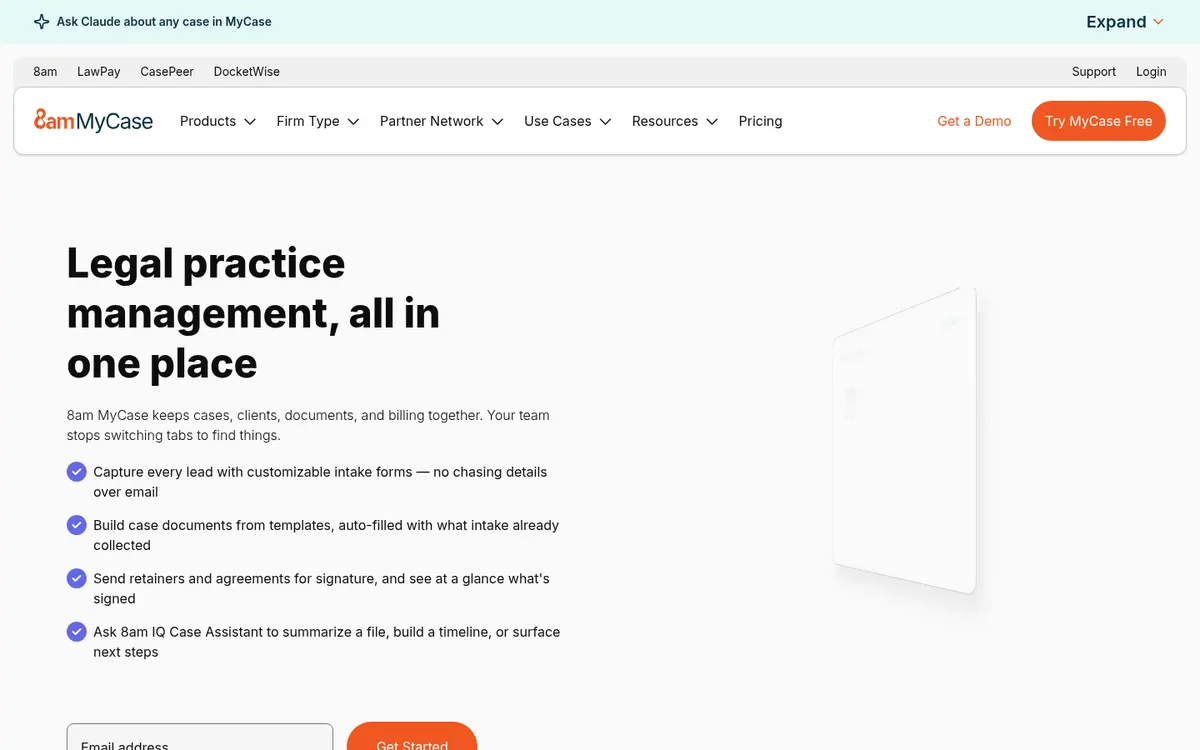
MyCase
Best for solos and micro-firms wanting one vendor and one invoice
Our verdict
The cleanest one-vendor purchase for solos, with a client portal that removes follow-up calls.
MyCase bundles the pieces a solo or micro-firm uses every day: case and matter management, a client portal with two-way messaging, native e-signature, billing and payments. Trust accounting with three-way reconciliation arrives on the higher tiers, which matters if the firm holds client funds. Three published tiers, no setup fee and no long-term contract make it easy to start and easy to leave, and setup is self-serve rather than a project.
The client portal does the quiet work. Two-way messaging plus e-signature cuts the phone tag that eats an afternoon, and clients see progress without calling the office. For a two-person firm that is the difference between a system that gets used and one that becomes a filing cabinet.
Pricing changed in August 2026, so older figures of $39, $89 and $109 no longer apply. Basic is $50 per user per month billed annually, or $60 month to month. Pro is $100 and Advanced is $130 on annual billing; monthly billing runs higher. API access is gated to Advanced, so a firm that depends on outside integrations ends up at the top price. Card processing runs about 2.95 percent plus $0.30 per transaction on top of the subscription, and built-in accounting is shallow for multi-entity or accrual work.
Pick MyCase if you are a solo or a small team that wants one vendor, one invoice and a portal clients actually open. Skip it if integrations are central to your stack, because you will pay the Advanced rate to get the API and still need connectors.
What works
- Three published tiers, no setup fee and no long-term contract
- Client portal, messaging and e-signature reduce phone follow-up
- Trust accounting with three-way reconciliation on higher plans
What to weigh
- API access is gated to the Advanced tier at $130
- Built-in accounting is shallow for multi-entity or accrual needs
- Card processing fees sit on top of the subscription
Pick it if
You are a solo or micro-firm that wants one vendor, one invoice and a client portal clients will use.
Skip it if
Outside integrations are central to your stack and you would rather not pay the top tier for API access.
Plate 03 of 09
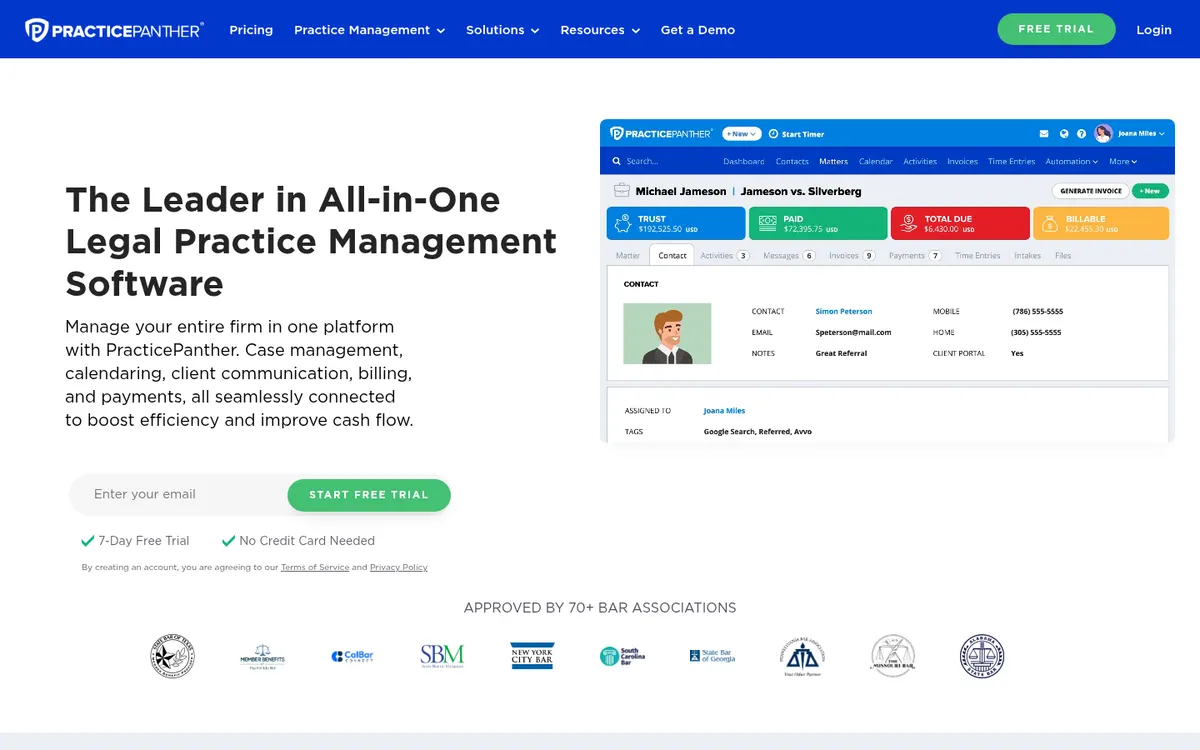
PracticePanther
Best for small firms wanting clear billing and predictable per-seat pricing
Our verdict
Every tier is priced in public, which makes it the easiest product here to budget for.
PracticePanther covers the essentials of a small-firm practice without much ceremony: case and matter management, native e-signature, two-way text messaging and ePayments collection. Business Pro adds trust and operating accounting with guided three-way reconciliation, which is the tier most firms holding client funds should look at. Free data migration applies on higher tiers, which softens the switching cost.
Every tier is priced publicly, and that is the product's real edge. Solo is $49, Essential $69, Business $89 and Business Pro $114 per user per month on annual billing; monthly billing spans $59 to $124. Ten users on Business works out to $890 a month before processing fees, a number you can compute before you speak to sales. E-signature, texting and payments are included on reasonable tiers rather than held back for the top plan. Texting inside the matter record also keeps client conversations with the file instead of on a personal phone, which is a small feature with real compliance value.
The trade-offs are ordinary ones. Pre-built reporting templates are thin, so firms that live in dashboards will build their own or export to a spreadsheet. Cost scales linearly per seat, which is fine at five users and painful at thirty. Marketing SMS credits and advanced features cost extra, and card processing adds its own fee.
Pick PracticePanther if you want to know the bill before the demo and you mostly need billing, payments and matter tracking done well. Skip it if you need heavy custom reporting out of the box or a workflow engine that bends to unusual processes.
What works
- Every tier is priced publicly, so per-seat budgeting is simple
- E-signature, texting and ePayments appear on reasonable tiers
- Business Pro adds trust and operating accounting with guided reconciliation
What to weigh
- Pre-built reporting templates are thin out of the box
- Cost scales linearly per seat, so larger teams get expensive
- Marketing SMS credits and advanced features cost extra
Pick it if
You want clear per-seat pricing and strong billing, payments and matter tracking at a small-firm scale.
Skip it if
You need deep custom reporting out of the box or workflows that bend to unusual processes.
Plate 04 of 09
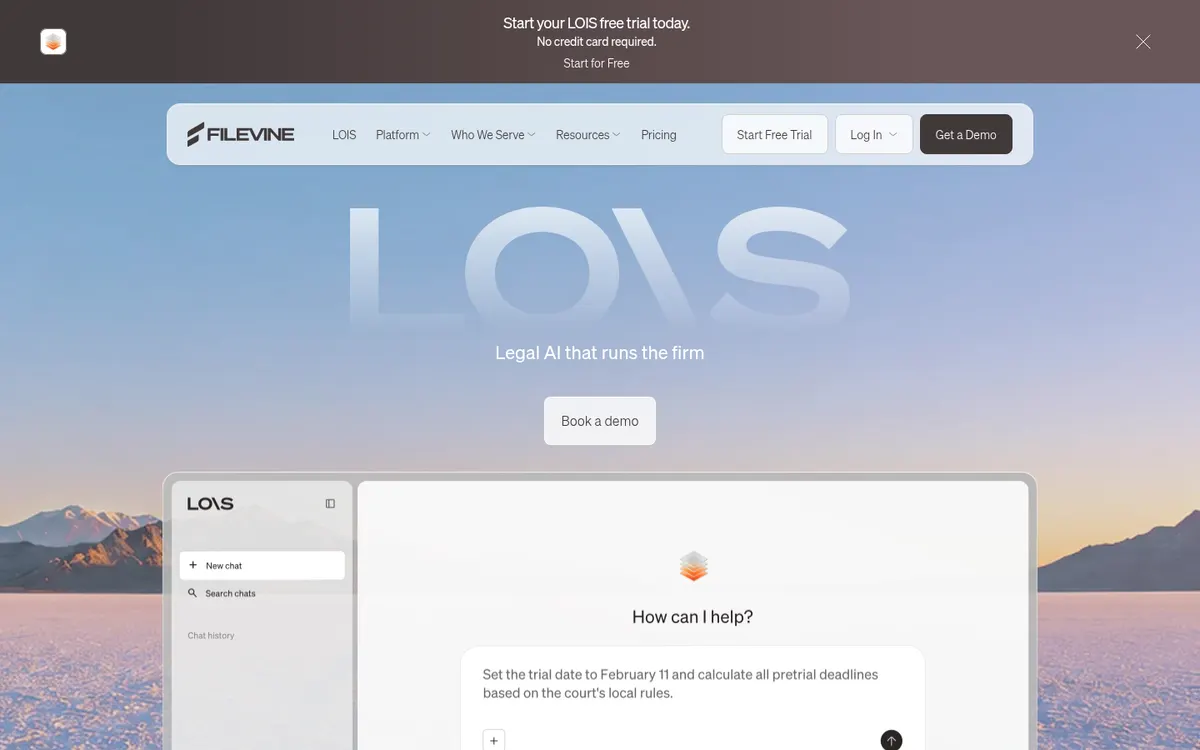
Filevine
Best for mid-size to large litigation and personal injury practices
Our verdict
A litigation workflow engine with real depth, sold through a quote and a multi-week build.
Filevine is built for litigation shops that run on process. Matter workflows are customizable to the point where the system mirrors how a firm already handles a case type, and document assembly turns templates into filled pleadings and discovery. Task and deadline automation keeps high-volume personal injury work moving, and role-based access controls let a large operation separate intake staff, paralegals and attorneys. Reporting scales with firm size rather than capping out at a dashboard.
The strength is depth. A firm handling hundreds of active matters can encode its intake, treatment tracking and demand process into the platform, and the automation pays back in hours per case. Permissions are granular enough for a fifty-person firm with intake and litigation teams pulling on the same file.
There is no published pricing. Buyers go through a consultative quote and scoping process, with license, implementation, migration and training priced separately, and onboarding typically spans several weeks. Third-party listings cite figures near $49 per user per month, but treat that as directional only, since a real quote depends on modules and headcount. Customization also means configuration work: someone has to own the build, and a firm that skips training ends up with an expensive system nobody trusts.
Pick Filevine if you are a mid-size or large litigation practice with enough volume to justify custom workflows and enough staff to absorb a multi-week rollout. Skip it if you are a solo who needs simple billing and a price on a web page.
What works
- Deep workflow customization built around existing firm processes
- Strong document assembly and automation for high-volume litigation
- Role-based permissions scale from small practices to large operations
What to weigh
- No published pricing; buyers go through a consultative quote and scoping process
- Customization requires multi-week onboarding and training
- More capability and setup effort than a solo needs for simple billing
Pick it if
You run high-volume litigation and want the system configured around your existing case process.
Skip it if
You are a solo who needs a published price and simple billing with no build project.
Plate 05 of 09
Smokeball
Best for busy small and midsize firms working inside Word and Outlook

Our verdict
Passive time capture is the real product, and it pays for itself only if staff live in Word.
Smokeball's pitch is time. Automatic time capture watches activity in Word, Outlook and inside the app, then turns it into billable entries a fee earner would otherwise forget, which is the most reliable way to increase revenue without raising rates. Word-native document automation and a court form library covering federal and local jurisdictions keep drafting inside tools staff already know, and the Archie AI assistant drafts pleadings and motions using matter context. Matter management and billing complete the set.
For firms that live in Word and Outlook on Windows, the fit is close. The form library and document automation save hours on repetitive filings, and passive time capture recovers billable hours that would otherwise go unlogged.
The cost is the catch. Every tier shows only a Get pricing button, so every buyer takes a quote, and third-party reports in 2026 cite roughly $139 per user per month plus implementation. A five-user team can exceed $8,300 a year before add-ons. The product is Windows and Office-centric, so Mac practices must confirm compatibility before signing anything. New users also report several months before they feel fully comfortable, which support and onboarding are included to offset but cannot eliminate.
Pick Smokeball if your firm drafts heavily in Word, files court forms often and leaves billable time on the table. Skip it if you run Macs, work across mixed devices, or need a published rate before you will take a call.
What works
- Passive time tracking recovers billable hours that would go unlogged
- Large court form library plus deep Word-based document automation
- AI assistant drafts pleadings and motions using matter context
What to weigh
- Premium per-seat pricing plus paid onboarding raises total cost for small teams
- Windows and Office-centric, so Mac practices must confirm compatibility
- New users report several months before the interface feels natural
Pick it if
Your staff drafts in Word and Outlook all day and you want billable time captured without stopwatch discipline.
Skip it if
You run Macs, work across mixed devices, or will not start without a published rate.
Plate 06 of 09
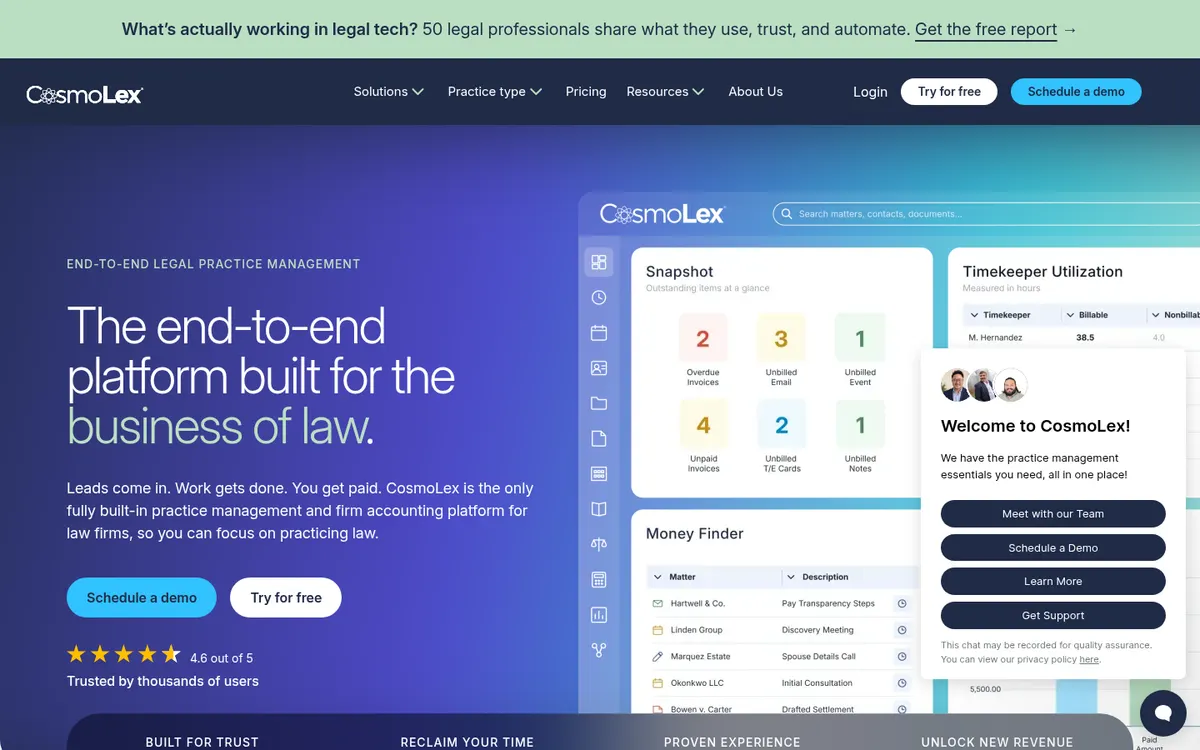
CosmoLex
Best for firms where trust accounting and compliance are the core pain
Our verdict
The strongest pick when a trust ledger and a bar audit are the reason you are shopping.
CosmoLex puts the accounting where the law is. A full general ledger, trust accounting with compliant transfers and reconciliation reporting, and integrated LawPay card processing mean a firm does not need a separate QuickBooks subscription or a nightly export to keep the books straight. For a firm where a bar audit is a live worry, that single design decision is worth more than any feature comparison.
The rest of the platform is competent. Matter management and legal calendaring synced with Google Calendar and Outlook cover the daily work, and optional add-ons extend into CRM intake automation, firm websites, managed Google Ads and e-signature through LexShare and LexSign. Add-ons are also where scope and cost can drift, so price the modules you actually need.
Launch is $49 per user per month, and yearly billing saves $120 per user. Most higher tiers stay quote-only, so the headline rate is a starting point rather than a budget. Third-party tier data suggests useful configurations sit well above entry-level rivals, and a 10-user firm should expect five figures a year before processing fees. The integration ecosystem is smaller than Clio's, so a firm with an established stack of outside tools should check each connection before committing.
Pick CosmoLex if trust accounting and compliance are the reason you are shopping and you would rather manage the ledger inside the practice system. Skip it if you need the broadest integration catalog or the lowest entry price per seat.
What works
- Compliant accounting lives inside the platform, removing a separate QuickBooks line
- Integrated LawPay card processing for trust and operating funds
- Calendar sync with Google Calendar and Outlook
What to weigh
- Higher entry cost than most rivals at comparable feature depth
- Smaller integration ecosystem than Clio
- Most tiers are quote-only, so the published rate is a starting point
Pick it if
Trust accounting and reconciliation are the core problem and you want the ledger inside the practice system.
Skip it if
You need the widest integration catalog or the cheapest seat price in the category.
Plate 07 of 09
Actionstep
Best for mid-size firms wanting the system configured around their processes

Our verdict
A configuration platform for firms whose processes are distinctive, priced in modules that are hard to forecast.
Actionstep is a configuration platform first and a case management product second. Matter workflows are built to match how a firm already works, document assembly and automation handle repetitive paperwork, and billing sits alongside the matter record. Workflow templates and module add-ons let a firm start narrow and extend later, and regional compliance features cover the US, UK, Australia and New Zealand, which matters for firms operating in more than one common-law market.
Trust accounting and general ledger options are built in rather than bolted on, so firms holding client funds do not need a second system for reconciliation. Matter-specific automation is where the payback shows, particularly for firms that run several distinct practice areas with different steps in each.
The commercial model is the hard part. There is no published pricing, and a base platform plus separately quoted modules for trust accounting, document automation and workflow templates makes total cost genuinely hard to forecast before a scoping call. Reports put full-featured mid-size configurations around $100 to $130 per user per month. The mobile experience is web-based rather than a native app, and trials usually require a demo call first, so this is not a self-serve signup. Firms that underestimate setup time pay for a platform they only partly use.
Pick Actionstep if you are a mid-size firm whose processes are distinctive enough that off-the-shelf workflows fight you, and you have someone to own the build. Skip it if you want a native mobile app, a published rate, or a system that runs itself after a week.
What works
- Deep workflow customization with matter-specific automation
- Trust accounting and general ledger options built in
- Regional compliance support across the US, UK, Australia and New Zealand
What to weigh
- No published pricing, and modular add-ons make total cost hard to forecast
- Mobile experience is web-based rather than a native app
- Requires real setup time and is not a self-serve signup
Pick it if
Your processes are distinctive and you have an operations owner who can build and maintain the workflows.
Skip it if
You want a native mobile app, a published rate, or a system that runs without configuration work.
Plate 08 of 09
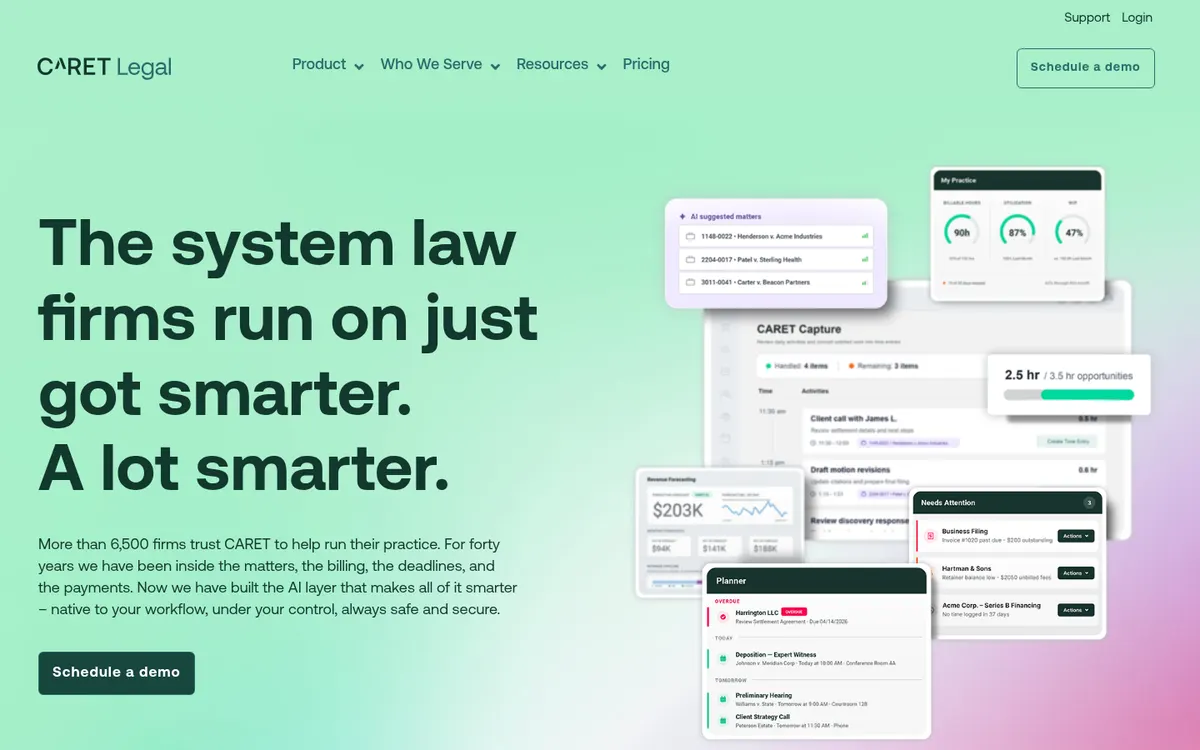
CARET Legal
Best for small to midsize firms wanting email built into the platform
Our verdict
Email, encryption and proof of delivery inside the matter record, sold through a consultative tier.
CARET Legal keeps email inside the platform, which is the feature that separates it from the pack. Messages, attachments and matter records live in one place instead of a shared inbox and a filing system that drift apart. Email encryption with proof of delivery matters for firms that need to show a court or a client exactly when something was sent and received. Matter management, accounting, document automation and a client portal fill out the rest.
Running email, accounting and document automation natively rather than through connectors reduces the number of vendors and the number of places a matter can fall out of sync. The vendor ships regular product updates and support is well regarded, which offsets some of the complexity that comes with a single system doing this much.
That complexity is real. Users note a steep learning curve, which adds training time to any rollout, and the product is pricier than several competitors at comparable tiers. During 2026 the vendor moved to quote-based Enterprise tiers, namely Enterprise, Enterprise Plus and Enterprise Insights, so buyers should expect a consultative sales process rather than a price list. The product was previously sold as Zola Suite, so older reviews and comparisons refer to a different commercial era and can confuse shopping.
Pick CARET Legal if email volume is a core workflow problem and you want it solved inside the practice system rather than next to it. Skip it if you want a cheap entry tier or a fast rollout for staff who resist training.
What works
- Email, accounting and document automation run in one platform
- Email encryption with court-admissible delivery proof
- Regular product updates and a well-regarded support team
What to weigh
- Pricier than several competitors at comparable tiers
- Steep learning curve adds training time to any rollout
- Rebrand from Zola Suite leaves older reviews that muddy comparisons
Pick it if
Email volume is a core problem and you want encryption, proof of delivery and the matter file in one place.
Skip it if
You need a cheap entry tier or a rollout that staff can learn in a week.
Plate 09 of 09
LEAP
Best for small firms wanting matters, forms, accounting and billing in one box

Our verdict
Broad all-in-one scope for small firms, with onboarding fees that change the year-one math.
LEAP sells one box with most of the contents: matter management, document automation, a jurisdiction-specific forms library, accounting and billing, legal research and AI drafting. For a small firm that does not want to assemble a stack from four vendors, the all-in-one scope is the appeal, and the jurisdiction-specific content is deeper than most general-purpose tools manage for common small-firm practice areas.
Recent releases have added legal research and AI drafting, so the platform is not standing still. Matter files, forms and billing share one data model, which means less re-keying between systems and fewer places for a deadline to hide.
Pricing is the obstacle. The US site confirms a per-user subscription with implementation fees charged on top but publishes no rate, so every buyer runs through a demo. Third-party 2026 estimates put the range near $85 to $150 per user per month plus several thousand in onboarding, and reported onboarding fees run from $3,000 to $10,000. On those numbers a 10-user firm lands at $15,000 to $30,000 in year one. Some third-party integrations cost extra, and the interface feels dated to some reviewers next to newer cloud tools.
Pick LEAP if you want matters, forms, accounting and billing from one vendor and you are willing to pay for implementation to get there. Skip it if you need transparent pricing before a demo or you work with a stack of outside tools that must connect cheaply.
What works
- Broad all-in-one scope covering matters, forms, accounting and billing
- Deep jurisdiction-specific content for small-firm practice areas
- Regular releases adding legal research and AI drafting
What to weigh
- No transparent pricing, with onboarding fees reported from $3,000 to $10,000
- Interface feels dated to some reviewers versus newer cloud tools
- Some third-party integrations cost extra
Pick it if
You want matters, forms, accounting and billing from one vendor and will budget for implementation.
Skip it if
You need a published rate before a demo or cheap connections to a stack of outside tools.
What does legal case management software actually do?
Legal case management software is the system of record for a law firm's work: every matter, the people attached to it, the documents produced, the deadlines that cannot slip, and the money that moves in and out, including client funds held in trust. It replaces a mix of shared drives, spreadsheets, calendars and email folders with one place where the file lives. The category overlaps with general project management, but three things make legal different: trust accounting rules, court deadlines tied to specific jurisdictions, and confidentiality obligations that shape who can see what.
Most products here cover the same core. Intake captures a new client and conflict information. Matter management holds tasks, notes, documents and communication in one record. Calendaring handles deadlines, some with court rules built in. Billing produces time entries, invoices and payment collection. Trust accounting tracks client money separately from operating funds.
The differences show up in four places:
- How much accounting lives inside the platform, versus an integration with QuickBooks
- Whether document automation and court forms are native or bolted on
- How far the workflow can be configured to match a firm's actual process
- Whether pricing is published or quoted
A solo handling family law matters mostly needs matter tracking, billing and a client portal. A personal injury firm with a heavy caseload needs workflow automation, document assembly and reporting that survives growth. A firm holding client funds across multiple trust accounts needs reconciliation a bar auditor will accept. Those are different purchases, and a feature grid rarely tells them apart. Ask what the firm does in a typical week, then check which of those four differences actually bites.
Category boundaries are fuzzy at the edges. Some products here are full practice management suites; others are stronger on litigation workflow and weaker on accounting. None of them replace a lawyer's judgment, and none remove the need to check your jurisdiction's trust rules.
This guide sits in the Software collection. Buyers weighing nearby tools often read the guides to commission software and research platforms next.
How law firms actually pay for case management software
Published prices are the exception. Of the nine tools here, four put a number on a web page and five route every buyer to a quote. That split matters more than any feature difference, because a quote-only process adds weeks to a purchase and makes it hard to compare vendors on cost at all.
Where rates are published, they cluster. Entry tiers land between $49 and $50 per user per month on annual billing, and mid tiers run from roughly $69 to $130. Almost all per-seat products discount for annual commitment, and month-to-month pricing carries a premium: MyCase Basic is $50 annually and $60 month to month, while PracticePanther runs $49 to $114 annually against $59 to $124 monthly. Watch what sits outside the subscription: card processing, SMS credits, add-on modules, implementation and migration.
| Model | How it bills | Typical fit | Example from this list |
|---|---|---|---|
| Published per-seat tier | Fixed rate per user per month with an annual discount | Small firms that want a number first | Clio Manage Starter at $49 |
| Published ladder with monthly option | Every tier priced, higher rate month to month | Firms avoiding long contracts | MyCase Basic at $50 annual, $60 monthly |
| Fully public tier ladder | Per-seat rate scaling with headcount | Firms budgeting by team size | PracticePanther $49 to $114 annual |
| Quote-only platform | License, implementation and training quoted apart | Mid-size and large litigation | Filevine |
| Premium per-seat plus onboarding | Subscription with paid implementation | Word and Outlook heavy practices | Smokeball, reported near $139 per user per month |
| Base platform plus modules | Base fee and separately quoted add-ons | Unusual or multi-jurisdiction workflows | Actionstep |
Two more costs deserve a line in the budget. Card processing runs about 2.95 percent plus $0.30 per transaction at MyCase, and onboarding fees at LEAP are reported from $3,000 to $10,000. Ask each vendor for the all-in figure at your headcount, then compare.
Every price in this guide was read on the vendor's own pricing page on November 25, 2026. Where a vendor does not publish a figure we could confirm, the card says "See website" rather than a guess. For the arithmetic around this purchase, try the free Email campaign metrics calculator.
Which case management system fits your firm?
Count the users. Include attorneys, paralegals and support staff who need a login, because per-seat pricing scales with the whole team, not just the lawyers. Ten seats at $89 is $890 a month before anything else.
Name the accounting problem. Decide whether trust accounting must live inside the platform or can sit in separate software. CosmoLex and PracticePanther Business Pro handle reconciliation natively; others hand off to an outside ledger.
List the integrations you cannot lose. E-signature, court filing, payment processing and any existing marketing tool. MyCase gates API access to Advanced at $130, and Clio's partner network covers more ground than anyone else here.
Test the workflow you actually run. Bring one real matter to the demo, ideally a messy one, and ask the vendor to walk intake through invoice. Configuration depth separates Actionstep and Filevine from simpler tools.
Price the migration. Ask who moves the documents, who cleans the data and what implementation costs. LEAP onboarding is reported from $3,000 to $10,000, and Clio usually quotes migration as its own line item.
Fix the trial date. Take the free trial where one exists and set a deadline for a decision. MyCase gives 10 days, Clio and PracticePanther give 7. Filevine, Actionstep and LEAP are demo only, so book the call before you need the answer.
Five buying mistakes that cost law firms money
Shopping on the headline rate. The entry tier rarely covers what a working firm needs. MyCase puts API access on the $130 Advanced plan, so a $50 comparison understates the real cost by more than half.
Skipping the trust accounting test. Ask to see a three-way reconciliation run on your own numbers before signing. A system that records trust deposits but cannot reconcile them leaves you finishing the work in a spreadsheet.
Underestimating migration. Documents, contacts, time entries and open balances all move. Confirm who does the extraction, whether it is included and what happens to old system access. Free migration often applies to higher tiers only.
Buying more workflow than you can maintain. Filevine and Actionstep will mirror any process you design, but someone has to design and maintain it. A firm without an operations owner ends up with a half-built system nobody trusts.
Ignoring the devices staff use. Smokeball is Windows and Office-centric, and Actionstep's mobile experience is web-based rather than a native app. If attorneys work from Macs or phones, confirm support before you commit to a rollout.
Best Case Management Software 2026: questions
What do entry-level and mid-tier legal case management plans cost per user per month?
Entry tiers run $49 to $50 per user per month on annual billing, and mid tiers run about $69 to $130. Clio Manage Starter is $49, PracticePanther Solo is $49 and MyCase Basic is $50. PracticePanther's ladder reaches $114 for Business Pro, and MyCase Advanced is $130. Five of the nine tools here publish nothing and quote each deal, so budget time for a scoping call before you can compare.
What does trust accounting cover, and which products include it?
Trust accounting records client money separately from operating funds, tracks transfers and produces the three-way reconciliation a bar auditor expects. CosmoLex builds a full general ledger and compliant trust transfers into the platform with integrated LawPay processing. Clio and MyCase handle trust accounting on their plans, PracticePanther includes guided reconciliation on Business Pro, and Actionstep offers trust accounting as a module. Filevine and LEAP do not list trust accounting among their published features, so ask both vendors directly.
How is data migration handled, and what should I confirm before switching?
Migration is a quoted project at most vendors here, not a button. Confirm who extracts data from the old system, which record types move (documents, contacts, time entries, open balances), and whether the fee is included or a separate line. PracticePanther offers free migration on higher tiers, Clio usually quotes it separately, and LEAP onboarding fees are reported from $3,000 to $10,000.
How do Clio and MyCase differ on published pricing and integrations?
Clio publishes one rate, $49 per user per month for Manage Starter, and quotes every tier above it. MyCase publishes all three tiers: $50 Basic, $100 Pro and $130 Advanced on annual billing. Clio wins on connections, with more than 350 app partners. MyCase gates API access to Advanced, so integration-heavy firms pay the top rate to reach outside tools.
Can legal case management software replace QuickBooks?
Sometimes, with limits. CosmoLex runs a full general ledger and trust accounting inside the platform, so a small firm can drop a separate QuickBooks subscription. Clio and MyCase include accounting aimed at small firms, and Clio's is cash-basis. Firms needing accrual reporting, multi-entity books or a bookkeeper's workflow usually keep QuickBooks and sync rather than replace it.
Do I need a free trial, or is a demo enough?
Take the trial where one is offered. Clio and PracticePanther offer 7 days, MyCase offers 10 days without a credit card, and CosmoLex has a free trial with no card needed. Filevine, Actionstep and LEAP are demo only, and Smokeball's trial varies by region and plan. Use the trial on one live matter, not a sample file the vendor loaded.