
Contents of this guide
The shortlist
Our top 3 for software buyers

Tebra
Chart to claim
- Best for
- Independent practices wanting combined EHR and billing
- Features
- 5 noted: Integrated EHR, Claim submission, Eligibility checks, Reputation tools, Payment posting

AdvancedMD
Claim scrubbing engine
- Best for
- Growing practices needing configurable workflow automation
- Features
- 5 noted: Unified EHR, Claim scrubbing, Eligibility checks, Specialty workflows, Financial analytics
athenahealth
Payer rules engine
- Best for
- Practices comfortable with percentage-of-collections pricing
- Features
- 4 noted: athenaOne EHR, Denial prevention, Payer rules, Billing and RCM
Disclosure for this guide. All 10 tools here are unpaid editorial picks. The position of a paid listing can be part of what the vendor pays for. Paid and unpaid tools are scored on the same rubric and keep their cons. Details are in the advertising disclosure.
The ledger
Index of every tool
| Tool | Free plan | Trial | Rubric | Compare | ||
|---|---|---|---|---|---|---|
| 01 | TebraIndependent practices wanting combined EHR and billing | See websiteQuote only, no public pricingNot published | No | Demo only | ||
| 02 | AdvancedMDGrowing practices needing configurable workflow automation | See websiteQuote only, no public pricingNot published | No | 3 months free promotion advertised | ||
| 03 | athenahealthPractices comfortable with percentage-of-collections pricing | See websitePercentage of collections, quote requiredNot published | No | Demo only | ||
| 04 |  DrChronoTablet-first practices that chart on the move | See websiteQuote only, no public pricingNot published | No | Demo only | ||
| 05 |  CareCloudPractices that want revenue analytics with billing | See websiteQuote only, no public pricingNot published | No | Demo only | ||
| 06 |  PracticeSuiteBudget-focused practices wanting modular billing tools | See websiteModular quote, no public pricingNot published | No | Demo only | ||
| 07 |  CharmHealthPractices that want a free start and add modules | See websiteFree tier, paid modules add billing and RCMNot published | Yes | Free tier available | ||
| 08 |  RXNTSmall practices needing integrated EHR and billing | See websiteQuote only, no public pricingNot published | No | Demo only | ||
| 09 |  CollaborateMDBilling teams and practices focused on claims | See websiteQuote only, no public pricingNot published | No | Demo only | ||
| 10 |  NextGen HealthcareSpecialty practices emphasizing patient engagement | See websiteQuote only, no public pricingNot published | No | Demo only |
Prices are the lowest paid plan the vendor shows, read on November 25, 2026. Sort by price ranks published monthly figures; tools without one go last. Pin up to three tools to compare them side by side.
How this guide was put together
Every tool here was scored against the same five criteria, and the order reflects editorial fit for the buyer each entry describes plus any disclosed Featured position, not a weighted total.
Billing workflow carries the most weight at 25 percent, because charge capture, scrubbing, submission, posting and denial handling are the reason a practice shops at all. EHR integration takes 20 percent: a billing module that cannot see the chart creates duplicate entry, and a billing-only platform has to earn its place through clean interfaces. Price clarity takes another 20 percent, since a quote-only vendor and a published rate change how you plan a budget. Go-live effort takes 20 percent, because a four-week implementation is a real cost for a two-person front office. Small practice fit takes the last 15 percent, asking whether the product assumes a clerk and a biller or a revenue cycle department.
Prices, plans, trials and free tiers were recorded from vendor pricing pages checked on 25 November 2026. Where no pricing page was captured, the entry says so and the price stays listed as See website. We did not estimate a number, extrapolate from a competitor or convert currencies.
A Featured listing is a paid placement. It is scored with the same five criteria, it carries the same style of cons, and it takes the same hit on price clarity when a vendor hides its rates. Placement does not change the criteria or the cons.
The full process, including how we handle corrections, is on the methodology page. Paid listings follow the advertising disclosure.
Rubric and weights
Every tool below is scored from 1 to 10 on these five criteria. The scores describe each tool; the order is an editorial call on fit for the buyer each card describes, plus the disclosed Featured position.
- 25%Billing workflowHow completely the tool handles charge capture, scrubbing, submission, posting and denials.
- 20%EHR integrationWhether the chart and the claim share one record, or connect cleanly through interfaces.
- 20%Price clarityWhether a practice can see a rate, a plan structure or a free tier before a sales call.
- 20%Go-live effortHow much configuration, training and calendar time stands between purchase and first claim.
- 15%Small practice fitWhether the product assumes a two-person office rather than a revenue cycle department.
Plate 01 of 10
Tebra
Best for independent practices wanting combined EHR and billing

Our verdict
Best for independent practices that want charting, scheduling and claims in one login, provided you can sit through a sales cycle.
Tebra, the product formerly sold as Kareo, bundles EHR, billing, scheduling and reputation management into a single system aimed at independent practices. The pitch is simple: a charge starts in the chart, so the billing team does not re-key the visit. Eligibility checks, claim submission and payment posting all sit inside the same login, which keeps the chart and the ledger in one place.
The clinical side includes scheduling tools, AI-assisted documentation and reputation management, so patient communication and online reviews are handled in the same place as the ledger. On the billing side you get eligibility checks before the visit, claim submission, and payment posting that writes back to the patient account. Because charges originate from the chart, a front-desk error in demographics surfaces at claim time rather than weeks later, which shortens the correction loop.
Pricing is the hard part. Tebra publishes no rates, so the quote only arrives after a demo and a scoping call. There is no free trial and no self-serve signup, which means your evaluation is a sales-led process from day one. Ask for the implementation fee, the per-provider rate, the clearinghouse cost and any charge for the reputation module in writing, because those items are where quotes diverge.
The vendor keeps a dedicated onboarding team, which matters if you are moving off paper or a legacy system mid-year. It fits practices that want one vendor for the chart and the claim and are willing to trade price transparency for integration. If you already run a separate EHR you like, or you only need claim scrubbing, a billing-only platform will be cheaper and faster to start.
What works
- Chart-to-claim flow without re-keying
- One login for scheduling, charting and billing
- Dedicated onboarding team
What to weigh
- No published pricing
- Demo only, no free trial
- Sales-led evaluation slows comparison
Pick it if
You want a single vendor for EHR and billing and can commit to a sales-led evaluation.
Skip it if
You already have an EHR you like or need a published price before you book a demo.
Plate 02 of 10
AdvancedMD
Best for growing practices needing configurable workflow automation

Our verdict
Best for growing practices that need configurable specialty workflows and automated claim scrubbing, as long as you can absorb a heavier implementation.
AdvancedMD sells a unified suite of EHR, practice management, patient engagement and billing, with financial analytics layered on top. The vendor reports more than 13,000 practices and roughly 9.5 million claims processed every month, and it uses that scale to argue that its rules and payer connections are better maintained than a smaller rival's.
The billing engine scrubs claims before submission rather than after rejection, and real-time eligibility verification runs early enough to catch a coverage problem at the front desk. AI-assisted charting is included in the suite, and specialty workflows are configurable, so a group with several service lines can give each one its own templates, charge sets and routing rules. Support is 24/7 live chat, which is more coverage than most small vendors advertise.
Implementation is the trade-off. Configuration takes real time, the learning curve lands on staff who may never have used a rules-driven system, and a solo provider ends up paying for capacity and modules they will not touch. The vendor advertises a three-month free promotion on its homepage; read the terms closely, because a promotional offer is not the same as a standard free trial with no strings.
Pricing is quote only, with no price list published on the site. Your comparison against a per-provider subscription therefore depends on a scoping call and a written estimate that includes implementation and clearinghouse costs. It fits practices of roughly three to fifteen providers that expect to add clinicians and want automation to absorb the volume. For a single provider with a steady claim mix, a simpler claims tool will get you live sooner.
What works
- Scrubs every claim before submission
- Real-time eligibility checks
- 24/7 live chat support
What to weigh
- No public pricing
- Heavier implementation and learning curve
- Overkill for solo providers
Pick it if
You are adding providers and want automation built into the claim before it leaves the building.
Skip it if
You are a solo provider who needs a first billing system live within a month.
Plate 03 of 10
athenahealth
Best for practices comfortable with percentage-of-collections pricing

Our verdict
Best for practices willing to pay a share of collections in exchange for a rules engine that updates payer logic across its whole network.
athenahealth prices its athenaOne suite as a percentage of collections instead of a per-provider subscription, which is the single fact that shapes every comparison you will make. The vendor says the model aligns its revenue with yours and reports collection increases after practices switch. The counterweight is that your cost moves with your revenue, so a strong month costs more than a slow one.
The core is a payer rules engine that updates across the whole client network, so a change in a payer's edit logic reaches every practice rather than waiting for each one to file a ticket. Automated insurance selection picks the right payer at the point of booking, and denial prevention runs before the claim goes out. That combination is hard to replicate in a small shop, which is why practices with messy payer mixes tolerate the pricing model.
Implementation often runs four to five weeks per the vendor, which is reasonable for a full suite but still means a month of parallel work. Small practices have less leverage in a percentage negotiation than a large group, and there is no public price to anchor the conversation. Ask what percentage applies, what is excluded from collections, and how the rate changes as you grow.
It fits practices that are comfortable tying software cost to revenue and want the payer rules maintained for them. It fits less well if you need a fixed monthly number for a budget or a loan application. If you already employ a biller who knows your payers cold, a flat-fee claims platform may keep more of each dollar.
What works
- Payer rules update across the network
- Cost tied to what you collect
- Denial prevention built in
What to weigh
- Percentage pricing is less predictable
- Implementation often four to five weeks
- No public price
Pick it if
Your payer mix is messy and you would rather pay for maintained rules than maintain them yourself.
Skip it if
You need a fixed monthly software cost for a budget or a lender.
Plate 04 of 10
DrChrono
Best for tablet-first practices that chart on the move

Our verdict
Best for tablet-first practices that chart on the move and want visit charges prepopulated from billing profiles.
DrChrono was built around the iPad and still behaves like a mobile product rather than a desktop system with an app bolted on. Charting, scheduling and claim work run on a tablet, so a provider can document in the exam room and let the charge follow the note instead of rebuilding it at the end of the day.
Billing profiles are the practical feature here: you define the charges that belong to a visit type once, and the system prepopulates them, which cuts the list of codes a clinician has to remember. Claim submission runs from the same record, and scheduling sits in the same product. The product has stayed mobile-first rather than bolting an app onto a desktop system, a reasonable signal of focus in a category where apps come and go.
Two limits matter before you commit. First, the product is iOS-centric with no Android app, so an Android-first staff will be fighting the device. Second, the billing module only works with DrChrono's own EHR; you cannot bolt it onto a different chart. That removes the most common small-practice upgrade path, where a practice keeps its EHR and swaps only the billing layer.
Pricing is not published and there is no self-serve trial, only a demo, so the numbers arrive after a conversation. It fits smaller practices that want tablet charting and are willing to make DrChrono the system of record for both the note and the claim. If you need Android, or you are keeping your current EHR, look elsewhere.
What works
- iPad-first charting
- Charge sets per visit type
- EHR, scheduling and billing together
What to weigh
- No Android app
- Billing requires its own EHR
- Pricing not published
Pick it if
Your clinicians work from iPads and you want the note to generate the charge automatically.
Skip it if
Your team is on Android or you plan to keep a different EHR in place.
Plate 05 of 10
CareCloud
Best for practices that want revenue analytics with billing
Our verdict
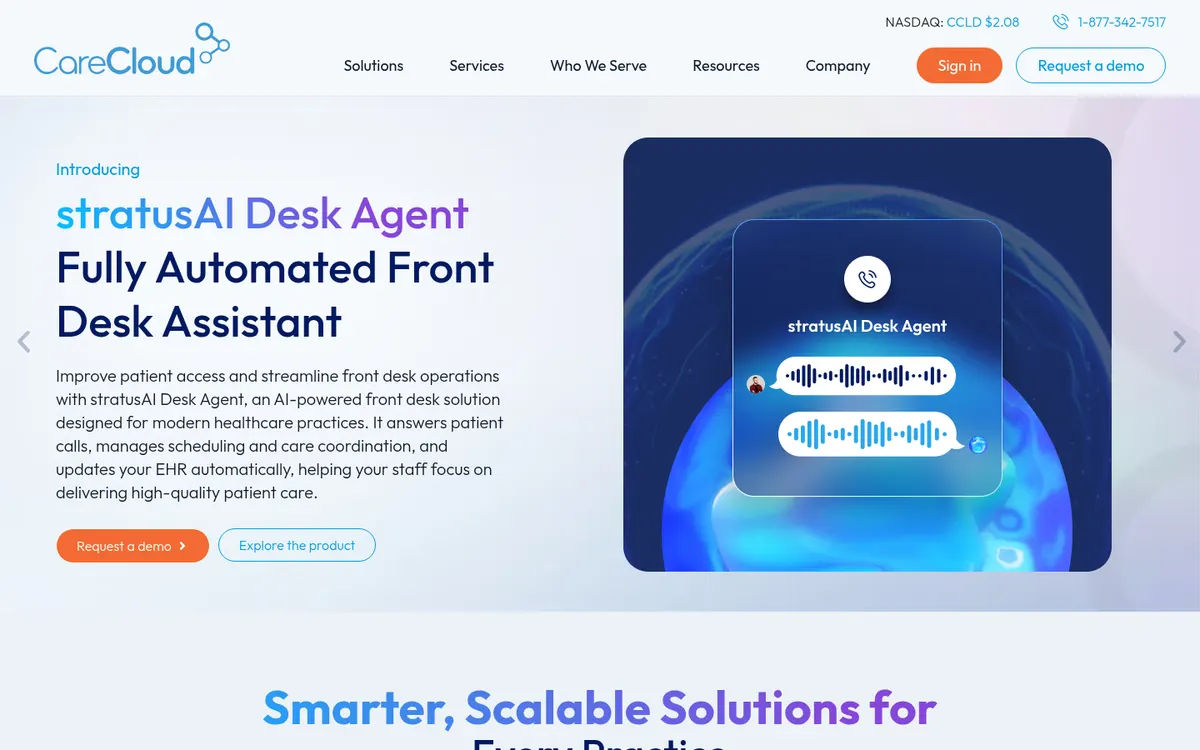
Best for practices that want revenue analytics and front-desk AI alongside billing, not just a claim pipe.
CareCloud bundles a cloud EHR, practice management, billing and a revenue analytics layer, and the analytics are the reason most practices shortlist it. Instead of a claim list and an aging report, you get dashboards that track where revenue is leaking by payer, provider and service line, which helps when a practice is deciding whether to add a clinician or renegotiate a contract.
The suite covers scheduling, charting, claims and posting, and the vendor publishes customer outcome examples on its site. CareCloud has added an AI call agent that handles front-desk phone work, a feature aimed at practices that lose staff hours to appointment calls and refill requests. Specialty coverage is broad, so a practice does not have to be family medicine for the templates to fit.
The limits are the usual ones for a quote-only suite. No price is published, so you cannot rank it against a per-provider subscription until you have been through a scoping call, and the vendor sells through quotes rather than a checkout page. The analytics depth also exceeds what a solo provider will ever open; a single-clinician practice mostly needs clean claims and fast posting, not a revenue dashboard.
It fits practices with three or more providers that want to manage the business side of the ledger, and groups that field a high volume of inbound calls. If you only need claim submission and posting, a billing-focused platform will cost less and go live faster.
What works
- Revenue analytics built in
- AI call agent for the front desk
- Broad specialty coverage
What to weigh
- No public pricing
- Analytics depth exceeds solo needs
- Quote-only sales
Pick it if
You want to see where revenue leaks by payer and provider, and you field a lot of front-desk calls.
Skip it if
You are a solo provider who needs claims and posting without a dashboard nobody opens.
Plate 06 of 10
PracticeSuite
Best for budget-focused practices wanting modular billing tools
Our verdict
Best for budget-focused practices that want to buy billing modules a la carte and build their own reports.
PracticeSuite sells its platform module by module, which is unusual in a category where most vendors push a single bundle. A small practice can start with scheduling and billing, add the patient portal or telehealth later, and skip the pieces it does not need. For a practice watching cash, that structure is the main attraction.
The custom report builder is the other differentiator. You can construct your own reports without opening a ticket and waiting for the vendor, which matters when a payer changes a rule and you need a fresh view of denials that afternoon. The EHR is ONC-certified, support is U.S.-based, and the platform carries SOC 2 security certification, a benchmark that comes up in vendor due diligence.
The weaknesses are honest ones. The interface feels dated next to newer cloud products, and the patient portal is functional rather than impressive, which matters if you are trying to move patients to self-scheduling and online payment. Because everything is modular, the quote you receive depends heavily on which pieces you select, so two practices can compare notes and find they were quoted very different totals.
No pricing is published, so the modular structure still ends in a sales conversation. It fits budget-focused practices that want to control scope and build their own reporting, and it works well for a practice that already has a portal it likes. If design polish or a strong patient-facing app is a priority, this is not the tool.
What works
- Buy modules a la carte
- Custom reports without vendor help
- U.S.-based support
What to weigh
- No public pricing
- Interface feels dated
- Patient portal is basic
Pick it if
You want to buy only the modules you need and run your own reports without waiting on support.
Skip it if
A modern interface and a polished patient portal are part of the decision.
Plate 07 of 10
CharmHealth
Best for practices that want a free start and add modules

Our verdict
Best for practices that want to start free and add billing modules only when claim volume justifies the cost.
CharmHealth is the only tool on this list with a free starting tier. A practice can begin on the free tier, run the basics, and add paid modules for billing and revenue cycle management when volume justifies the cost. For a new practice or a very small one, that removes the largest single barrier to getting off spreadsheets.
The platform is cloud-based and modular, covering EHR, practice management, billing and RCM. An AI Copilot supports documentation, and the vendor claims fast onboarding, which is plausible given that a practice can start without a migration project. Because you only pay for the modules you select, the bill scales with what you actually use rather than with a predetermined bundle.
The limits follow from the model. Advanced billing and full revenue cycle work sit behind paid tiers, so the free tier is a starting point rather than a complete billing department. Specialty depth is thinner than what the larger suites offer; a practice with complex payer rules or a niche service line may find the templates and edits too general. CharmHealth is also a smaller vendor than AdvancedMD or athenahealth, which is worth weighing if you want a long support relationship and a named account team.
The vendor's pricing page returned a not found error when checked, so the free tier is confirmed in messaging but the paid module rates are not published in a form we could verify. Ask for the module list and the per-module price in writing before you assume the free tier carries you far.
What works
- Free starting tier
- Pay only for chosen modules
- AI Copilot for documentation
What to weigh
- Billing sits behind paid tiers
- Less specialty depth
- Smaller vendor
Pick it if
You are starting out, want a free tier, and prefer to add billing modules as volume grows.
Skip it if
You need deep specialty rules or a large vendor with a long track record in your niche.
Plate 08 of 10
RXNT
Best for small practices needing integrated EHR and billing
Our verdict
Best for small practices that want one vendor for e-prescribing, charting and billing, with an ambient scribe included.
RXNT has been selling healthcare software for more than two decades, and its current pitch is an integrated suite: EHR with custom charting, e-prescribing, practice management, and billing and revenue cycle management in one system. For a small practice tired of stitching three vendors together, the single-vendor argument is the main draw.
Custom charting lets a practice shape templates around its own workflow rather than accepting a generic note, and e-prescribing is built in rather than integrated from a third party. On the financial side you get claims, posting and RCM reporting. The vendor also offers an ambient AI scribe that drafts notes from the visit conversation, plus a billing-company edition for firms that run revenue cycle work for multiple practices.
Mobile apps and a HIPAA-compliant cloud round out the platform, and monthly product updates mean the suite is actively maintained rather than parked. The complication is scope: the full-suite pitch is heavy for a practice that only wants a better claims process, and the breadth of the product makes a simple purchase harder to price.
No pricing is published, so every number comes from a quote, and that quote will bundle modules you may not need. It fits small practices that want e-prescribing, charting and billing from one vendor and value the ambient scribe as a documentation shortcut. If your EHR is settled and your problem is denials, a billing-only platform such as CollaborateMD will be a tighter fit.
What works
- Integrated EHR, e-prescribing and billing
- Ambient AI scribe included
- Monthly product updates
What to weigh
- No public pricing
- Full-suite pitch is heavy for billing-only
- Hard to scope a simple purchase
Pick it if
You want prescribing, charting and claims from one vendor and an AI scribe to shorten documentation.
Skip it if
You only need a claims engine and do not want to price a full clinical suite.
Plate 09 of 10
CollaborateMD
Best for billing teams and practices focused on claims

Our verdict
Best for billing teams that already have an EHR and want a claims engine with a built-in clearinghouse and Level 2 edits.
CollaborateMD is a billing and practice management platform, not a clinical suite. There is no native EHR, and that is deliberate: the product assumes you have a chart you like and want a better claims operation behind it. It connects to outside EHRs through standard and custom HL7 interfaces, so the clinical record stays where it is.
The claims tooling is the reason to look. A built-in clearinghouse removes the third-party hop that causes most submission delays, automated eligibility verification runs before the visit, and Level 2 claim edits catch coding and formatting problems before the payer sees them. The vendor claims a 97% clean-claim rate, a figure worth asking it to substantiate against a practice your size. Unlimited users mean the front desk, the biller and the office manager can all work in the system without per-seat math.
It serves more than 100 specialties, which matters if your coding rules are not run-of-the-mill, and the cloud model means no server to maintain. Billing teams tend to like it because the worklist is built around claims and denials rather than around a schedule.
Pricing is quote only, so the total arrives after a scoping conversation that should include interfaces. It fits practices and billing companies focused on claims, and practices that have already invested in an EHR they intend to keep. If you need one vendor for the note and the claim, this is not that product.
What works
- Built-in clearinghouse
- Level 2 claim edits
- Unlimited users
What to weigh
- No native EHR
- No public pricing
- Not a full clinical suite
Pick it if
You are keeping your EHR and want claim edits and a clearinghouse in one billing platform.
Skip it if
You want one vendor to handle charting as well as claims.
Plate 10 of 10
NextGen Healthcare
Best for specialty practices emphasizing patient engagement

Our verdict
Best for specialty practices that put patient engagement first and want reminders, scheduling and online bill pay in one portal.
NextGen Healthcare sells an ambulatory EHR, practice management and billing suite with an unusually heavy emphasis on the patient-facing side. The patient access portal covers scheduling, reminders and online bill pay, and the reminders go out in 33+ languages, a real advantage for practices in diverse markets.
The clinical and financial pieces are standard for a suite at this level: ambulatory EHR with mobile charting, integrated scheduling, claims and billing, and interoperability tools for exchanging data with other systems. Charting on a tablet keeps documentation close to the visit, and the scheduling module feeds the billing queue rather than sitting beside it.
For a specialty practice that wants patients to self-schedule and pay a balance without calling the front desk, the portal is the strongest part of the offer. Online bill pay shortens the collection cycle on patient responsibility, which is the portion small practices most often write off because chasing it costs more than it brings in.
The trade-off is weight. Enterprise breadth means more configuration, more training and a longer path to value, and a two-provider practice pays for capability it never switches on. Integration and reporting setup usually need vendor involvement, which adds calendar time before the first claim goes out. Pricing is not published, and the vendor sells through demos rather than a self-serve signup.
It fits specialty practices with enough patient volume to justify a portal-led front office, and groups that want scheduling, reminders and payment in one place. If you are a solo provider buying your first billing system, a lighter tool will get you to a clean claim faster.
What works
- Reminders in 33+ languages
- Online bill pay in the portal
- Mobile charting
What to weigh
- No public pricing
- Enterprise breadth is heavy
- More than a tiny practice needs at launch
Pick it if
Patient self-scheduling and online bill pay would take pressure off your front desk.
Skip it if
You are a solo provider who needs a lean billing system live quickly.
What Does Medical Billing Software Do That a Spreadsheet Cannot?
Medical billing software takes a finished visit and turns it into a paid claim, then tracks what happens in between. A spreadsheet can hold a list of charges. It cannot check eligibility against a payer in real time, scrub a claim for the edits that cause rejections, submit through a clearinghouse, post an electronic remittance automatically, or tell you which denials are worth appealing. That chain, from charge capture to cash posting, is the product.
Most small practices buy one of two shapes. A bundled suite puts the chart and the claim in the same database, so the note generates the charge and nobody retypes the visit. Tebra, AdvancedMD and NextGen Healthcare sell this shape. A standalone billing platform sits behind whatever EHR you already run and concentrates on claims, edits and posting. CollaborateMD is the clearest example here, with HL7 interfaces to outside charts and a clearinghouse built in.
The core functions to check on any shortlist:
- Charge capture from the note, or from a prebuilt charge set by visit type
- Eligibility verification before the appointment, not after the denial
- Claim scrubbing against payer-specific edits
- Clearinghouse submission and electronic remittance posting
- Denial worklists with an owner and a due date
- Reporting that separates payer problems from coding problems
Two numbers decide whether the software is working. The clean claim rate is the share of claims accepted on first submission, and days in accounts receivable tells you how long cash takes to arrive. A tool that raises the first and shortens the second pays for itself. One that only produces prettier reports does not. Ask each vendor how its system moves those two numbers for a practice your size, and ask for the answer in writing before you sign.
This guide sits in the Software collection. Buyers weighing nearby tools often read the guides to commission software and research platforms next.
How Vendors Charge for Medical Billing Software, and What Each Model Hides
Five pricing models show up in this list, and the model matters more than the number, because it determines how your cost moves as the practice grows. None of the ten vendors publishes a price list on its site as of 25 November 2026. CharmHealth is the only one confirming a free starting tier, and every other entry is quote only.
| Model | How it bills | Typical fit | Example from this list |
|---|---|---|---|
| Percentage of collections | A share of what the practice collects | Practices that want cost tied to revenue | athenahealth |
| Bundled suite quote | One negotiated price for EHR, scheduling and billing | Practices replacing a full stack | Tebra, AdvancedMD, NextGen Healthcare |
| Billing-only platform quote | Priced for the revenue cycle function, often with unlimited users | Billing teams with an existing EHR | CollaborateMD |
| Modular subscription | Per module, selected a la carte | Practices that want to limit scope | PracticeSuite |
| Free tier with paid add-ons | No cost to start, billing and RCM modules paid | New or very small practices | CharmHealth |
The percentage model is the one to model carefully. athenahealth ties its fee to collections, so the cost rises in a good month and falls in a bad one, and the effective rate depends on how much you collect per provider. A per-provider or modular quote is more predictable but charges you the same in a slow quarter.
Watch what sits outside the headline number. Implementation, data migration, clearinghouse fees, interface work for an outside EHR, and add-on modules such as reputation management or an AI call agent are usually quoted separately. Ask each vendor for a first-year total that includes every line, and for the year-two number once any promotional pricing ends. A three-month free promotion, like the one AdvancedMD advertises, is not the same as a free trial, so confirm what happens on day 91.
Every price in this guide was read on the vendor's own pricing page on November 25, 2026. Where a vendor does not publish a figure we could confirm, the card says "See website" rather than a guess. For the arithmetic around this purchase, try the free Email campaign metrics calculator.
A Decision Path for a Practice With Fewer Than Ten Providers
- Count the claims you file each month. Pull three months of claim volume and denial reasons before you take a demo. A practice filing 200 claims a month and one filing 2,000 need different tools, and volume decides whether automation pays for itself.
- Decide bundled or standalone first. If the chart and the claim should share one record, shortlist Tebra, AdvancedMD or NextGen Healthcare. If your EHR stays, look at CollaborateMD and score the interface work as part of the price.
- Get a written first-year total from three vendors. Ask for per-provider fees, implementation, clearinghouse, interfaces and add-on modules in one document. Nine of these ten publish no price, so the written quote is the only comparable number you will get.
- Ask how long go-live really takes. athenahealth implementation often runs four to five weeks, and a configured suite like AdvancedMD is heavier. Plan for parallel running and decide who covers the phones while staff train.
- Check the paperwork before the data moves. Require a signed business associate agreement, ask where records are stored and encrypted, and confirm the vendor's security posture, such as the SOC 2 certification PracticeSuite carries.
- Run one parallel month, then cut over. Submit through the new system while the old one stays available, compare clean claim rates and days in receivables, and cancel the incumbent only when the numbers hold for a full cycle.
Five Mistakes That Sink a Small Practice Billing Rollout
- Comparing demos instead of quotes. A polished demo says nothing about your first-year cost. Collect written totals that include implementation and clearinghouse before you rank anything, because most suites here publish no rate at all.
- Ignoring the clearinghouse line. A separate clearinghouse adds a hop where claims stall. Ask whether submission is built in, as CollaborateMD states, or billed as a third-party pass-through you pay for separately.
- Buying analytics nobody will open. Revenue dashboards look good in a demo and go unread in a two-provider office. Spend the budget on clean claims and fast posting first, then revisit analytics when someone owns the numbers.
- Skipping the business associate agreement. Never move patient data before a BAA is signed and you know where records live. Security claims such as SOC 2 certification or a HIPAA-compliant cloud need a document behind them.
- Treating a clean claim rate as a promise. A vendor figure like the 97% CollaborateMD cites is an average across its book. Ask what a practice your size and specialty actually achieves in the first 90 days.
Best Medical Billing Software for Small Practices 2026: questions
How should a small practice compare medical billing software prices?
Compare first-year totals, not headline rates. Nine of the ten tools here publish no price, so the only comparable number is a written quote that includes per-provider fees, implementation, clearinghouse costs and any add-on modules. athenahealth instead charges a percentage of collections, so model that percentage against your expected collections before you set it beside a flat subscription.
Should a small practice buy bundled EHR and billing or a standalone billing platform?
Buy bundled when the chart and the claim should share one record and your staff cannot afford duplicate entry. Tebra and AdvancedMD are built that way. Buy standalone when you already have an EHR you like and the problem is denials and posting. CollaborateMD connects to outside charts through HL7 interfaces, which keeps the clinical system where it is.
What is a clean claim rate and why does it matter?
A clean claim rate is the share of claims a payer accepts on first submission without edits, rejections or requests for more information. Higher is better because every rejected claim costs staff time and delays cash. CollaborateMD claims 97%, and AdvancedMD scrubs each claim before it leaves. Ask what a practice your size achieves, not what the average is.
How long does it take to go live on medical billing software?
Expect several weeks for a typical small practice switch, and longer for a heavily configured suite. athenahealth implementation often runs four to five weeks, and AdvancedMD carries a heavier configuration process. Add time for data migration, payer enrollment and a parallel month, and avoid cutting over during a busy season or right after a provider joins.
What should we check on HIPAA and business associate agreements?
Get a signed business associate agreement before any patient data reaches the vendor, and read it rather than filing it. Ask where records are stored, how they are encrypted in transit and at rest, who can access them, and how breach notification works. Security claims need evidence behind them, such as the SOC 2 certification PracticeSuite holds or RXNT's HIPAA-compliant cloud.
Is it cheaper to bill in house or outsource revenue cycle management?
In house keeps the margin but requires a trained biller, software and someone to cover turnover. Outsourcing hands claims to a team that works across many payers daily. Percentage-of-collections pricing, which athenahealth uses, behaves more like outsourced economics, so compare it against the fully loaded cost of a biller plus a flat-fee platform such as CollaborateMD.