
Contents of this guide
The shortlist
Our top 3 for software buyers
Zapier
9,000+ app integrations
- Best for
- Small and midsize teams wanting broad app integrations
- Features
- 5 noted: Trigger-action Zaps, 9,000+ apps, AI and code steps, Tables and Forms, MCP server

Make
Visual branch builder
- Best for
- Teams building branching visual workflows on a budget
- Features
- 5 noted: Scenario canvas, Routers and iterators, Error paths, 3,500+ apps, AI modules

n8n
Code nodes anywhere
- Best for
- Developers and self-hosters needing control and customization
- Features
- 5 noted: Self-hosted option, JS and Python nodes, AI agent nodes, RAG pipelines, Per-execution billing
Disclosure for this guide. All 10 tools here are unpaid editorial picks. The position of a paid listing can be part of what the vendor pays for. Paid and unpaid tools are scored on the same rubric and keep their cons. Details are in the advertising disclosure.
The ledger
Index of every tool
| Tool | Free plan | Trial | Rubric | Compare | ||
|---|---|---|---|---|---|---|
| 01 | ZapierSmall and midsize teams wanting broad app integrations | $19.99Professional, per month, task tiers priced separately, free plan includedChecked Nov 25, 2026 | Yes, Free forever with 100 tasks per month | 14-day Professional trial on signup | ||
| 02 | MakeTeams building branching visual workflows on a budget | See websiteNot published | Yes, Free plan with 1,000 credits per month | No free trial; free plan available | ||
| 03 | n8nDevelopers and self-hosters needing control and customization | $20Starter, per month, billed annually, 2.5k executionsChecked Nov 25, 2026 | Yes, self-hosted Community edition | Free trial, no credit card required | ||
| 04 |  Microsoft Power AutomateMicrosoft 365 organizations adding cloud and desktop automation | $15.00Premium, per user per month, paid yearlyChecked Nov 25, 2026 | No | 30-day free trial | ||
| 05 |  UiPathEnterprises needing governed RPA with a low-cost pilot | $25Basic, per month, Automation CloudChecked Nov 25, 2026 | Yes, Community edition free forever | 60-day free trial on Standard | ||
| 06 | Automation AnywhereLarge organizations seeking cloud-native RPA and AI agents | See websiteNot published | No | No | ||
| 07 |  WorkatoIT-led enterprises needing governed integration and automation | See websitecustom quoteCustom quote | No | No | ||
| 08 |  NintexProcess-heavy regulated teams managing forms, documents, approvals | See websiteNot published | No | Free trial | ||
| 09 |  PipedreamDevelopers connecting APIs, webhooks, events, and AI agents | $99Startup, per month, 10,000 usage credits includedChecked Nov 25, 2026 | Yes, Free plan with development only usage | No free trial; free plan available | ||
| 10 |  BardeenGo-to-market teams scraping and enriching browser data | $10Basic, billed monthly, 100 credits per monthChecked Nov 25, 2026 | Yes, 100 free credits always included | No free trial; free monthly credits |
Prices are the lowest paid plan the vendor shows, read on November 25, 2026. Sort by price ranks published monthly figures; tools without one go last. Pin up to three tools to compare them side by side.
How this guide was put together
We scored the tools on this list against a set of criteria. Fit for the buyer described in each entry decides the order. Scores are shown per tool so you can see where a product is strong even when it sits lower in the list.
Integration breadth gets the largest weight at 25 percent, because a workflow tool is only as useful as the systems it can reach. Workflow depth and governance and control take 20 percent each: one measures how well a tool handles branches, loops, error paths and code, the other measures audit trails, role controls and environment separation. Pricing clarity takes 20 percent, which rewards published figures and penalizes quote-only pages. Operating overhead takes the final 15 percent, covering self-hosting duties, maintenance and the staff a deployment needs.
Prices, plan names, free tiers and trial terms come from vendor pricing pages checked on November 25, 2026. Where a page did not load or showed no figures, the entry says pricing is on the vendor site and gives no number. We did not convert currencies and did not estimate a quote.
All entries are scored with the same rubric and carry the same kind of pros and cons.
The full process, including how we handle corrections, is on the methodology page. Paid listings follow the advertising disclosure.
Rubric and weights
Every tool below is scored from 1 to 10 on these five criteria. The scores describe each tool; the order is an editorial call on fit for the buyer each card describes, plus the disclosed Featured position.
- 25%Integration breadthHow many systems the tool can reach, including connectors, custom APIs and browser or desktop reach.
- 20%Pricing clarityWhether prices, plan limits and overage units are published and easy to map to real volume.
- 20%Workflow depthHow well the builder handles branches, loops, error paths, code and agent steps.
- 20%Governance and controlAudit trails, role controls, environment separation and compliance credentials for regulated work.
- 15%Operating overheadThe maintenance, staffing and infrastructure duty a deployment pushes onto the buying team.
Plate 01 of 10
Zapier
Best for small and midsize teams wanting broad app integrations
Our verdict
Best all-round pick for teams that value app coverage and a single task-based billing model over visual branching.
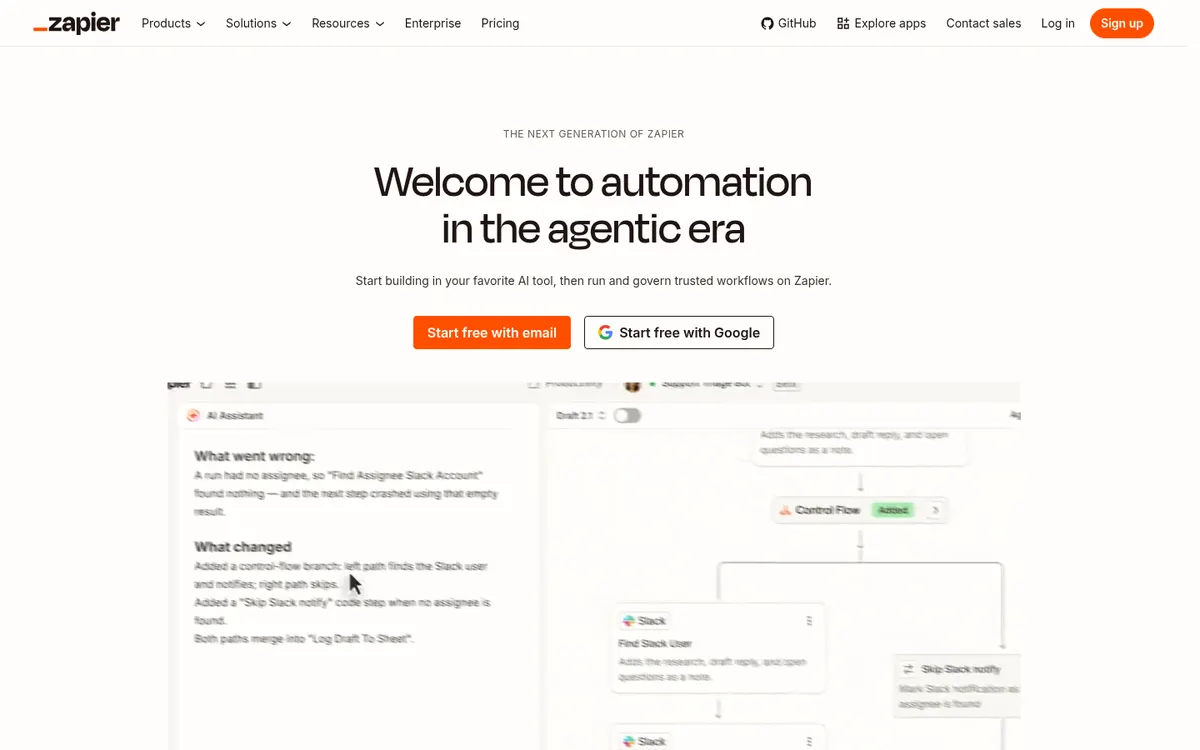
Zapier assembles automations from a trigger followed by one or more actions. A Zap can reach 9,000+ apps, and individual steps can call an AI model, run code, or write to Zapier Tables for light data storage. Forms handles intake, so a request can be captured, stored and routed in one flow. An MCP server exposes the connected account to AI assistants, and an SDK covers apps that are missing from the catalog. The builder is deliberately plain: pick a trigger, add steps, map fields.
Pricing is task based. Professional starts at $19.99 per month, with task tiers priced separately, and a free plan covers 100 tasks per month with two-step Zaps. A 14-day Professional trial runs from signup. Every successful action step consumes tasks, so a Zap with more steps at the same run count costs more than a short Zap. Costs can rise once the monthly task allowance is used, which is where budgets slip at high volume.
The strength is reach. The integration catalog is very broad, and one task model applies across Zaps, AI steps, code, MCP and the SDK, so forecasting stays consistent. Tables and Forms are bundled into the entry plan rather than sold as separate products. The trade-off is shape: multi-branch logic with nested conditions is workable but less natural than on a visual canvas, and complex flows push buyers off the entry price quickly. Prototype your hardest workflow before comparing plans.
What works
- Very broad integration catalog
- One task-based model across Zaps, AI, code, MCP and SDK
- Tables and Forms included in the entry plan
What to weigh
- Every successful action step consumes tasks
- Complex branching is less natural than on a visual canvas
- Task overages can raise costs quickly at volume
Pick it if
You want the widest app coverage with one predictable billing unit and no engineering hire.
Skip it if
Your workflows are branch-heavy with many nested conditions and per-step costs would compound.
Plate 02 of 10
Make
Best for teams building branching visual workflows on a budget
Our verdict
Strong visual canvas for branches and loops, plus a free plan that never expires and no published prices.
Make builds scenarios on a visual canvas where every module is a node. Routers split a flow into parallel paths, filters decide which items continue, and iterators loop over arrays. Error-handling paths let a scenario recover from a failed step instead of stopping, which matters once a workflow runs in production. Connections cover 3,500+ apps, and custom API connections handle anything that is not in the library. AI modules sit inside scenarios like any other step.
Pricing was not visible during research: the vendor page describes credits and plan tiers but returned a server error twice, so this entry carries no figure and buyers should check directly. The free plan offers 1,000 credits per month with no time limit, and there is no separate trial because the free plan serves that purpose. AI modules consume operations, so a model step counts against the same allowance as other steps.
The visual model is the differentiator. Branch-heavy workflows that feel awkward in a trigger-action tool are easier to read here, and the free plan lets a team test a real scenario before paying. The cost is a learning curve: module-level thinking, iterators and error paths take a session or two to absorb, and teams that only need simple two-step syncs will find Zapier faster to set up. Make is certified for GDPR and SOC 2 Type II, which matters for buyers in regulated work.
Test the price before you commit to the canvas. A generous free tier does not tell you what a complex scenario costs once volume arrives.
What works
- Strong visual handling of branches and loops
- 3,500+ app connections plus custom APIs
- Free plan with no time limit
What to weigh
- Pricing page returned errors, so figures need direct checking
- Learning curve for teams used to simple trigger-action tools
- AI modules consume operations like any other step
Pick it if
Your workflows branch often and you want a free path to test a realistic scenario before paying.
Skip it if
You need a published price today or your team has never worked with modules and iterators.
Plate 03 of 10
n8n
Best for developers and self-hosters needing control and customization
Our verdict
Developer-first automation with code nodes and a free self-hosted edition that removes execution limits entirely.
n8n is a workflow builder that expects a technical operator. Workflows are visual, but any node can hand off to JavaScript or Python, which means custom logic can sit anywhere in a flow rather than in a single scripted step. AI agent nodes and RAG pipeline support cover retrieval and agent patterns. The Community edition runs on your own infrastructure, and custom API integrations fill gaps in the connector set.
Pricing splits along hosting. The self-hosted Community edition is free with unlimited executions, so the only cost is the server and the time to run it. Cloud plans use the Starter tier at $20 per month, billed annually with 2.5k executions, and bill per execution rather than per step, which favors long multi-step workflows. A free trial is available without a credit card. Cloud prices render dynamically and are billed in EUR, so the dollar figure can shift with the page and the exchange rate.
The execution model is the real argument. A long workflow costs the same as a short one at the same run count, while per-step platforms multiply the charge. Self-hosting removes execution limits entirely but transfers uptime, backups and upgrades to your team. The learning curve is steeper than cloud-only rivals, and buyers without engineering capacity should budget for that gap or choose a managed alternative. For a team with development capacity and a long workflow, few options on this list come close on cost per run.
Read the billing line, not the headline. Execution counting is friendly to complex flows and unfriendly to frequent, tiny ones.
What works
- Unlimited executions when self-hosted
- JavaScript and Python nodes anywhere in a flow
- Execution-based cloud billing favors long workflows
What to weigh
- Self-hosting makes your team responsible for uptime and patches
- Steeper learning curve than cloud-only tools
- Cloud prices render dynamically and are billed in EUR
Pick it if
You have a developer who wants code nodes, long workflows and the option to self-host.
Skip it if
Nobody on the team can own servers, backups and upgrades after launch.
Plate 04 of 10
Microsoft Power Automate
Best for microsoft 365 organizations adding cloud and desktop automation
Our verdict
The natural choice inside Microsoft 365, with desktop RPA and 1,400+ connectors, but layered licensing to untangle.
Power Automate comes in two shapes: cloud flows that call APIs and desktop flows that drive legacy applications through their interface. The on-premises data gateway lets a cloud flow reach systems that never left the building, and 1,400+ connectors cover Microsoft and third-party services. Attended RPA runs on a user's own machine alongside them, which suits work that needs a person present. Teams, SharePoint, Outlook and Dynamics integration is native rather than bolted on, so approvals and notifications land where people already work.
Premium is $15.00 per user per month, paid yearly, and there is no free plan. A 30-day trial covers evaluation. The complication is that the license mixes per-user, per-bot, hosted process, AI Builder and Dataverse elements, so a real quote depends on which of those a program needs, and premium connectors sit behind the paid plans. The vendor pricing page renders dynamically, so list figures should be checked directly before budgeting.
Where an organization already runs Microsoft 365, this is the shortest path to automation: identity, data and approvals are already in place, and desktop flows reach the line-of-business systems that never got an API. Outside that estate the case weakens, because the licensing model assumes the surrounding stack. Buyers should model seats plus any bot or add-on credits before committing to a rollout, and should confirm which premium connectors the chosen tier actually includes.
Budget owners should plan for the skills gap too. Desktop flows need testing every time an application updates, and a small center of excellence can help manage that work.
What works
- Native fit for Microsoft 365 estates
- Desktop RPA reaches systems without APIs
- On-premises gateway connects cloud flows to legacy data
What to weigh
- Licensing combines per-user, per-bot and add-on credits
- Premium connectors are gated behind paid plans
- No free plan, and the pricing page renders dynamically
Pick it if
Your organization already runs Microsoft 365 and needs desktop automation for legacy software.
Skip it if
You are not a Microsoft shop, or if you want a simple published price per month without add-on modeling.
Plate 05 of 10
UiPath
Best for enterprises needing governed RPA with a low-cost pilot
Our verdict
Enterprise RPA with governance and audit trails, entered through a $25 pilot tier capped at two robots.
UiPath automates through the interface, so the targets are applications that were never designed to be integrated. Robots run attended or unattended, document understanding reads invoices and forms, process mining shows where work actually flows, and human-in-the-loop approvals keep a person in the path when policy requires it. AI agents and orchestration sit alongside the robots, and self-healing automation reduces breakage when a screen changes underneath a running process.
Basic is $25 per month on Automation Cloud, which makes a pilot cheap to start. The cap matters: two robots and one tenant in the European region, so this is a test bed rather than a production fleet. A Community edition is free forever, a 60-day trial runs on Standard, and Standard and Enterprise tiers are quote-only. Larger deals are negotiated around robot counts, environments and add-ons such as test cloud.
The platform's strength is governance: audit trails and role controls are built for regulated work, and robots, agents and people share one orchestration layer. The cost is operational. Real deployments need dedicated automation staff to build, monitor and repair robots, and the jump from Basic to a negotiated tier is not a small step. Treat the $25 price as a way to prove one use case with named success measures, not as the budget for a program.
Before upgrading, confirm what the negotiated tier includes. Robot counts, environments and test tooling are where the scope of a deal is actually defined.
What works
- Deep RPA capability with governance and audit support
- Basic tier provides a low-cost pilot entry point
- Combines agents, robots and people in one platform
What to weigh
- Basic tier is capped at 2 robots and 1 tenant
- Standard and Enterprise tiers are quote-only
- Real deployments need dedicated automation staff
Pick it if
You need governed robots with audit trails and want a cheap tier to prove the first use case.
Skip it if
You have no automation specialists to build and maintain robots after the pilot ends.
Plate 06 of 10
Automation Anywhere
Best for large organizations seeking cloud-native RPA and AI agents
Our verdict
Cloud-native RPA for large programs, sold through sales with no published price and no self-serve tier.
Automation Anywhere runs bots from a cloud-native control plane rather than an on-premises install. The platform pairs RPA with AI agents, process discovery to find candidate work, document automation for structured and semi-structured forms, orchestration across bots and people, and analytics on what ran and what failed. Compliance controls are part of the product rather than an add-on.
There is no published pricing, no free plan and no trial, so evaluation starts with a sales conversation. Deals are scoped by bot count and use case, and implementation usually involves professional services. That model suits a buyer with a defined program and a budget line. It frustrates a team that wants to test the product this week, because evaluation starts with sales.
The fit is large organizations with compliance obligations. The vendor holds ISO, SOC and HIPAA credentials, which shortens security review, and the agentic roadmap expanded with the Aisera acquisition, which added IT and HR service agents to the stack. Smaller teams should look elsewhere: the contract structure and implementation overhead assume a program, not a department. Buyers should ask for a scoped pilot with named bot counts and success measures before signing a long agreement.
Ask also who owns the bots after launch. Without an internal owner, a pilot can fade once the services engagement closes.
What works
- Cloud-native architecture for bot control
- Strong compliance credentials including ISO, SOC and HIPAA
- Agentic roadmap expanded by the Aisera acquisition
What to weigh
- No published pricing, free plan or trial
- Built for enterprise programs rather than small teams
- Implementation usually requires professional services
Pick it if
You run a funded enterprise program with compliance review and professional services behind it.
Skip it if
You need to self-serve a test this week or want any published price before a sales call.
Plate 07 of 10
Workato
Best for IT-led enterprises needing governed integration and automation
Our verdict
Governed integration and automation for IT-led enterprises, priced by annual quote rather than published tiers.
Workato combines integration and automation. Recipes connect applications, databases, files and APIs, with 17,000+ connectable systems, and the low-code builder is meant for business analysts working under IT oversight. Governance, security and observability controls sit over the top so central IT can see what runs where and who changed it. AI agents, MCP servers and model-spend cost governance cover newer workloads, including the cost of the models themselves.
Pricing is by custom quote. Editions are listed but no figures appear, there is no free plan and no trial, and contracts are negotiated annually. That is normal for the category, and it makes budgeting a procurement exercise rather than a page visit. Buyers should expect scoping around connectors, recipes, environments and agent usage before a number appears, and should ask how overages are handled.
The case for Workato is control plus reach. Business teams can build without waiting on a sprint queue, while IT keeps visibility and policy over what gets connected. Embedded iPaaS is a real differentiator for software companies that ship integrations to their own customers, because it turns an internal capability into a product feature. The counterargument is weight: for simple app-to-app syncs the platform is more than needed, and advanced features take real learning investment.
Ask for a proof of concept on your messiest integration rather than a clean demo. Budget for enablement too: a governed platform only pays off when the business teams building recipes know the naming, testing and promotion rules IT expects.
What works
- 17,000+ connectable apps, APIs, databases and files
- Governance and observability over low-code building
- Embedded iPaaS for software companies
What to weigh
- Enterprise pricing model is hard to forecast
- Overkill for simple app-to-app syncs
- Advanced features require real learning investment
Pick it if
Central IT must govern automation that business teams build across a large application estate.
Skip it if
You need two apps to talk to each other and nothing more, or you need a price before a call.
Plate 08 of 10
Nintex
Best for process-heavy regulated teams managing forms, documents, approvals
Our verdict
Process-first automation for regulated teams, covering mapping, forms, documents, approvals and RPA in one platform.
Nintex starts from the process, not the integration. Teams map how work flows, build the workflow behind it, attach forms for data collection, generate documents from the result, and add RPA where a step still lives in an application without an API. Audit trails record who approved what and when. AI-assisted creation and solution packages shorten the build, and templates cover common public sector and regulated processes.
Pricing is quote-only and the sales model leans on partners, so a buyer should expect a scoping conversation before any figure appears. There is no free plan, and a free trial is available to test fit. The vendor site offers a contact form rather than a pricing sheet, which means comparison shopping takes longer than with self-serve tools, and partners can quote different implementation scopes for the same product.
The unified scope is the argument. A single platform for process mapping, workflow, forms, documents and RPA avoids stitching several products together, and the audit trails fit regulated industries and public sector procurement. The cost is evaluation time: the platform is broad, partner-led delivery varies, and buyers who only need two apps to talk to each other will find it heavy. Bring a specific process to the trial rather than a general demo, and measure how long the build takes.
Ask which capabilities sit in the quoted edition, because the bundle can change the business case.
What works
- One platform for process, forms, documents and RPA
- Audit trails and templates suit regulated buyers
- AI-assisted creation speeds delivery
What to weigh
- Quote-only pricing with a partner-heavy sales model
- Broad platform requires a longer evaluation
- Less suitable for simple app-to-app syncs
Pick it if
Your process needs forms, approvals, document generation and an audit trail in one governed product.
Skip it if
You only need two SaaS apps connected and want a published monthly price.
Plate 09 of 10
Pipedream
Best for developers connecting APIs, webhooks, events, and AI agents
Our verdict
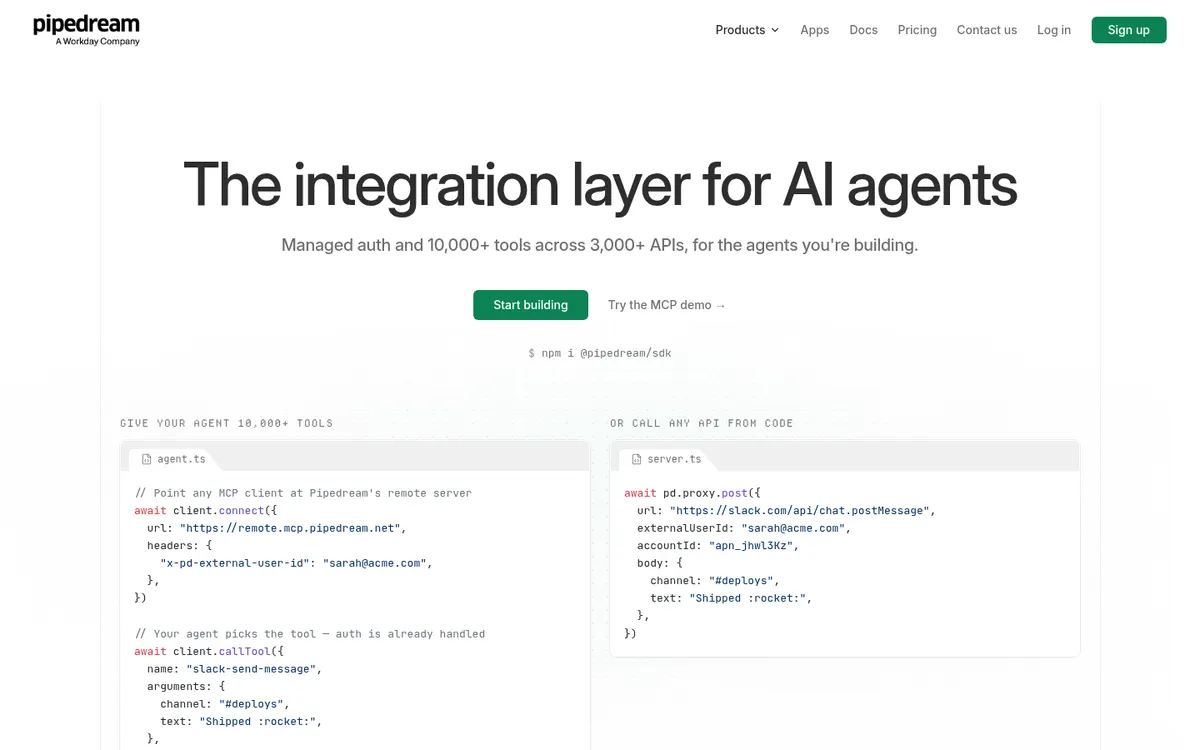
Code-first automation for developers, with real Node.js and Python, 3,000+ API actions and credit-based pricing.
Pipedream treats a workflow as code with triggers attached. Steps run Node.js, Python, Go or Bash, and any step can import a package, so a team is not limited to pre-built actions. Triggers cover HTTP requests, schedules and app events, and pre-built actions span 3,000+ APIs with managed authentication. MCP servers expose workflows to AI clients, and the component registry is source-available on GitHub.
The free plan allows development-only usage with 100 credits, three active workflows and three connected accounts. The entry price recorded here is Startup at $99 per month with 10,000 credits, while the pricing sheet also lists Basic at $29, Advanced at $49 and Connect at $99, so confirm which tier fits before signing. There is no separate trial because the free tier covers testing. Credit math needs attention at volume.
For developers this is the shortest route from an idea to a running endpoint: write the code, attach a trigger, deploy. The trade-off is audience. Non-technical teammates will struggle, and the homepage now leads with AI-agent integration rather than classic workflows, so buyers whose primary use is traditional app-to-app automation should confirm the roadmap with sales. Pricing is transparent by credit, which helps forecasting once the consumption profile is known. Teams that want a visual builder should look at Make or Zapier instead.
The strongest signal is the code-first design: developers work directly with code and API actions.
What works
- Real code in four languages
- Source-available component registry on GitHub
- Transparent credit-based pricing
What to weigh
- Developer-first design may challenge non-technical teammates
- Credit math needs attention at scale
- Homepage now emphasizes AI agents over classic workflows
Pick it if
Your team writes code and wants managed triggers, auth and 3,000+ API actions without a canvas.
Skip it if
The people maintaining automations do not write code, or you need a fixed predictable monthly bill.
Plate 10 of 10
Bardeen
Best for go-to-market teams scraping and enriching browser data
Our verdict
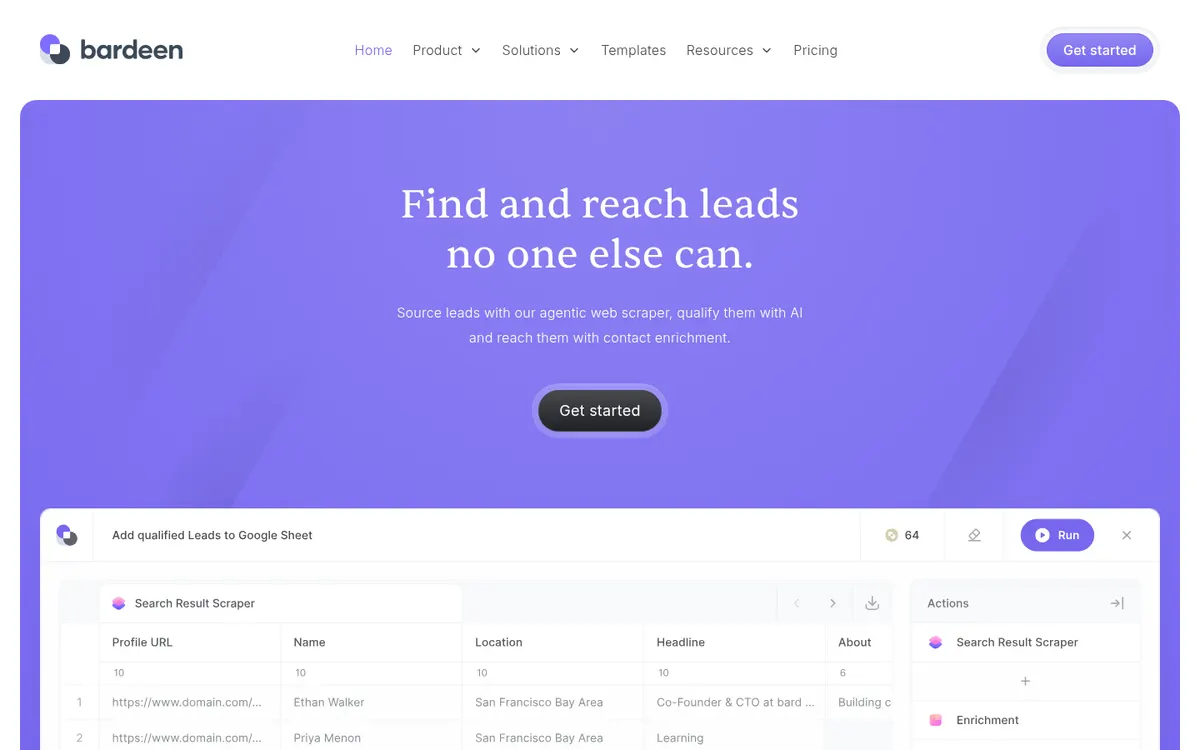
Browser-based automation for go-to-market teams, strong on scraping and enrichment, but narrow beyond the browser.
Bardeen runs in a Chrome extension and automates what is on screen. It scrapes lists from pages, enriches rows with company and contact data, and exports the result. Playbooks are described in plain language rather than built as flowcharts, and 1,000+ templates cover common tasks. CSV import and export keeps the output portable, so a team can move a scraped list into whatever system already owns the record.
Pricing is credit based. Basic is $10 per month billed monthly with 100 credits, and every user gets 100 credits per month permanently on the free tier, so there is no trial to expire. Scraping costs 1 credit per row and enrichment costs 3 credits per row; imports, exports and utilities are free. Enrichment-heavy jobs therefore burn through a monthly allowance quickly, because enrichment costs 3 credits per row before any scraping is counted.
The niche is real: plenty of valuable data sits on websites with no API, and Bardeen reaches it from a browser session a sales or recruiting team already has open. That is also the limit. Playbooks depend on page structures that change without notice, and the product does not compete with cloud platforms on app-to-app syncs, governance or audit. Budget for breakage checks and credit monitoring if scraping runs daily. Teams that need audit trails or environment separation should not start here.
Start with one playbook and one owner. Browser automation ages faster than API automation, so regular checks are cheaper than rebuilds.
What works
- Automates websites that lack APIs
- Plain-language builder with 1,000+ templates
- Published credit rules for scraping and enrichment
What to weigh
- Enrichment-heavy jobs consume credits quickly
- Depends on page structures that can change
- Narrower than cloud platforms for app-to-app syncs
Pick it if
A sales or recruiting team needs to scrape and enrich browser data without writing code.
Skip it if
You need audited, governed automation across back-office systems rather than page-level tasks.
What is process automation software, and how do the categories differ?
Process automation software moves work between systems and people without someone copying and pasting. The category covers three overlapping families, and knowing which one a vendor belongs to explains most of its pricing.
Workflow and integration platforms connect applications through APIs. Zapier, Make, n8n and Pipedream sit here: a trigger fires, steps run, records move. They are quick to start and cheap at low volume, and they stop at the edge of any system without an API.
RPA platforms drive the user interface instead. UiPath, Automation Anywhere and Microsoft Power Automate's desktop flows click and type inside applications that were never built to integrate, including fat clients and mainframes reached through a gateway. They cost more and need staff to maintain, but they reach systems no connector will ever cover.
Process and iPaaS suites sit above both. Workato governs integration across a large estate, Nintex models a process end to end, and both add audit trails that a simple Zap does not provide. Bardeen is a niche case: browser automation for scraping and enrichment. Cloud RPA and cloud workflow platforms can look similar on a feature grid and behave very differently on an invoice.
Key differences to weigh:
- Workflow tools bill per task, operation or credit; RPA bills per robot, user or hosted process.
- RPA handles screens; workflow tools handle APIs; the two can complement each other.
- Governance, audit trails and environment separation appear at the top of the market, not the entry tiers.
Code skill matters too. Zapier and Bardeen assume no programming, Make assumes comfort with logic, n8n and Pipedream assume a developer. The honest test is who will maintain the automation over time, not who can build the first version. Ask each vendor for the billing unit that maps to your own volume, whether that is a task, an operation, a credit, an execution or a robot.
This guide sits in the Software collection. Buyers weighing nearby tools often read the guides to commission software and research platforms next.
How pricing works across workflow, RPA and iPaaS tools
Four billing models cover this list, and the model matters more than the headline number. A tool that looks cheap on the entry tier can cost more than a quote-only enterprise platform once volume arrives.
| Model | How it bills | Typical fit | Example from this list |
|---|---|---|---|
| Per task or operation | Each successful action step or module run draws down an allowance | Workflow automation at low to mid volume | Zapier Professional at $19.99 per month, task tiers priced separately |
| Per credit | Rows, enrichments or actions consume a credit pool | Scraping, enrichment and mixed workloads | Bardeen Basic at $10 per month with 100 credits |
| Per execution | One charge per workflow run regardless of step count | Long multi-step workflows built by developers | n8n Starter at $20 per month billed annually with 2.5k executions |
| Per user or robot | Seats, bots or hosted processes are licensed, often yearly | Enterprise RPA and Microsoft-centric estates | Microsoft Power Automate Premium at $15.00 per user per month, paid yearly |
Free tiers and trials vary as much as prices. Zapier includes a free plan with 100 tasks per month and a 14-day Professional trial. Make offers a free plan with 1,000 credits and no time limit. n8n publishes a free self-hosted Community edition and a trial with no credit card. UiPath gives a Community edition free forever and a 60-day trial on Standard. Power Automate has no free plan but runs a 30-day trial. Pipedream and Bardeen both have free plans, and Automation Anywhere offers neither a free plan nor a trial.
The hidden cost is the unit. Tasks, operations and credits are all consumed by steps that succeed, so a workflow with many small steps is expensive on a per-step model and cheap on a per-execution model. Quote-only platforms shift cost into scoping and professional services instead. Workato, Nintex and Automation Anywhere publish no figures, so those budgets start with a sales conversation rather than a spreadsheet. Price the unit, the overage rate and the person who maintains the build, then compare.
Every price in this guide was read on the vendor's own pricing page on November 25, 2026. Where a vendor does not publish a figure we could confirm, the card says "See website" rather than a guess. For the arithmetic around this purchase, try the free Email campaign metrics calculator.
How to pick a process automation tool in six steps
Name the systems. List every application the process touches and mark which ones have an API. That single answer decides whether you need a workflow platform, an RPA tool, or both.
Pick the builder. Decide whether the people maintaining the automation will write code. If they will not, favor Zapier, Make or Bardeen; if they will, n8n and Pipedream remove the technical ceiling.
Model the volume. Estimate monthly runs and steps per run, then price both on the vendor's billing unit. A per-execution tool wins on long workflows, while a per-task tool punishes them.
Use the free path. Build one real workflow on a free plan or trial rather than watching a demo. Zapier, Make, n8n, UiPath, Pipedream and Bardeen all offer a way in without a contract.
Test governance. Ask what audit trails, role controls and environment separation exist, and whether they sit in the tier you can afford. Regulated buyers should weight this above integration count.
Price the upkeep. Add the cost of the person who fixes broken automations. Self-hosted n8n and UI-based robots need more attention than a managed cloud workflow, and that labor rarely appears on a quote.
Five mistakes that inflate automation costs
Counting connectors, not steps. A long Zap and a short Zap consume very different task volumes at the same run count. Sketch the real workflow before comparing entry prices.
Buying RPA for API work. Robots that click through screens cost more to run and maintain than an API call. If a connector exists, use the workflow tool and keep robots for the systems that lack one.
Ignoring the overage rate. Entry tiers are cheap by design. Ask what a task, operation or credit costs once the allowance runs out, because that rate sets the bill at volume.
Skipping the maintenance owner. Every automation breaks when an app changes a field or a page layout. Without a named owner, breakage is found by the business, usually after the data is already wrong.
Letting teams build ungoverned. Low-code builders invite shadow automation. Put review, naming and environment rules in place before more teams start, not after something fails an audit.
Best process automation tools 2026: questions
How is workflow automation different from RPA?
Workflow automation connects systems through APIs, so data moves without anyone touching a screen. RPA drives the user interface, clicking and typing in applications that have no API. Workflow tools are cheaper per run and easier to maintain; RPA reaches legacy and desktop software. Large organizations can run both, with APIs handled first and robots reserved for what remains.
Which tools here are workflow platforms and which are RPA platforms?
Zapier, Make, n8n, Pipedream and Bardeen are workflow tools. UiPath and Automation Anywhere are RPA platforms with AI agents layered on. Microsoft Power Automate spans both, with cloud flows for APIs and desktop flows for interfaces. Workato is an integration platform with governance, and Nintex is a process platform that includes RPA, forms and document generation.
What do entry prices look like in this category?
Published entries in this list run from $10 per month for Bardeen Basic to $99 per month for Pipedream Startup. Zapier Professional starts at $19.99, Microsoft Power Automate Premium at $15.00 per user, UiPath Basic at $25 and n8n Starter at $20 billed annually. Workato, Nintex, Automation Anywhere and Make show no figures, so those need a direct check or a sales call.
Which vendors offer free plans, trials or self-hosting?
Zapier, Make, n8n, UiPath, Pipedream and Bardeen all offer a free entry point. Trials vary: Zapier runs 14 days on Professional, Power Automate 30 days, and UiPath 60 days on Standard. n8n is the only tool here with a free self-hosted Community edition. Automation Anywhere offers neither a free plan nor a trial, and Workato and Nintex publish no free tier.
How do Zapier and Make compare?
Zapier wins on reach, with 9,000+ integrations and one task model across Zaps, AI steps and code, plus Tables and Forms in the entry plan. Make wins on shape, with a visual canvas built for routers, filters, iterators and error paths. Make's free plan carries 1,000 credits with no time limit; Zapier's carries 100 tasks. Make published no price during research.
How much coding skill does each tool need?
Zapier and Bardeen assume no programming. Make assumes comfort with logic and branching. Power Automate spans cloud flows for APIs and desktop flows for interfaces. n8n and Pipedream assume a developer, since both put code nodes at the center of the product. Workato targets business builders working under IT oversight, Nintex targets process-heavy regulated teams, and UiPath expects dedicated automation staff.