
Contents of this guide
The shortlist
Our top 3 for software buyers

Clockify
Free tier breadth
- Best for
- Freelancers and small teams wanting capable free time tracking
- Features
- 4 noted: Kiosk mode, Free for 5, Billable rates, QuickBooks sync

Toggl Track
Low-friction timer
- Best for
- Small knowledge-work teams wanting a polished, fast timer
- Features
- 4 noted: One-click timer, No surveillance, 3 free users, Billable rates

Harvest
Client-ready invoices
- Best for
- Small consultancies and agencies billing clients for time
- Features
- 4 noted: Client invoices, Budget reporting, Xero and Stripe, Capacity reports
Disclosure for this guide. All 9 tools here are unpaid editorial picks. The position of a paid listing can be part of what the vendor pays for. Paid and unpaid tools are scored on the same rubric and keep their cons. Details are in the advertising disclosure.
The ledger
Index of every tool
| Tool | Free plan | Trial | Rubric | Compare | ||
|---|---|---|---|---|---|---|
| 01 | ClockifyFreelancers and small teams wanting capable free time tracking | $3.99Basic, per seat per month, billed annually, $4.99 month to monthChecked Nov 25, 2026 | Yes, up to 5 users | 7-day Pro trial, no card required | ||
| 02 | Toggl TrackSmall knowledge-work teams wanting a polished, fast timer | $9Starter, per user per month, billed annuallyChecked Nov 25, 2026 | Yes, up to 3 users | 30-day trial | ||
| 03 | HarvestSmall consultancies and agencies billing clients for time | $9Teams, per seat per month, billed annually, $108 per seat per yearChecked Nov 25, 2026 | Yes, 1 seat and 2 projects | 30-day free trial, no credit card | ||
| 04 | QuickBooks TimeField-service and hourly teams already running QuickBooks | $20Time Premium, per month base fee plus $10 per user per month, base includes 1 adminChecked Nov 25, 2026 | No | 30-day free trial | ||
| 05 |  HubstaffSmall businesses managing remote staff with payroll needs | $4.99Starter, per seat per month, 2 seat minimum, billed annuallyChecked Nov 25, 2026 | No | 14-day free trial, no credit card required | ||
| 06 |  DeputyShift-based small businesses such as cafes, retail and healthcare | $5Lite, per user per month, billed annually, save 10%, taxes excludedChecked Nov 25, 2026 | No | 31-day free trial, no card required | ||
| 07 |  HomebaseRestaurants, retail shops and salons with hourly teams | FreeBasic, per location per month, 1 location up to 10 employeesNot published | Yes, Basic for 1 location up to 10 employees | 14-day All-in-One trial, no credit card | ||
| 08 |  EverhourAgencies and project teams working inside Asana, ClickUp or Jira | $8.50Team, per seat per month, billed yearly, minimum 5 seatsChecked Nov 25, 2026 | Yes, up to 5 seats | 14-day trial of all features | ||
| 09 |  Time DoctorSmall businesses with remote teams needing productivity visibility | $6.67Basic, per user per month, billed annually, $8 month to monthChecked Nov 25, 2026 | No | 14-day free trial, no card required |
Prices are the lowest paid plan the vendor shows, read on November 25, 2026. Sort by price ranks published monthly figures; tools without one go last. Pin up to three tools to compare them side by side.
How this guide was put together
Every tool here was scored against five criteria that matter to a small business buyer, not to an enterprise procurement team. Free plan value asks how much you get before paying, because a five-person business can sometimes run entirely free. Entry price compares the cheapest paid seat against the work that seat covers. Time capture covers timer speed, kiosk and mobile entry, and whether people will keep using it. Billing and payroll looks at invoices, billable rates, budgets and whether pay runs happen inside the tool. Team fit weighs the shape of the workforce: desk, shift or field.
The weights are not equal. Entry price and billing and payroll carry 22 percent each, because cost per seat and getting paid are what small businesses ask about first. Time capture takes 20, free plan value 18 and team fit 18.
Prices come from each vendor's own pricing pages, checked on November 25, 2026. Where a vendor publishes both monthly and annual rates, both are noted. Currency stays exactly as the vendor publishes it and is never converted. Plan names, seat minimums and add-on charges are reported as given, because those move more often than headline prices.
The order is editorial. It reflects how well each tool fits the specific buyer described in its entry, not a calculated total. Any Featured placement in this list is a paid position, scored with the same rubric and carrying the same kind of cons as every other entry.
Two limits worth stating: we did not run every tool on a live team for months, and we did not repeat vendor claims about accuracy or adoption. Features and limits are as published.
The full process, including how we handle corrections, is on the methodology page. Paid listings follow the advertising disclosure.
Rubric and weights
Every tool below is scored from 1 to 10 on these five criteria. The scores describe each tool; the order is an editorial call on fit for the buyer each card describes, plus the disclosed Featured position.
- 18%Free plan valueHow much tracking, reporting and headcount a business gets before paying anything at all.
- 22%Entry priceWhat the cheapest paid seat costs measured against the work that seat actually covers.
- 20%Time captureTimer speed, kiosk and mobile entry, and how easily hours get recorded in daily use.
- 22%Billing and payrollInvoices, billable rates, budgets, and whether pay runs happen inside the tool or beside it.
- 18%Team fitHow well the tool matches desk, shift or field work and the headcount that comes with it.
Plate 01 of 09
Clockify
Best for freelancers and small teams wanting capable free time tracking
Our verdict
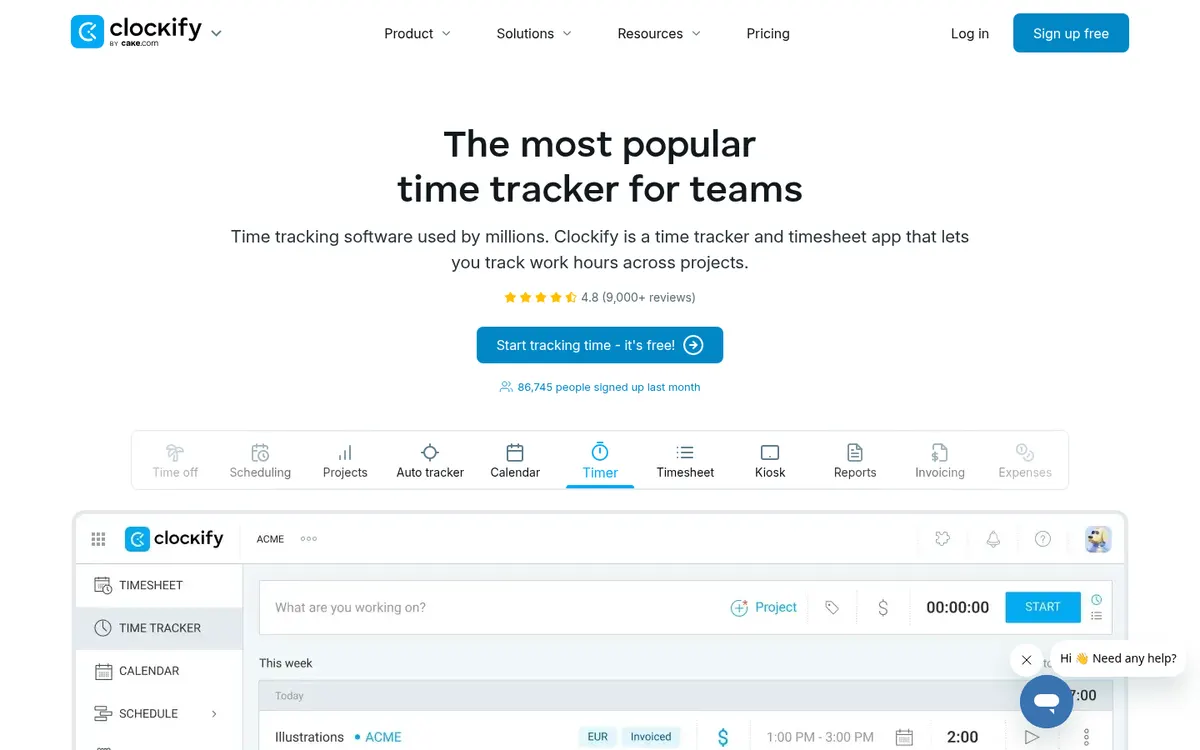
The cheapest capable option here: a free tier for 5 users and paid seats from $3.99, though invoicing costs more.
Clockify gives away more time tracking than any other tool on this list. The free tier allows up to 5 users, and inside that cap you get unlimited time entries, projects and clients, plus timers, manual entry, calendar-style entry and reporting dashboards. That combination covers most freelancers and small teams without a payment. The cap arrived in April 2026, so anyone planning headcount growth should assume a paid seat sooner rather than later.
Paid tiers run Basic at $3.99 per user per month on annual billing ($4.99 month to month), Standard at $5.49 and Pro at $7.99. Basic adds billable rates and project templates. Standard brings invoicing, time off and the QuickBooks integration. Pro adds scheduling, expenses and GPS. If you only need timers and reports, Basic is enough, and it is the lowest paid entry point in this comparison.
Kiosk mode is the feature that separates Clockify from other general-purpose trackers. A shop, workshop or site office can leave a shared terminal running and let staff clock in and out without individual devices. That is a different job from a knowledge worker tapping a desktop timer, and few tools at this price cover both.
The trade-offs are real. Invoicing, GPS and profitability reporting all sit above the entry tier, so the $3.99 headline understates the cost of a billing workflow. A team that needs client invoices generated from tracked hours pays $5.49 or more per seat. Reporting is capable but plainer than Toggl Track's, and the interface is denser than a dedicated timer.
Pick it for free-tier breadth and kiosk clock-ins. Skip it if you need invoice automation from the cheapest tier.
What works
- Free tier covers unlimited projects, timers and reporting for 5 users
- Lowest paid entry point in this comparison at $3.99 per seat
- Kiosk mode suits shared terminals in shops and on sites
What to weigh
- Free plan capped at 5 users since April 2026
- Invoicing, GPS and profitability reporting sit on higher tiers
Pick it if
You want capable time tracking for a small team at little or no cost.
Skip it if
Client invoicing from tracked hours is your first requirement.
Plate 02 of 09
Toggl Track
Best for small knowledge-work teams wanting a polished, fast timer
Our verdict
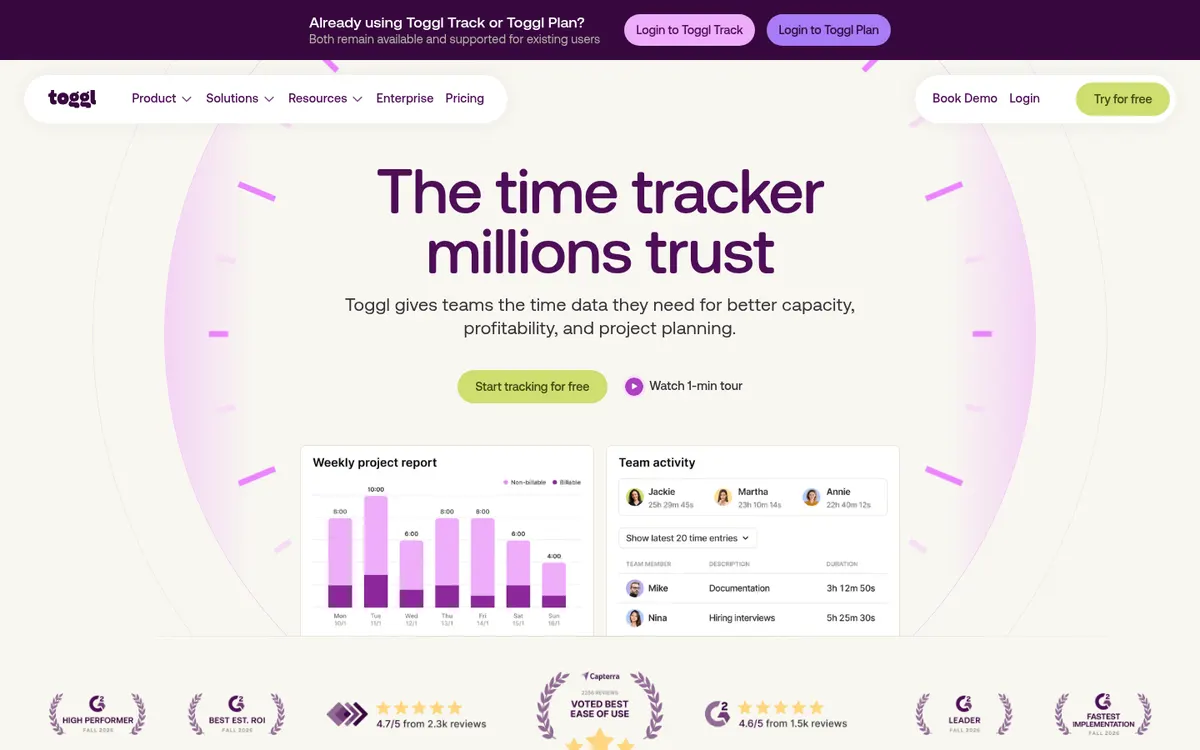
The fastest timer in the pack, priced above rivals but backed by a public no-surveillance policy and a 30-day trial.
There is no faster timer in this comparison. Start it on the desktop app or the phone, the entry begins immediately, and you sort the work into projects, tags and clients afterwards. Toggl Track keeps the whole surface light, which is why small knowledge-work teams tend to stay with it when heavier tools get abandoned after a month.
The free plan covers up to 3 users. Paid tiers start at $9 per user per month on annual billing for Starter, which adds billable rates. Premium runs at $16 per user per month on annual billing and adds labor costs, profitability and SSO. A 30-day trial gives you the longest evaluation window here, and it opens Premium features rather than the base tier.
The company publishes a no-surveillance policy that rules out screenshots, keystroke logging, location tracking and webcam capture. For a small business hiring remote staff or contractors, that commitment is something you can show people rather than a line buried in a security page. It also makes the tool easy to defend if a candidate asks what the software records.
Price is the weak spot. Starter matches Harvest at $9, but Toggl costs more than Clockify at every tier, and Premium at $16 per user per month is the highest per-seat rate on this list. Introductory Premium discounts for a first year renew at the full rate, so budget the renewal number rather than the promotional one. The product line was unified in 2026, so confirm what each plan contains at signup.
Pick it if timer speed and a no-monitoring stance matter more than the lowest price. Skip it if you need client invoicing out of the box.
What works
- Fastest, lowest-friction timer experience in the pack
- Public policy ruling out screenshots, keystrokes and webcam capture
- 30-day trial is the longest here
What to weigh
- Costs more than competitors at every tier
- First-year Premium discounts renew at the full $16 rate
Pick it if
Your team lives in a timer all day and you want no monitoring features anywhere in the product.
Skip it if
The lowest per-seat price is the deciding factor.
Plate 03 of 09
Harvest
Best for small consultancies and agencies billing clients for time
Our verdict
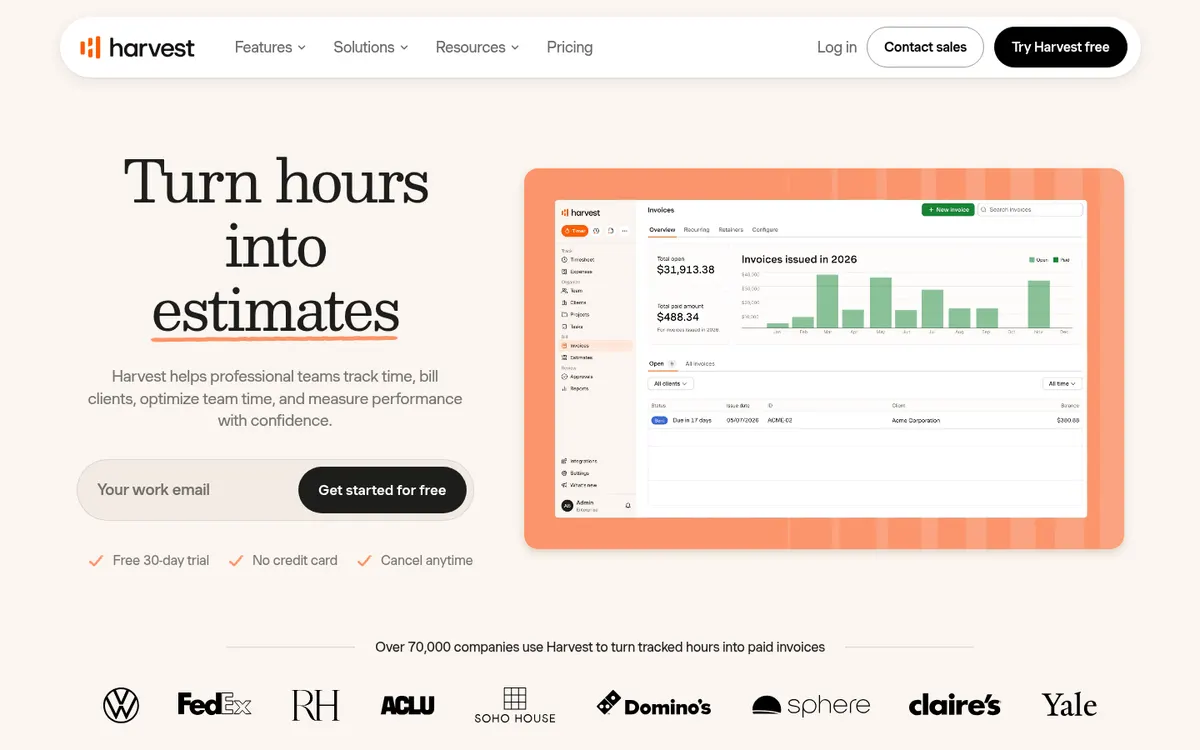
Best for agencies that invoice clients, since tracked hours turn into invoices, but every person logging time needs a seat.
Harvest is built around one loop: track hours against a project, then send an invoice that reflects them. The invoice output is detailed and client-facing without extra configuration, which is why small consultancies and agencies gravitate to it. Timers attach to projects and tasks, budget and capacity reporting shows where hours are heading, and QuickBooks, Xero and Stripe integrations close the accounting loop.
Pricing is per seat. The Teams plan is $9 per seat per month on annual billing, which works out at $108 per seat per year. The free plan is thin: 1 seat and 2 projects, enough to test the workflow but not to run a team on. The 30-day trial needs no credit card, which gives you a month to put real invoice formats in front of real clients before committing.
Every person who logs time needs a paid seat, so cost scales directly with headcount. That is fine for a five-person agency and awkward for a business where only three of twelve people track billable hours. Enterprise adds approvals, profitability reporting and SSO at $14 per seat per month on annual billing. Forecast, the resource planning add-on, costs $5 per person per month extra. Usage fees can apply beyond plan allowances for invoices, projects and clients, so read the allowances before treating the seat price as the whole bill.
The tool is narrower than a general tracker. There is no kiosk mode, no GPS and no monitoring, which is the right call for client work and the wrong one for a field crew. Reporting leans toward utilization and budget rather than productivity scores.
Pick it if client invoicing is the reason you track time. Skip it if you need cheap seats across a large team.
What works
- Client-ready invoices generated from tracked hours
- 30-day trial with no card required
- Solid QuickBooks, Xero and Stripe integrations
What to weigh
- Every person tracking time needs a paid seat
- Forecast resource planning costs $5 per person per month extra
- Extra invoices, projects and clients can add usage fees
Pick it if
You bill clients by the hour and want invoices to fall out of tracked time.
Skip it if
Only a few of your staff track time and you want to pay for those seats only.
Plate 04 of 09
QuickBooks Time
Best for field-service and hourly teams already running QuickBooks
Our verdict
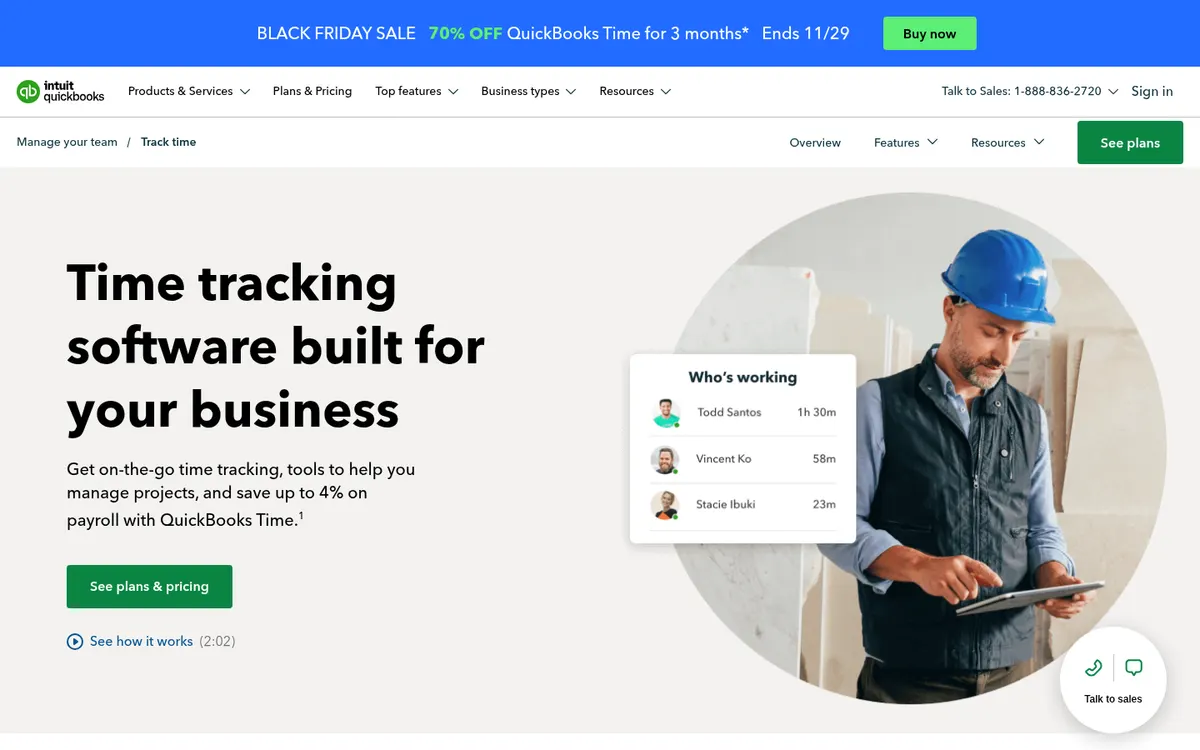
Geofenced clock-ins and payroll sync for Intuit users, at a base-plus-user price that only makes sense inside that ecosystem.
QuickBooks Time is a field-service tool that happens to sit inside the Intuit family. GPS tracking and geofencing verify where a clock-in happens, mobile capture lets crews log hours from a phone, and approvals keep questionable entries from reaching payroll. Scheduling and time off arrive on Premium, while project progress tracking and timesheet signatures sit on Elite. Payroll and accounting sync with QuickBooks.
The pricing structure is a base fee plus per-user charges: Time Premium is $20 per month as a base, including 1 admin, plus $10 per user per month. There is no free plan and no free tier to fall back on. A 10-person team lands near $158 per month before payroll costs, which is steep next to per-seat tools at $5 to $9. A 30-day free trial lets you test the workflow first.
The requirement that stings is the separate QuickBooks Online subscription. The value case only works if you already run Intuit accounting or payroll. Outside that ecosystem you pay a premium for integration you cannot use, and you inherit a heavier interface than the job needs.
For a plumbing company, cleaning crew or construction outfit whose staff move between sites, the geofencing check is worth more than a polished timer. For a desk-based team, it is dead weight and an unnecessary cost line. The product was formerly known as TSheets, so older documentation may use that name. Base and per-user pricing is reported as current as of late 2026 and should be confirmed on the vendor page before you budget.
Pick it if Intuit accounting and site-based staff are already part of your week. Skip it if everyone works from a laptop.
What works
- GPS and geofencing verify where staff clock in
- Deepest payroll and accounting link for Intuit users
- Approvals and scheduling bundled on Premium
What to weigh
- Requires a separate QuickBooks Online subscription
- Base plus per-user stacking gets expensive at scale
- Weak value for teams outside the Intuit ecosystem
Pick it if
You run QuickBooks and need to confirm staff are on site when they clock in.
Skip it if
You do not use QuickBooks or your team never leaves a desk.
Plate 05 of 09
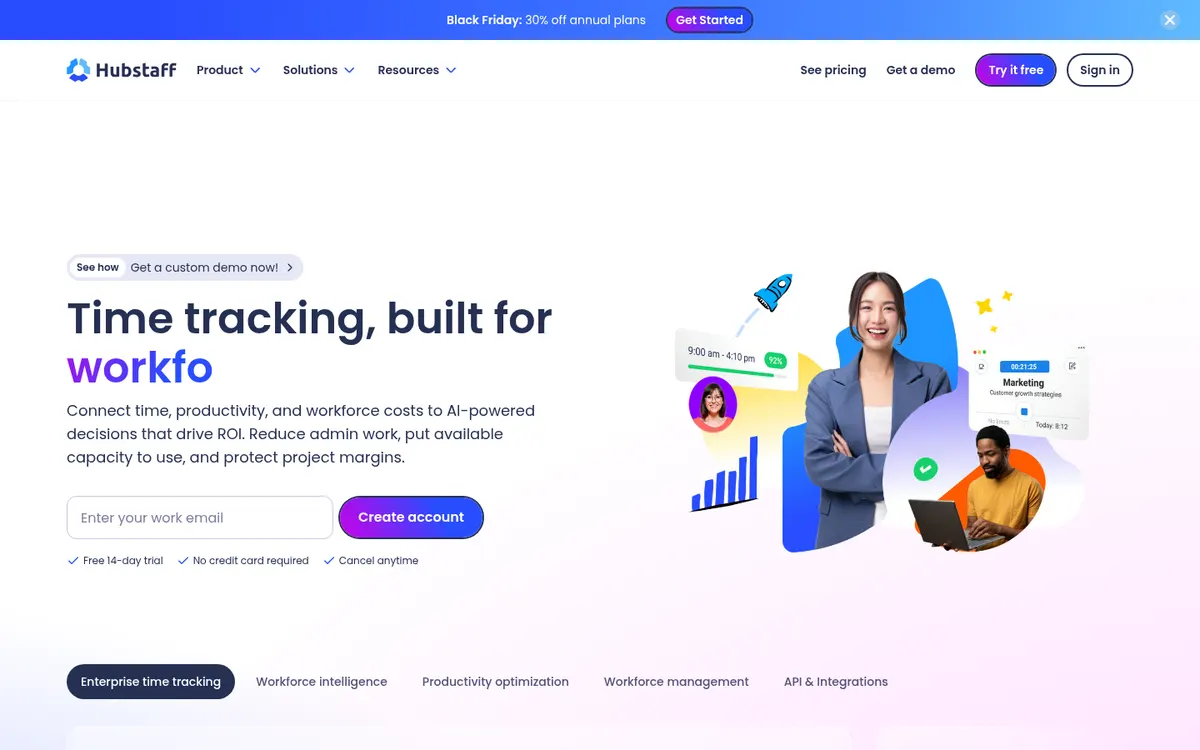
Hubstaff
Best for small businesses managing remote staff with payroll needs
Our verdict
Proof-of-work monitoring and in-tool contractor payments, with a 2 seat minimum and add-ons that raise the real price.
Hubstaff is the tool you buy when you need evidence that work happened, not just a record of hours. Optional screenshots and activity rates show what a remote contractor was doing, keyboard and mouse activity levels are measured without logging keystrokes, and timesheets roll into reporting. For a small business managing people it rarely sees in person, that is the core value.
The unusual part is payroll. Hubstaff runs contractor payments natively through Wise, PayPal, Gusto and Payoneer, so paying people happens inside the same tool that measures their time rather than in a spreadsheet beside it. More than 30 integrations open up on higher tiers.
Starter is $4.99 per seat per month billed annually, with a 2 seat minimum. That minimum raises the floor for a solo owner: you cannot buy a single seat at any price. There is no free plan, though a 14-day trial needs no credit card. Tasks, Insights and additional screenshots cost $2.50 each as add-ons, and stacking two or three on a Starter seat changes the effective price quickly. Check what your tier includes before comparing the headline number against a per-seat rival.
The monitoring posture is a management decision as much as a software one. Screenshots and activity scores can build confidence with contractors who expect to be measured, or corrode it with employees who were never told. Write the policy before you switch the features on, and decide who reviews the output.
Pick it if you pay remote contractors and want time and payment in one place. Skip it if your team is two people or reacts badly to monitoring.
What works
- Screenshots and activity rates help with remote contractors
- Contractor payroll runs inside the tool
- Broad integration list on upper tiers
What to weigh
- Two-seat minimum raises the floor for solo users
- $2.50 add-ons inflate the effective price on lower tiers
Pick it if
You manage remote contractors and want hours and payments in one place.
Skip it if
A single seat or an unmonitored team is non-negotiable.
Plate 06 of 09
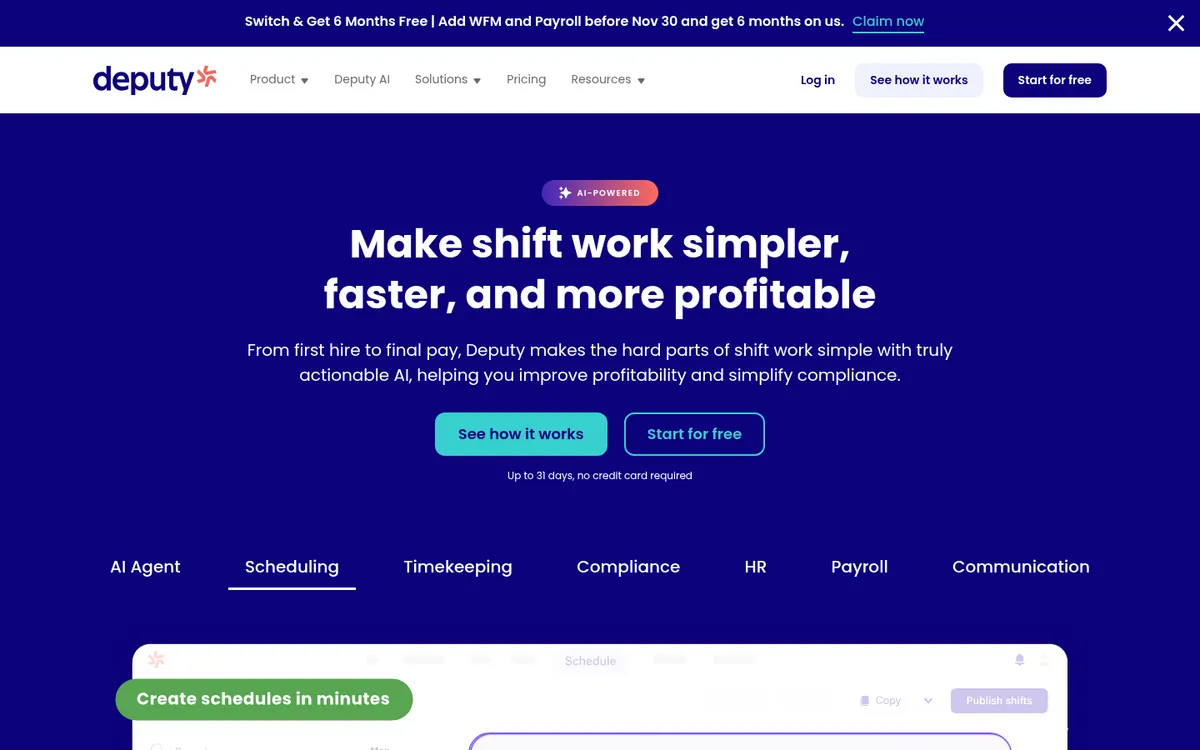
Deputy
Best for shift-based small businesses such as cafes, retail and healthcare
Our verdict
Scheduling and attendance depth for shift teams, from $5 per user, with payroll and HR sold separately and a $30 monthly minimum.
Deputy solves scheduling and attendance for shift-based businesses rather than project-based ones. A cafe, clinic or retail floor needs to know who is on at 7am, whether the wage budget holds, and whether the person who clocked in is the person scheduled. Auto-scheduling and demand forecasting answer the first question, wage budget tracking the second, and biometric clock-ins the third.
The Lite plan is $5 per user per month billed annually, with a 10% saving for annual payment and taxes excluded. There is no free plan, but a 31-day trial needs no card, which is long enough to run a full rota cycle and see whether forecasting matches your actual trade. Payroll is an add-on at $5 or $8 per user per month depending on the tier, and HR runs from $2 to $3.50. Core with both add-ons works out around $17.25 per user per month, so the $5 headline is a starting point rather than the full cost.
Watch the minimum invoice. A $30 monthly minimum bites very small teams: three users on Lite at $5 is $15, and you still pay $30. The labor-law compliance tooling is aimed at employers with real scheduling regulation to satisfy, which is a different market from a five-person design studio. For a seasonal operation, the flexible weekly pricing helps keep cost in step with headcount.
For desk-only knowledge teams, Deputy is overkill. It records time, but it does not track project budgets, billable rates or client invoices, and it was never built to.
Pick it if your week is built on shifts, rotas and clock-ins. Skip it if everyone works the same hours on the same projects.
What works
- Scheduling depth with auto-scheduling and demand forecasting
- Biometric clock-ins and labor compliance tooling
- 31-day trial with no card required
What to weigh
- Payroll and HR are paid add-ons on top of the base plan
- $30 monthly minimum invoice affects very small teams
- Overkill for desk-only knowledge teams
Pick it if
You schedule hourly staff across shifts and need to verify attendance.
Skip it if
You bill clients for project hours rather than cover a rota.
Plate 07 of 09
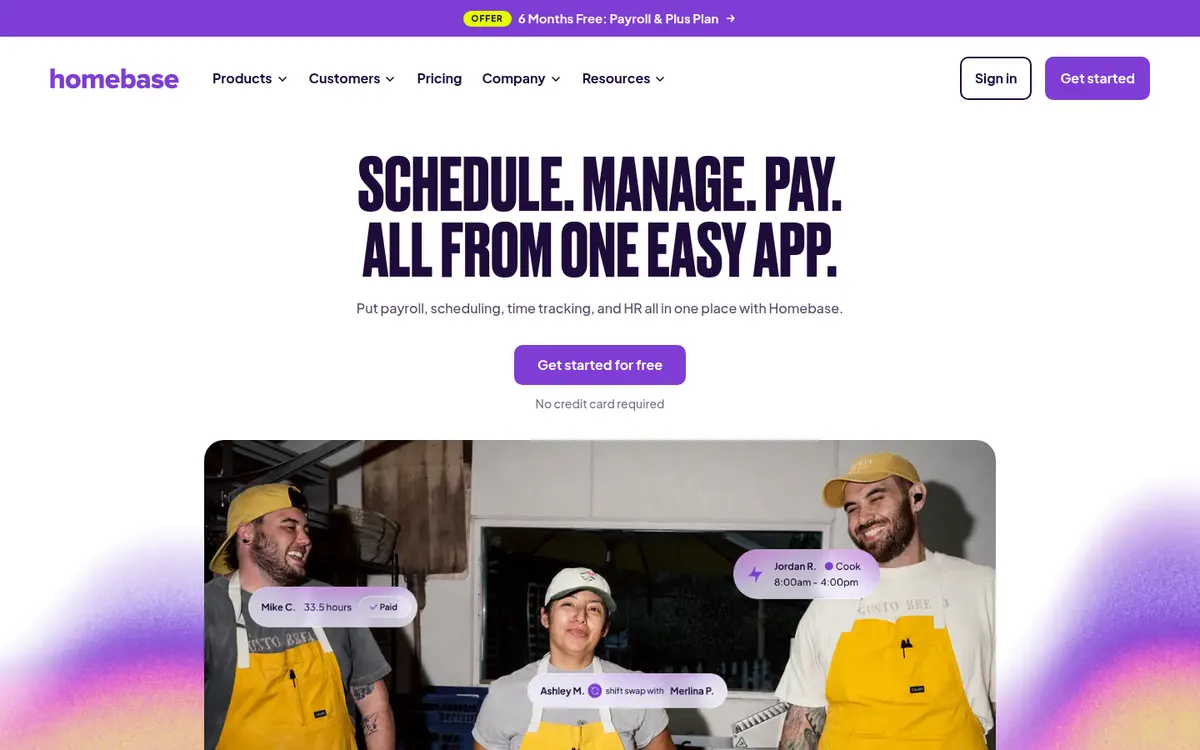
Homebase
Best for restaurants, retail shops and salons with hourly teams
Our verdict
Per-location pricing that suits one or two hourly sites, with free scheduling and a time clock for up to 10 employees.
Homebase prices by location rather than by seat, which changes the math for a single-site small business. The Basic plan is free for 1 location up to 10 employees and includes scheduling, a time clock and team messaging. A 20-person restaurant on a paid tier pays for the site rather than for each person, so headcount growth costs nothing extra as long as it stays on one site.
Paid tiers show $30, $70 and $120 per location per month, and a 14-day All-in-One trial needs no credit card. Payroll is an add-on at $49 plus $6 per employee, with unlimited payroll runs and multi-state filings included. POS integrations matter for retail and food service, where sales data and labor hours need to sit in the same report at the end of a shift.
The per-location model rewards single or dual-site operators and penalizes chains. Two locations double the bill even when one is half the size of the other, and a ten-site group pays ten times the base. Compare that against per-seat tools before assuming flat pricing wins: at 40 employees on one site it wins easily, at three sites with 8 people each it may not.
Feature depth is modest. Time tracking here is a clock-in and timesheet tool, not a project tracker, and reporting is built around labor cost rather than billable utilization. There is no GPS story, no client invoicing and no project budgets, so an agency should look elsewhere.
Pick it if you run one or two hourly locations and want free scheduling plus a time clock. Skip it if you bill clients by the hour.
What works
- Per-location pricing covers unlimited team members
- Free plan includes scheduling, time tracking and messaging
- Payroll add-on supports unlimited runs
What to weigh
- Per-location pricing gets costly across several sites
- Weak fit for project-based knowledge teams
Pick it if
You run one or two sites with hourly staff and want a free starting point.
Skip it if
You operate multiple locations or need project budgets.
Plate 08 of 09
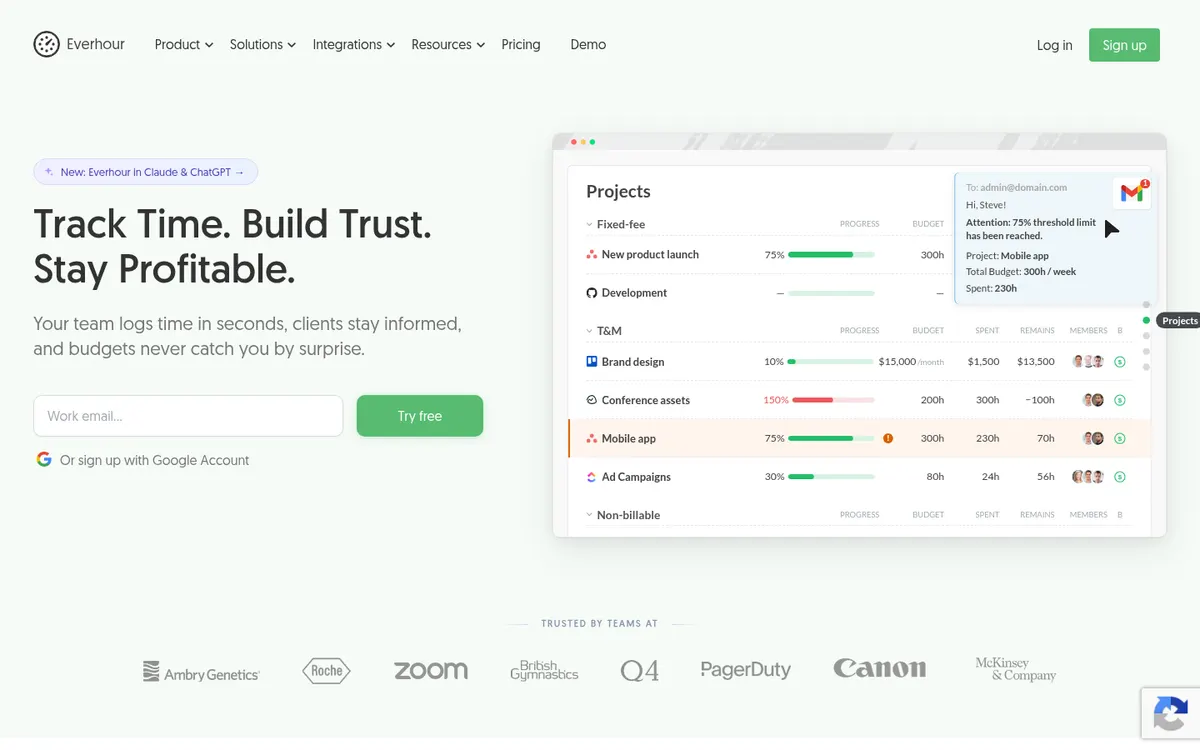
Everhour
Best for agencies and project teams working inside Asana, ClickUp or Jira
Our verdict
One plan, every feature, and hours logged inside Asana, ClickUp or Jira, held back by a 5 seat minimum and manual timers.
Everhour is a time tracking layer that lives inside the project tool you already use. Hours are logged against tasks in Asana, ClickUp, Trello, Jira and Notion, which means nobody maintains a second list of projects in a separate tracker. For agencies and project teams, that removes the most common reason time tracking quietly stops after three weeks.
One paid plan covers everything: billable rates, budget alerts, native invoicing, profitability reporting, and unlimited projects, reports and integrations. There is no tier juggling and no feature held back for an upgrade, which makes budgeting simple. Team pricing is $8.50 per seat per month billed yearly, with a minimum of 5 seats. A 14-day trial opens all features, and the free tier covers up to 5 seats with unlimited tracking, projects, reports and integrations.
The catch is context. Everhour has little standalone value for a team that does not already run a project management tool: the embedding is the product. Timers are also manual, with no automatic background tracking, so starting a timer sits with each person. If the team forgets, the reports are only as good as the habit, and budget alerts arrive too late to be useful.
The 5 seat minimum means a three-person studio pays for five seats, a small but real premium over the headline rate. Test the free tier first, since it covers 5 seats and demonstrates whether the embedding works with your setup.
Pick it if your projects already live in Asana, ClickUp, Jira, Trello or Notion. Skip it if you want a standalone tracker with automatic capture.
What works
- One paid plan includes every feature, no tier decisions
- Deepest native embedding in project management tools
- Budget alerts and profitability reporting included
What to weigh
- Five-seat minimum on the paid plan
- No automatic background tracking, timers are manual
Pick it if
Your team already works inside Asana, ClickUp, Jira, Trello or Notion.
Skip it if
You need a tracker that stands alone or records time automatically.
Plate 09 of 09
Time Doctor
Best for small businesses with remote teams needing productivity visibility
Our verdict
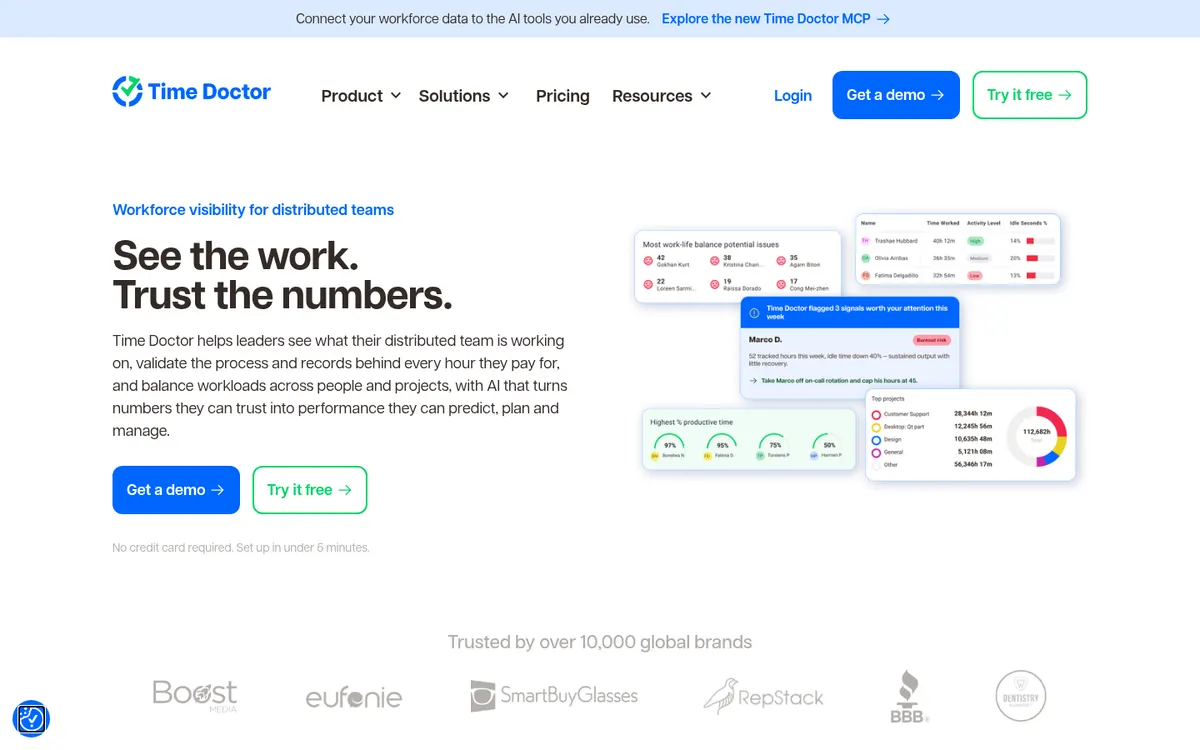
Monitoring-first time tracking with screenshots on the base plan, cheap per seat but a heavy posture for trust-sensitive teams.
Time Doctor is the most monitoring-heavy option here, and it prices accordingly. The Basic plan at $6.67 per user per month on annual billing ($8 month to month) already includes screenshots and activity monitoring, features that competitors either charge extra for or refuse to offer. Unusual-activity reports and work-life-balance metrics round out a product built for employers who want visibility into remote work rather than a tidy timesheet.
Standard is $11.67 and Premium $16.70 per user per month on annual billing, and annual payment effectively gives two months free. Standard adds web and app usage tracking, payroll and scheduling. Premium adds video screen recording. More than 60 integrations include payroll connections on Standard. A 14-day free trial needs no card, and there is no free plan at any tier.
The monitoring posture is the decision, not a detail. Toggl Track publicly rules out screenshots and keystroke logging; Time Doctor makes screenshots a headline feature. Neither choice is wrong for every business, but it affects hiring and retention as much as reporting. Document what you collect and who reviews it before rollout, and say so in the job ad.
Price jumps between tiers are steep: moving from Basic to Premium more than doubles the per-seat rate. Map the features you actually need before choosing a tier, because the base plan is not a cheap way to sample the top one. For a five-person team comparing against Clockify at $3.99, the difference is real money each month.
Pick it if oversight of remote output justifies heavier monitoring. Skip it if a no-monitoring policy is something you promise staff.
What works
- Monitoring features start on the cheapest plan
- Unusual-activity and work-life-balance reporting is uncommon here
- More than 60 integrations, with payroll on Standard
What to weigh
- No free plan
- Large price jumps between tiers
- Heavier monitoring posture than rivals
Pick it if
You need screenshots and activity data on remote staff from day one.
Skip it if
Your team would react badly to monitoring or you need a free tier.
What does small business time tracking software actually do?
Time tracking software for a small business records hours against something: a project, a client, a task or a shift. That single sentence hides four different products, and buying the wrong one wastes money every month. The differences matter more than the feature lists suggest.
General-purpose timers record hours and produce reports. Clockify and Toggl Track sit here, with per-seat pricing, free tiers and enough breadth to cover a team that bills some work and not the rest.
Billing tools turn hours into money. Harvest and Everhour attach rates to hours, watch budgets and generate invoices. If your revenue depends on proving hours to a client, buy here rather than bolting on invoicing later.
Shift and attendance tools schedule people and verify who turned up. Deputy and Homebase handle rotas, clock-ins and labor cost. They record hours, but their real job is covering a rota without gaps.
Monitoring tools measure how work happened. Hubstaff and Time Doctor add screenshots and activity rates, which is a management choice before it is a software choice.
Three things to check before you compare prices:
- The headcount cap on the free plan, since five users is a common ceiling
- Whether invoices, billable rates or payroll sit in the base plan or an upgrade
- Whether entry uses a desktop timer, a shared kiosk or a phone with GPS
A fourth check is contractual rather than technical: what data the tool collects about people and who can see it. A no-surveillance policy and a screenshot policy are both legitimate products, but staff should know which one they are working under before the first timesheet lands.
Most small businesses overbuy here. A five-person consultancy needs timers, rates and invoices, and nothing else in this category solves a problem it has. A twelve-person cafe needs scheduling and a time clock, and gets no value from project budgets. Decide which of the four products you are buying, and the shortlist drops to two or three tools quickly.
This guide sits in the Software collection. Buyers weighing nearby tools often read the guides to commission software and research platforms next.
How per-seat, per-location and base-plus-user billing compare
Time tracking for small business is billed in five ways, and the structure usually matters more than the headline number. A $5 per seat plan with a 2 seat minimum costs more than a $9 plan without one when you are a team of one. Compare billing models before you compare per-seat prices.
| Model | How it bills | Typical fit | Example from this list |
|---|---|---|---|
| Per seat, tiered | A charge for each user, with features unlocking by tier | Teams that grow slowly and add billing features later | Clockify at $3.99 per user per month on Basic, billed annually |
| Per seat, single plan | One price per user with every feature included | Teams that want no tier decisions | Everhour at $8.50 per seat per month billed yearly, 5 seat minimum |
| Base fee plus per user | A fixed monthly base plus a charge for each person | Field teams where one admin sets up the account | QuickBooks Time at $20 base plus $10 per user per month |
| Per location | A flat charge per site, headcount included | Restaurants, shops and clinics on one or two sites | Homebase paid tiers at $30, $70 and $120 per location per month |
| Free tier with paid upgrades | No charge under a user cap, paid above it | Freelancers and very small teams | Clockify free for up to 5 users, Toggl Track free for up to 3 |
Annual billing is the default in this category. Most vendors quote the annual rate and charge more month to month: Clockify Basic is $3.99 annually against $4.99 monthly, and Time Doctor Basic is $6.67 annually against $8 monthly. Paying annually also makes minimums and add-ons harder to reverse later.
Watch the floor. Hubstaff requires 2 seats, Everhour requires 5, Deputy invoices a $30 monthly minimum, and QuickBooks Time charges a $20 base before any user is added. A small team pays those whether or not the work exists.
Then watch the add-ons. Hubstaff charges $2.50 for Tasks, Insights or extra screenshots. Deputy sells payroll at $5 or $8 per user and HR from $2 to $3.50. Harvest charges $5 per person for Forecast, and Homebase payroll is $49 plus $6 per employee. The base plan is rarely the final bill.
Deputy's listed prices exclude taxes. Prices stay in the currency each vendor publishes and should be confirmed on the vendor pricing sheet before you budget.
Every price in this guide was read on the vendor's own pricing page on November 25, 2026. Where a vendor does not publish a figure we could confirm, the card says "See website" rather than a guess. For the arithmetic around this purchase, try the free Email campaign metrics calculator.
How to choose in six steps
Count the people who log time. Not headcount: the people who will actually open a timer or clock in. Seat minimums at Hubstaff and Everhour key off this number, and it decides whether a free tier is enough.
Name the output you need. A timesheet, a client invoice, a payroll export or a rota. Harvest and Everhour exist to produce invoices, Deputy and Homebase to cover shifts, Clockify and Toggl Track to record hours and report on them.
Decide your monitoring stance. Screenshots, activity rates and GPS are features you choose, not defaults you inherit. Hubstaff and Time Doctor lead with them, Toggl Track publicly rules them out, and staff should hear the policy from you first.
Test the free tier or trial against real work. Clockify's free plan covers 5 users, Homebase's covers one location up to 10 employees, and trials run from 7 days at Clockify to 31 at Deputy. Run a real invoicing or rota cycle, not a demo.
Total the add-ons and minimums. Add payroll, HR, Forecast resource planning, extra screenshots and any monthly minimum invoice to the per-seat rate. Deputy's $5 Lite price reaches roughly $17.25 with both add-ons attached.
Check the integrations you already depend on. QuickBooks, Xero, Stripe, Gusto, Asana, Jira and Notion all appear here, but often on specific tiers. Harvest includes QuickBooks and Xero on Teams, while Clockify puts QuickBooks on Standard.
Five buying mistakes to avoid
Buying shift software for project work. Deputy and Homebase are excellent at rotas and clock-ins and do not track project budgets. A design studio that buys them gains scheduling it never uses and loses the billable rates it needs.
Assuming the free tier will hold. Clockify capped its free plan at 5 users in April 2026. Caps move, so check the current limit before you build a workflow or a hiring plan on top of it.
Comparing headline prices only. A $5 seat with a $30 monthly minimum, or a $4.99 seat with 2 seats required and $2.50 add-ons, is not cheaper than a $9 seat. Total the actual bill for your headcount.
Ignoring the payroll path. Time tracking that stops at a timesheet leaves someone re-entering hours into payroll by hand. Decide whether you need native pay runs, an add-on, or a clean export.
Switching on monitoring without a policy. Screenshots and activity rates change how a team behaves, and they are hard to withdraw once people expect them. The decision belongs to you, not to a default setting.
Best Time Tracking Software for Small Business 2026: questions
How many users does each free plan allow?
Free user caps vary widely. Clockify allows up to 5 users with unlimited projects, timers and reporting, Everhour covers up to 5 seats, Toggl Track caps at 3, and Harvest gives 1 seat and 2 projects. Homebase works differently: its free Basic plan covers 1 location up to 10 employees. QuickBooks Time, Hubstaff, Deputy and Time Doctor have no free plan at all.
Which tool fits simple timesheets, client billing or shift work?
Match the tool to the job. Clockify and Toggl Track handle simple timesheets and reporting, with Clockify cheaper and Toggl faster to use. Harvest and Everhour suit client billing, since invoices, billable rates and budget alerts come with the base plan. Deputy and Homebase are built for shift work, with rota scheduling and clock-in verification rather than project budgets.
What does paid time tracking cost per user per month?
Entry prices here run from $3.99 per seat per month to a $20 monthly base fee plus $10 per user, and the structure matters as much as the number. Clockify Basic is $3.99 per seat annually, Hubstaff $4.99 with a 2 seat minimum, Deputy $5, Time Doctor $6.67, Everhour $8.50 with a 5 seat minimum, and Toggl Track and Harvest both $9. QuickBooks Time is $20 base plus $10 per user.
Do desk-based teams need GPS and geofencing clock-ins?
No. GPS and geofencing exist to confirm that a field worker clocked in at a job site, which is a problem desk teams do not have. On QuickBooks Time those features sit inside a $20 base plus $10 per user structure, and Clockify reserves GPS for its Pro tier. A desk team pays for location tracking it will never switch on.
Which trackers run payroll and which only integrate with payroll tools?
Hubstaff runs contractor payroll natively through Wise, PayPal, Gusto and Payoneer. Homebase sells payroll as an add-on at $49 plus $6 per employee, with unlimited runs and multi-state filings. Deputy sells payroll add-ons at $5 or $8 per user. QuickBooks Time syncs with QuickBooks Payroll, and Time Doctor includes payroll on Standard across more than 60 integrations.
Is a free plan enough to run a small business on?
Sometimes. Clockify's free tier covers unlimited projects, timers and reporting for up to 5 users, which is enough for many freelancers and micro-teams. Homebase gives 1 location up to 10 employees scheduling, a time clock and messaging free. The limit is headcount: Toggl Track stops at 3 users, Harvest at 1 seat and 2 projects, and Clockify's 5 user cap arrived in April 2026.