
Contents of this guide
The shortlist
Our top 3 for software buyers

DocuSign
Brand recognition
- Best for
- Buyers who want the most widely recognised signing brand
- Features
- 5 noted: Team templates, Audit trail, Custom branding, Integrations, Envelope tracking
Adobe Acrobat Sign
PDF plus signing
- Best for
- Teams already standardised on PDF work and Adobe tools
- Features
- 5 noted: PDF editing, Microsoft 365, Bulk send, Redaction, Web forms
PandaDoc
Proposal to signature
- Best for
- Sales teams assembling proposals, quotes and contracts
- Features
- 5 noted: Pricing tables, Payments, Templates, Analytics, Approvals
Disclosure for this guide. All 8 tools here are unpaid editorial picks. The position of a paid listing can be part of what the vendor pays for. Paid and unpaid tools are scored on the same rubric and keep their cons. Details are in the advertising disclosure.
The ledger
Index of every tool
| Tool | Free plan | Trial | Rubric | Compare | ||
|---|---|---|---|---|---|---|
| 01 | DocuSignBuyers who want the most widely recognised signing brand | $11Personal, per month, billed annually at $132 per yearChecked Nov 25, 2026 | No | Free trial available | ||
| 02 | Adobe Acrobat SignTeams already standardised on PDF work and Adobe tools | $16.99Acrobat Standard for teams, per license per month, annual billed monthlyChecked Nov 25, 2026 | No | Free trial available | ||
| 03 | PandaDocSales teams assembling proposals, quotes and contracts | $19Starter, per seat per month, billed annuallyChecked Nov 25, 2026 | Yes, 5 documents per month | 14-day free trial | ||
| 04 | Dropbox SignSmall teams wanting unlimited signature requests on a simple plan | See websiteNot published | Yes, 3 signature requests per month | See website | ||
| 05 | Zoho SignOrganisations already running Zoho CRM, Books or Forms | $10Standard, per user per month, billed annuallyChecked Nov 25, 2026 | Yes, 5 envelopes per month, 1 user | 14-day free trial | ||
| 06 |  Foxit eSignHigh volume senders already using Foxit PDF software | See websiteNot published | No | 14-day free trial | ||
| 07 |  Jotform SignTeams collecting signatures inside forms and contracts | $34Bronze, per account per month, billed annually, 100 signed documents per monthChecked Nov 25, 2026 | Yes, 10 signed documents per month | See website | ||
| 08 |  BoldSignSmall teams wanting a generous free tier and unlimited envelopes | $5Growth, per user per month, billed annually, 50 envelopes per user per monthChecked Nov 25, 2026 | Yes, 25 envelopes per month | Free trial available |
Prices are the lowest paid plan the vendor shows, read on November 25, 2026. Sort by price ranks published monthly figures; tools without one go last. Pin up to three tools to compare them side by side.
How this guide was put together
Every tool here was scored against the same five criteria, weighted to reflect what changes a buyer's bill and daily workload. Envelope limits carry the most weight at 25 percent, because an allowance that runs out mid month costs more than a low headline price. Pricing clarity, workflow depth and integration breadth take 20 percent each: published per seat prices, approval and template building, and connections to the systems where documents already live. Ease of use holds the final 15 percent, since external signers decide whether a rollout succeeds.
Prices come from vendor pricing pages checked on November 25, 2026. Where a page could not be read, the price is recorded as See website and no number is guessed. Plan names, billing terms and allowances are copied from the vendor's own pricing sheet, not from sales calls.
This page carries no Featured placement in November 2026. When a listing is Featured, it is a paid placement, and it is scored with the same rubric and carries the same honest cons as every other entry. Position reflects editorial fit for the buyer described in each entry, not a calculated total.
Where a tool has a free plan, the limits are stated in the entry. Trials appear only where the vendor states one. We do not test signing flows with live customer documents, so treat this as a shortlisting aid and run a trial with a real contract and a real signer before you commit.
The full process, including how we handle corrections, is on the methodology page. Paid listings follow the advertising disclosure.
Rubric and weights
Every tool below is scored from 1 to 10 on these five criteria. The scores describe each tool; the order is an editorial call on fit for the buyer each card describes, plus the disclosed Featured position.
- 25%Envelope limitsHow many envelopes or signed documents each plan allows, and whether the allowance pools across the account.
- 20%Pricing clarityWhether per seat, per account and annual terms are published, so the yearly cost can be modeled without a sales call.
- 20%Workflow depthTemplates, bulk send, approvals, reminders and payment collection, meaning how much of the document process the tool owns.
- 20%Integration breadthConnections to CRMs, storage, forms and Microsoft 365, so signatures sit inside systems the team already uses.
- 15%Ease of useHow fast a sender can issue a document and how clear the signing page is for someone outside the organization.
Plate 01 of 08
DocuSign
Best for buyers who want the most widely recognised signing brand
Our verdict
The default choice when outside signers must recognize the brand, as long as your monthly envelope volume stays modest.
DocuSign is the name most external signers already know, and that recognition is most of the product. Sending, reusable team templates, real time commenting on documents, custom branding of the signing experience, audit trails and certificates of completion all sit in the base product, alongside a large library of third party integrations. Administrators get envelope usage tracking, which matters as soon as a team gets close to its allowance.
Pricing starts at $11 per month on Personal, billed annually at $132 per year, up from the $10 recorded earlier. Personal caps at 5 envelopes per month, enough for occasional use and nothing more. Standard is quoted at $25 per user per month billed annually, and Standard and Business Pro allow 100 envelopes per user per year. Allowances scale per user rather than per account, so a five seat team on Standard is working against 500 envelopes a year with no shared pool.
Compliance coverage is broad, which is why legal and procurement teams rarely push back on the name. The trade off is that the sticker price is not the working price: a sales team sending proposals weekly will hit the envelope ceiling and need a higher tier or a different vendor. There is no free plan, only a free trial, so evaluation has to happen inside the trial window with a real document.
For buyers sending a few dozen documents a month to outside parties, DocuSign removes any question about whether the signature will be trusted. Just size the envelope allowance first.
What works
- Highest recognition with external signers
- Broad compliance coverage
- Large third party integration library
What to weigh
- Personal tier caps at 5 envelopes per month
- No free plan, trial only
- 100 envelopes per user per year on Standard
Pick it if
Your counterparties expect a familiar signing brand and your monthly volume is modest.
Skip it if
You send high volumes and need unlimited envelopes on a predictable bill.
Plate 02 of 08
Adobe Acrobat Sign
Best for teams already standardised on PDF work and Adobe tools
Our verdict
Worth the price only if your team already works in Acrobat, since signature only plans are quoted through sales.
Adobe Acrobat Sign makes most sense as the signature layer on top of Acrobat rather than as a standalone product. Sending for signature happens inside Acrobat, and the same subscription covers PDF creation and editing, which removes a separate line item for teams that already draft and revise documents in PDF. Microsoft 365 integration keeps the workflow inside the tools the team already uses, and transaction tracking is available per user.
On price, Acrobat Standard for teams is $16.99 per license per month on annual billing, billed monthly. Pro for teams is quoted at $23.99 and Studio at $29.99 per user per month. Standard caps at 150 signature transactions per user per year. Buyers who only need signatures are directed by Adobe to the bundled Acrobat plans, because standalone Sign Solutions are priced only through sales, which means a quote and a conversation rather than a checkout page.
The bundle is good value if you would otherwise buy a PDF editor and an e-signature tool separately. It is poor value if you need signatures and nothing else, since there is no cheap standalone e-signature plan for a small team. Higher tiers add web forms and bulk sending, and redaction tools arrive on Pro, which is where document heavy teams tend to land.
Compliance coverage is solid and the Microsoft integration is a real advantage in corporate environments. The 150 transaction cap per user per year is the number to model before you commit, and volume beyond that pushes you toward a sales conversation rather than a bigger checkout.
What works
- Signing and PDF editing in one subscription
- Solid compliance coverage
- Bulk send and web forms on higher tiers
What to weigh
- No cheap standalone e-signature plan
- Standard caps at 150 transactions per user per year
- Standalone Sign Solutions priced only through sales
Pick it if
Your team already edits PDFs in Acrobat and wants signing in the same subscription.
Skip it if
You need signatures alone at a low per seat price.
Plate 03 of 08
PandaDoc
Best for sales teams assembling proposals, quotes and contracts
Our verdict
The pick for sales teams that build priced proposals and need the signature inside the same document flow.
PandaDoc is a proposal tool that signs, not a signature tool that happens to hold text. The drag and drop editor handles pricing tables and product catalog blocks, so a quote and its signature live in one document instead of being exported to a PDF and sent elsewhere. Document templates and analytics show what happened after a proposal went out, and payment collection inside documents removes another step for teams that invoice on signature.
Starter is $19 per seat per month billed annually. Signatures are unlimited once you are on a paid tier, which is the main reason sales teams pick it over envelope capped rivals. There is a free plan limited to 5 documents per month and a 14-day free trial, so a small team can test the editor against real proposals before committing.
The catch is the tier jump. CRM integration, approval workflows and custom branding all require Business, quoted at $49 per seat per month. Teams that buy Starter for the price and then discover they need the CRM sync end up paying more than the figure they budgeted. Model Business pricing from the start if your process depends on a CRM or on approvals before sending.
For teams sending a handful of signatures a month and nothing else, PandaDoc is expensive relative to simpler tools on this list. For sales teams whose bottleneck is the proposal itself, the combination of pricing tables, approval workflows, payment collection and unlimited signatures in one flow is hard to match. The free tier and the trial both make it easy to check whether the editor suits the way your team writes.
What works
- Proposals and signatures in one flow
- Unlimited signatures on paid plans
- Payment collection built in
What to weigh
- CRM sync, approvals and branding need Business at $49
- Costly for teams that only need signatures
- Free plan limited to 5 documents per month
Pick it if
Your team builds priced proposals and wants signing, approvals and payments in one place.
Skip it if
You only need a signature on a finished PDF.
Plate 04 of 08
Dropbox Sign
Best for small teams wanting unlimited signature requests on a simple plan
Our verdict
Simple, unlimited signature requests on paid plans, but confirm current pricing before you shortlist it.
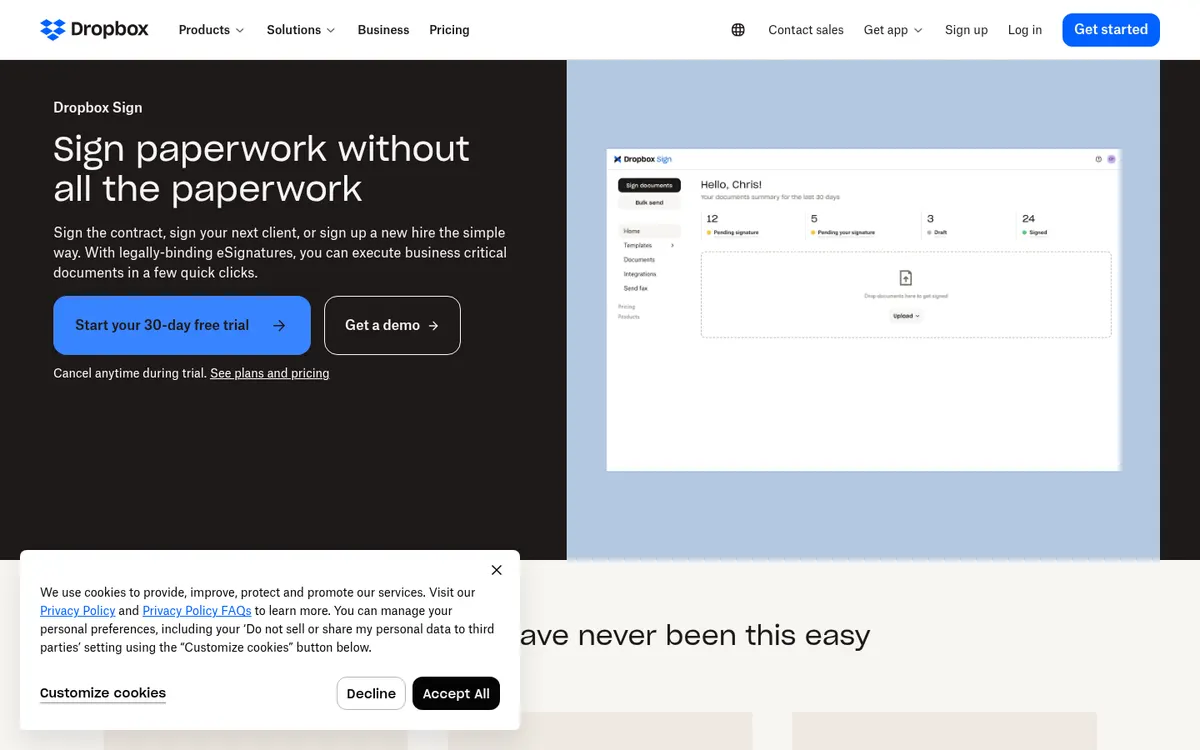
Dropbox Sign, formerly HelloSign, is the simplest proposition on this list: unlimited signature requests on paid plans, a clean interface that outside signers recognize, and tight Dropbox storage integration. Templates, audit trails and API access for developers are included, and bulk send and custom branding arrive on Standard and above.
The catch is that our page fetch on November 25, 2026 returned no content, so pricing read See website on this check and the previously recorded $15 Essentials price could not be confirmed. Standard is quoted at $25 per user per month billed annually. Confirm current numbers on the vendor site before you shortlist. Trial terms were not stated in the pack we checked.
The free plan allows 3 signature requests per month, enough to test the flow but not to run a team on. Essentials includes only 5 templates, which becomes a limit quickly if you send the same few contracts all year and need variations. There is no proposal building and no payment collection on the lower tiers, so it does not replace a sales document tool.
Where it wins is volume without complexity. A small operations team that sends the same agreement hundreds of times a month gets unlimited requests at a predictable per user price, with branding and bulk send on Standard. The API matters for product teams embedding signing inside their own application. If you need to build a priced proposal or collect payment on signature, look at PandaDoc instead.
What works
- Unlimited signature requests on paid plans
- Clean interface familiar to external signers
- Tight Dropbox storage integration
What to weigh
- Essentials includes only 5 templates
- No proposal building or payment collection
- Pricing unconfirmed on our November 25, 2026 check
Pick it if
You send the same documents at volume and want a simple, unlimited envelope plan.
Skip it if
You need proposal building, pricing tables or payment collection.
Plate 05 of 08
Zoho Sign
Best for organisations already running Zoho CRM, Books or Forms
Our verdict
Low cost and tightly wired into Zoho apps, with limited appeal once you step outside that ecosystem.
Zoho Sign is the right answer for one specific buyer: an organization already running Zoho CRM, Books or Forms. Signing workflows connect directly to those applications, so a quote in Books or a submission in Forms can move straight into an envelope without an integration project. Mobile signing apps and GDPR and HIPAA guidance round out the package.
Standard is $10 per user per month billed annually, with 25 envelopes per user per month. A free plan covers 5 envelopes per month for a single user, and there is a 14-day free trial. Blockchain based time stamping is included, which is unusual at this price, alongside a template library, per user envelope tracking, audit trails and document certificates. The entry price is low per user.
Outside the Zoho ecosystem the value drops sharply. The integration footprint is smaller than DocuSign or Dropbox Sign, so connecting to a non Zoho CRM or a bespoke stack means more work and sometimes a middleware project. The 25 envelope monthly allowance per user is also tight for sales teams sending proposals daily, and there is no proposal building or payment collection.
For a Zoho shop the arithmetic is simple: low per user cost, one vendor relationship to manage, and envelopes that stay inside the tools your team already opens each morning. For everyone else, this is a budget signing tool with a narrower integration story than the price suggests.
What works
- Deep hooks into Zoho CRM, Books and Forms
- Blockchain time stamping included
- Low entry price per user
What to weigh
- Standard allows only 25 envelopes per user per month
- Value drops sharply outside the Zoho ecosystem
- Smaller integration footprint than larger rivals
Pick it if
You already run Zoho CRM, Books or Forms and want signing inside those records.
Skip it if
Your stack is built on Microsoft, Salesforce or custom software.
Plate 06 of 08
Foxit eSign
Best for high volume senders already using Foxit PDF software
Our verdict
A flat annual price for bulk senders, undercut by a five seat minimum that hits small teams hardest.
Foxit eSign pairs PDF creation and editing with signing in one account, which suits high volume senders who already use Foxit for PDF work. Bulk sending to many recipients, fast template creation and a team management console sit at the core of the product, and NotaryLive integration handles documents that need notarizing. Mobile signing is supported for recipients on the move.
Pricing needs care. Our page fetch returned no content on November 25, 2026, so the listing shows See website and the recorded $120 per year Individual price is unconfirmed. Team plans start at $300 per user per year with a five user minimum, so a small group pays at least roughly $1,500 a year before any discussion. There is no free plan, only a 14-day trial.
For a single practitioner the annual individual price has historically been among the lowest in this category, which is why notaries and solo senders use it. For a five person team the minimum seat requirement makes it more expensive than several per seat rivals on this list, and the gap widens if some of those five people rarely send anything.
The interface is less refined than DocuSign or Dropbox Sign, and outside signers will notice the difference in polish. What you get in exchange is bulk sending and repeat templates at a flat annual cost, plus PDF tooling that would otherwise be a second subscription. If your volume is high and steady, and you already own Foxit PDF software, the annual math can work. If you are a two person operation, start elsewhere.
What works
- Low annual cost for individual senders
- PDF tooling and signatures in one account
- Built for bulk send and repeat templates
What to weigh
- Team plans carry a five user minimum at $300 per user per year
- Interface less refined than leading rivals
- No free plan, trial only
Pick it if
You send in bulk, already use Foxit for PDFs, and have at least five senders.
Skip it if
You are a small team that would pay for seats nobody uses.
Plate 07 of 08
Jotform Sign
Best for teams collecting signatures inside forms and contracts
Our verdict
Best when signatures belong inside a form, and the per account billing rewards many occasional senders.
Jotform Sign takes the form builder approach: a submission becomes a signable document, and the signature happens inside the same flow. Conditional logic and prefilled fields mean the document can assemble itself from answers, which suits intake forms, waivers and simple contracts where the data matters as much as the signature. The template gallery covers common documents, and there are 150 or more app integrations.
Pricing is per account, not per seat. Bronze is $34 per month billed annually for 100 signed documents per month. Silver is quoted at $39 per month for 250 signed documents and Gold at $99 per month for 1,000. A free Starter tier covers 10 signed documents per month. Trial terms were not stated in the pack we checked, so confirm on the vendor site.
The per account model is generous when many people send a few documents each and expensive when one team sends thousands, because you climb tiers rather than adding seats. The 100 document Bronze cap is easy to reach during a busy month, and the jump to Silver buys 150 more documents for $5.
Offline signing in the mobile app matters for field teams collecting signatures on site. If you need priced proposals, approval chains and payment collection, PandaDoc covers that ground better. If you need signatures tied to structured data collection, Jotform Sign is the closer fit and the free tier is enough to prove it.
What works
- Free tier covers 10 signed documents monthly
- Form builder plus signatures in one workflow
- Offline signing in the mobile app
What to weigh
- Bronze allows only 100 signed documents per month
- Per account billing means heavy usage forces a higher tier
- No proposal building, approvals or payments
Pick it if
Signatures arrive through forms, intake or waivers and several people send occasionally.
Skip it if
A single team sends thousands of documents a month.
Plate 08 of 08
BoldSign
Best for small teams wanting a generous free tier and unlimited envelopes
Our verdict
The lowest verified starting price here, with a 25 envelope monthly free tier and unlimited envelopes on paid plans.
BoldSign is the value pick. The free plan allows 25 envelopes per month, five times the DocuSign Personal monthly cap, and paid plans are quoted from $5 per user per month billed annually. Reusable templates, automated reminders, audit trails, bulk send and an API for embedding signing flows are all included, along with team and role management.
The Growth plan is quoted at $5 per user per month billed annually, and the plan note lists 50 envelopes per user per month, while the feature list promises unlimited envelopes on paid plans. Confirm which applies to the tier you buy before you commit, because the answer changes the math for a heavy sender. Business is quoted at $15 per user per month, and a free trial is available.
What you give up is depth. The integration library is smaller than DocuSign or Adobe, advanced workflow features are fewer, and external signers are less likely to have heard the brand, which occasionally prompts a question about whether the signature is valid. For a small team sending standard agreements, none of that usually matters.
BoldSign fits teams that have outgrown a free tool and want a flat, predictable bill per sender. It is a weaker fit for regulated enterprises that need a procurement friendly name, complex approval chains or deep CRM wiring. Start on the free tier with a real contract, then move to Growth if the flow holds up.
What works
- Free tier allows 25 envelopes per month
- Flat, low per user pricing
- Quick to learn for small teams
What to weigh
- Smaller integration library than larger rivals
- Fewer advanced workflow features
- Less brand recognition with external signers
Pick it if
You want a low per seat bill, a useful free tier and unlimited sending.
Skip it if
You need deep CRM integrations or complex approval chains.
What is e-signature software, and when does a signature tool stop being enough?
E-signature software collects a legally binding signature on a document without printing, scanning or posting anything. At its simplest it does three things: it takes a document you upload, places signature, date and initial fields where you choose, and sends a link to each signer in turn or in parallel. When the last person signs, everyone receives a completed copy, often with a certificate that records who signed, when, and from which IP address. That audit trail is the part legal teams care about, and the part that separates a paid product from a signature image dropped into a PDF.
The category splits into three groups. Signature-first tools do the send, sign and file loop and little else. Document tools wrap signatures inside proposal building, pricing tables and payment collection. Suite tools bolt signing onto something you already own, whether that is Acrobat, Dropbox or Zoho.
You need more than a basic signature tool when:
- You send the same contract repeatedly and need templates rather than rebuilding each time
- Several people must sign in a set order, or a document needs internal approval before it goes out
- You must prove who signed and when, with a certificate that survives a dispute
- Signatures arrive inside a form, an intake process or a CRM record rather than a standalone PDF
What you are really buying is an allowance. Every tool on this list caps something: envelopes per month, documents per year, templates, seats or transactions. The signing experience looks similar across all eight. The differences that show up on a bill are the caps, the billing unit, and whether the features you need sit on the tier you can afford. A tool that costs $5 per user but forces an upgrade at month two is more expensive than one at $19 that covers the whole process.
This guide sits in the Software collection. Buyers weighing nearby tools often read the guides to commission software and research platforms next.
How per seat, per account and envelope caps change what you actually pay
Three billing models cover this whole category, and they produce very different bills for the same volume. Per seat pricing charges for each person who sends. Per account pricing charges once for the whole workspace and caps the output. Annual-only pricing charges per user but locks the term, so a wrong choice costs a year.
| Model | How it bills | Typical fit | Example from this list |
|---|---|---|---|
| Per seat, annual | Each sender pays monthly, committed for a year | Teams where everyone sends regularly | PandaDoc Starter at $19 per seat per month billed annually |
| Per user, annual with an envelope cap | Each user gets an allowance that does not pool | Departments with steady, predictable volume | DocuSign Standard at $25 per user per month billed annually, 100 envelopes per user per year |
| Per account with a document allowance | One price for the workspace, capped output | Many occasional senders, one budget holder | Jotform Sign Bronze at $34 per month billed annually for 100 signed documents |
| Per user, annual only, seat minimum | Annual contract with a floor on seats | Bulk senders and single practitioners | Foxit eSign team plans at $300 per user per year with a five user minimum |
| Quoted by sales | Custom quote after a call | Enterprises with compliance review | Adobe Sign Solutions, priced only through sales |
Read the allowance before the price. DocuSign Personal at $11 per month and BoldSign Growth at $5 per user per month look close on price, but Personal caps at 5 envelopes a month against 50 envelopes per user per month on Growth. Free tiers work the same way: 3 signature requests a month on Dropbox Sign, 5 envelopes on Zoho Sign, 10 signed documents on Jotform Sign, 25 envelopes on BoldSign. Try the free tier at your real volume before you buy seats.
Watch the billing unit too. Jotform Sign charges once per account, so ten people sharing 100 documents a month pay $34. A per seat tool at $19 for the same ten people pays $190 but with unlimited envelopes.
Every price in this guide was read on the vendor's own pricing page on November 25, 2026. Where a vendor does not publish a figure we could confirm, the card says "See website" rather than a guess. For the arithmetic around this purchase, try the free Email campaign metrics calculator.
A six step path from shortlist to signed contract
- Count your volume. Add up envelopes sent over the last three months and divide by the number of senders. That number decides whether an envelope cap or an unlimited plan is cheaper for you.
- Name the billing unit. Decide whether you are buying seats, an account allowance or a transaction count. Ten occasional senders and two heavy senders want different models, and the cheaper one flips with volume.
- List the must have features. Templates, bulk send, custom branding, approvals, payment collection, CRM sync. Anything that is not on the tier you can afford is not a feature, it is an upgrade you have not budgeted.
- Check the ecosystem. If you run Zoho, start with Zoho Sign. If you live in Acrobat, price Adobe first. Existing tools decide more of the total cost than a few dollars of list price.
- Run a real document through the trial. Send an actual contract to a colleague outside your organization. Time the setup, check how the signing page looks to them, and read what the audit certificate shows.
- Model the year, not the month. Multiply the per seat price by seats by twelve, add the tier you will realistically need by month three, then compare that against the annual figure on the vendor page.
Five buying mistakes that show up after the contract is signed
- Buying on the headline price. The lowest per seat figure usually belongs to the smallest tier. DocuSign Personal at $11 caps at 5 envelopes a month, which is a trial, not a plan. Model the tier you will need in month three.
- Assuming envelopes pool. DocuSign scales allowances per user rather than per account, so unused envelopes on one seat do not cover a busy colleague. Shared pools exist elsewhere, and the difference decides which plan is cheaper.
- Ignoring the tier that carries the feature. On PandaDoc, CRM integration, approvals and custom branding all sit on Business at $49 per seat per month, not Starter at $19. Budget for the tier that has what you actually need.
- Testing with your own documents only. Send a real contract to someone outside the organization. Signing pages behave differently for new recipients, and the audit certificate format is what your legal team will read during a dispute.
- Missing the seat minimum. Foxit eSign team plans start at $300 per user per year with a five user minimum, so a two person team pays roughly $1,500 before sending anything. Check the floor before you fall for the per user number.
signnow alternatives: questions
Which alternative has the most generous free envelope allowance?
BoldSign, at 25 envelopes per month. That is five times the 5 envelope monthly cap on DocuSign Personal and well ahead of Jotform Sign at 10 signed documents, Zoho Sign at 5 envelopes and Dropbox Sign at 3 signature requests. Free tiers are for testing a flow rather than running a team, so check the paid tier before you rely on one.
Does DocuSign have a free plan or only a trial?
Only a trial. There is no free DocuSign plan. Personal is $11 per month, billed annually at $132 per year, and caps at 5 envelopes per month. Standard is quoted at $25 per user per month billed annually with 100 envelopes per user per year. If you need a free allowance to test at volume, BoldSign or Jotform Sign gives you more room.
Which tool gives small teams unlimited signature requests?
Dropbox Sign includes unlimited signature requests on paid plans, with Standard at $25 per user per month billed annually adding bulk send and custom branding. PandaDoc also offers unlimited signatures on any paid tier, from $19 per seat per month billed annually. BoldSign advertises unlimited envelopes on paid plans, though its Growth note lists 50 envelopes per user per month, so confirm before buying.
How does Adobe bundle e-signing into Acrobat plans, and what does it cost?
E-signing runs inside Acrobat, so the same subscription covers PDF creation and editing plus sending for signature. Acrobat Standard for teams is $16.99 per license per month on annual billing, billed monthly, with 150 signature transactions per user per year. Pro for teams is quoted at $23.99 and Studio at $29.99. Standalone Sign Solutions are priced only through sales.
Which option best fits a team already running Zoho?
Zoho Sign. Signing workflows connect directly to Zoho CRM, Books and Forms, so records move into envelopes without an integration project. Standard is $10 per user per month billed annually with 25 envelopes per user per month, and there is a free plan for one user at 5 envelopes per month plus a 14-day trial. Blockchain time stamping is included at that price.
Do per-account or per-user prices cost less in practice?
It depends on who sends. Jotform Sign bills per account, so Bronze at $34 per month covers 100 signed documents however many people send them. Per seat tools multiply by headcount: PandaDoc Starter at $19 per seat per month costs more for ten senders but removes the document cap. Count senders and documents before choosing a model.